Demo Embedding and Accessing Vectors from S3 Vector Buckets
Demonstrates storing sentence embeddings in an S3 vector bucket, uploading vectors with metadata, validating dimensions, and performing similarity search using SentenceTransformer and AWS S3 Vectors API
Hello and welcome back.This guide demonstrates how to store sentence embeddings (vectors) in an S3 vector bucket and retrieve them using similarity search. The example uses a Jupyter notebook workflow to:
Configure the AWS client and import required packages.
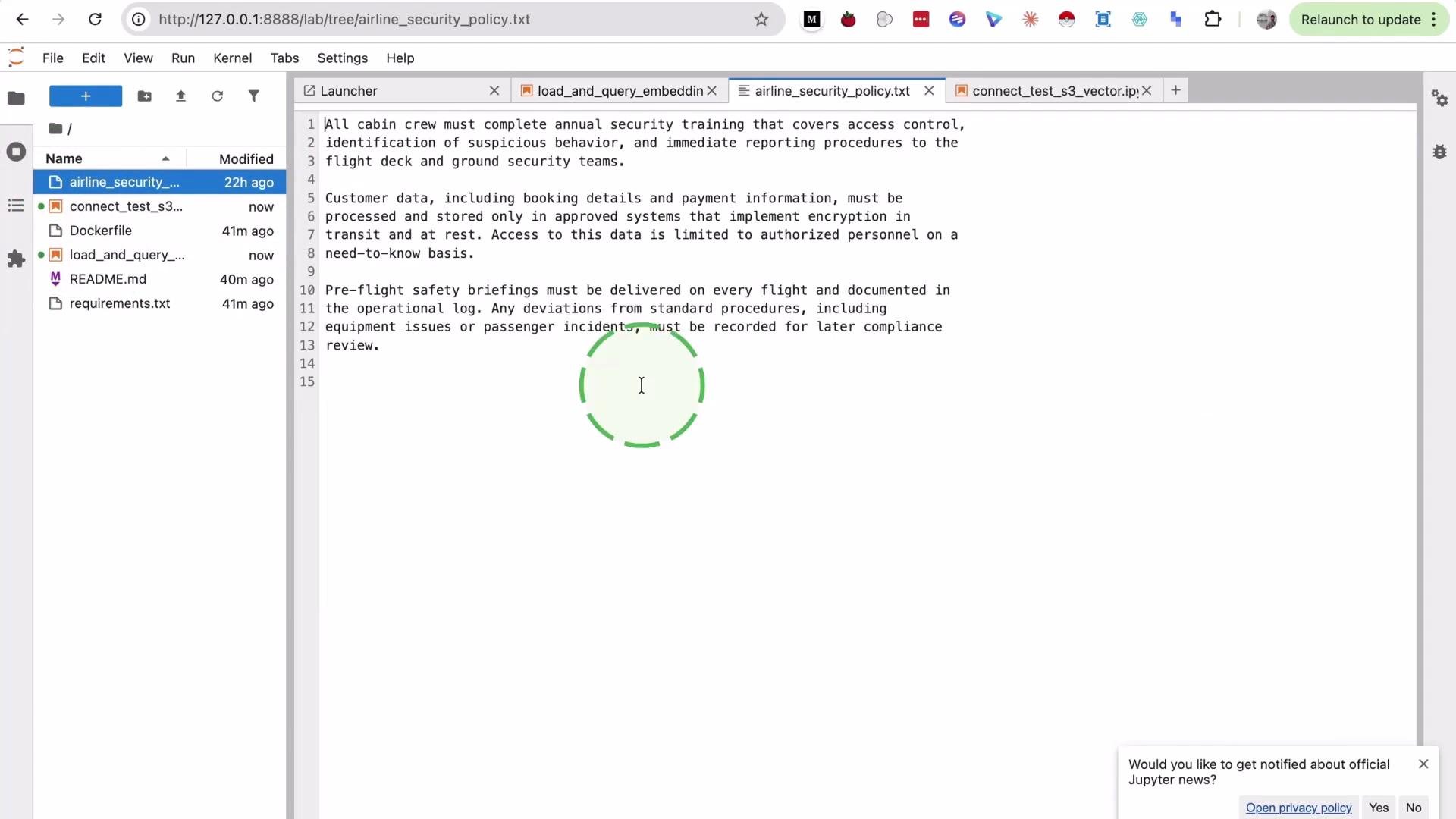
Load a policy document and chunk it into paragraphs.
Convert chunks into embeddings with SentenceTransformer.
Validate the vector index dimension in the S3 vector bucket.
Upload vectors to the S3 vector index.
Query the index using a text query to retrieve nearest neighbors.
Prerequisites:
Python 3.8+
A working AWS account and credentials with access to the S3 Vectors API
from pathlib import Pathimport boto3from sentence_transformers import SentenceTransformerAWS_ACCESS_KEY_ID = "REPLACE_ME"AWS_SECRET_ACCESS_KEY = "REPLACE_ME"AWS_REGION = "us-east-1"BUCKET_NAME = "airline-policy-vectors-YOURNAME"VECTOR_INDEX_NAME = "airline-policy-index"MODEL_NAME = "sentence-transformers/all-MiniLM-L6-v2"TOP_K = 3session = boto3.Session( aws_access_key_id=AWS_ACCESS_KEY_ID, aws_secret_access_key=AWS_SECRET_ACCESS_KEY, region_name=AWS_REGION,)client = session.client("s3vectors")model = SentenceTransformer(MODEL_NAME)print("Client and model are ready")
Load and chunk the document
For this demo we perform a simple paragraph split (split on double newlines). Depending on your data, you might prefer sentence splitting or a sliding window approach.
policy_path = Path("airline_security_policy.txt")policy_text = policy_path.read_text(encoding="utf-8")paragraphs = [p.strip() for p in policy_text.split("\n\n") if p.strip()]print("Paragraphs loaded:", len(paragraphs))print("First two paragraphs preview:", paragraphs[:2])
Convert paragraphs to embeddings
Use the same SentenceTransformer model that you will use for queries to ensure dimensional consistency.
The vector index must be created with the same vector dimension as the embeddings produced by your model. Query the index metadata and read the dimension field robustly to handle variations in the API response structure.
index_info = client.get_index( vectorBucketName=BUCKET_NAME, indexName=VECTOR_INDEX_NAME,)index_cfg = index_info.get("index") or {}index_dim = ( index_info.get("dimension") or index_cfg.get("dimension") or index_info.get("vectorDimension") or index_cfg.get("vectorDimension"))if not index_dim: raise KeyError(f"Missing dimension in get_index response: {list(index_info.keys())}")index_dim = int(index_dim)if index_dim != embedding_dim: raise ValueError( f"Index dimension {index_dim} != embedding dimension {embedding_dim}. " f"Delete index '{VECTOR_INDEX_NAME}' and recreate it with dimension {embedding_dim}." )print("Dimension check passed:", index_dim)
Always ensure the vector index dimension matches the embedding dimension produced by your model. A mismatch will cause put_vectors or query_vectors operations to fail.
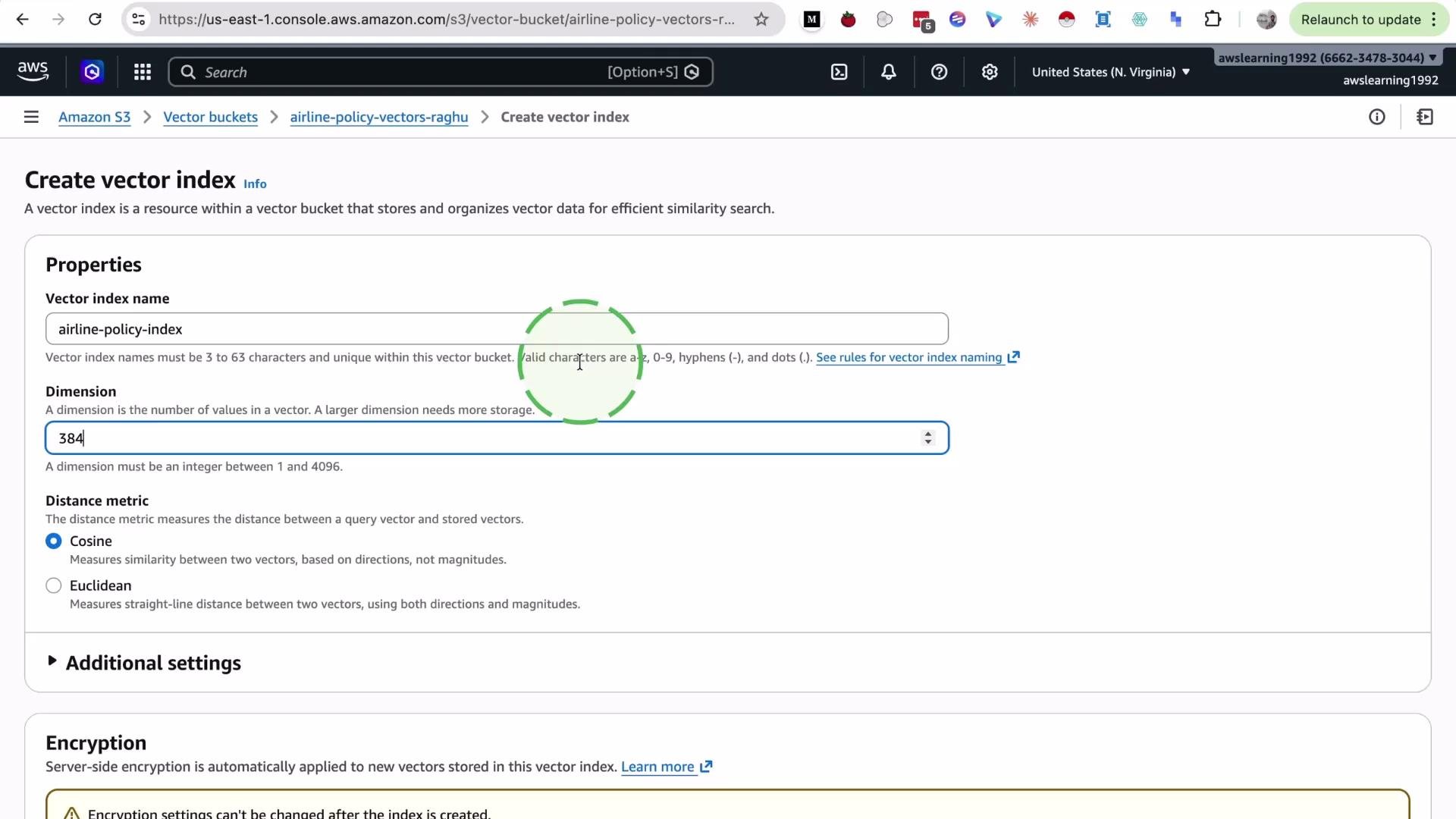
If the index was created with an incorrect dimension (for example, 3 instead of 384), you must delete and recreate the index with the correct dimension value before uploading vectors.
Why is this check important?
Embedding vectors are fixed-length numeric arrays. If the index expects a different length, the underlying vector store cannot store or compare vectors correctly, and operations will error out.
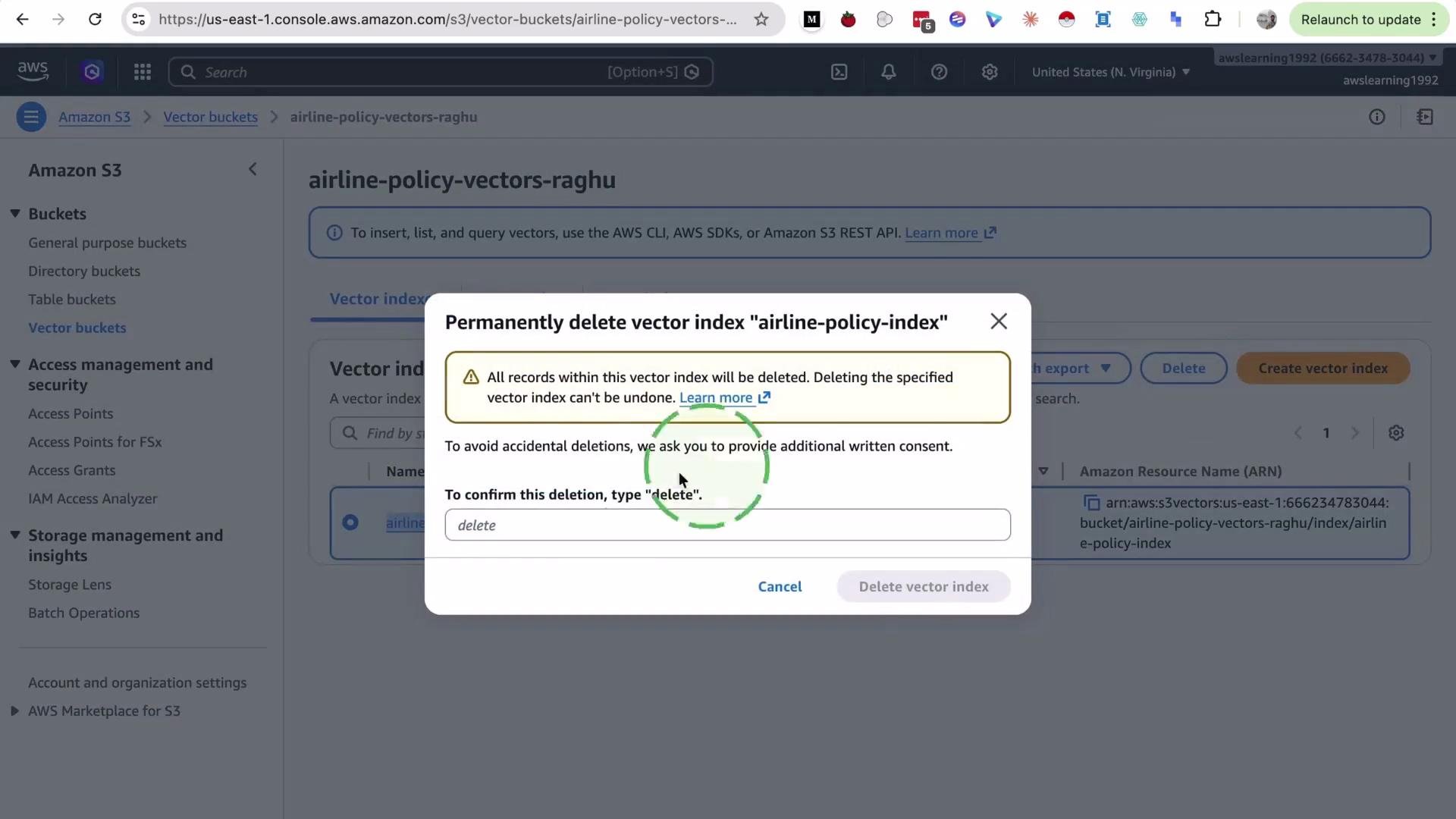
Here is an example screenshot of deleting an index in the S3 console before recreating it with the correct dimension.
When creating the index in the S3 console, ensure you enter the dimension that matches your model (for example 384).
Upload: build the vector payload
Each entry needs a unique key, the vector under the supported numeric format (here float32), and optional metadata (we store the original paragraph text).
Use the same model to encode the query text. Provide the query vector as float32 and request metadata and distance if you want to inspect results.
query_text = "What security checks happen before boarding?"query_vector = model.encode([query_text])[0].tolist()query_response = client.query_vectors( vectorBucketName=BUCKET_NAME, indexName=VECTOR_INDEX_NAME, topK=TOP_K, queryVector=[{"float32": query_vector}], returnMetadata=True, returnDistance=True,)hits = query_response.get("vectors") or []for rank, row in enumerate(hits, start=1): text = (row.get("metadata") or {}).get("text", "") preview = text[:140].replace("\n", " ") print(f"#{rank} key={row.get('key')} distance={row.get('distance')}") print(preview) print()
Notes about querying:
topK controls how many nearest neighbors are returned.
The queryVector must match the index dimension.
The response typically includes an array of vectors (hits); each hit contains key, distance, and whatever metadata you stored.
Example output (illustrative):
#1 key=section-1 distance=0.4439745All cabin crew must complete annual security training that covers access control, identification of suspicious behavior, and immediate report#2 key=section-3 distance=0.49711066Pre-flight safety briefings must be delivered on every flight and documented in the operational log. Any deviations from standard procedures#3 key=section-2 distance=0.64928225Customer data, including booking details and payment information, must be processed and stored only in approved systems that implement encry...
Summary and best practices
Convert text to embeddings using a single consistent model (e.g. sentence-transformers/all-MiniLM-L6-v2).
Always verify that the S3 vector index dimension matches the embedding vector length.
Upload vectors with put_vectors, including a stable key, the vector values (e.g. float32), and helpful metadata.
Query with query_vectors using the same model, correct topK, and request returnMetadata / returnDistance as needed.
If you encounter dimension mismatches, delete and recreate the index with the correct dimension.