Hello and welcome to an in-depth course on vector databases for generative AI and machine learning. If you’ve been following the AI landscape, you’ve likely encountered systems that rely on vector search: chatbots that remember context, recommendation engines that serve relevant content, and semantic search across massive catalogs.
A man is speaking into a microphone, and beside him is a graphic promoting a "Vector Database for GenAI" with a positive rating and the name "Raghunandana Sanur."
I’m Raghunandana Sanur — your instructor for this course. We’ll take a practical, systems-oriented approach: from first principles to production-ready architectures. Key questions we’ll answer:
  • How does ChatGPT remember and maintain context?
  • How do services like Netflix and Amazon power personalization and semantic search?
  • What components make retrieval-augmented generation (RAG) performant and scalable?
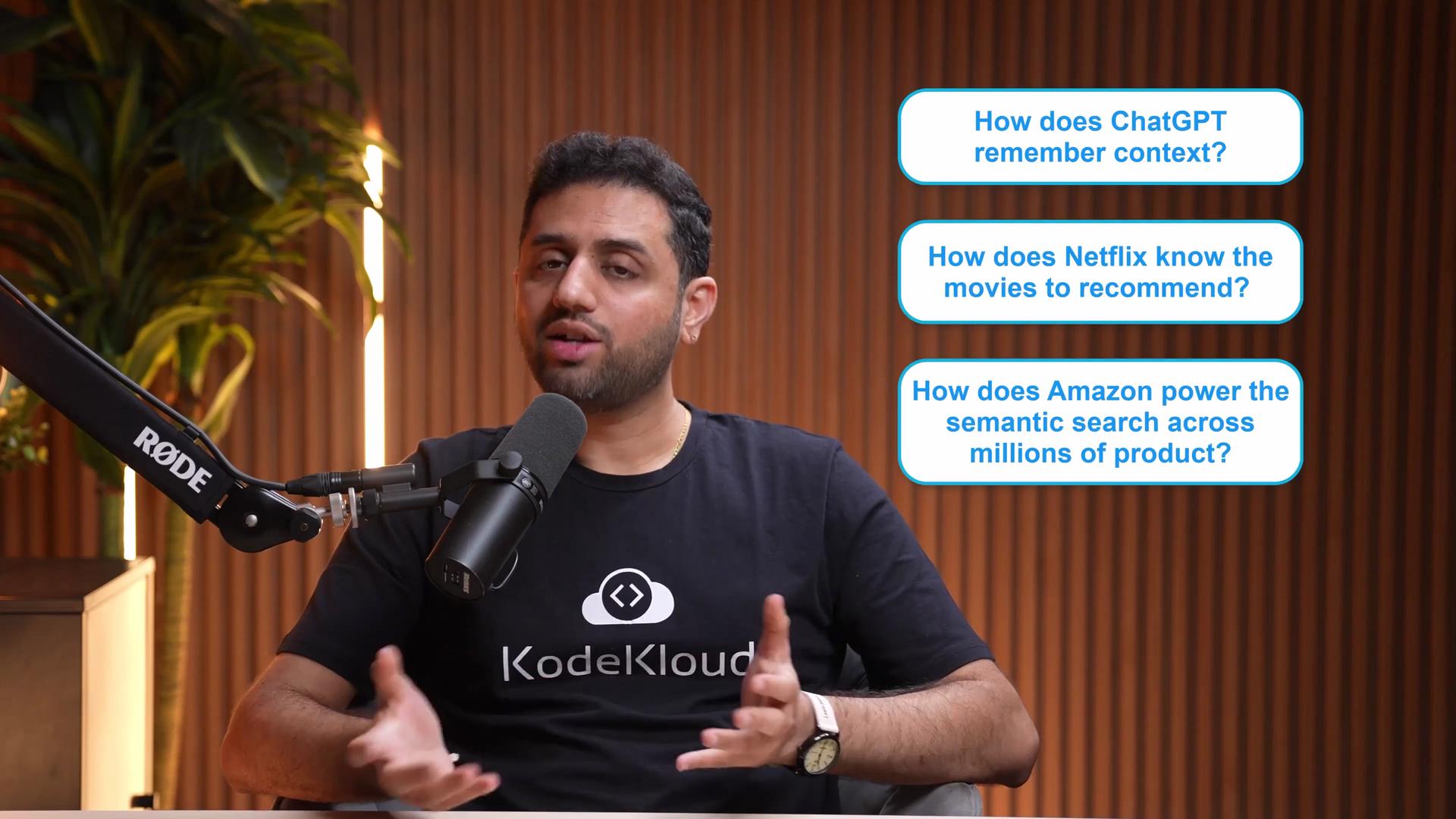
The image shows a person speaking into a microphone with text boxes asking questions about ChatGPT, Netflix, and Amazon's functionalities.
Major organizations — OpenAI, Meta, Google, Amazon — rely on vector-based retrieval for chatbots, recommendations, fraud detection, semantic search, and RAG. These techniques are now accessible to teams of any size and form the backbone of many modern GenAI applications.
A person is speaking into a microphone in a studio setting, with text boxes beside them listing "Fraud Detection," "Semantic Search," and "RAG."
This course will cover theory, tooling, and hands-on labs so you can design and implement real-world systems.
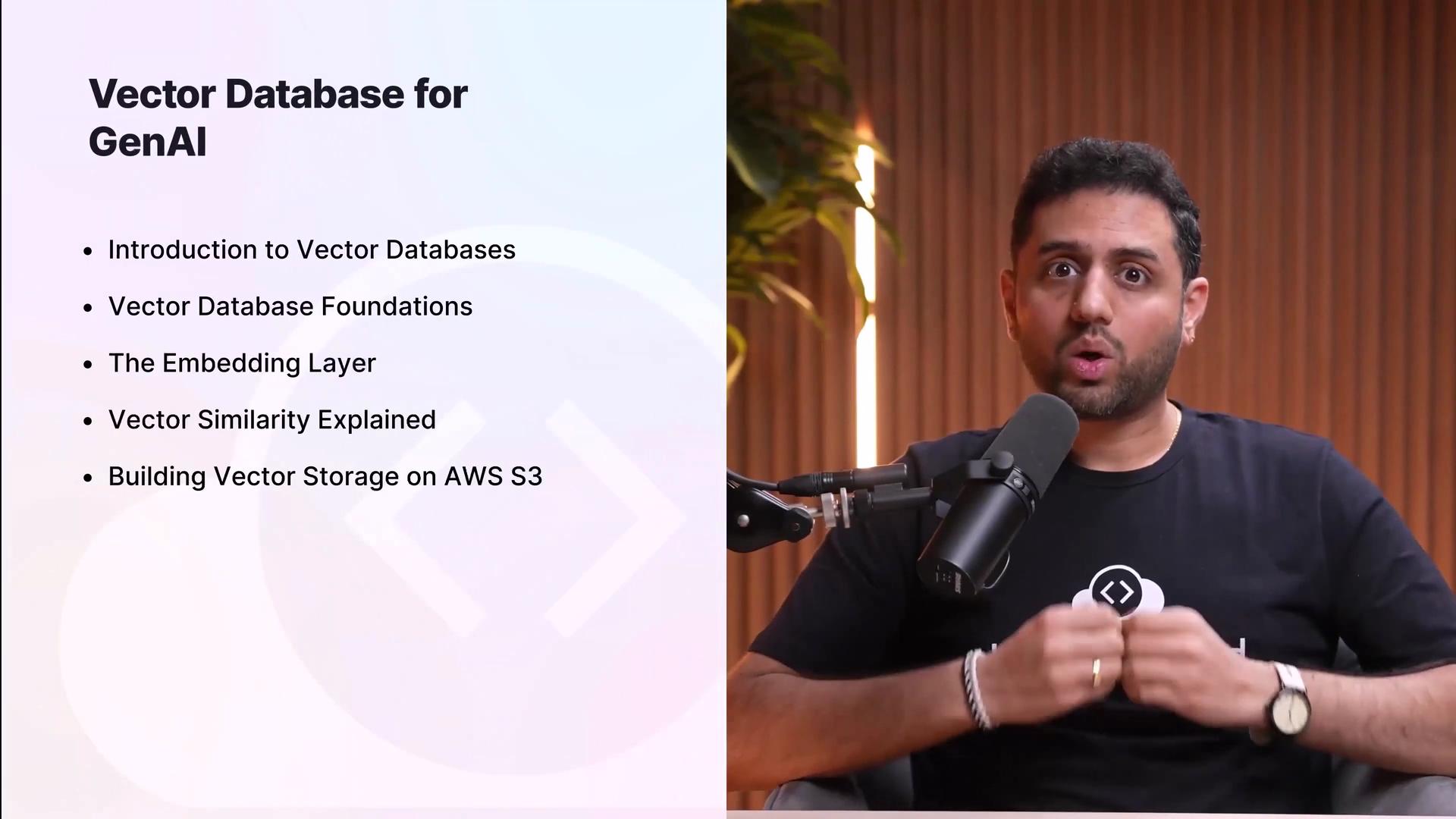
The image shows a person speaking into a microphone with a presentation slide about vector databases for GenAI, listing topics like database foundations and AWS S3 storage.
What you’ll learn (overview)
  • Vector database fundamentals and how they fit with LLMs and embeddings
  • Embedding creation, model selection, and optimization
  • Similarity metrics and how to choose them
  • Building scalable vector stores using cloud-native components (e.g., Amazon S3)
  • Comparing vector database solutions and when to use each
  • Internals: indexing strategies, ANN algorithms, and HNSW
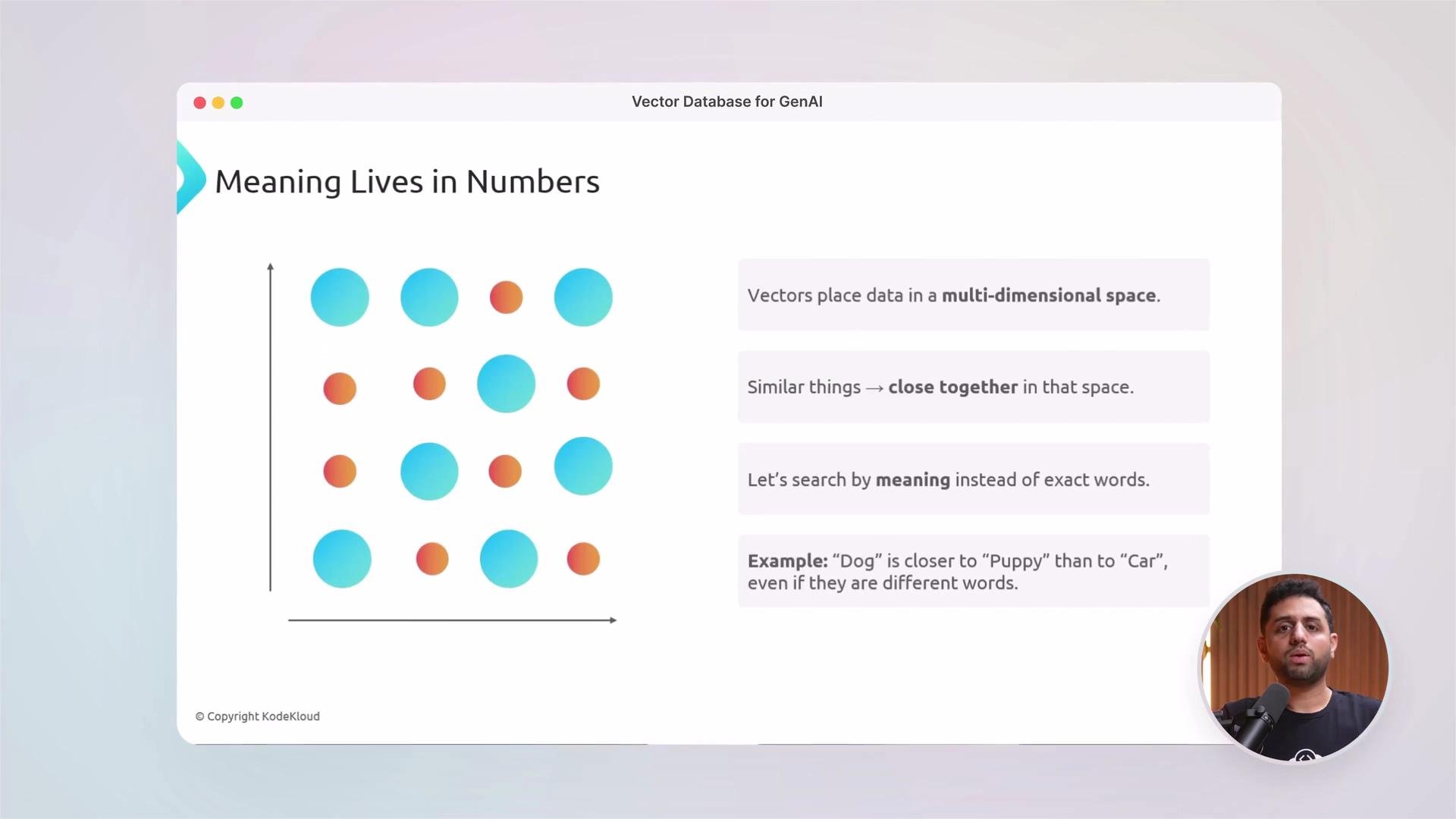
We begin by defining vectors and embeddings, and how similarity search differs from traditional exact-match databases.
The image illustrates the concept of vectors placing data in a multi-dimensional space, emphasizing that similar things are closer in that space, and searching by meaning rather than exact words. It includes a graphic of dots in a grid and text explanations.
Foundations covered in this course
  • What are vectors and embeddings?
  • Why traditional databases struggle with similarity search
  • How vector databases enable low-latency semantic retrieval
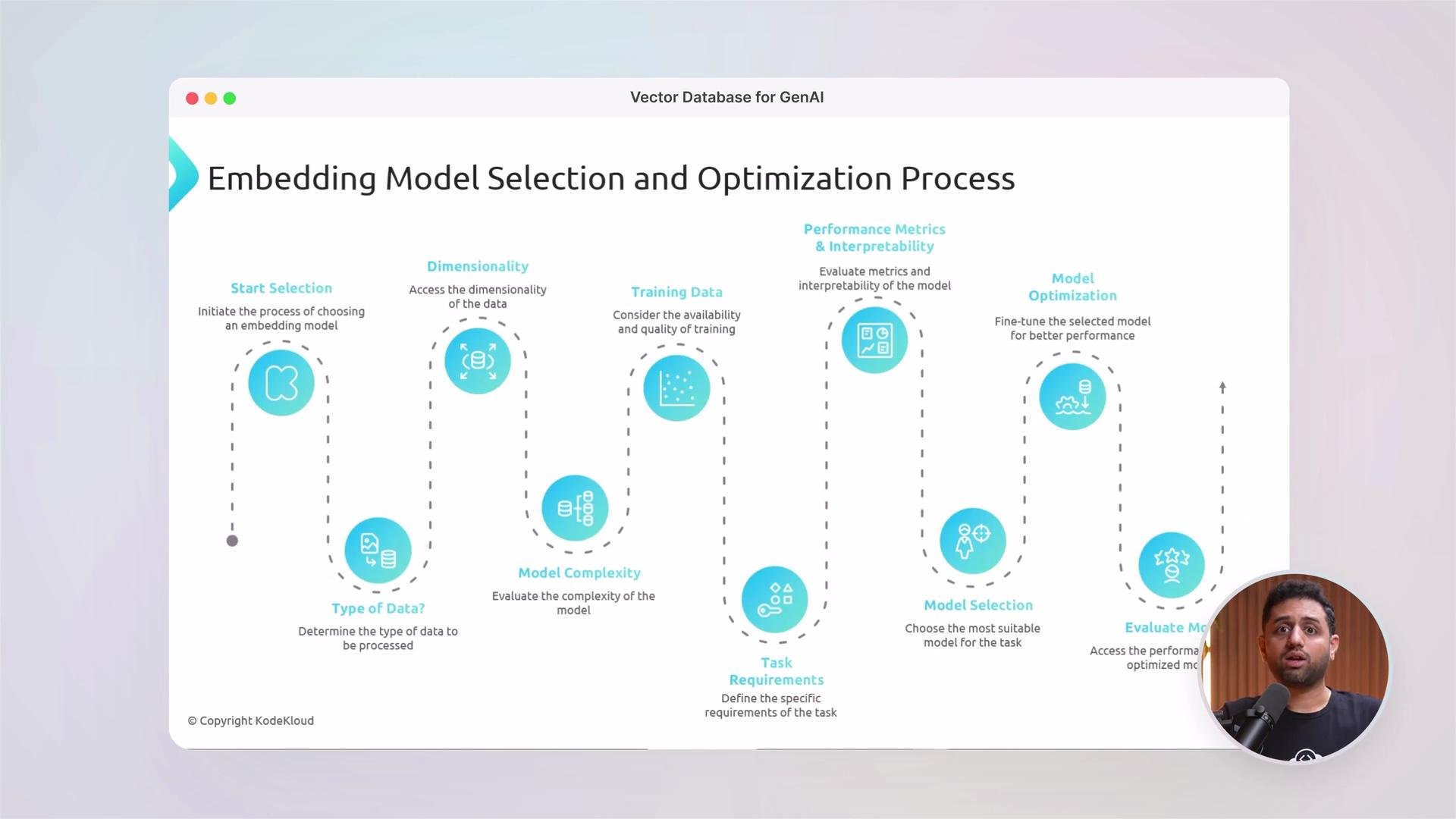
From there we’ll dive into the text embedding layer: converting raw data (documents, PDFs, images, code, logs) into dense vector representations using models from OpenAI, Hugging Face, and other providers.
The image details an "Embedding Model Selection and Optimization Process" featuring steps such as data type determination, dimensionality assessment, training data evaluation, model complexity, and optimization. It includes visual elements and a speaker's image in the corner.
Similarity metrics and trade-offs
  • Cosine similarity — focuses on direction; commonly used for normalized embeddings.
  • Euclidean distance — sensitive to magnitude; useful when absolute distances matter.
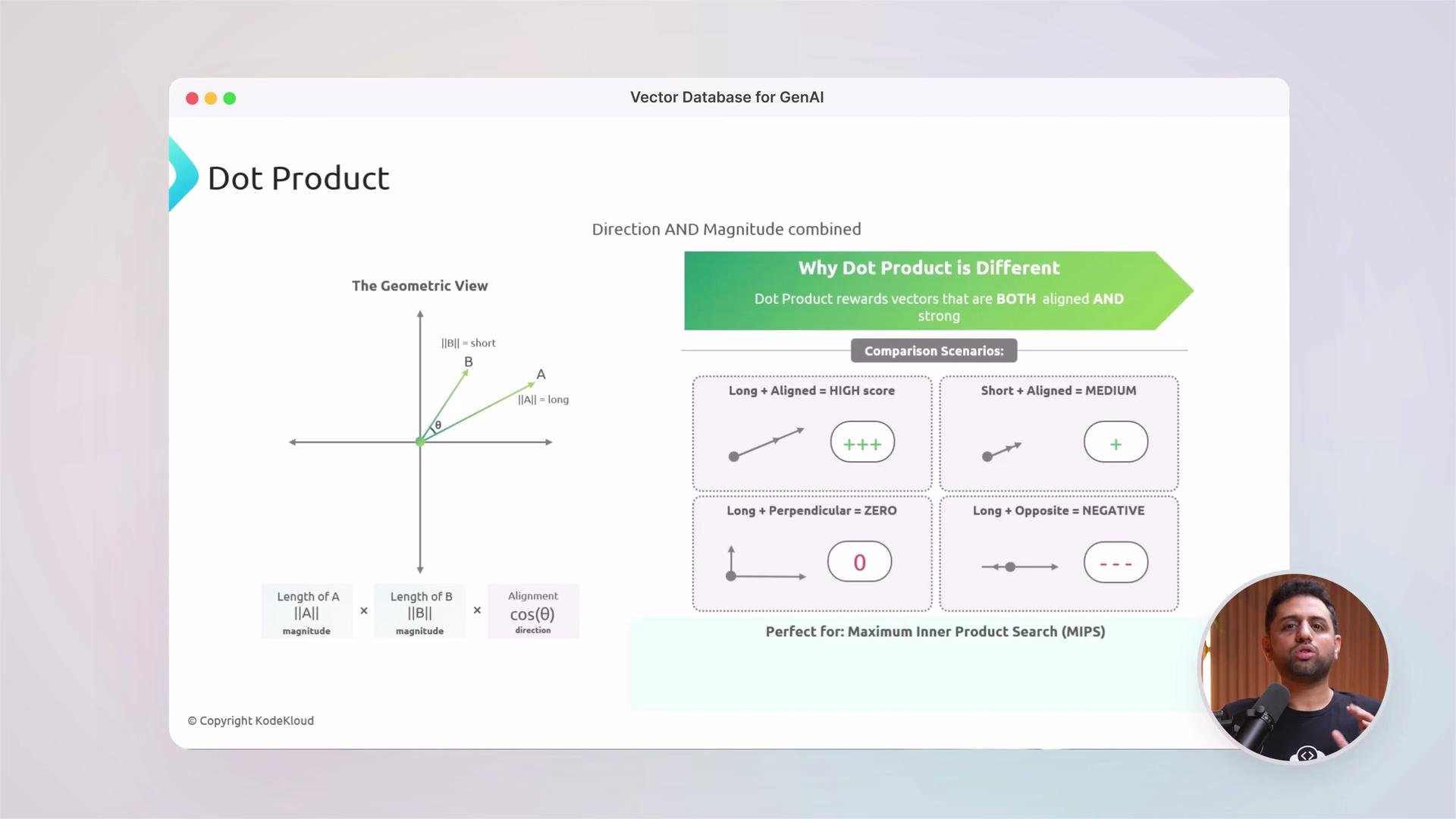
  • Dot product — combines magnitude and direction; often used in models trained for retrieval.
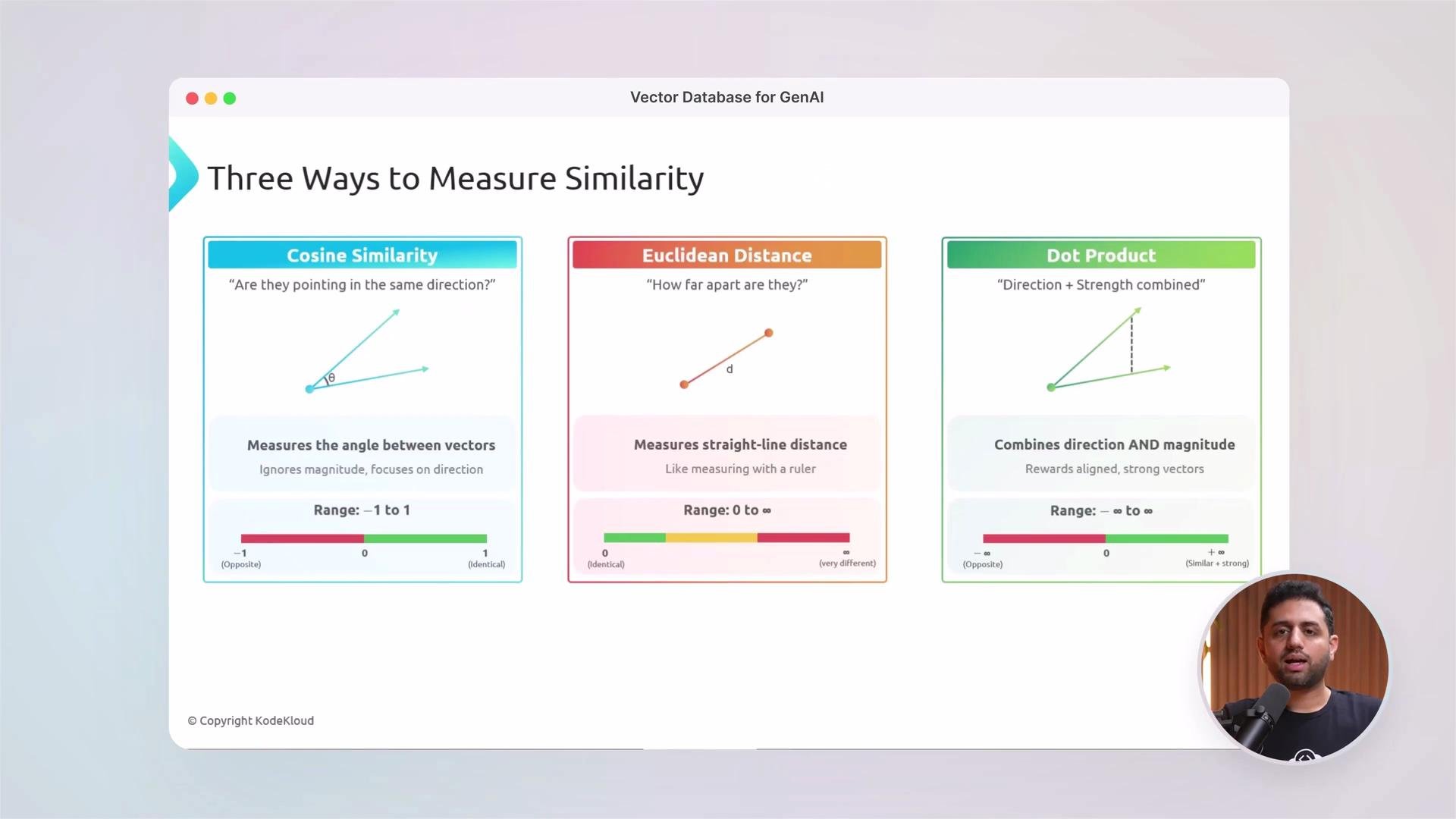
We’ll explain when to use each metric and the practical implications on retrieval quality and system design.
The image explains three ways to measure similarity: Cosine Similarity, Euclidean Distance, and Dot Product, highlighting their functions, focuses, and ranges.
A geometric intuition for similarity metrics helps when tuning and debugging retrieval pipelines.
The image explains the concept of the dot product, showing a geometric view of vectors and comparison scenarios indicating how direction and magnitude affect the dot product score.
Hands-on modules and architecture
  • Build a vector store on Amazon S3 for cost-effective, scalable storage of embeddings and metadata.
  • Combine object storage with a dedicated vector index for high-QPS, low-latency queries.
  • Deploy RAG pipelines that use retrieval to augment LLM responses.
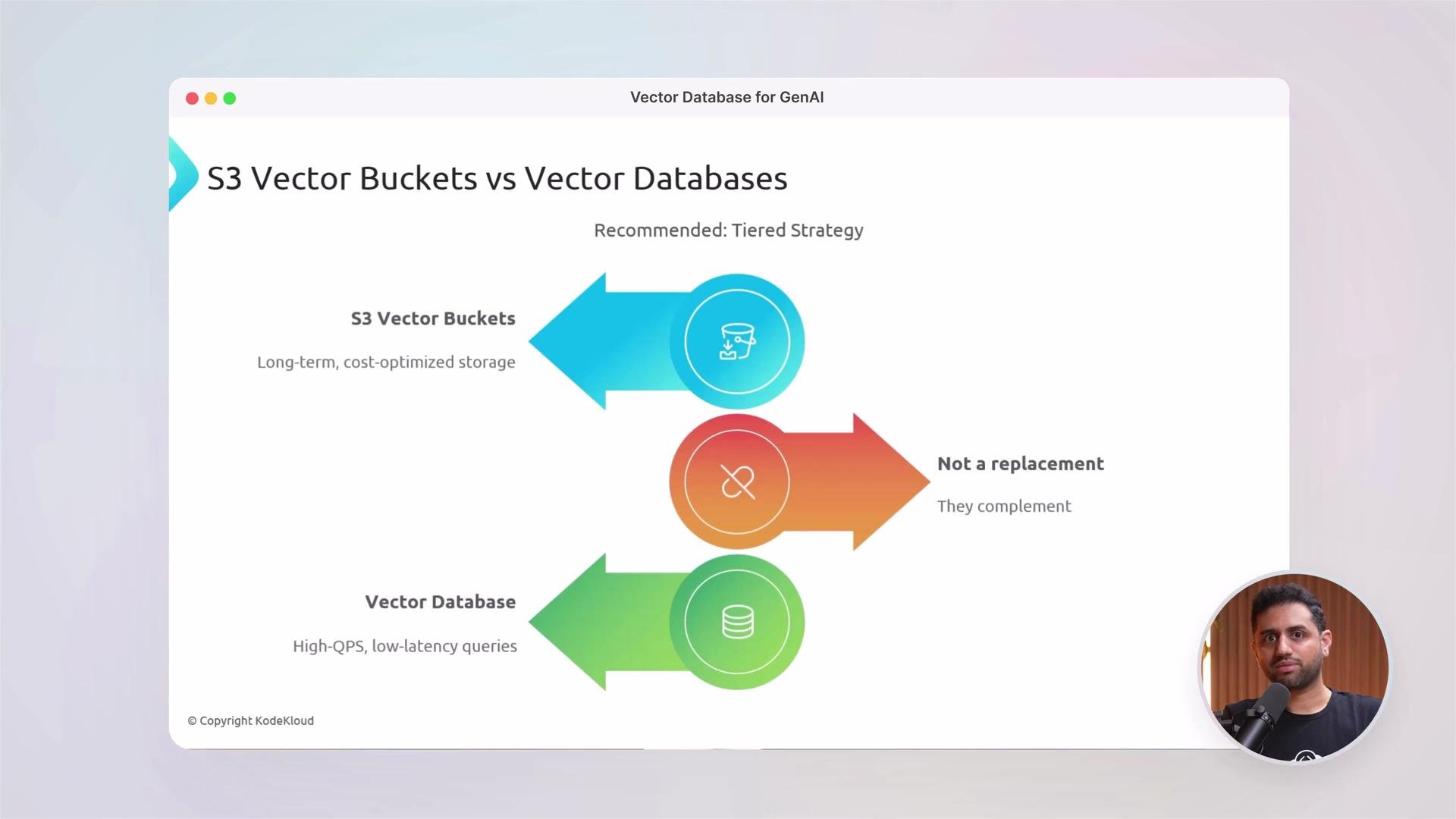
We’ll also survey the vector ecosystem so you can choose the right tool for your use case.
The image is a comparison of S3 Vector Buckets and Vector Databases, recommending a tiered strategy where they complement each other. It highlights S3 Vector Buckets for long-term, cost-optimized storage, and Vector Databases for high-QPS, low-latency queries, with a speaker in the bottom right corner.
Quick comparison: When to use which solution
Tool / CategoryBest forNotes
PineconeManaged, production vector searchFully managed, good for rapid deployment and high throughput
WeaviateSchema-driven semantic search & knowledge graphsBuilt-in vectorization options and graph-aware queries
OpenSearchIntegrated search + vector capabilitiesGood when combining keyword and vector search in same cluster
S3 Vector BucketsCost-optimized long-term storagePair with a vector DB for hot queries; store raw files & embeddings in S3
Internals: what happens under the hood
  • Indexing strategies (flat vs. partitioned vs. hierarchical)
  • ANN algorithms: HNSW, IVF, PQ, and trade-offs (latency, recall, memory)
  • Practical tuning: ef/search, ef/construction, M, PQ parameters
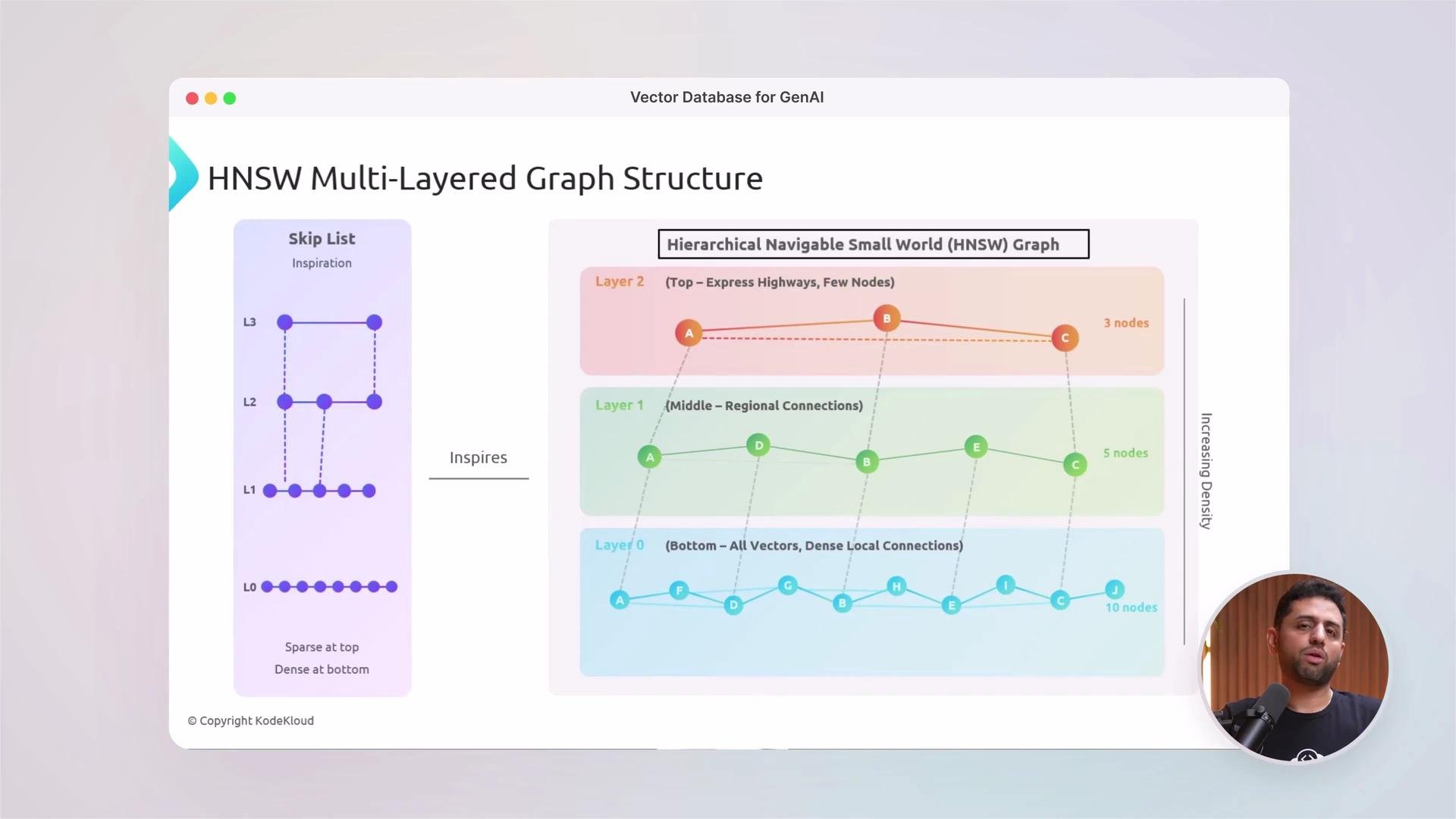
We’ll visualize these internals and show how indexing choices impact cost and performance.
The image illustrates the structure of an HNSW (Hierarchical Navigable Small World) multi-layered graph, inspired by a skip list, with increasing density from top to bottom across three layers.
Practical labs and troubleshooting
  • End-to-end semantic search demo (data ingestion → embedding → indexing → query)
  • RAG app example: retrieval + LLM prompt composition
  • Performance testing and tuning for throughput and recall
Example troubleshooting command you may run while inspecting logs or container output:
docker logs embedding-viz 2>&1 | grep token
Community and collaboration
Join the community to discuss examples, ask for help, and share experiments. Collaboration accelerates learning.
If you’re ready to move beyond the theory and build practical, scalable vector retrieval systems for GenAI, let’s dive in. References and further reading

Watch Video