

Static secrets
Static secrets are long‑lived credentials you create and manage directly on a backend platform — for example, an Active Directory service account set to “password never expires”, a persistent database account (RDS or on‑prem), or vendor API keys. They are common because many legacy applications and processes expect constant credentials, but they come with operational and security trade‑offs:- No automatic expiry — they remain valid until manually rotated or revoked.
- Broadly shared — the same DB user/password or API key is often deployed to multiple servers or shared among team members.
- Poor accountability — shared credentials make it difficult to attribute actions to an individual or system.
- Always valid — attackers and automated scanners target long‑lived credentials that may rarely be used.
- Rotation is often manual and infrequent — organizational friction leads to missed policy requirements.
- Technical debt accumulates — forgotten accounts or credentials linger after people leave or apps are retired.
Static secrets significantly increase risk if not tightly controlled: they expand the attack surface and require disciplined operational processes to avoid stale, over‑privileged credentials.
Dynamic secrets
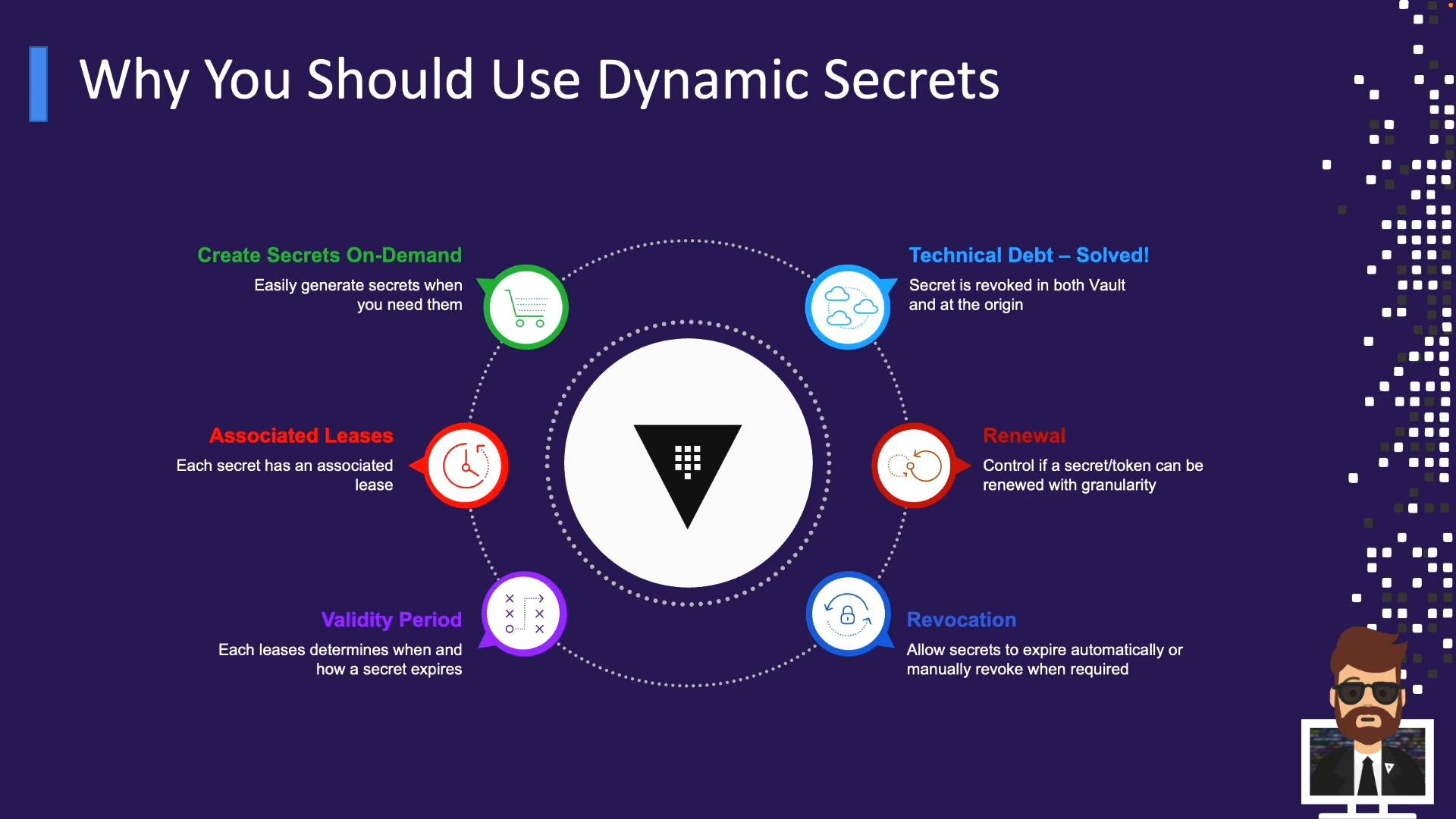
Dynamic secrets solve many static secret problems by generating credentials on demand and tying them to finite leases. Key benefits:- On‑demand creation: generate credentials only when needed (CI jobs, app startup, ad‑hoc admin tasks).
- Associated leases: each credential is issued with a lease (TTL) that defines its lifetime.
- Controlled validity: roles specify initial and maximum TTLs, and Vault enforces those limits.
- Lease renewal: clients can renew leases up to the configured maximum TTL when appropriate.
- Revocation: Vault can automatically revoke credentials at expiry and supports manual revocation.
- Reduced technical debt: Vault can revoke and (where supported) delete backend accounts it creates, preventing stale credentials from accumulating.
- When Vault issues a dynamic credential (for example, a database username/password), it records the lease and maps it to the backend account it created.
- If the lease expires or the secret is explicitly revoked, Vault calls the backend to remove or disable the generated credential.
- This means leaked credentials rapidly lose value — a credential accidentally committed to a repo will be useless once its lease expires.
Dynamic secrets give you both short lifetimes by default and automated revocation at the origin, greatly reducing the attack surface and ongoing operational cleanup.
- Every dynamic secret has a lease. The lease (TTL) determines how long the credentials remain valid (e.g., 5 minutes, 1 hour).
- Roles define an initial TTL and a maximum TTL. Clients may renew a lease until the configured maximum lifetime is reached.
- Example:
initial_ttl = 1h,max_ttl = 24h. The client may renew while the total lifetime stays under 24 hours; after that Vault revokes the secret.
- Example:
- Renewal patterns:
- Ephemeral jobs: short TTLs with no renewal (CI jobs, ad‑hoc scripts).
- Long‑running applications: renewable leases that periodically refresh before expiry.
- Controlled long access: set sensible max TTLs to limit exposure even with renewals.
- Revocation modes:
- Automatic revocation at lease expiry.
- Manual revocation via Vault API or CLI.
- Common operational workflows:
- CI/CD pipelines: obtain dynamic credentials at job start, perform provisioning (e.g., Terraform), then revoke when the job completes.
- Ad‑hoc admin tasks: generate just‑in‑time privileged credentials for a defined work window and revoke afterward.
- Vulnerability scanners: issue elevated credentials only for the scanning window and revoke on completion.
- Benefits to operations:
- Shorten windows of exposure.
- Eliminate manual cleanup of stale accounts.
- Improve auditability and accountability for privileged access.
- CI/CD pipelines and ephemeral infrastructure provisioning (Terraform, cloud resource creation).
- Elevated accounts for vulnerability scanners and audit tools.
- Just‑in‑time privileged access for administrators.
- Database credentials for applications — issue a DB user for an application session and expire it when the session ends.
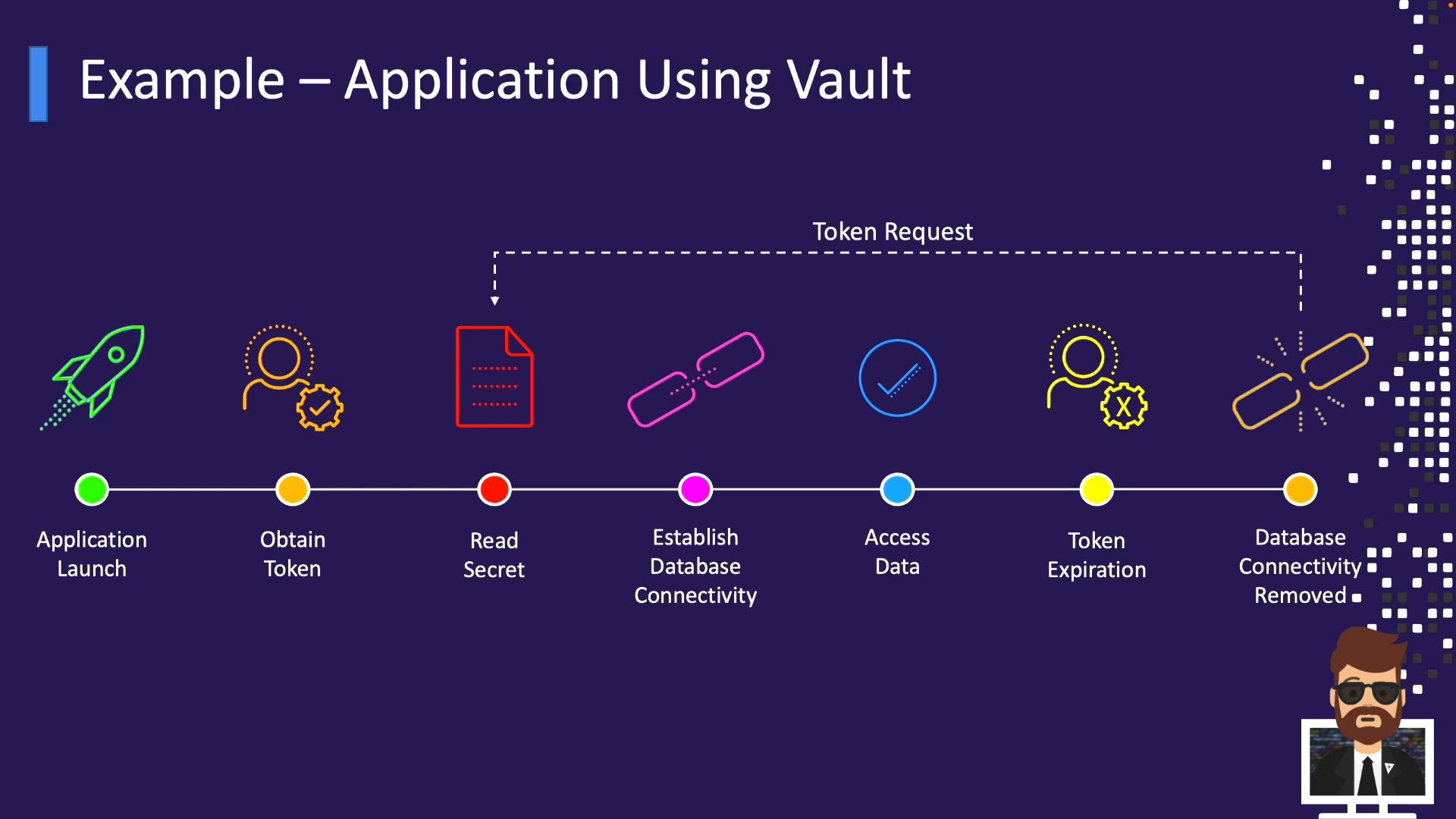
- Application starts and authenticates to Vault (AppRole, Kubernetes, AWS, Azure, GCP auth methods).
- The application receives a Vault token.
- Using the token, the application requests a secret from Vault (dynamic DB credentials or a stored static secret).
- The application connects to the database with the returned username/password and performs its work.
- When the lease or token expires, Vault revokes the credential at the backend unless the application renews the lease or requests new credentials.
- Developer pushes code or opens a pull request.
- CI pipeline builds and runs tests.
- Pipeline authenticates to Vault and requests dynamic credentials.
- Pipeline uses credentials to provision resources (for example, Terraform creates cloud resources).
- After provisioning and deployment, the pipeline revokes the credentials.