In this lesson we compare enterprise and open-source monitoring and observability solutions: their trade-offs, operational responsibilities, and the scenarios where each approach is a better fit. Open-source projects have matured and now frequently rival proprietary offerings. The core advantage of open source is the absence of product license fees—your primary costs are infrastructure and the people who build, operate, and integrate the solution. These projects benefit from active communities, rapid iteration, and influence on industry standards such as OpenTelemetry, which helps unify telemetry collection across platforms.
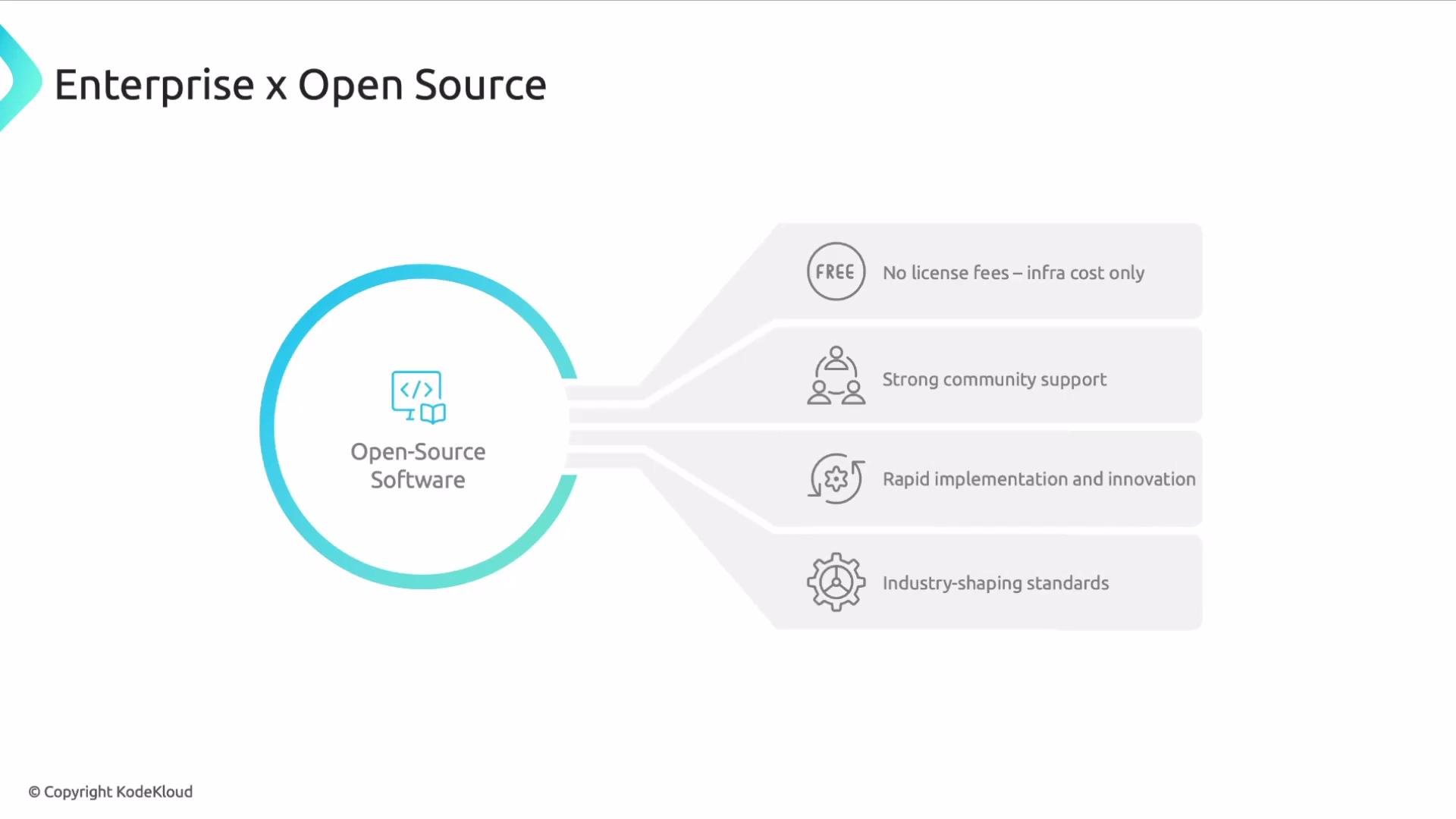
The image is a diagram titled "Enterprise x Open Source," highlighting the benefits of open-source software, including no license fees, strong community support, rapid implementation, and industry-shaping standards.
There are many viable options in the observability market; it is not a monopoly. Several high-quality platforms are open source or began as open source projects. Examples include Kubernetes, Grafana, Prometheus, Istio, Envoy, and Linux. These projects power production workloads across organizations of all sizes and environments.
The image shows logos of various open-source software projects: Kubernetes, Grafana, Prometheus, Istio, Envoy, and Linux.
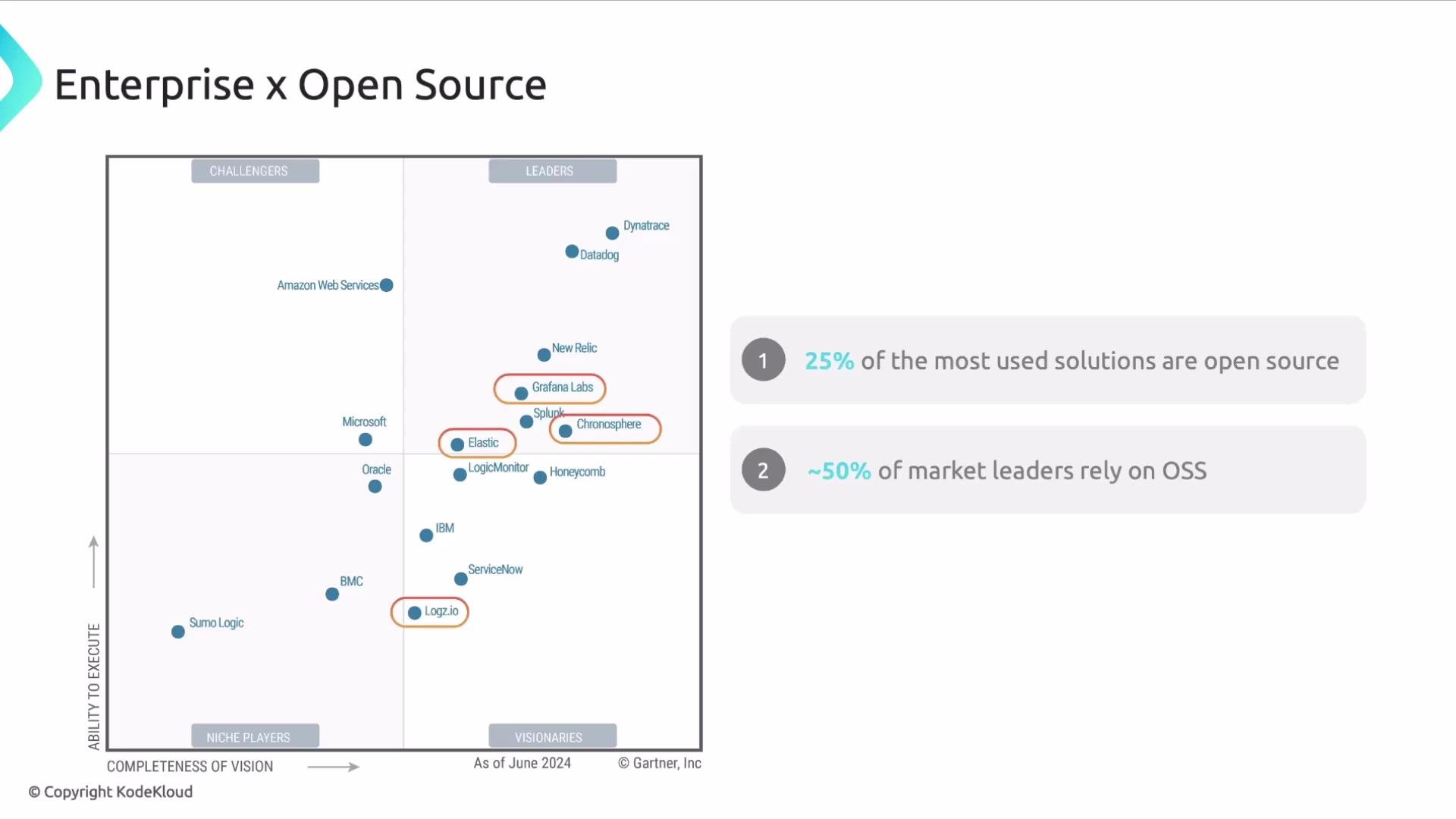
Market positioning also reflects how pervasive open source has become: many respected observability tools are open source or built on open-source foundations. A notable share of market-leading solutions either originate from or rely heavily on open-source components.
The image is a Gartner Magic Quadrant chart for enterprise solutions, highlighting that 25% of the most used solutions are open source and about 50% of market leaders rely on OSS.
Open-source adoption drives innovation across the industry, but it is not a one-size-fits-all replacement for commercial offerings. Before committing, evaluate the technical fit, operational overhead, and organizational readiness. Below we contrast the main dimensions that typically influence the decision. Support
  • Open source: community-driven support that varies by project. Official response timelines are not guaranteed. Some vendors (for example, Elastic or Grafana) provide paid enterprise tiers with SLAs, while the pure open-source versions rely on community forums, issue trackers, and third-party consultants.
  • Enterprise: vendor-provided, SLA-backed support with defined response and escalation paths. Direct access to product teams can speed troubleshooting and incident resolution.
Implementation
  • Open source: installation, configuration, scaling, and maintenance are typically handled in-house or via contractors. You can reduce risk by procuring a managed or commercial distribution of the open-source project, but the pure open-source path usually requires significant engineering effort.
  • Enterprise: commonly offered as SaaS or managed services, which shift operational burden to the vendor but introduce licensing and recurring costs.
Environment and deployment
  • Open source: flexible deployment—cloud, on-premises, or hybrid—since there is no tied vendor platform.
  • Enterprise: available as SaaS, PaaS, cloud-hosted, on-premises, or hybrid depending on vendor; some enterprise products are optimized for the vendor’s cloud.
Scalability and throughput
  • Open source: you own capacity planning, scaling, and performance tuning. This can be an advantage for custom architectures but increases operational responsibility.
  • Enterprise: vendors often abstract scaling concerns, enabling faster time-to-value at the cost of vendor dependence and recurring fees.
Bugs and feature requests
  • Open source: timelines for bug fixes and new features depend on community activity and maintainer priorities. Critical fixes may require internal engineering work or a paid support contract.
  • Enterprise: vendors usually prioritize fixes and features according to customer impact and contractual commitments.
Costs
  • Open source: product licenses are generally free; total cost of ownership (TCO) includes compute, storage, networking, personnel, and any third-party support.
  • Enterprise: commercial offerings bundle software features, support, and sometimes hosting into predictable subscription fees—often sold as multi-year contracts.
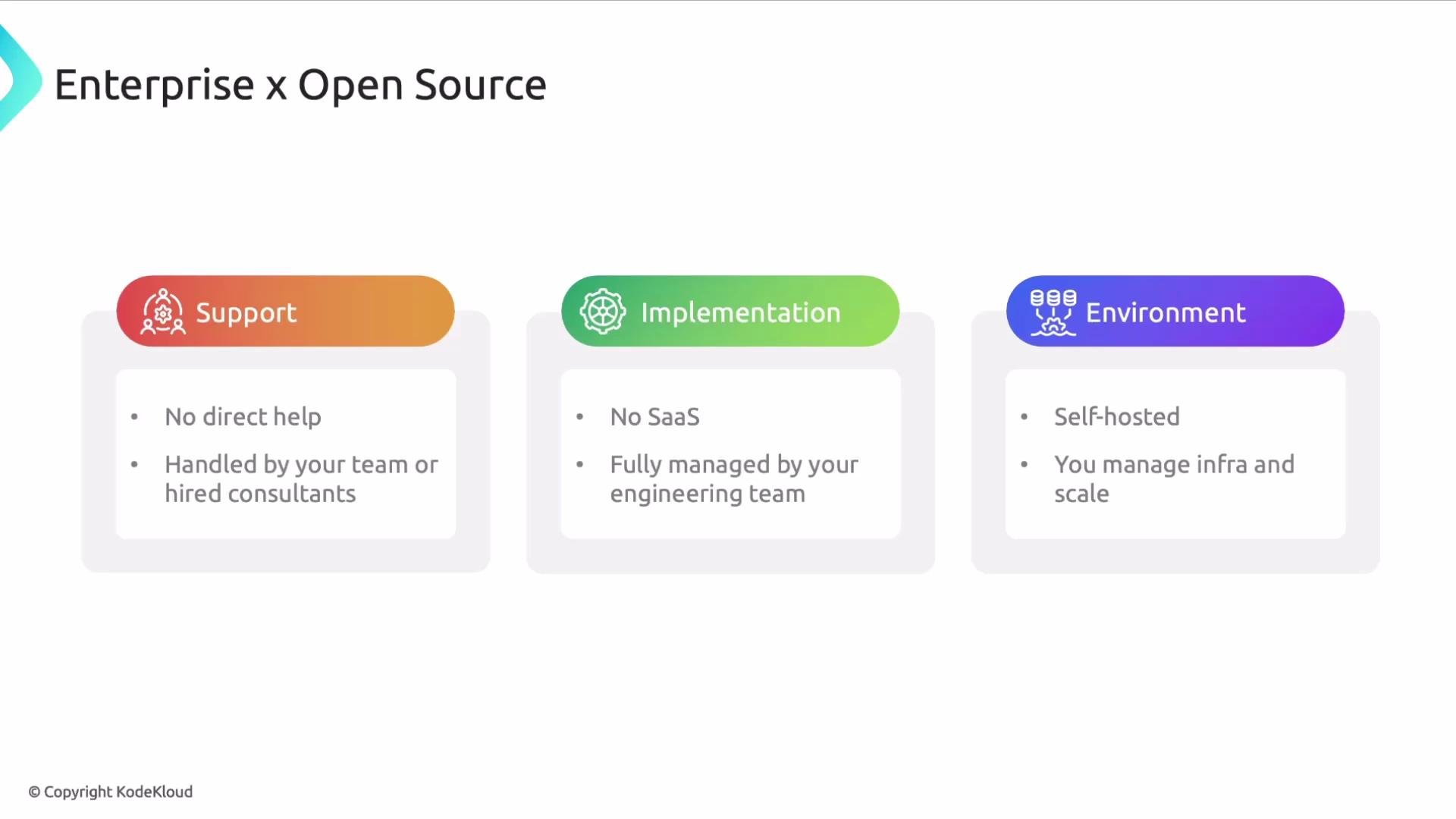
The image is a comparison chart titled "Enterprise x Open Source," showing three sections: Support, Implementation, and Environment, each highlighting aspects of open-source management like no direct help, self-hosting, and no SaaS.
Adopting open source without sufficient in-house skills, capacity, or governance can introduce operational risks. Evaluate the team’s experience, runbooks, incident response practices, and the ability to handle upgrades and security patches before committing.
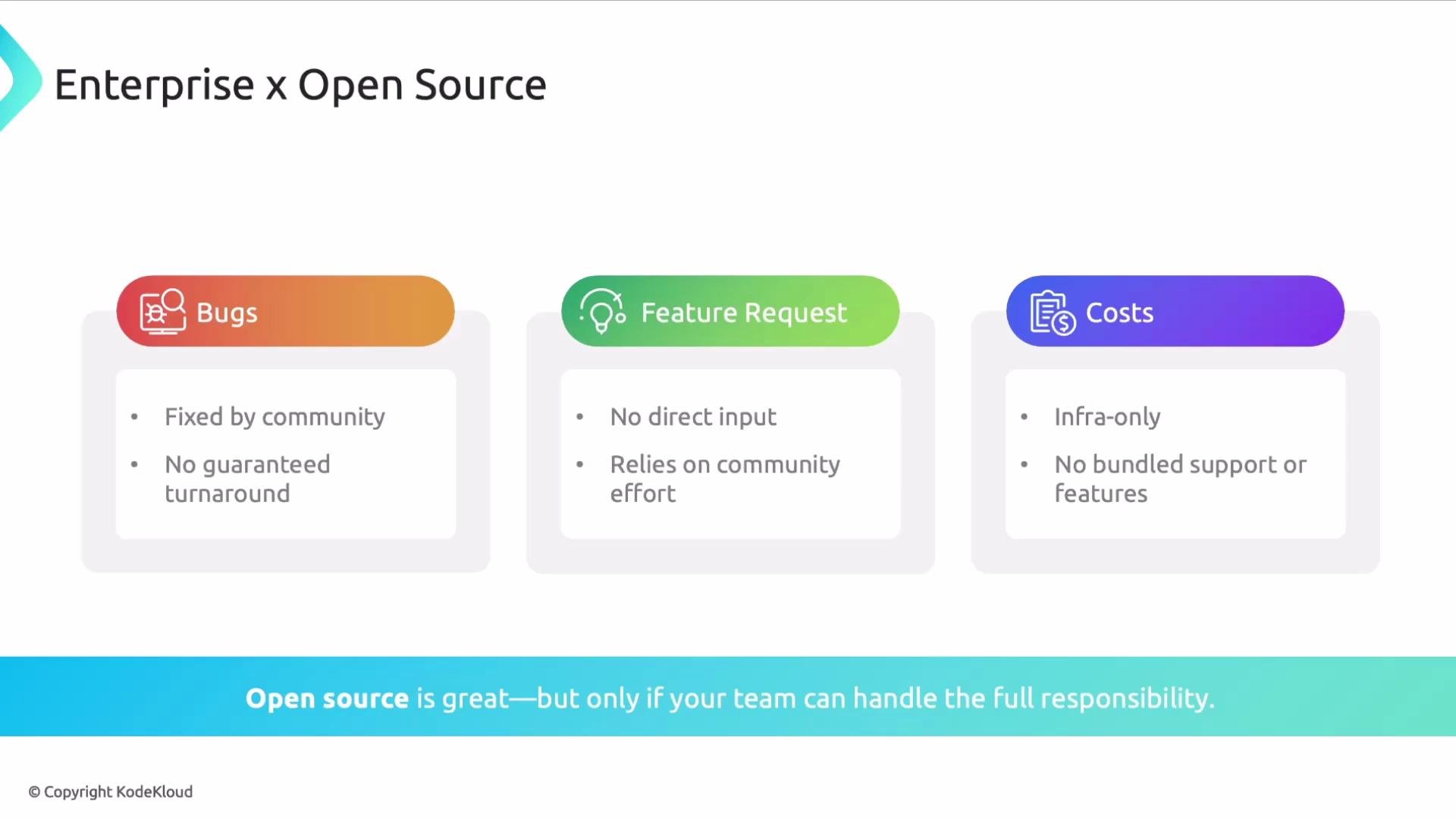
The image is a comparison of open source and enterprise software, highlighting aspects such as bug fixing, feature requests, and costs, emphasizing community involvement and lack of guaranteed support in open source.
Key differences at a glance
CapabilityOpen SourceEnterprise / Commercial
SupportCommunity channels; optional paid support from vendorsSLA-backed vendor support and escalation
ImplementationSelf-hosted or contracted; full operational ownershipManaged/SaaS options reduce operational burden
EnvironmentCloud, on-prem, hybrid — you chooseVendor-dependent deployment models available
Bugs & FeaturesDriven by community and maintainersVendor prioritization and direct engineering channels
CostsInfrastructure + personnel + optional 3rd-party servicesSubscription/license fees that bundle support and features
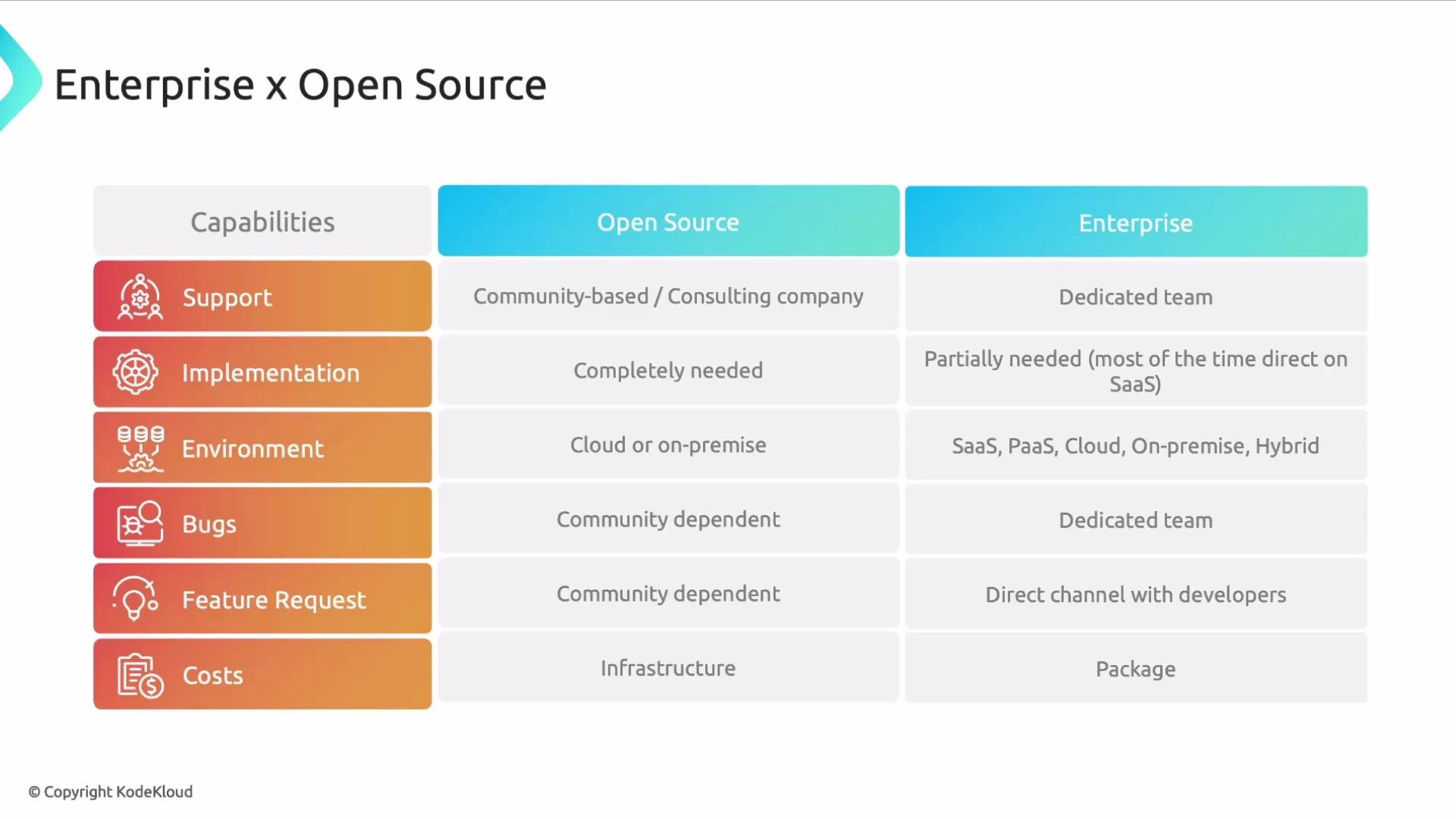
The image is a comparison table of capabilities between open-source and enterprise solutions, covering support, implementation, environment, bugs, feature requests, and costs. It highlights the differences in team support, environment setup, and cost structures between the two options.
How to choose
  • Align selection with business goals: prioritize time-to-value, compliance, control, and cost predictability.
  • Assess skills and staffing: estimate the engineering effort for setup, runbook creation, and ongoing maintenance.
  • Calculate TCO: include infrastructure, personnel, training, and potential vendor fees to make an apples-to-apples comparison.
  • Consider hybrid approaches: some organizations adopt open-source components for core telemetry (e.g., Prometheus + Grafana) while using commercial SaaS for long-term storage, alerting, or incident management.
When evaluating options, document total cost of ownership (infrastructure + personnel + vendor fees), required SLAs, and the team’s ability to operate the solution. This makes comparison apples-to-apples.
Further reading and references That’s it for this lesson. I hope you found it useful.

Watch Video