

A reverse proxy accepts client requests on port 80 (or 443) and forwards them to one or more backend servers (here, Flask apps on port 5000). A load balancer is conceptually similar, but the reverse proxy often runs on the same host as the entry Nginx instance.
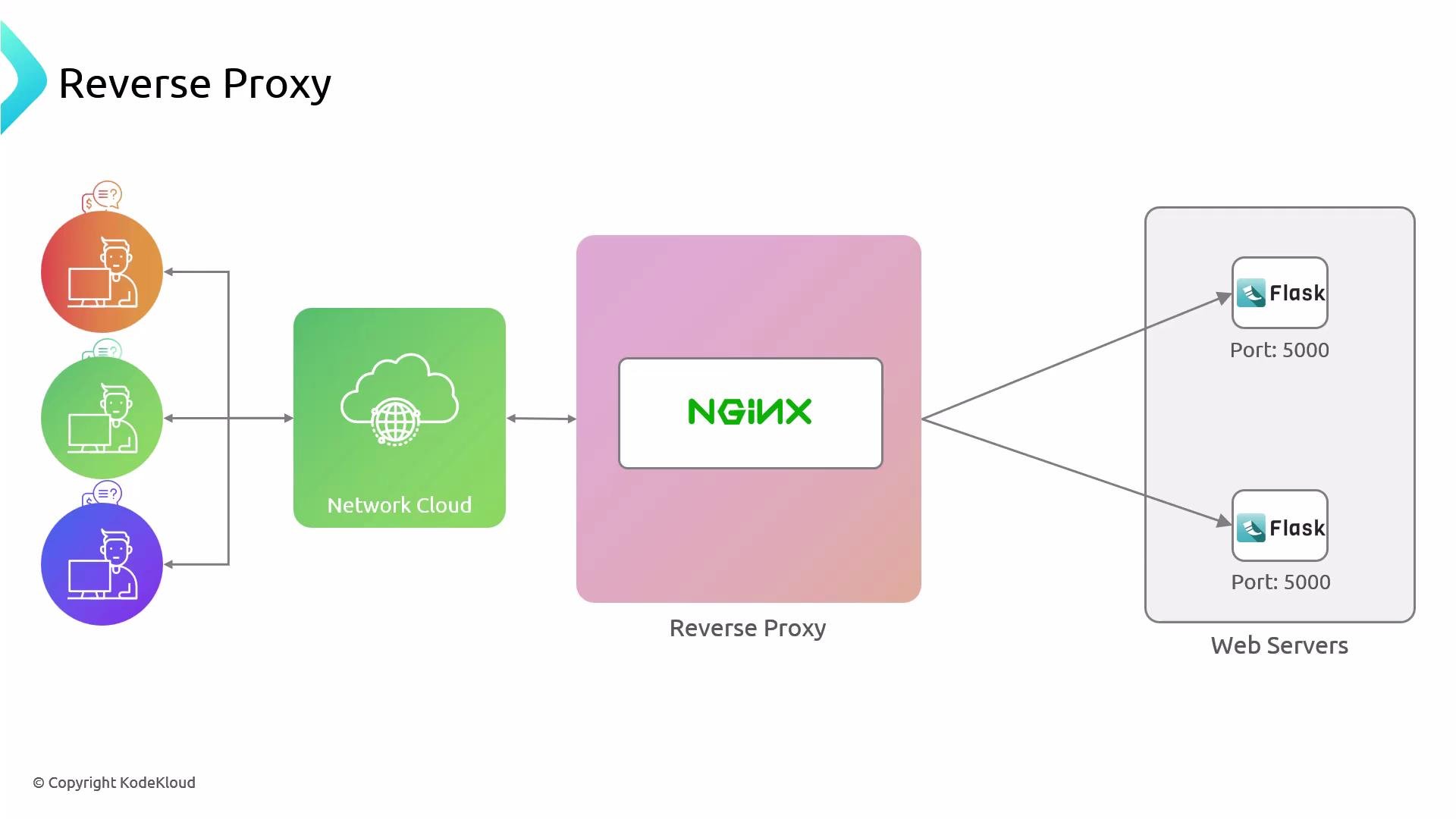
- Centralized entry point for multiple backends.
- Ability to scale or take down individual backends without exposing internal hosts.
- Offload SSL, caching, or compression to Nginx while keeping app logic in Flask.
Prerequisites and links
- Nginx installed on the reverse proxy host — see Nginx documentation.
- Flask app running on each backend host — see Flask quickstart.
- UFW (or your host firewall) configured to restrict backend access — see UFW documentation.
- Inspect backend node (node01)
- Confirm node02
- Firewall: allow only the Nginx server to reach backends on port 5000
192.230.206.12).
Check current UFW status:
When changing firewall rules, be careful not to lock yourself out. Confirm SSH access remains allowed before applying strict rules. Always test connectivity from the reverse proxy after adding rules.
- On the Nginx reverse proxy host
/etc/nginx/sites-available/ and create a file named helloworld. Be consistent when creating the symlink in /etc/nginx/sites-enabled/ later.
Create the Nginx site configuration /etc/nginx/sites-available/helloworld. This file defines an upstream pointing to the two backend Flask servers on port 5000 and proxies all requests to that upstream:
- The
upstreamblock lists the backend Flask app IPs and port5000. proxy_passpoints to the upstream namehttp://hello_world; Nginx will load-balance requests to the listed servers.
- Enable the site and reload Nginx
- Test reverse proxy behavior using the Host header
Host header so Nginx matches server_name helloworld.com.
Example requests:
- Simulate a backend failure
server line in the upstream block and reload Nginx. The remaining backend will continue to serve traffic.
Example: comment out the second backend:
- Consider adding
proxy_set_headerdirectives (e.g.,Host,X-Real-IP,X-Forwarded-For) in thelocationblock for proper client IP and host propagation. See Nginx proxy docs: NGINX proxy module. - For production, enable SSL/TLS on the Nginx host and redirect HTTP to HTTPS.
- Monitor backend health and use
max_fails/fail_timeoutor an upstream health-checking solution if you need automatic failover beyond simple server removal.
- Nginx documentation — HTTP proxying
- Flask documentation — Quickstart
- UFW — Uncomplicated Firewall guide