

What is a web server?
A web server is a machine running software that accepts requests from clients (usually web browsers), processes those requests, and returns web pages and related resources (HTML, CSS, JavaScript, images, etc.). Every time you type a domain such askodekloud.com into your browser, a web server is involved in returning the page you see. Multiple coordinated steps happen behind the scenes to make that interaction work.
How a browser loads a web page — step by step
- DNS lookup: Your browser resolves the human-friendly domain name to an IP address using DNS (Domain Name System). Think of DNS as a phone book that maps names to IP addresses.
- TCP connection: With the IP address, the browser opens a TCP connection to the server.
- TLS handshake (if HTTPS): For secure sites, the browser and server complete a TLS handshake to establish an encrypted session.
- HTTP request: The browser sends an HTTP or HTTPS request for the resource (for example, the home page).
- Server retrieves or generates resources: The web server locates or generates the requested content — HTML, CSS, JavaScript, images, etc.
- Response: The server sends the response back to the browser.
- Rendering: The browser renders the content and displays the page to the user.
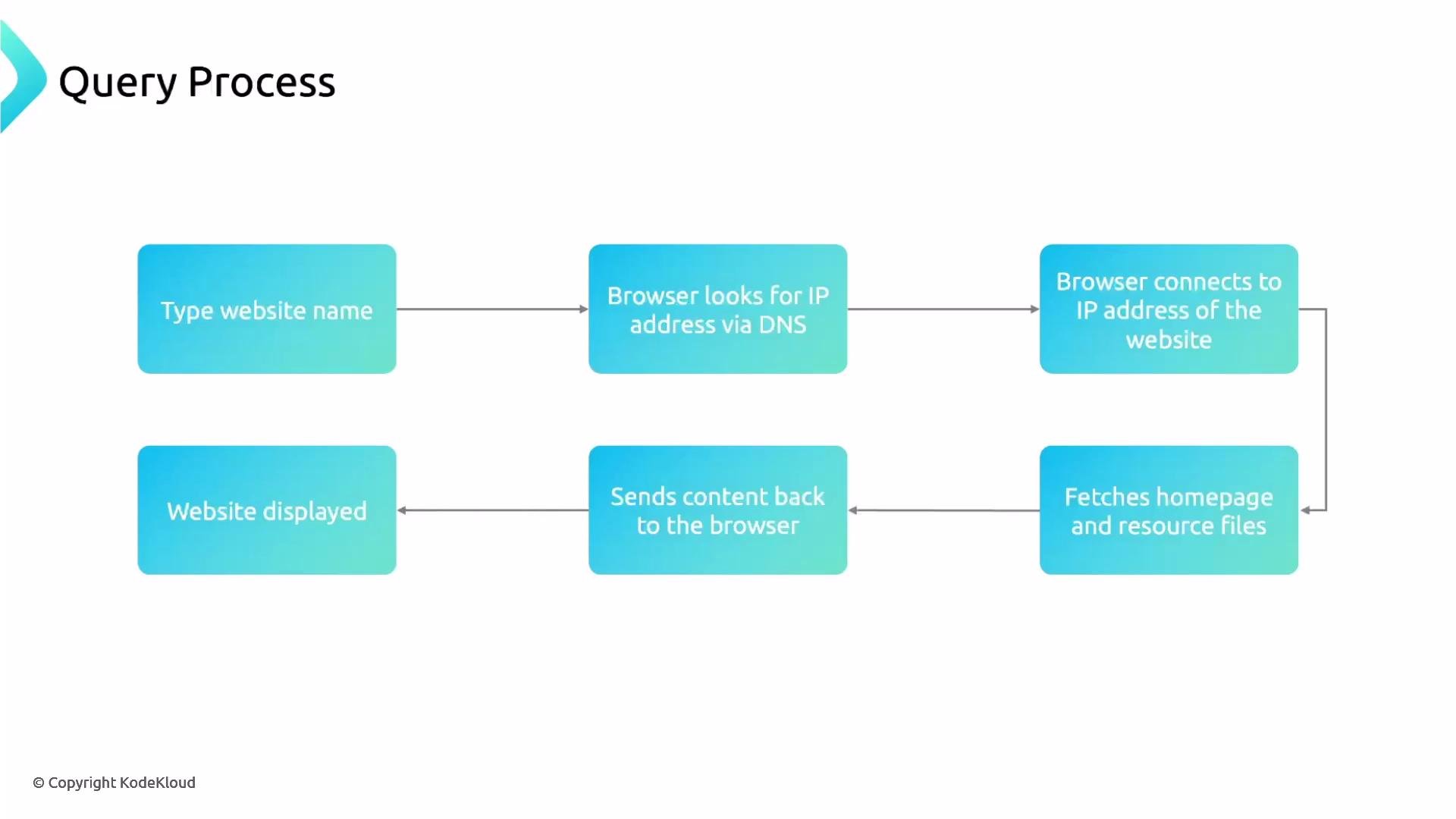
When you try
https://kodekloud.com, the browser first resolves kodekloud.com via DNS, then establishes a TCP connection, performs a TLS handshake (for HTTPS), and finally issues the HTTP request to fetch the site content.Important networking details
- Ports: HTTP typically uses port 80 and HTTPS uses port 443.
- DNS responses can point to a single server, a load balancer, or a Content Delivery Network (CDN) edge node.
- HTTPS means HTTP over TLS — traffic is encrypted after a successful TLS handshake.
Modern deployment patterns
- DNS can return addresses for a CDN or a load balancer instead of a single host. CDNs cache and serve static assets close to users to reduce latency.
- Load balancers and reverse proxies accept client connections and distribute requests across a pool of backend servers. This improves throughput, availability, and fault tolerance.
- Reverse proxy examples include NGINX, HAProxy, and cloud-managed load balancers.
Web server models: process-per-connection vs event-driven
- Traditional model (process/thread per connection): Historically used by servers like Apache HTTP Server (with prefork MPM). Each connection may consume a process or thread, which can be heavy under high concurrency.
- Event-driven/asynchronous model: Modern web servers like NGINX use an event loop and asynchronous I/O to handle many concurrent connections with much lower memory and CPU overhead.
Process-per-connection servers can exhaust CPU and memory under high load. For high-concurrency scenarios, prefer event-driven servers (e.g., NGINX) or scalable architectures with load balancers and CDNs.
Popular web servers and related projects
- NGINX — event-driven, high-concurrency web server and reverse proxy
- Apache HTTP Server — feature-rich, historically process/thread-based
- OpenResty — NGINX extended with Lua scripting
- LiteSpeed — commercial, performance-oriented server
- Caddy — automatic HTTPS and simple configuration
- IIS (Microsoft) — web server for Windows environments
Quick glossary
- CDN (Content Delivery Network): Distributed cache of assets to speed up delivery.
- Reverse proxy: A server that sits between clients and backend servers, forwarding client requests.
- Load balancer: Distributes incoming requests across multiple backend servers.
- TLS: Transport Layer Security protocol used to encrypt HTTPS traffic.
Next steps
We will next explore NGINX in detail — its architecture, configuration, and practical examples to get you started.Links and references
- DNS — Domain Name System
- HTTP
- HTTPS
- TLS — Transport Layer Security
- NGINX
- Apache HTTP Server
- Content Delivery Network (CDN)
- Reverse proxy
- Load balancing