

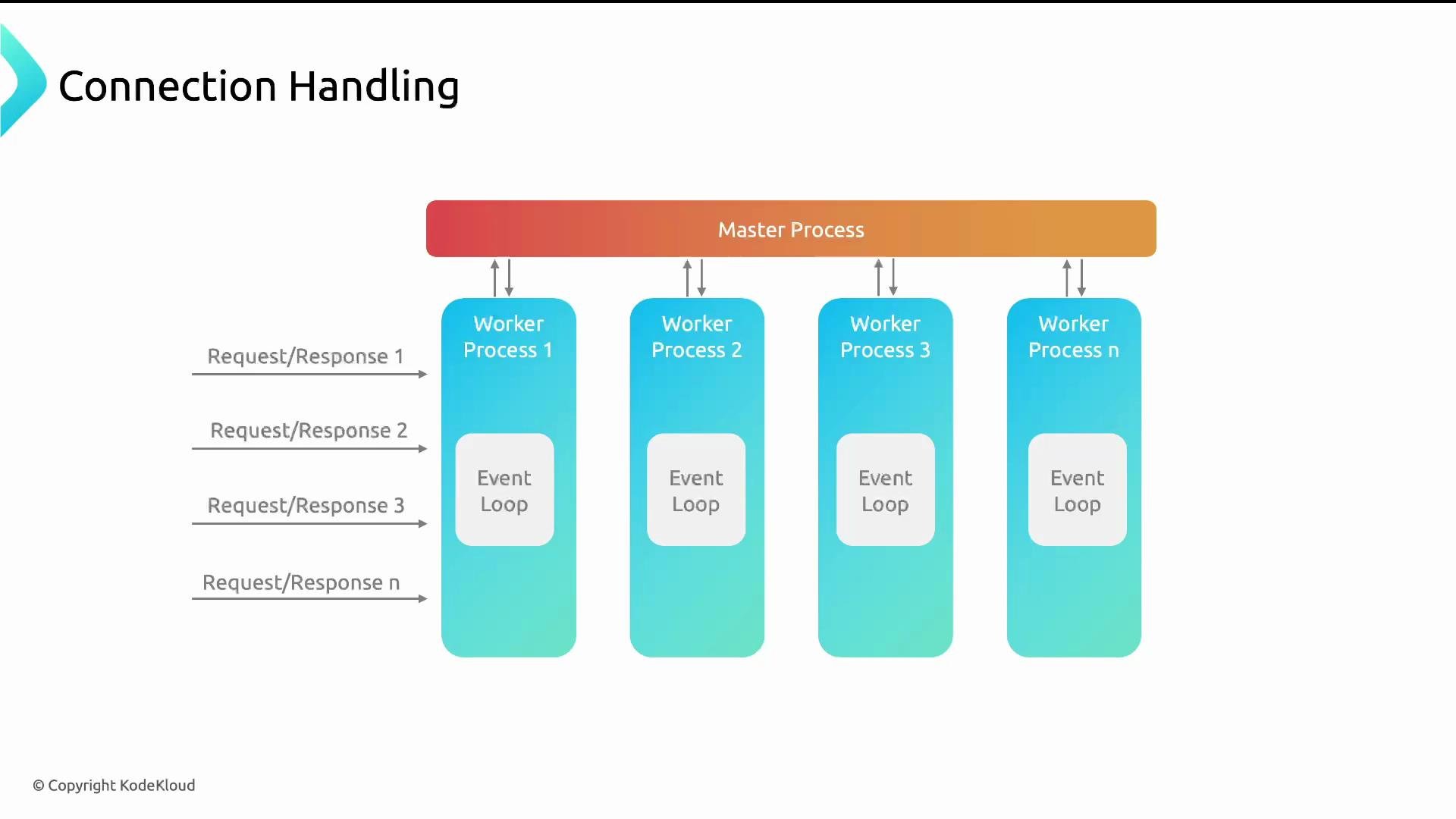
- Recommended: use one worker process per CPU core.
worker_processes is auto, NGINX will attempt to create one worker per available CPU core. The approximate theoretical maximum number of simultaneous connections is:
max_connections ≈ worker_processes * worker_connections
This is an approximation — the real limit depends on reserved file descriptors (for the master, listening sockets), open upstream connections, OS limits, and additional modules. Always leave headroom when sizing.
Configure worker_connections in the events block. A common starting value is 1024, and you can increase it as needed. Also adjust OS limits with worker_rlimit_nofile and ulimit -n.
Example:
The practical maximum concurrent connections also depends on OS file descriptor limits and other module usage. If you increase
worker_connections, raise the process file descriptor limit (ulimit -n) and consider setting worker_rlimit_nofile. Reserve some descriptors for the master process and listening sockets.Persistent connections (keepalive)
Persistent (keepalive) connections let clients reuse the same TCP connection for multiple requests (HTML, CSS, JS, images, fonts). This reduces TCP handshake/teardown overhead, lowers latency, and lowers CPU/network cost.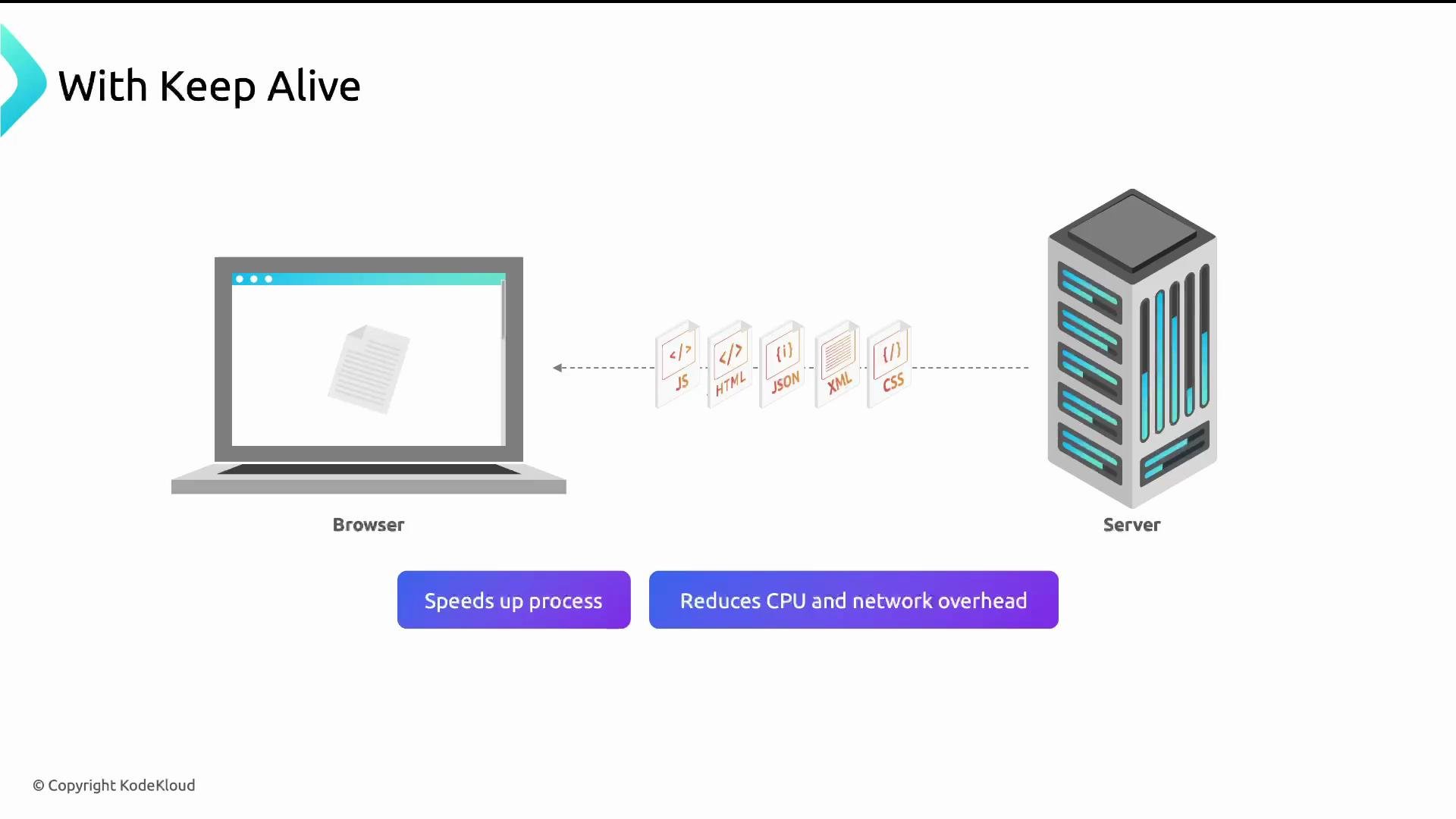
http context):
keepalive_requests— maximum number of requests a client can make over one keepalive connection (default ~100).keepalive_timeout— time to keep an idle keepalive connection open after the last request.
keepalive in an upstream block to control how many idle connections NGINX maintains per worker.
location block to ensure proper HTTP version and connection handling:
proxy_http_version 1.1enables persistent connections to upstreams.proxy_set_header Connection ""prevents forwarding hop-by-hop connection headers so NGINX can manage pooling.
HTTP/2 200).
HTTP protocol evolution (why connection handling changed)
A short history and why each evolution matters for connection handling: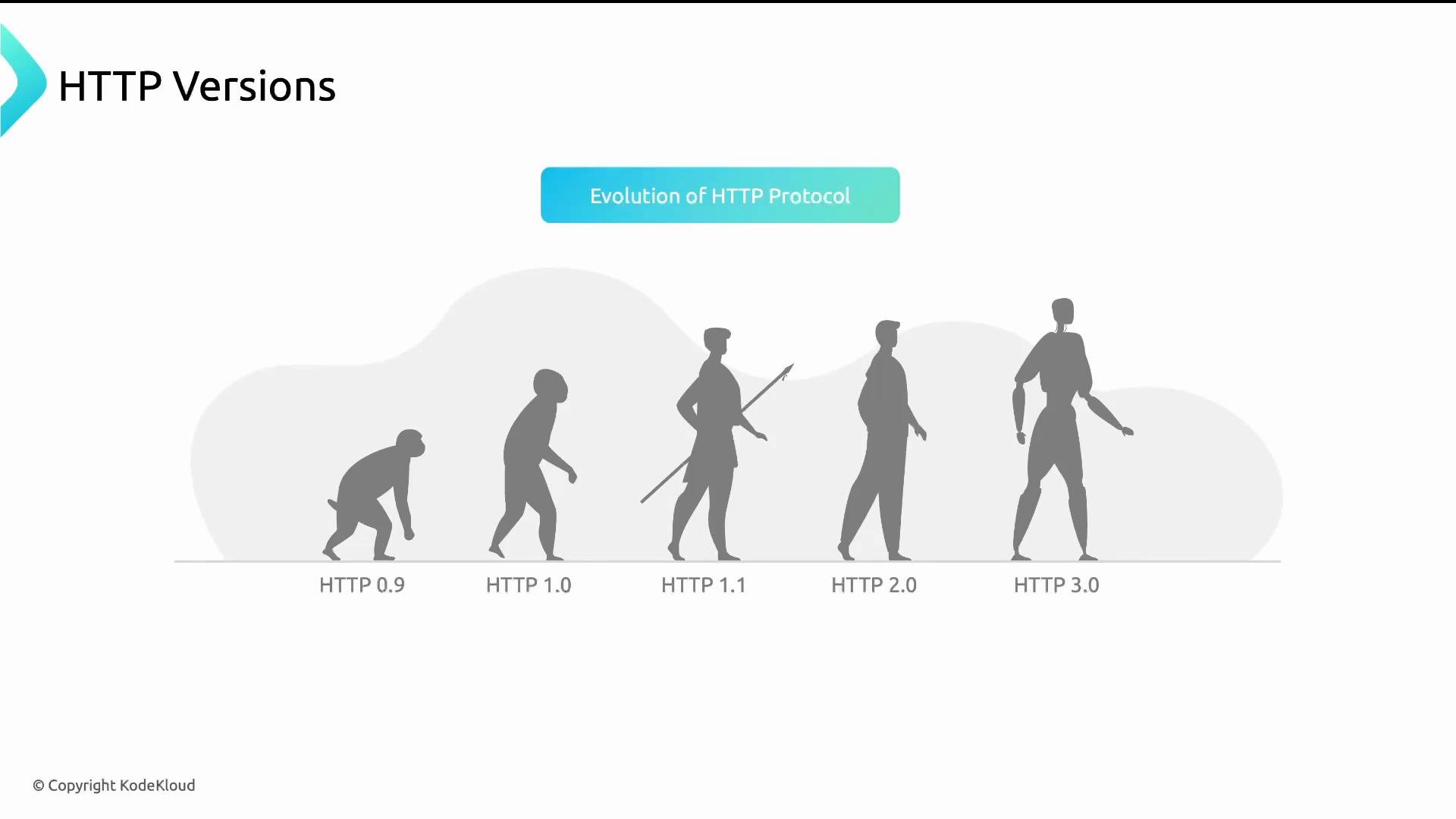
- HTTP/0.9 — minimal; no headers or status codes.
- HTTP/1.0 — introduced headers and status codes.
- HTTP/1.1 — introduced persistent connections (keepalive), chunked transfers, cache controls.
- HTTP/2 — multiplexing multiple requests/responses over one connection, header compression (HPACK), reduced connection concurrency needs.
- HTTP/3 — built on QUIC (UDP-based), reduces connection setup latency and improves behavior on lossy networks; requires TLS 1.3.
- TCP: connection-oriented, reliable, retransmits lost packets (used by HTTP/1.x, HTTP/2 over TLS).
- UDP: connectionless, lower overhead, no built-in retransmission (used by QUIC/HTTP/3).
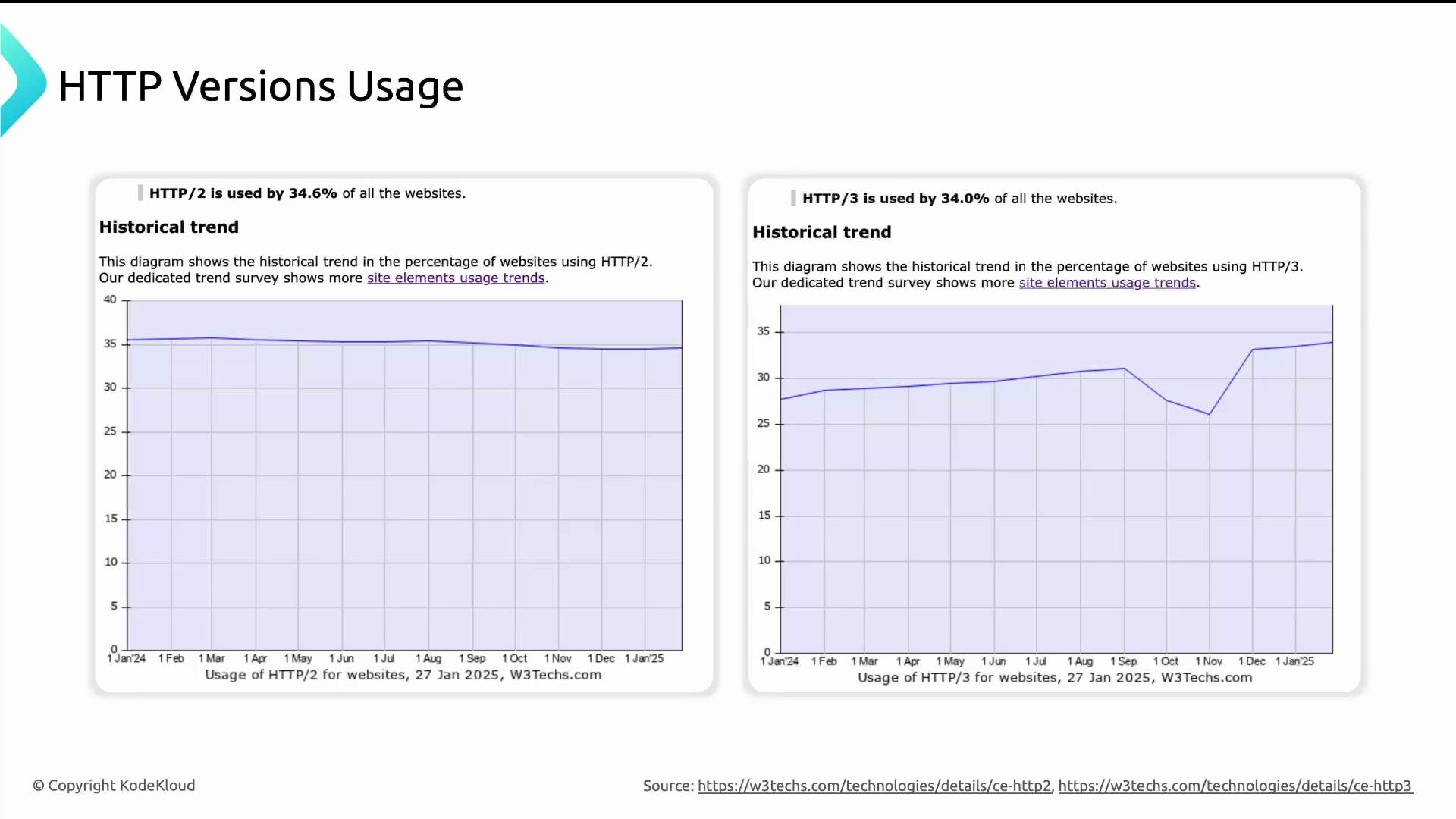
sendfile and zero-copy
Traditionally, serving a file involves copying data from disk (kernel) to user space and then back to kernel space for network transmission — consuming CPU and memory bandwidth. NGINX supportssendfile, which allows the kernel to send file data directly from disk to socket (zero-copy), lowering CPU overhead and improving throughput for static files.
Enable zero-copy in the http context:
tcp_nopush / tcp_nodelay is platform-specific and their interaction can affect latency vs throughput. Validate on your workload.
TCP packetization: TCP_CORK (tcp_nopush) vs TCP_NODELAY (tcp_nodelay)
NGINX exposes settings to control how data is packetized and when it’s pushed to the network:tcp_nopush on;(Linux uses TCP_CORK) — delays packet transmission until a larger chunk is available, producing fewer, fuller packets (better throughput for large static responses).tcp_nodelay on;— disables Nagle’s algorithm (TCP_NODELAY) sending small packets immediately to reduce latency.
- Prefer
tcp_nopushfor serving large static files efficiently. - Prefer
tcp_nodelayfor low-latency, interactive responses. - You may combine both in NGINX; test combinations as results vary by OS and workload.
Changing connection and file-descriptor limits can destabilize a server if not tested. Always validate changes in staging, monitor
ulimit -n, netstat / ss for socket states, and keep some descriptor/connection headroom for master/listening sockets and upstream connections.Conclusion and next steps
Tuning connection handling in NGINX involves:- Setting an appropriate
worker_processes(one per core recommended). - Sizing
worker_connectionsand raising OS file descriptor limits (worker_rlimit_nofile,ulimit -n) accordingly. - Enabling and tuning keepalive for clients and upstream servers.
- Using
sendfileand appropriate TCP options (tcp_nopush,tcp_nodelay) for efficient static delivery. - Understanding protocol differences (HTTP/1.1 vs HTTP/2 vs HTTP/3) to choose the right approach for your traffic profile.
- Test configuration changes in a staging environment.
- Monitor file descriptor usage, CPU, latency, and network throughput.
- Review NGINX official docs for platform-specific behavior:
- NGINX documentation: https://nginx.org/en/docs/
- HTTP/3 and QUIC background: https://datatracker.ietf.org/wg/quic/about/
- Linux TCP tuning basics: https://www.kernel.org/doc/html/latest/networking/index.html