

ubuntu-docker-jdk17-node20 to act as a dedicated agent. Example shell prompts:
1. Create the node in the Jenkins UI
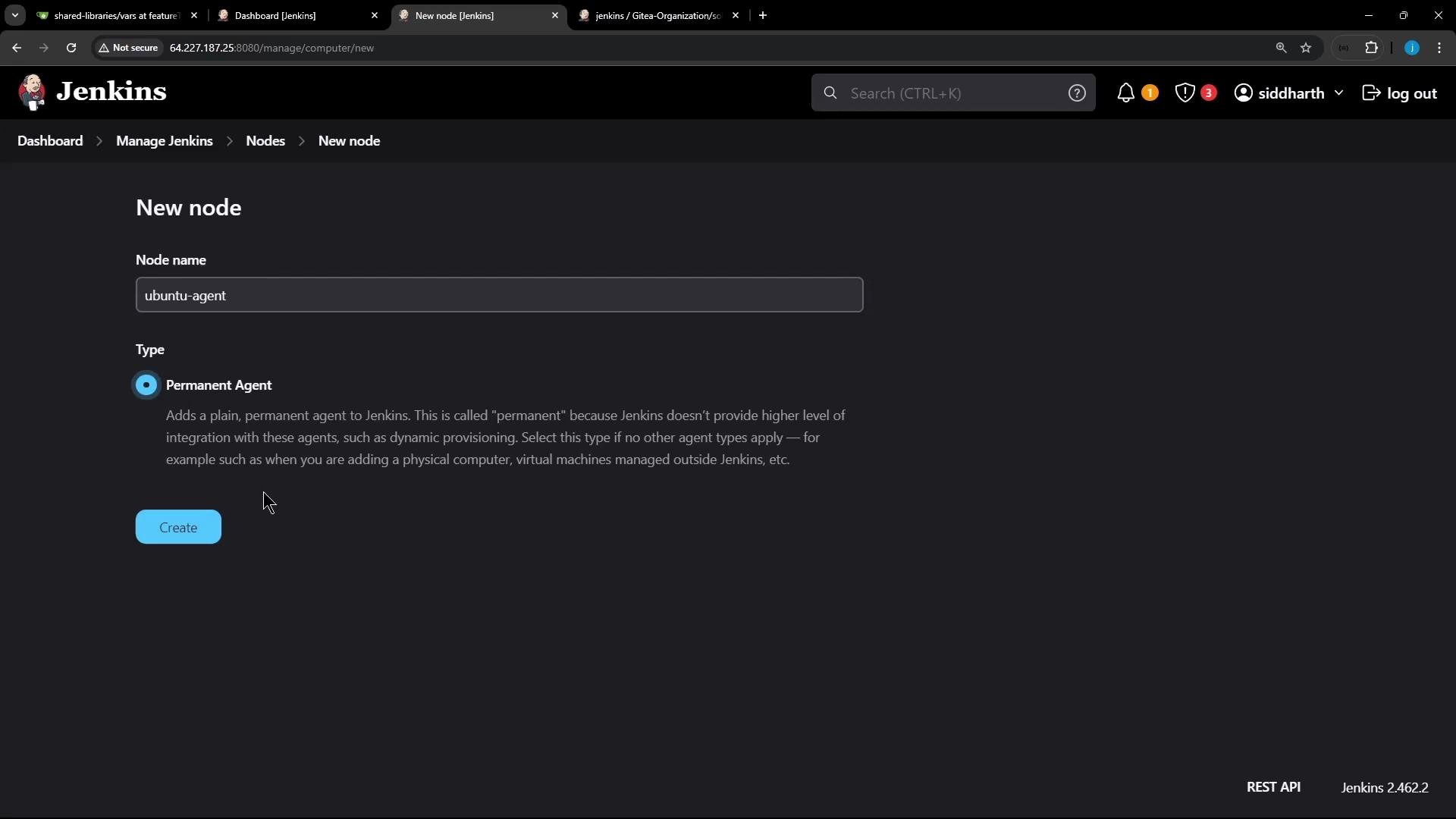
Navigate to Manage Jenkins → Manage Nodes → New Node. Give the node a name (I usedubuntu-agent) and choose “Permanent Agent”.
2. Configure node details
Fill out the node configuration form. Key fields and recommended values: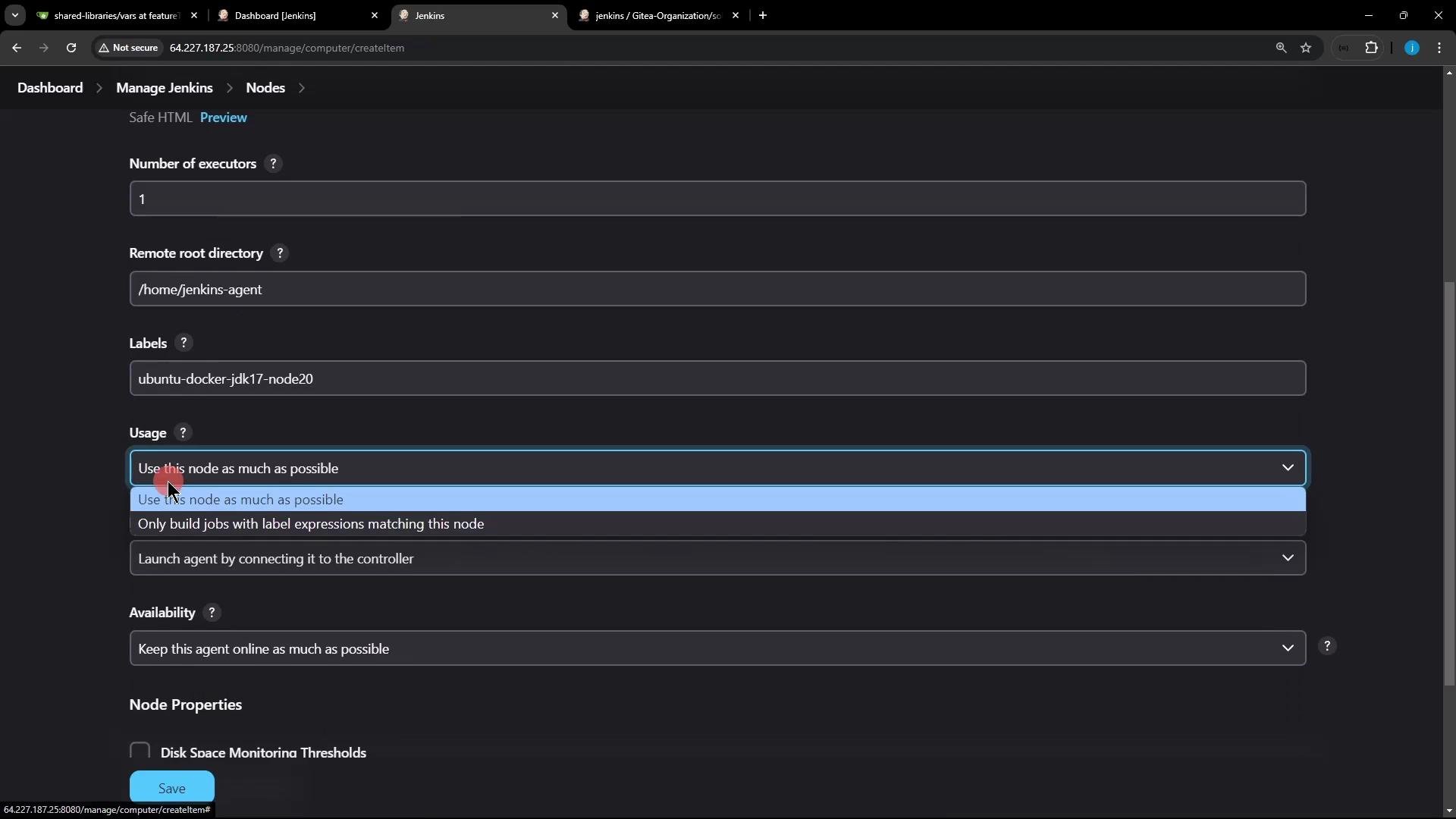
Ensure the node’s remote root directory exists or is writable by the user that will run the agent. Jenkins will create subdirectories (for example,
remoting, workspaces) under that directory.3. Download and run the agent on the node VM
On the agent machine, Jenkins providesagent.jar. The UI shows platform-specific launch instructions; the Unix commands below work on most Linux agents.
- Directly pass the secret on the command line:
- (Safer) store the secret in a file and reference it:
- The agent machine must have Java (JRE or JDK) installed. Matching the controller’s major Java version is recommended for remoting compatibility.
-workDiris where remoting stores logs and data (e.g.,/home/jenkins-agent/remoting).
4. Troubleshooting common connection errors
If the agent cannot connect, the remoting client logs will show errors. A common failure is this 404 when the controller’s inbound TCP agent listener is disabled:- Go to Manage Jenkins → Configure Global Security → Agents → TCP port for inbound agents.
- Choose a fixed port or allow a random port.
- Save and retry the agent run.
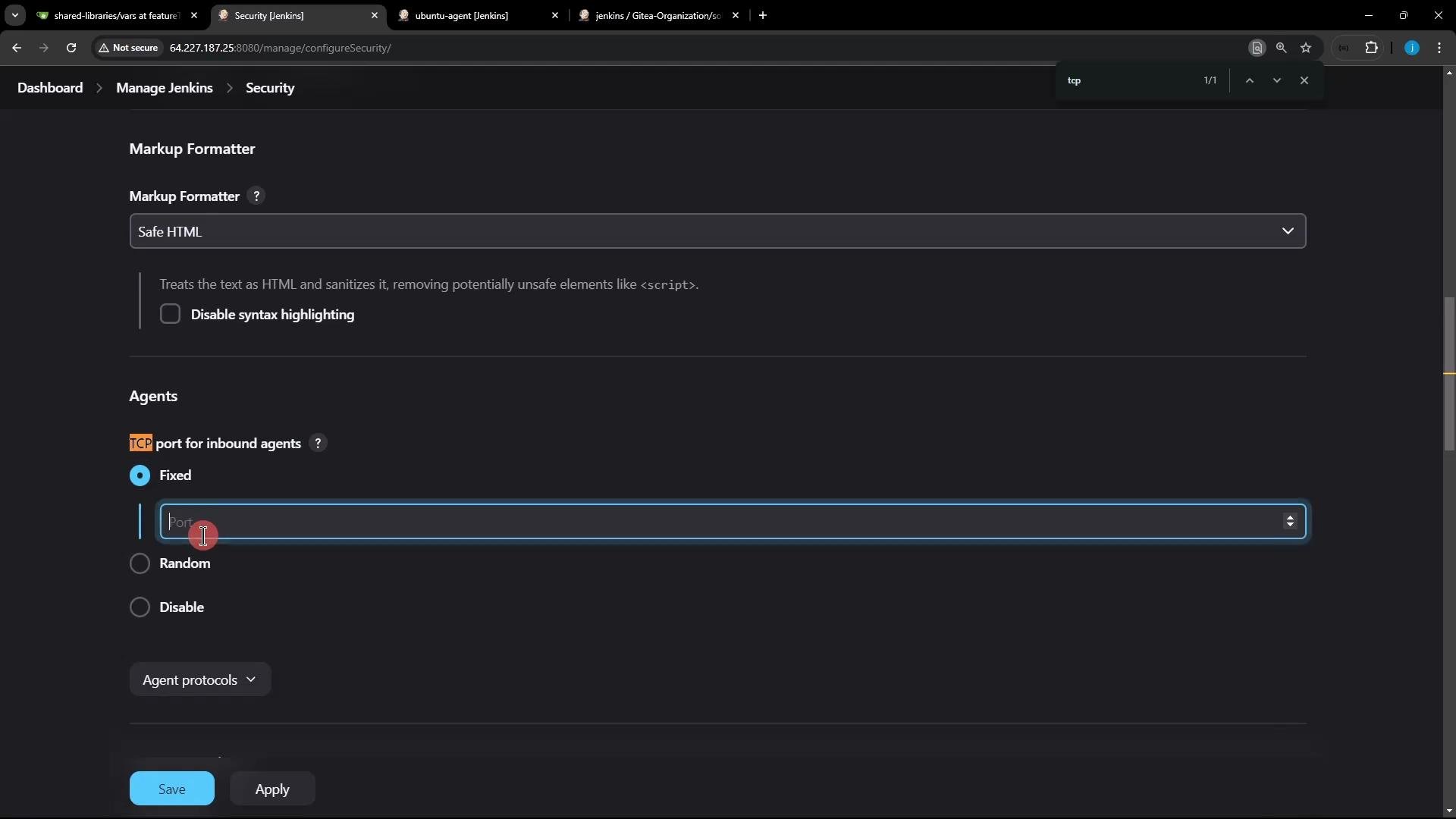
Enabling an inbound TCP port allows agents to connect to the controller. Secure this by restricting access with firewalls, VPNs, or IP allowlists and always use the agent secret. Exposing Jenkins’ agent listener to untrusted networks can lead to unauthorized access.
5. Successful connection example
After enabling the TCP listener and running the agent, the remoting logs will show a successful handshake and connection:remoting directory Jenkins creates:
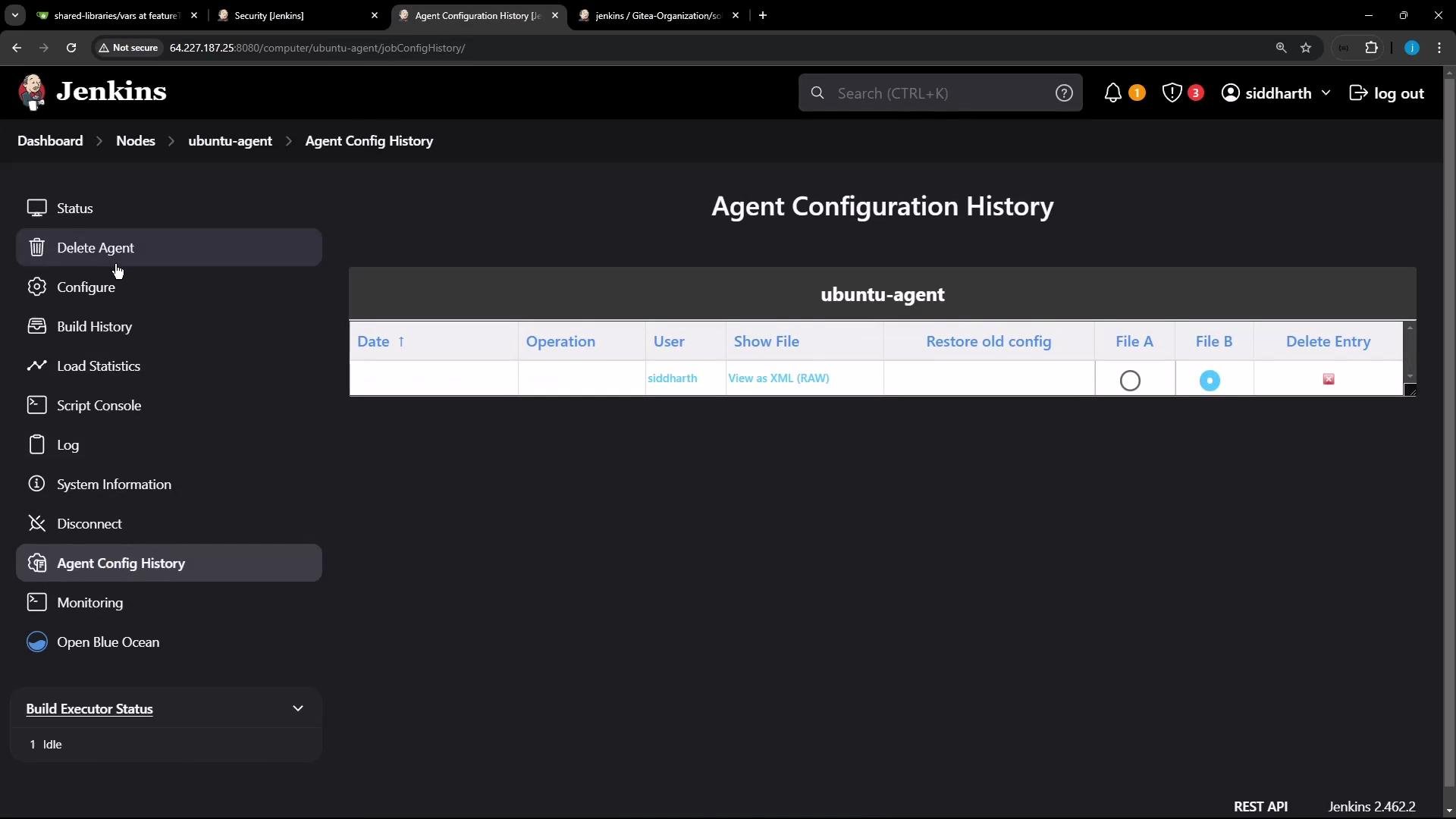
6. Inspect the node in the Jenkins UI
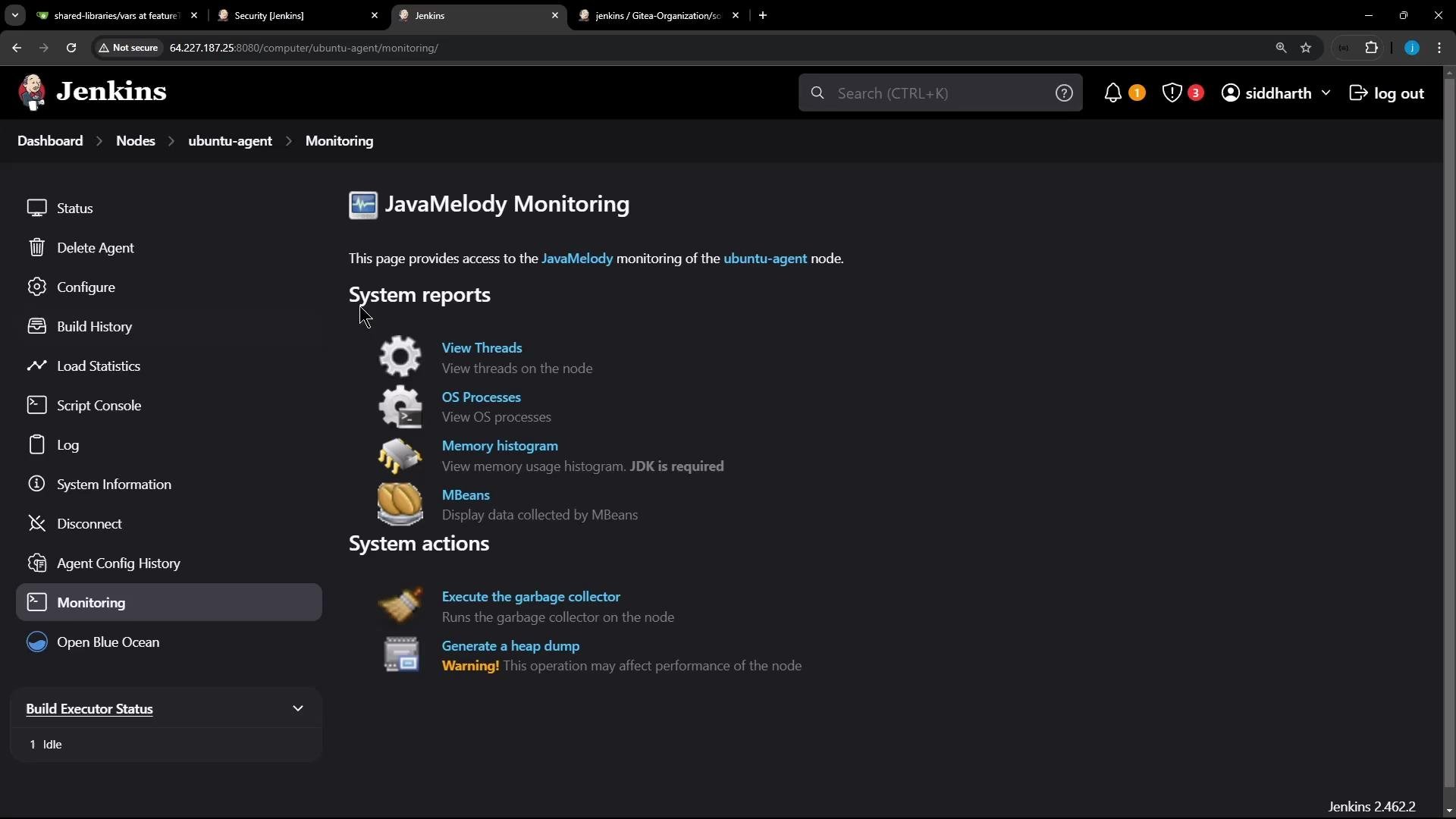
Once online, the node shows additional information and management options in Manage Nodes:- Agent configuration history (view and restore previous node configs)
- Monitoring (JavaMelody) for threads, memory, and processes
- Node logs and load statistics
- Actions like disconnect or mark offline
Next steps and references
- Target pipeline stages to this node by its label in a declarative pipeline:
- Jenkins agents documentation: https://www.jenkins.io/doc/book/using/using-agents/
- Jenkins remoting and JNLP agents: https://www.jenkins.io/doc/book/architectures/agents/
- Jenkins security and node management: https://www.jenkins.io/doc/book/managing/security/