

- To make the library available to Pipelines, you must register it in Jenkins under Global Pipeline Libraries.
- Open the Jenkins UI and go to Manage Jenkins → Configure System (or search for “Global Pipeline Libraries” on the Manage Jenkins page).
- Locate the Global Pipeline Libraries section and click Add to create a new library entry.
- Provide the repository and retrieval settings described below, then click Apply / Save.
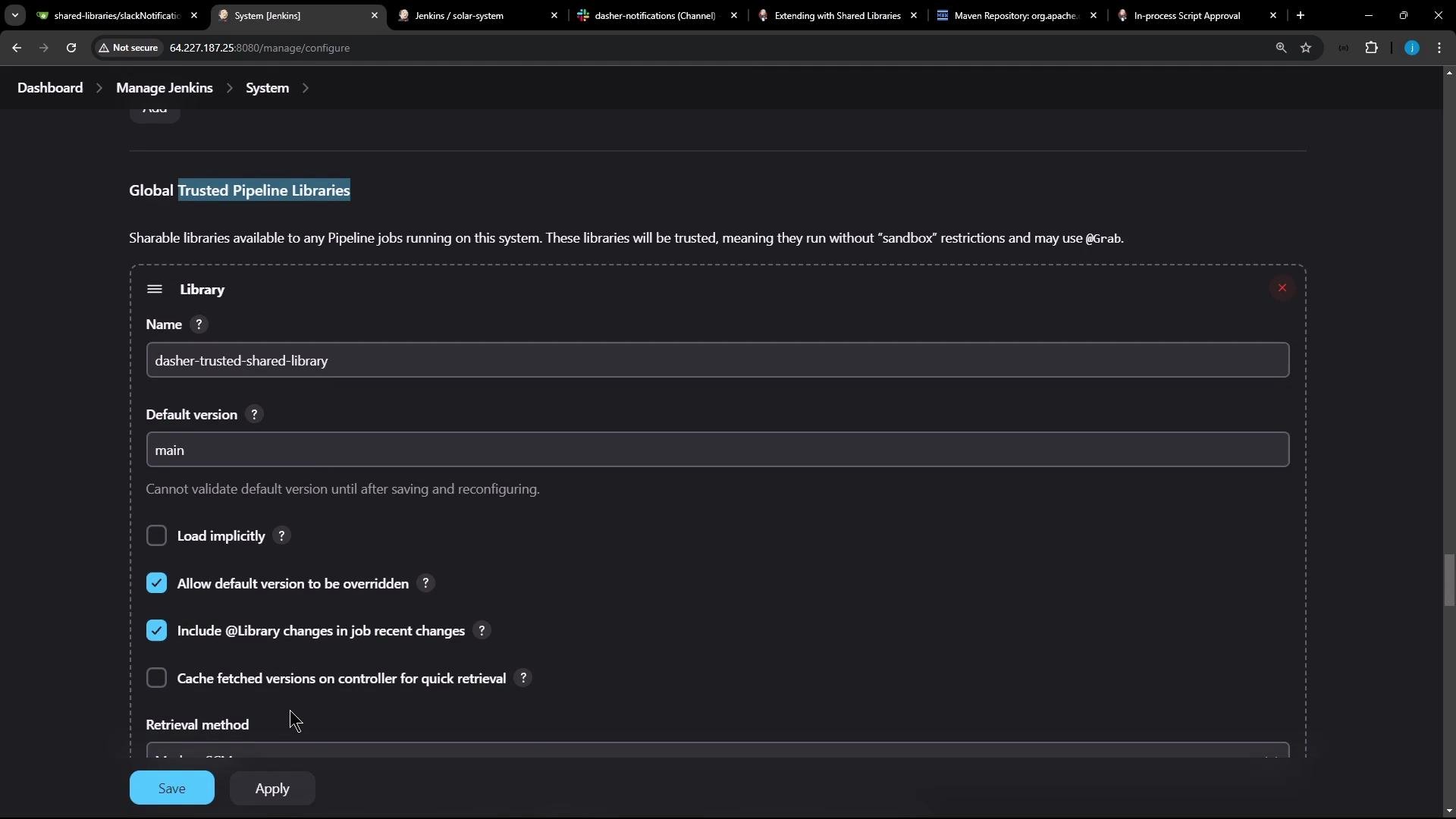
- Global trusted pipeline libraries — run without the Groovy sandbox, suitable for libraries you control and maintain.
- Global untrusted pipeline libraries — executed inside Jenkins’ Groovy sandbox; any non-whitelisted method calls require admin approval via the Script Security plugin.
Use trusted libraries for code you fully control to avoid sandbox restrictions. Use untrusted libraries for external or third-party code until you approve specific methods via the Script Security plugin.
- The Groovy sandbox blocks certain operations for safety. When a sandboxed script uses blocked methods, Jenkins logs a RejectedAccessException and an admin must whitelist the required methods.
- When adding a Global Pipeline Library, fill in these core fields:
Common option checkboxes and what they do:
- Load implicitly — pipelines can use the library without an
@Libraryannotation. - Allow default version to be overridden — pipelines may specify a different version with
@Library("name@branch"). - Include library changes in job recent changes — shows library updates in the job change history.
- Cache retrieved versions on the controller — speeds up fetches by caching artifacts on the controller.
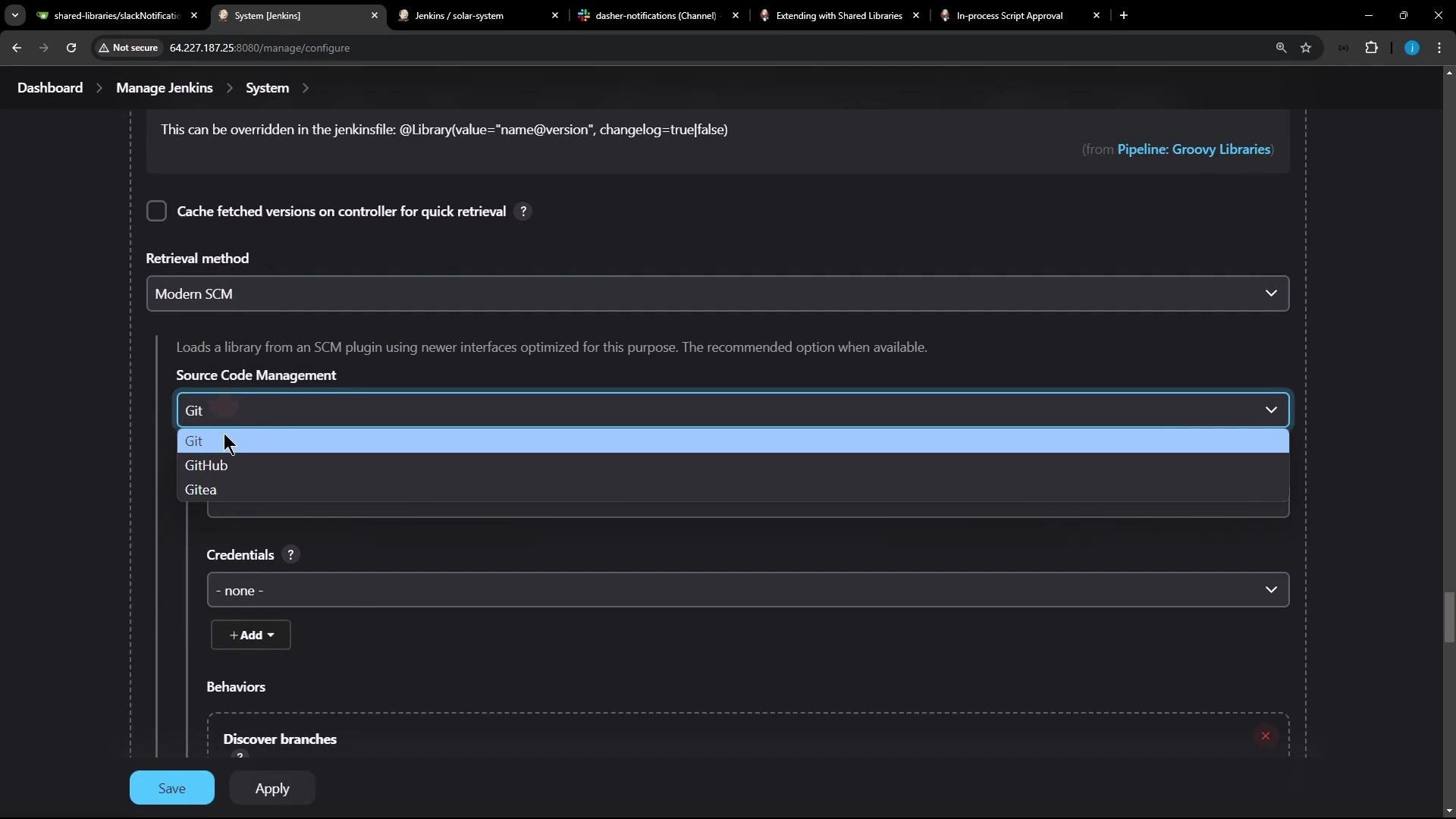
- Once the library is registered, pipelines can load it via the
@Libraryannotation or, if enabled, use it implicitly.
@Library usage:
If you checked “Load implicitly” when registering the library, pipelines do not need the
@Library annotation — the library’s steps and classes are available automatically.- Trusted shared libraries can fetch external JARs using
@Grab. This requires the library to be trusted (not sandboxed).
@Grab only works for trusted libraries. Fetching arbitrary jars and executing code from them may require operations that are blocked by the sandbox and will require admin approval via the Script Security plugin.- Because this library is trusted, it will run without sandbox restrictions and can use
@Grab, libraryResource, and other features that might be restricted in sandboxed libraries.
- Shared Libraries — Jenkins Pipeline documentation
- Script Security plugin — Jenkins Plugins
- Maven Central / mvnrepository search