

node(...), every stage executes on that agent instead of the controller (master) node.
We already have an agent configured with the label ubuntu-docker-jdk17-node20 (Ubuntu + Docker + JDK 17 + Node 20). We’ll use that label to ensure the pipeline uses the static agent.
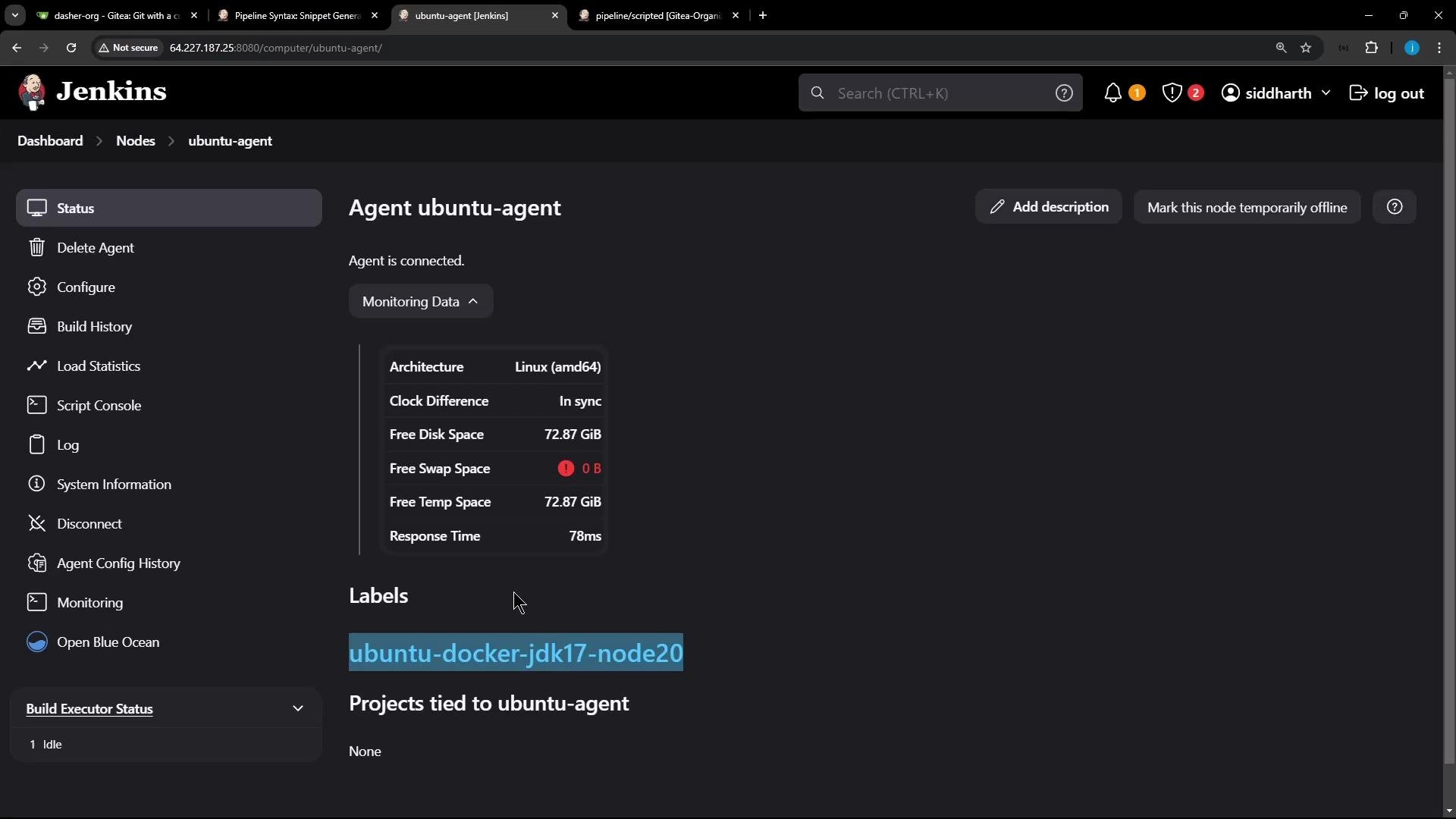
Wrap the label in single quotes when specifying the node:
node('ubuntu-docker-jdk17-node20').- pins the pipeline to the static agent at the
nodelevel, - checks out source code,
- uses a configured Node.js tool installation (updates
PATH), - and runs a Unit Testing stage that injects MongoDB credentials with
withCredentials.
Never hard-code secrets in your Jenkinsfile. Store credentials in the Jenkins Credentials store and reference them by credential ID (for example
mongo-credentials). withCredentials masks/hides sensitive values in the console output.withCredentialsinjectsMONGO_USERNAMEandMONGO_PASSWORDinto the environment for the duration of the block.- If your tests need a
MONGO_URI, provide it either as:- a global environment variable in Jenkins (Pipeline environment/global config), or
- build it dynamically inside the pipeline and export via
withEnv.
- Use the Jenkins UI to create and manage credentials. Reference them by the returned credential ID in your pipeline.
- Because the
nodelabel was provided at the top level (node('ubuntu-docker-jdk17-node20')), the entire scripted pipeline executed on that static agent. - The
toolstep installed/mapped the Node.js tool andwithEnvupdatedPATHsonode/npmwere available. withCredentialsinjectedMONGO_USERNAMEandMONGO_PASSWORDfor the test run; the tests connected to MongoDB and completed successfully.
- Jenkins Pipeline documentation: https://www.jenkins.io/doc/book/pipeline/
- Pipeline: Node documentation (reference for
nodestep): https://www.jenkins.io/doc/pipeline/steps/workflow-durable-task-step/ - Jenkins Credentials Binding Plugin (withCredentials): https://plugins.jenkins.io/credentials-binding/
- NodeJS Plugin (tool step usage): https://plugins.jenkins.io/nodejs/