

- A maintenance burden: updating the same logic across multiple files.
- Inconsistency: differing pipeline behavior across projects.
- Increased complexity: scattered changes that are hard to track.
vars/notifyBuild.groovy in the shared library repository:
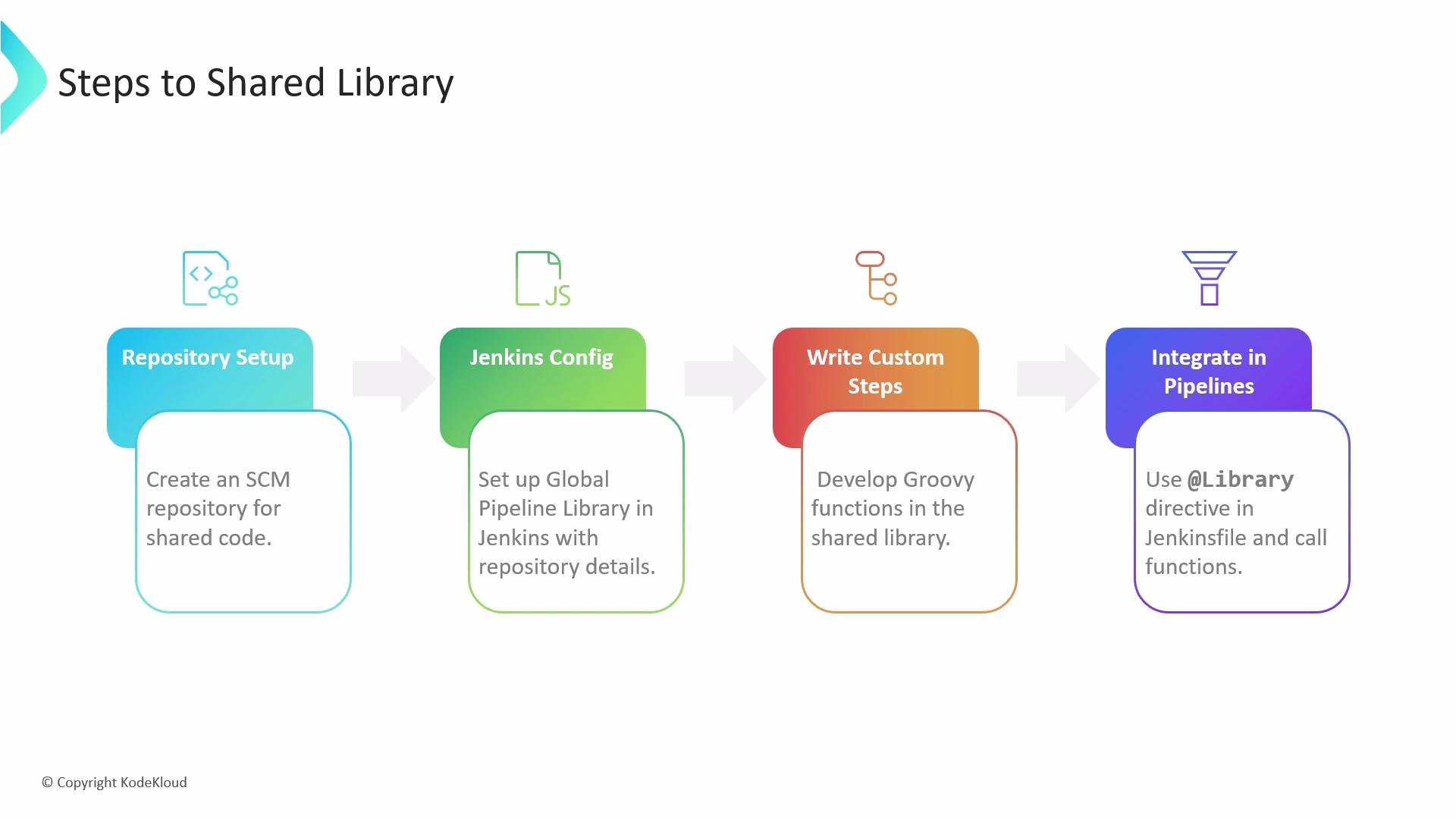
- Create a dedicated SCM repository to store your shared library code.
- Configure a Global Pipeline Library in Jenkins (see Manage Jenkins → Configure System → Global Pipeline Libraries and the official docs at https://www.jenkins.io/doc/book/pipeline/shared-libraries/).
- Develop reusable Groovy functions and classes in that repository.
- Load and call the shared-library functions from Jenkinsfiles using the
@Libraryannotation.
Note: name files in
vars using camelCase for multi-word step names (single word names are fine).
Example: welcome step in vars
Create vars/welcome.groovy in the shared library to centralize the welcome message:
- Library name: identifier used in
@Library. - Default version: branch (for example,
main) used if pipelines don’t specify a branch. - Allow default version to be overridden: permits pipelines to test different library branches with
@Library. - Load implicitly: when enabled, the default branch is available without adding
@Libraryto Jenkinsfiles. - Retrieval method/SCM: configure Git (use Modern SCM for Git repositories).
Tip: Use a stable default branch (for example,
main) for production-ready shared library code. Allow pipelines to override the default version to test library changes on feature branches before promoting them.@Library annotation at the top of your Jenkinsfile (replace shared-library with the configured library name). The underscore after the annotation ensures the library is available to the scripted pipeline portion.
welcome() (the call method in vars/welcome.groovy) available, removing hard-coded messages from individual Jenkinsfiles.
Summary
Shared libraries allow you to:
- Centralize reusable pipeline logic (Groovy steps, classes, and resources).
- Reduce duplication across Jenkinsfiles and teams.
- Maintain consistent pipeline behavior by updating the library in one place.
- Enable teams to test library changes by overriding versions per pipeline.
src classes or linting for vars steps).