

- How the
trivyScanshared library is implemented - How to reference a specific branch of a trusted library with
@Library - How to call shared-library methods inside a Declarative Pipeline
- How to publish Trivy reports in Jenkins
Shared library implementation
Create a shared library file atvars/trivyScan.groovy that exposes two global methods:
vulnerability(String imageName): runs Trivy to generate JSON vulnerability resultsreportsConverter(): converts JSON results to HTML and JUnit (XML) formats
vars/trivyScan.groovy:
Links:
Repository setup and branch usage
- In the shared-libraries repository we added a branch named
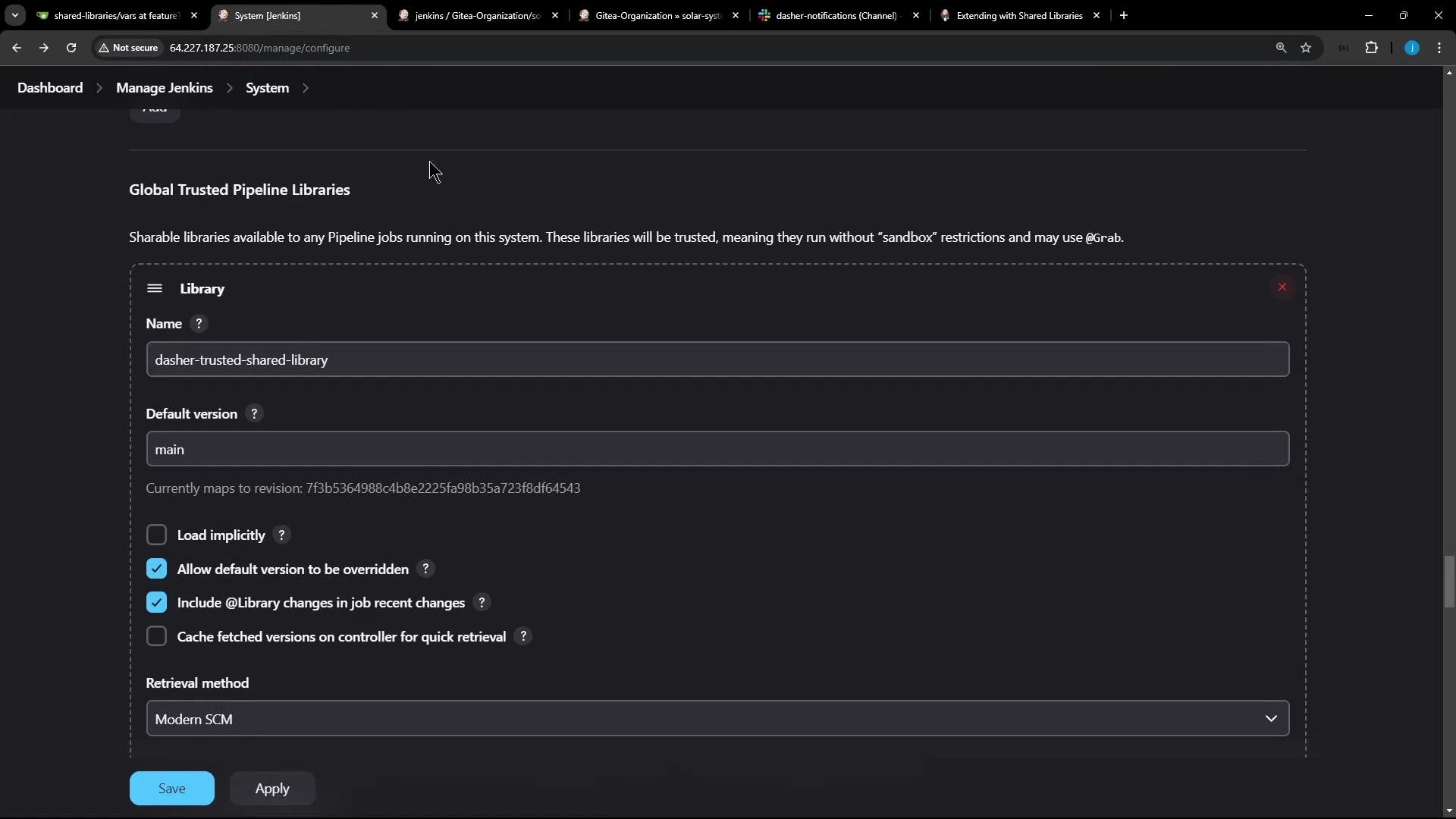
featureTrivyScanthat containstrivyScan.groovy(and other shared library files, e.g., Slack notification helpers). - When configuring Jenkins Global Trusted Pipeline Libraries, the library’s default version is usually
main. Administrators can allow pipeline authors to override the default version so a pipeline can use a different branch or tag.
@Library annotation at the top of the Jenkinsfile with the library name and branch:
Declarative vs Scripted pipeline: where to call shared-library methods
- Scripted Pipeline: you can call global
varsmethods directly, e.g.:trivyScan.vulnerability "image-name"
- Declarative Pipeline: method calls on global
varsmust be executed inside ascript { ... }block. Calling them directly insidesteps(outsidescript) will raise an error:- “method calls on objects are not allowed outside the script directive block.”
Wrap shared-library method invocations in a Use fenced code blocks for any examples containing braces to avoid MDX parsing issues.
script block in Declarative Pipelines. Example:Pipeline execution and logs (high level)
- The
@Library('dasher-trusted-shared-library@featureTrivyScan')annotation instructs Jenkins to resolve and load the specified branch of the shared library at build time. trivyScan.vulnerabilityprints the image name and runs Trivy to create JSON results for medium/low/high severities (non-failing) and for critical severity (exit-code 1).trivyScan.reportsConverterconverts JSON results to HTML and JUnit XML so they can be published as build artifacts and test reports.
Reports and artifacts
- After running
reportsConverter, the generated HTML and XML files are available as build artifacts. - Use the HTML Publisher plugin to display HTML reports in the Jenkins job UI, or archive the artifacts for download.
- HTML Publisher: https://plugins.jenkins.io/htmlpublisher/
Using multiple library versions
- Jenkins supports loading multiple shared libraries. You can reference specific branches or tags with
@Library('name@branch')and call methods from each loaded library as needed.
script {} wrapper for method calls on library objects.
Links and references
- Trivy (Aqua Security): https://github.com/aquasecurity/trivy
- Jenkins Shared Libraries: https://www.jenkins.io/doc/book/pipeline/shared-libraries/
- HTML Publisher plugin: https://plugins.jenkins.io/htmlpublisher/