

Prerequisites
- A Jenkins instance configured to run pipelines.
- Trivy installed on the Jenkins agents that will run the scan, along with the Trivy HTML template file at
/usr/local/share/trivy/templates/html.tpl. - Access to the
shared-librariesGit repository (example URL used below).
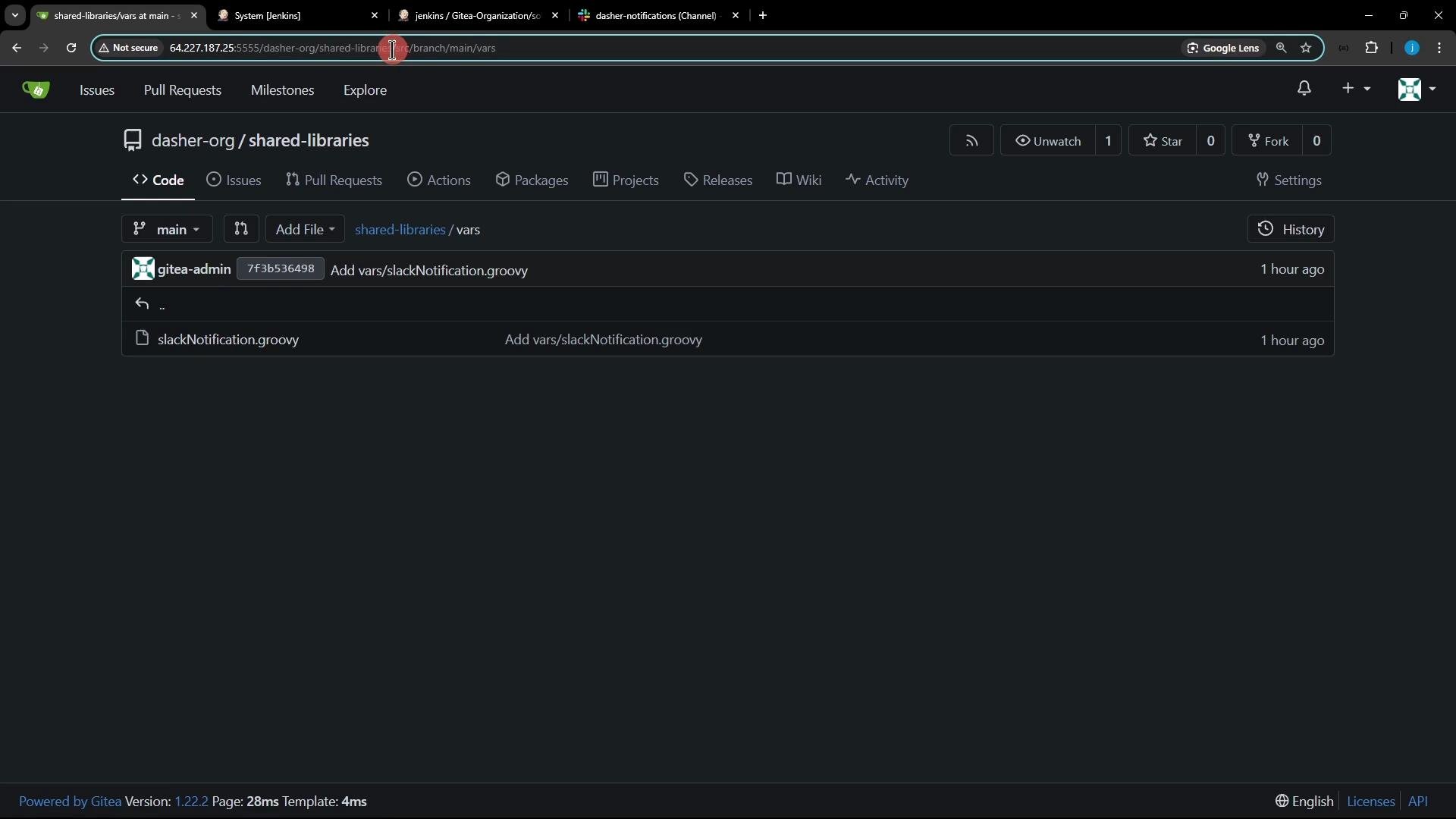
1. Inspect the shared-libraries repository
Clone the repository locally and inspect thevars folder. It currently contains slackNotification.groovy, and we’ll add a new file alongside it.
2. Create a feature branch
Create a branch for your changes so the shared library can be versioned independently:3. Add a Trivy shared library file
Under the repository’svars directory, add trivyScan.groovy. This file exposes two reusable functions to pipelines:
vulnerability(String imageName)— runs Trivy scans for different severity levels and writes JSON results to the workspace.reportsConverter()— converts the JSON results into HTML reports usingtrivy convert.
vars/trivyScan.groovy with the following content:
Function summary
Best practice: Pass the full image name (including tag or commit) to
vulnerability, for example siddharth67/solar-system:${env.GIT_COMMIT} so scans are reproducible and traceable.Ensure Trivy and the HTML template file exist on the agent executing the pipeline (template path used:
/usr/local/share/trivy/templates/html.tpl). If the template is missing or Trivy is not installed, the reportsConverter() and vulnerability() steps will fail.4. Commit and push the branch
Add the new file to the repository and push the feature branch:5. Using the shared library in a Jenkins pipeline
After configuring the shared library in Jenkins (see next section), thetrivyScan file in vars/ is exposed as a global variable named trivyScan. Here is an example Declarative pipeline stage that calls the shared library functions:
6. Configure the shared library in Jenkins
- In Jenkins, go to “Manage Jenkins” → “Configure System” → “Global Pipeline Libraries” and add a new library.
- Set the library name (for example
shared-libraries), provide the Git repository URL, and set the Default Version to the branchfeatureTrivyScan(or leave it configurable per-job). - You can reference the library explicitly in a Pipeline with
@Library('shared-libraries@featureTrivyScan') _or configure it as a global library and calltrivyScandirectly.
7. Tips for pipelines using the library
- Archive or publish the generated HTML reports after
reportsConverter()runs (for example, usearchiveArtifactsor a HTML publisher plugin). - If you want different severity thresholds, you can extend
trivyScan.groovyto accept severity lists or output file names as parameters. - Keep the shared library versioned: create feature branches or tags for changes to shared library functions to avoid breaking consuming pipelines.
Links and references
- Trivy documentation: https://aquasecurity.github.io/trivy/latest/
- Jenkins shared library documentation: https://www.jenkins.io/doc/book/pipeline/shared-libraries/
- Trivy templates: see
trivyinstallation and template locations on official docs.
featureTrivyScan branch and invoke trivyScan.vulnerability(...) and trivyScan.reportsConverter() from your pipelines to run scans and convert reports.