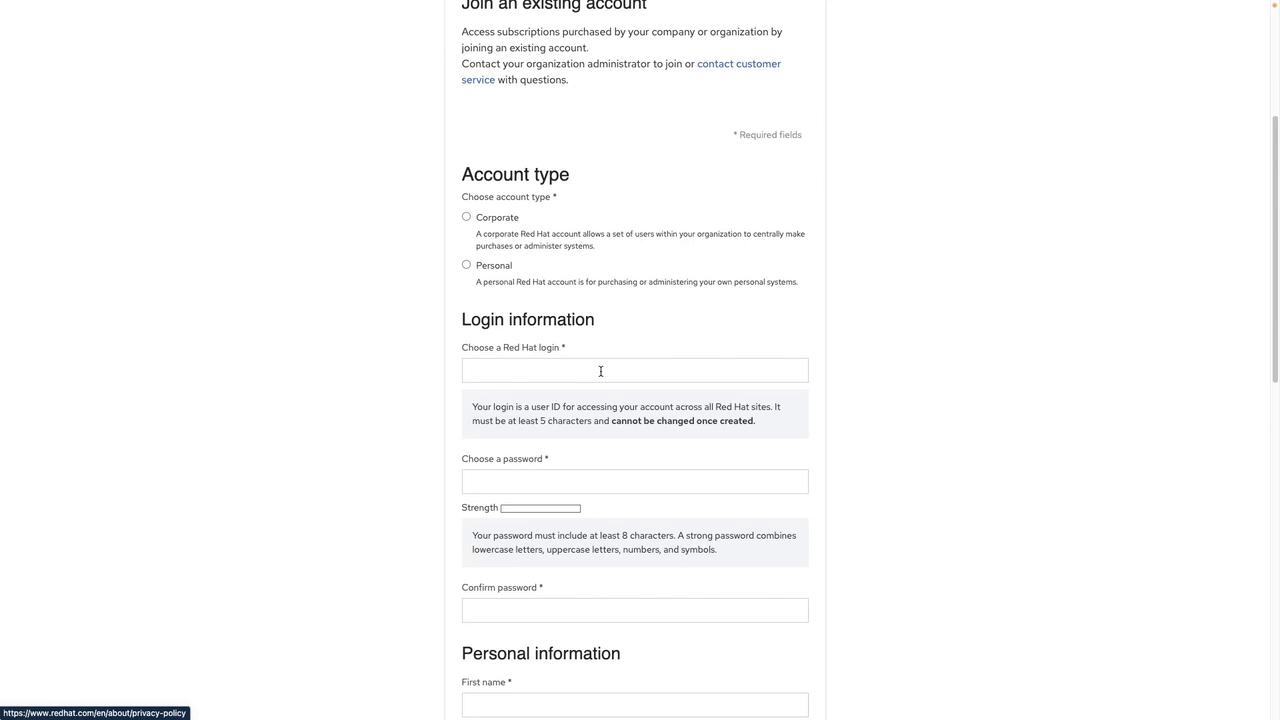
On the Red Hat access page, select the option to register for a new account.
When you click the registration button, a form will appear requesting your personal or corporate details. If you are following this guide for personal learning, select the personal account option. You will need to provide information such as:
Username and password
First name and last name
Job title and email address
Company information (if applicable)
Once you have completed the registration form, click “Create Account.” After your account is set up, you can proceed with the OpenShift installation tasks as detailed in this guide.For more information on OpenShift and related topics, consider visiting the following resources: