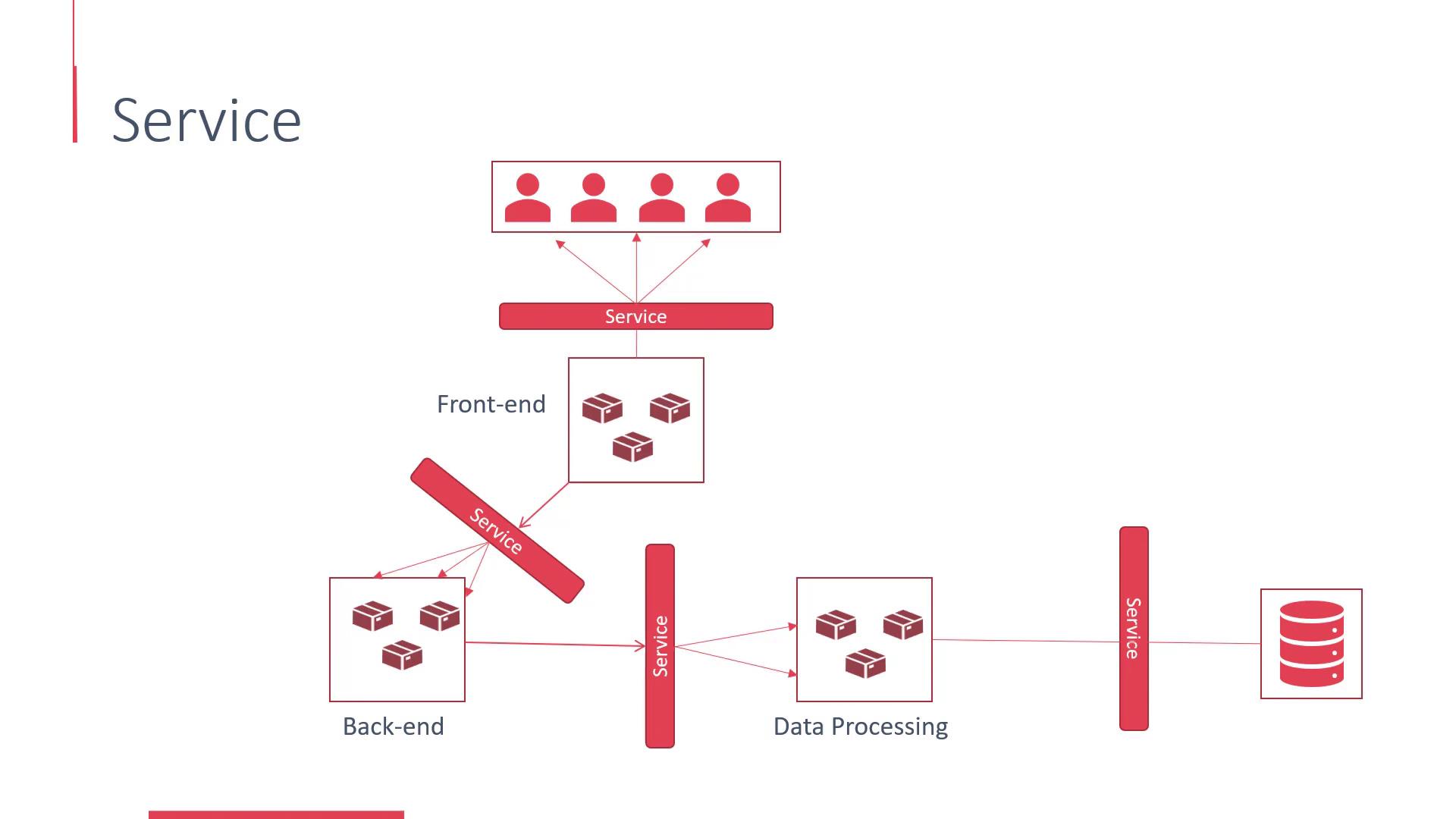
- The front-end interacts with the back-end via a service.
- The back-end communicates with a data processing application through a service.
- The front-end exposes your application to end-users using a service.
Linking Services to Pods
Services are connected to pods using selectors. For instance, to tie a service to all pods created by the SimpleWebApp Docker deployment, you would use a selector that matches the deployment configuration label (e.g., “Simple-WebApp-Docker”). You will also specify the service port and the target port on the pods that will receive the forwarded requests.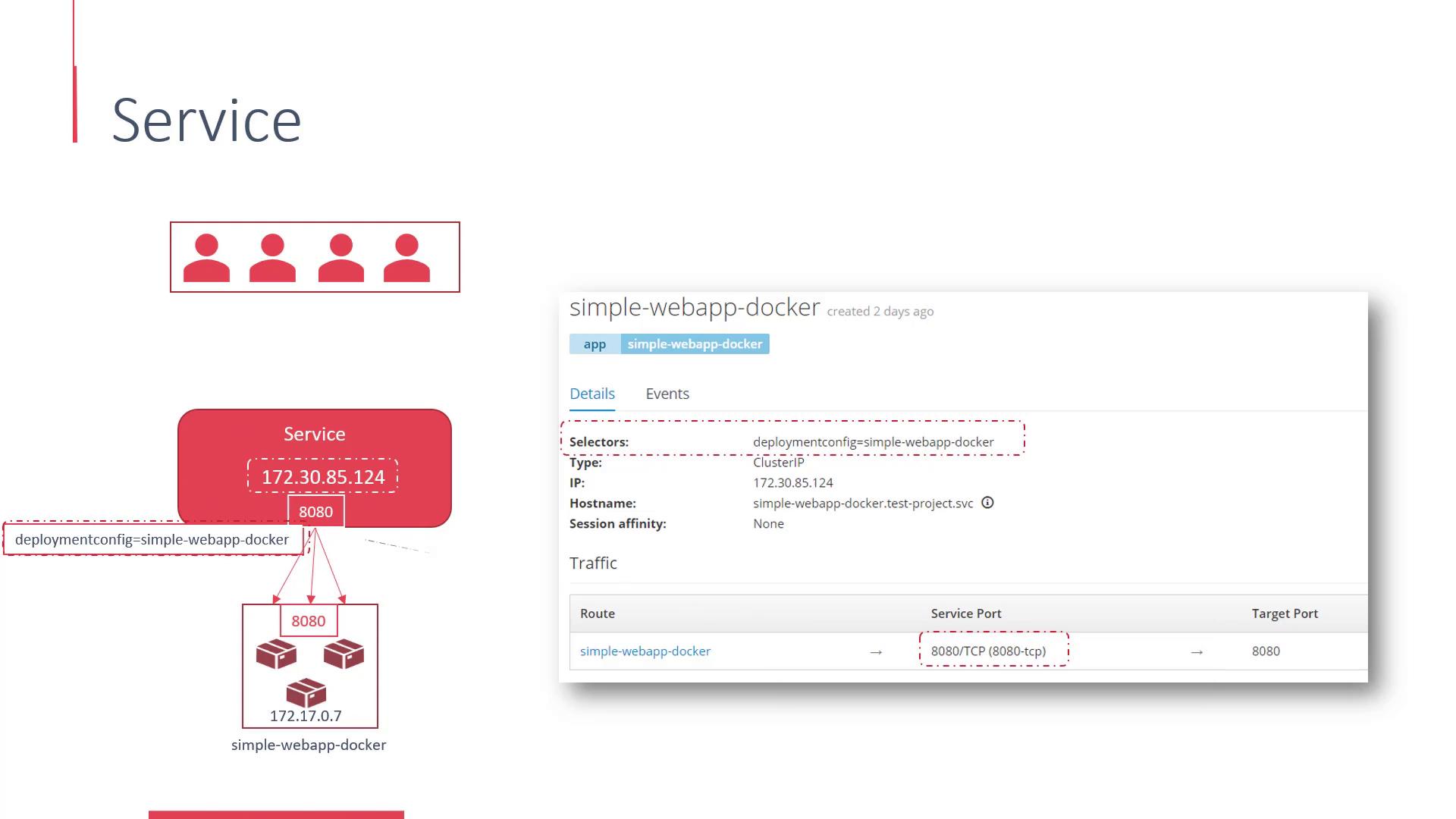
Exposing Services to External Users
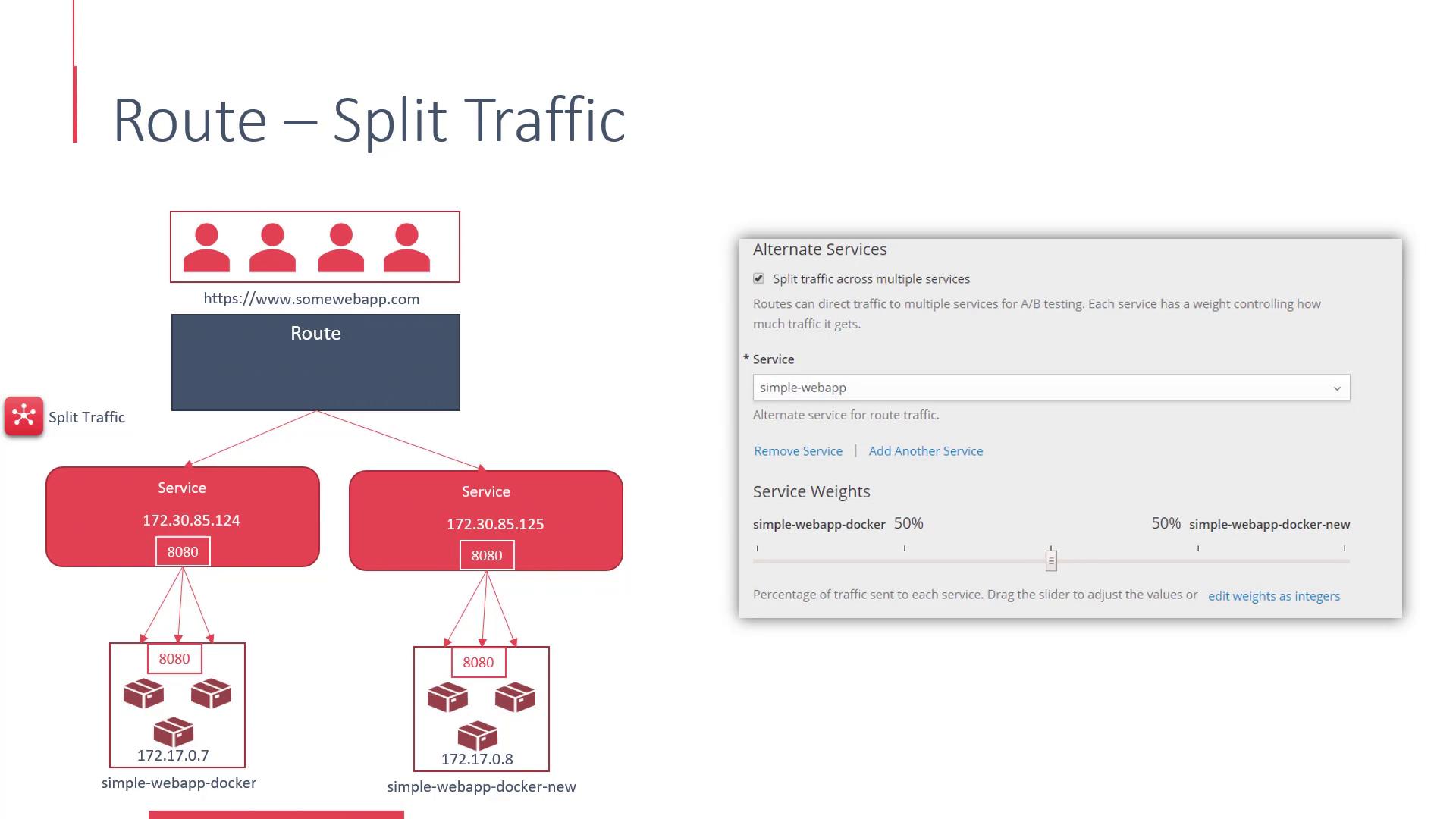
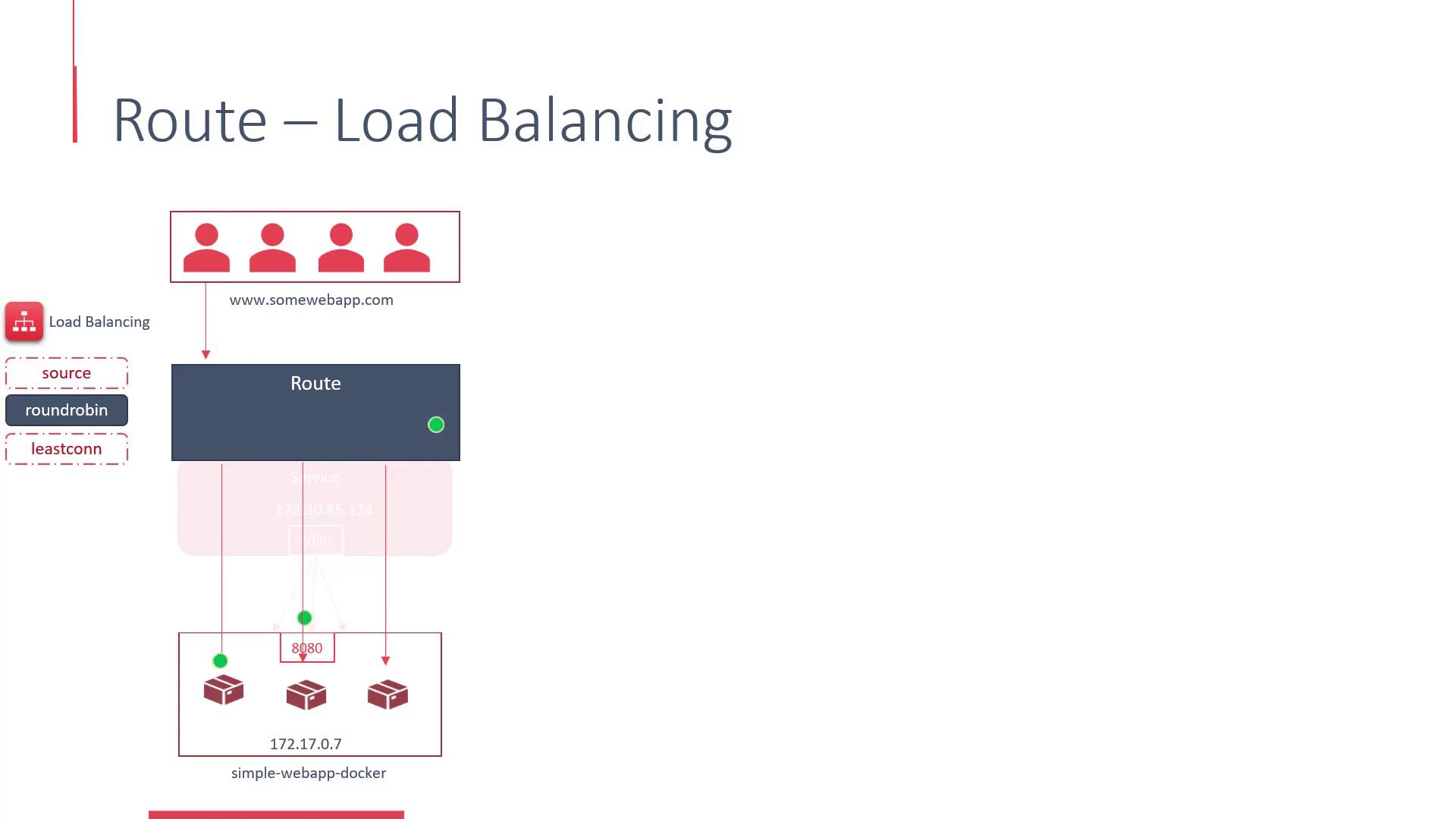
Once the service is linked to the back-end pods, the next step is to expose these services to external users by creating routes. End-users typically access your application via a hostname (e.g., www.somewebapp.com), and this is where routes become essential. A route externally exposes the service by acting as a proxy, much like HAProxy or F5. Routes not only allow you to manage load balancing but also help configure security settings and enable traffic splitting between multiple services. They distribute incoming requests across the pods in a deployment using various load-balancing strategies.- The default strategy (“source”) directs requests from the same user IP to the same back-end server to enable sticky sessions.
- The round-robin strategy distributes each request to a different back-end server, even if the requests originate from the same IP address.
- Another strategy routes traffic to the endpoint with the fewest active connections.
Configuring Security and Advanced Routing
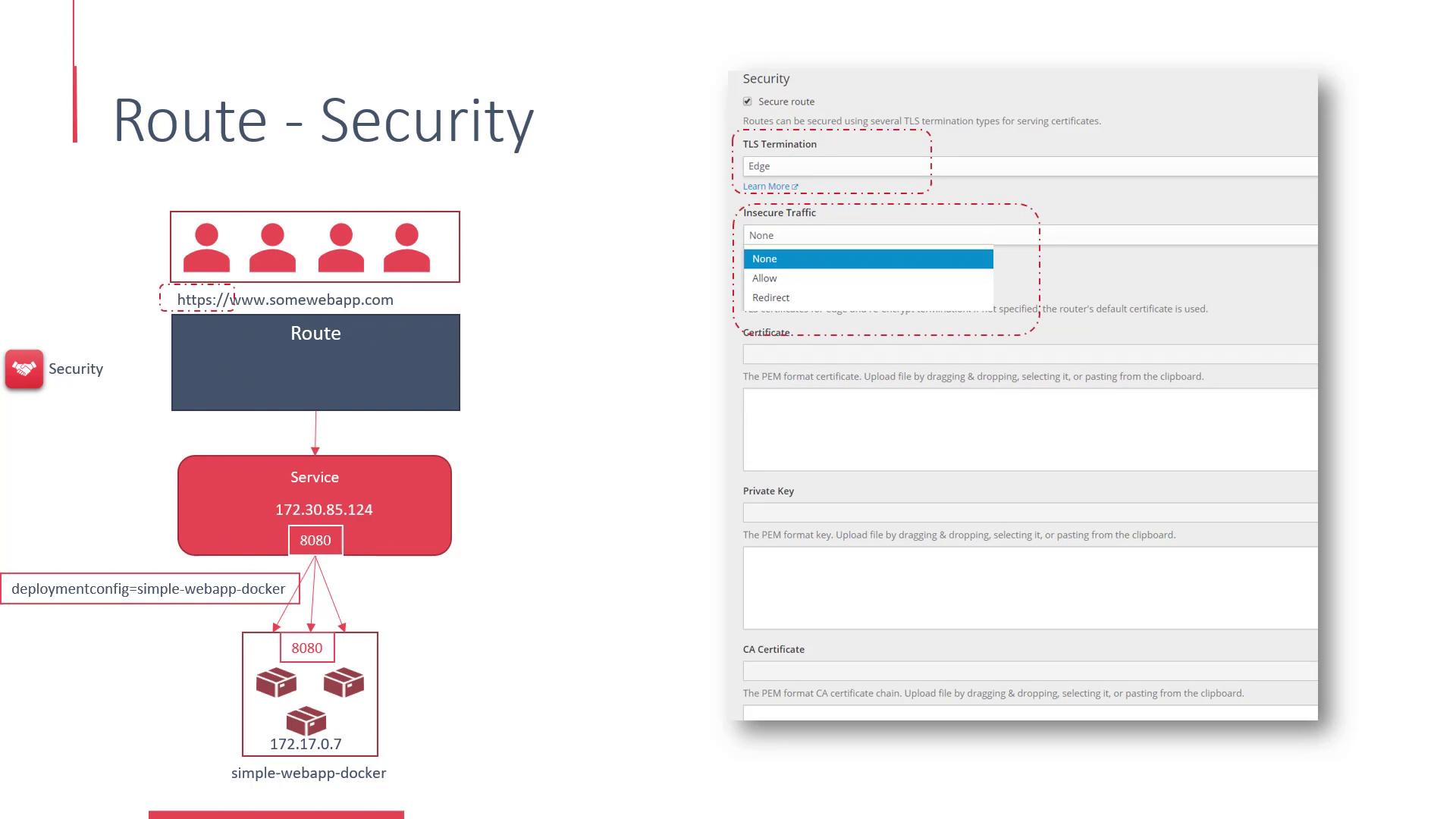
Routes in OpenShift offer robust security features. Under the security settings for a route, you can enable SSL to provide HTTPS access to your web application. There are additional options to manage how insecure traffic is handled—either by permitting HTTP access or by automatically redirecting users to the secure HTTPS version of the site. This configuration also allows you to manage SSL certificates and private keys.