

- As a standard Kubernetes Deployment (
apps/v1). - As an OpenShift
DeploymentConfig(apps.openshift.io/v1).
centos/mongodb-34-centos7 image and identical container config so differences you observe come from the controller types and OpenShift-specific features.
1) Deploy CartsDB as a Kubernetes Deployment
Create a new Deployment in the OpenShift console (or withoc apply -f) using the manifest below.
- Runs one replica of the MongoDB container and exposes port 27017.
- Provides environment variables for credentials and the database name.
- Mounts an in-memory
emptyDirat/tmp. - Pins the Pod to Linux nodes with
nodeSelector.
Note: Newer clusters prefer the stable node label
kubernetes.io/os: linux. The example uses the legacy beta.kubernetes.io/os: linux, which may be deprecated—use the stable label for portability.- OpenShift will create a ReplicaSet that in turn manages the Pod(s).
- The console shows Deployment metadata (name, namespace, labels, update strategy, selector), and provides convenient inspection of Pods, env vars, volumes, and events.
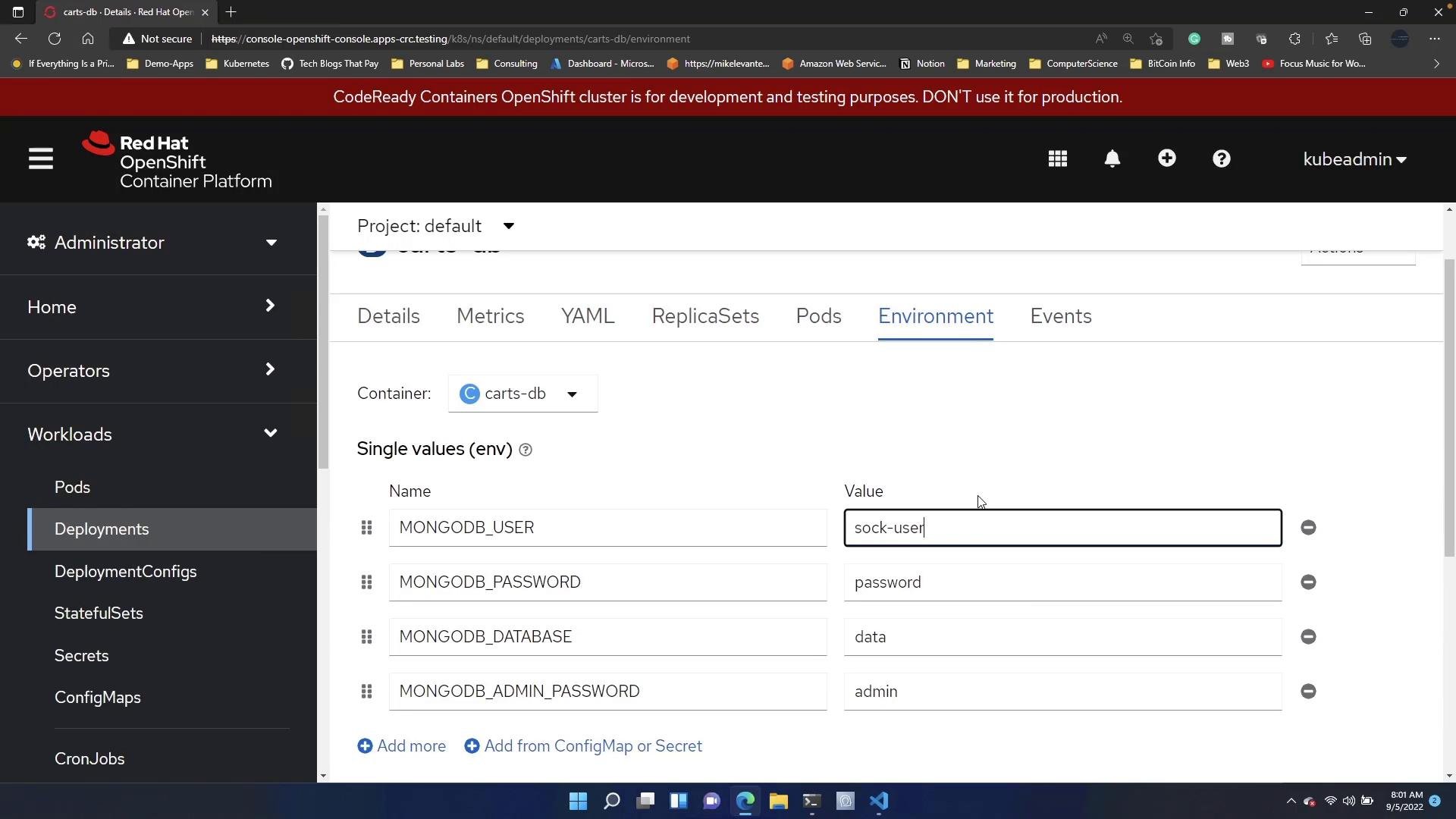
- ReplicaSet presence and Pod count.
- Pod events and container logs for startup validation.
- Container environment variables and mounted volumes.
- The web console is great for inspection and monitoring, but avoid making transient/manual edits directly in the console unless you intend those changes to be permanent. Manifests from source control, CI/CD, or GitOps will typically overwrite manual edits.
2) Delete the Deployment and create a DeploymentConfig
Next, delete the previous Deployment and create an OpenShiftDeploymentConfig with the same container configuration. Paste the manifest below into the console’s Create DeploymentConfig flow or use oc apply -f:
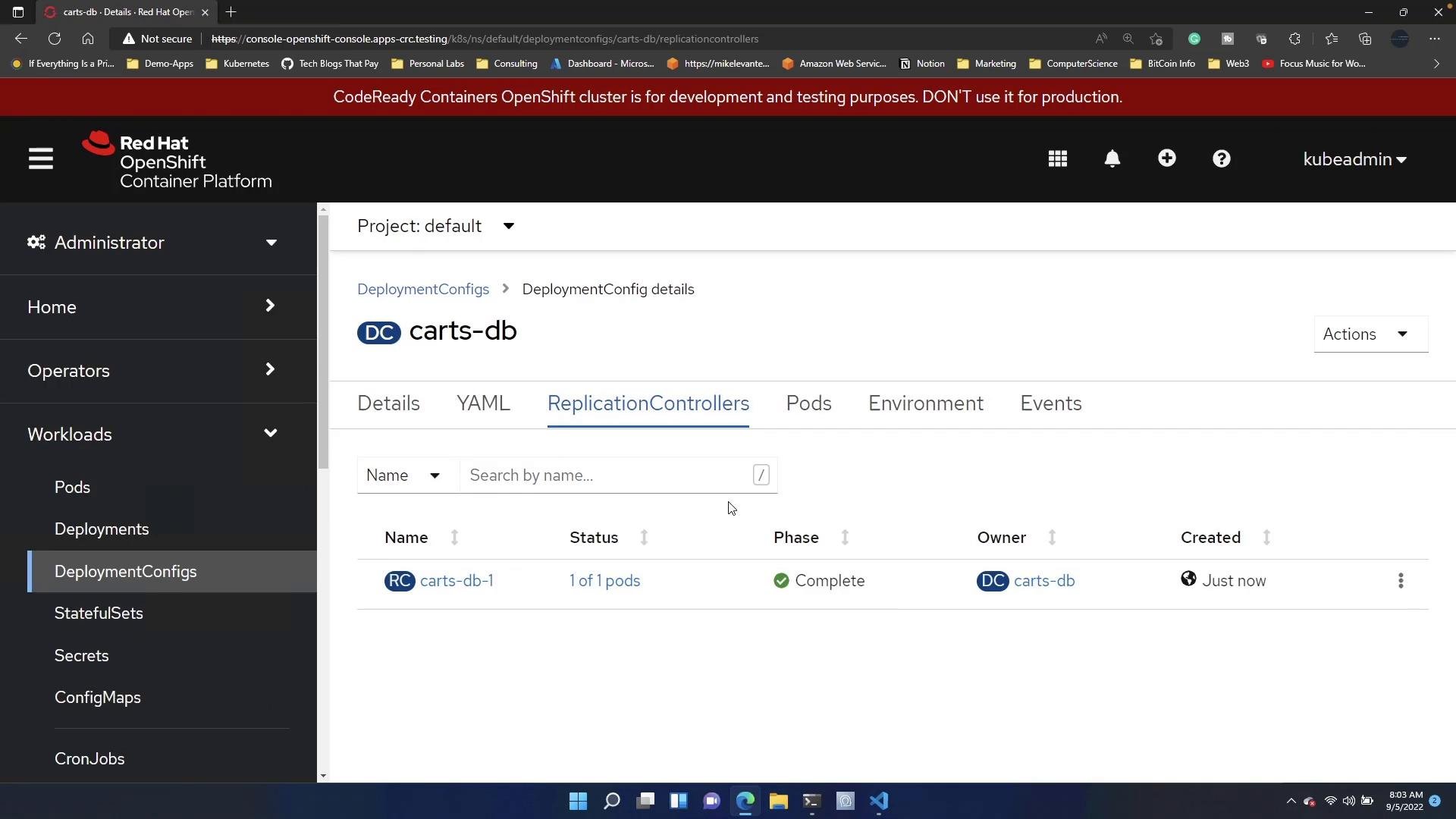
Key differences: Deployment vs DeploymentConfig
Below is a concise comparison to help you decide which resource to use.
Additional notes:
- Deployments are the Kubernetes standard for managing replicated Pods and rolling updates.
- DeploymentConfigs are useful when you require OpenShift integrations (for example, automatic redeploys from internal image builds via imageChange triggers).
Best practices and recommendations
Red Hat recommends using standard Kubernetes Deployments for most workloads because they are portable and part of the Kubernetes API. Use DeploymentConfig only when you need OpenShift-specific features such as
imageChange triggers or build/deploy hooks.- Manage manifests in source control and deploy via CI/CD or GitOps for consistency and auditability.
- Use the OpenShift console to monitor, inspect events, and debug—but commit desired manifest changes back to source control rather than editing ad-hoc in the console.
- Prefer stable node labels (
kubernetes.io/os: linux) for portability across clusters.
Summary
- Deployments (
apps/v1) are the recommended, portable Kubernetes primitive and create ReplicaSets. - DeploymentConfigs (
apps.openshift.io/v1) are OpenShift-specific and create ReplicationControllers; they add features integrated with OpenShift builds and image workflows. - Use the console for visualization and quick debugging; manage definitive configuration through versioned manifests and CI/CD.
Links and references
- Kubernetes Deployments (official docs)
- OpenShift DeploymentConfig (official docs)
- OpenShift Console — Workloads