

- Log in with the CLI
- Inspect cluster users
- Create a project from the web console
- Add a web-console user and grant cluster-admin privileges (for administrative inspection)
- A running Minishift/OpenShift single-node environment
ocCLI configured to point at your cluster
1) Log in to the CLI
Log in to the cluster using theoc login command. In this example we use the built-in system administrator account on Minishift, which typically does not prompt for a password:
system:admin login completes immediately without a password prompt. The output shows the projects available to the current user and the currently selected project (myproject).
2) Inspect cluster users
To list users known to the cluster, useoc get users. In Minishift the default identity provider is often the AnyPassword provider, which accepts any password and auto-creates users when they sign in via the web console:
developer2), that identity will be created automatically. After logging in as developer2 from the console, the oc get users output will include the new user:
3) Create a project from the web console
Switch back to (or sign in as) a regular developer user and create a new project from the web console:- Click Create Project.
- Enter a project name and (optionally) a display name.
- Click Create.
- Open the project to view its console and any deployed applications.
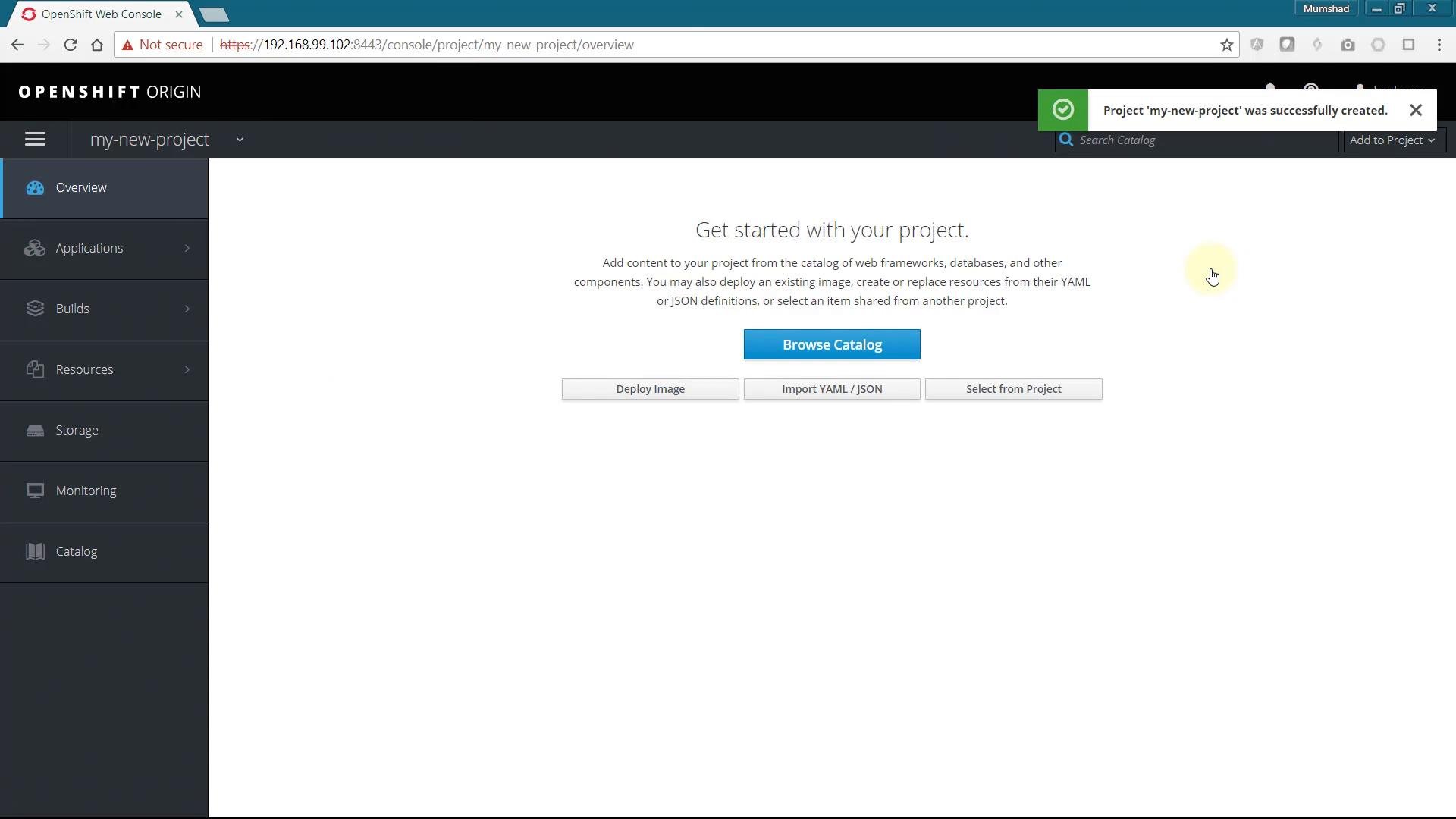
default, kube-system, openshift) are visible to cluster administrators but may not be visible to regular users.
4) Create an administrative web-console user (to inspect default projects)
Becausesystem:admin is a cluster-internal account and typically cannot be used to sign in to the web console, create a regular web-console user and then give that user cluster-admin privileges for administrative inspection.
First, sign in to the web console with the username administrator. With Minishift’s AnyPassword identity provider, this will create the user automatically. Confirm with:
cluster-admin cluster role to the administrator user:
Do not grant cluster-admin privileges to accounts you do not trust. Cluster-admin provides full control over the cluster.
administrator. You will now be able to see the default system projects and inspect their configurations, permissions, and resources.
If you only need to inspect or manage specific projects, prefer granting namespace-level roles rather than
cluster-admin to adhere to the principle of least privilege.Quick reference — useful oc commands
Links and references
- OpenShift documentation: https://docs.openshift.com/
- Kubernetes Concepts: https://kubernetes.io/docs/concepts/overview/what-is-kubernetes/
- Minishift (local OpenShift) project: https://github.com/minishift/minishift