

Project setup
Create a new project/namespace for this demo. In the OpenShift web console you can create a new project namedvoting-application, or use the CLI:
vote), the results service (result), and a background worker (worker) inside this project.
Deploy Redis (cache / queue)
The front-end depends on Redis, so deploy Redis first. If Redis is not visible in your cluster service catalog, import a template from the OpenShift Origin examples.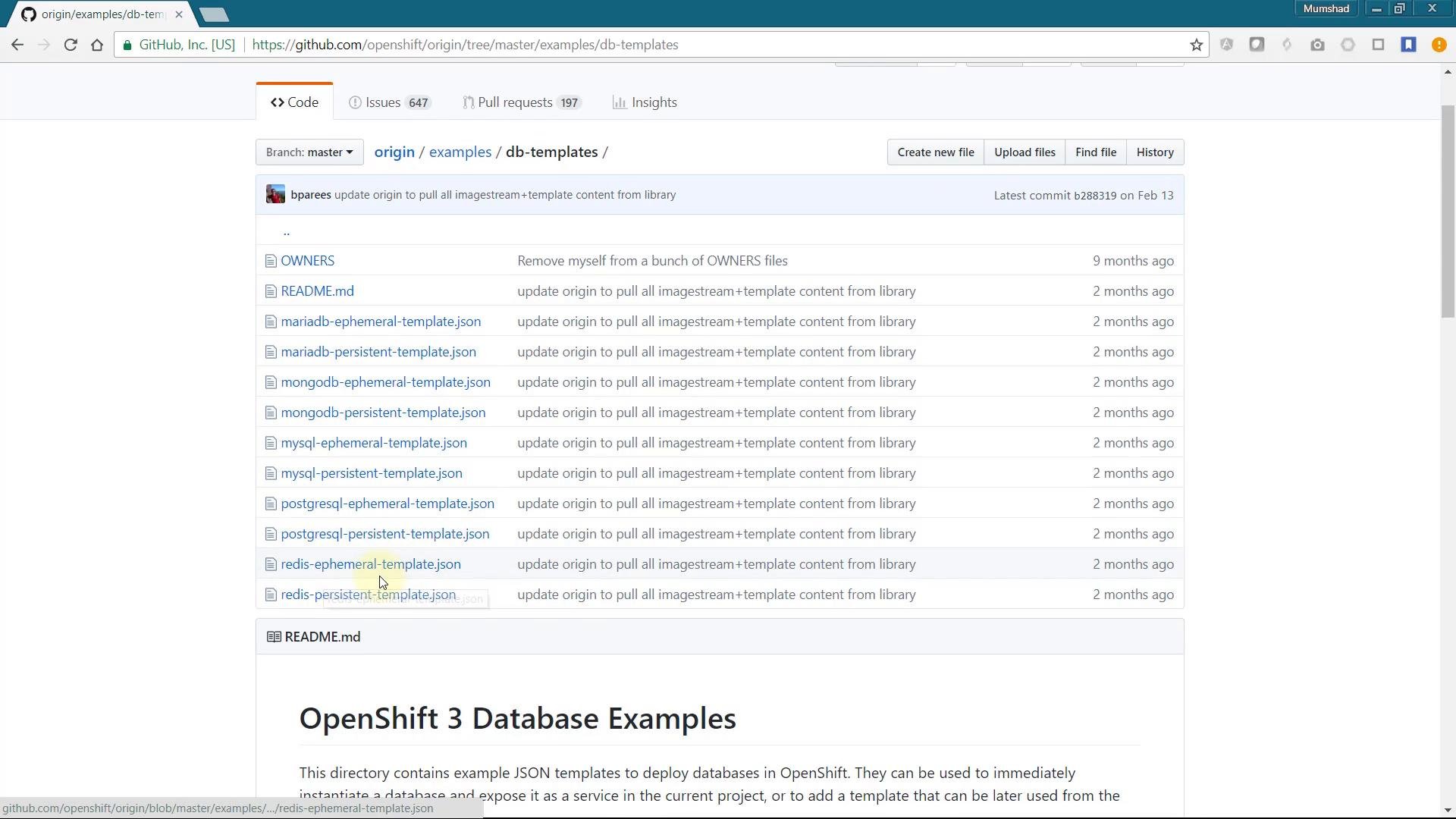
- Browse https://github.com/openshift/origin/tree/master/examples/db-templates and open the Redis Ephemeral template.
- Copy the JSON/YAML, then in the OpenShift web console choose Add → Import YAML/JSON, paste the template, click Create, and when prompted choose Save Template so Redis appears in your catalog.
vote application). After creation, note the connection details you are shown; for example:
redis from other pods in the same project.
Deploy the front-end (vote) application
The front-end is a Python Flask app located in thevote folder of the repository. Create a new application using the Git repository and set the context directory to /vote (use Advanced Options). Choose a name (for example vote) and leave other settings at their defaults. OpenShift will automatically create a BuildConfig and a DeploymentConfig and will begin a build.
You can track build progress in the web console Overview; a build push may show output like:
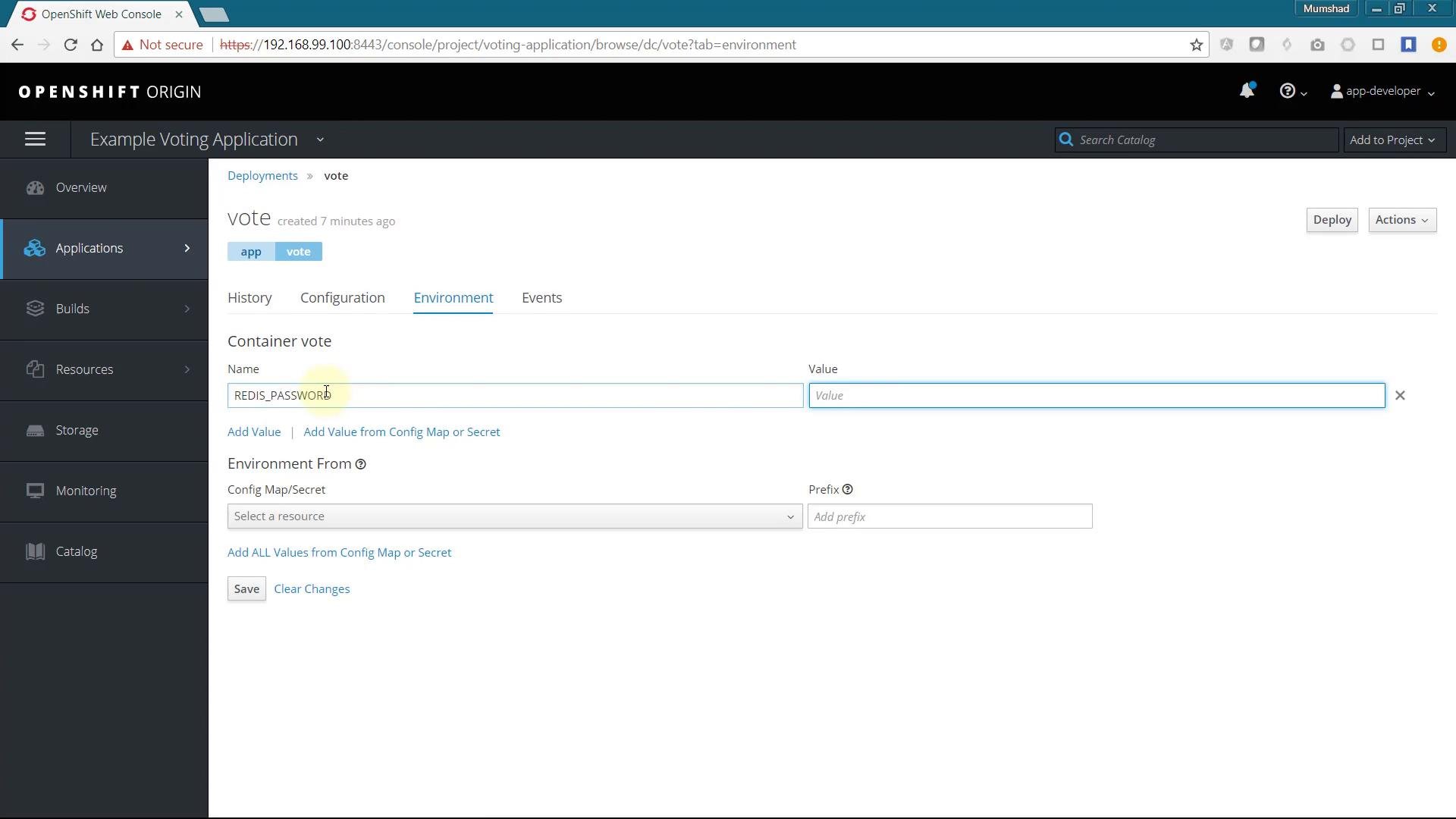
REDIS_PASSWORD environment variable is not set in the vote DeploymentConfig. The app expects the password in REDIS_PASSWORD.
Here is the relevant excerpt from the Python Flask application showing how the password is read from the environment and used by Redis:
Do not hardcode sensitive credentials in application code or environment defaults for production. Use Kubernetes/OpenShift Secrets or a secret manager to store passwords securely.
vote DeploymentConfig (or use the web console Environment tab) and add an environment variable REDIS_PASSWORD with the same password you provided when creating Redis. After saving the environment change, the pod will redeploy.
Deploy PostgreSQL and the results service
The results application needs PostgreSQL to persist aggregated votes. PostgreSQL is available in the catalog by default. When you add the database instance, ensure the service name matches what the application expects — in this example the applications expect the DB service to be nameddb. Configure the database user and password as required.
For production deployments, store credentials in OpenShift Secrets (or a dedicated credentials manager) instead of plain environment variables.
Deploy the results service
The result app is a Node.js service located in the/result context directory of the repository. Use Advanced Options and set the context dir to /result. Provide a name (for example result) and the Git repo URL.
Key details from the Node.js app:
PORT environment variable to 8080 so OpenShift exposes the service on the platform-standard HTTP port. After creating this app, verify the route and open the results page.
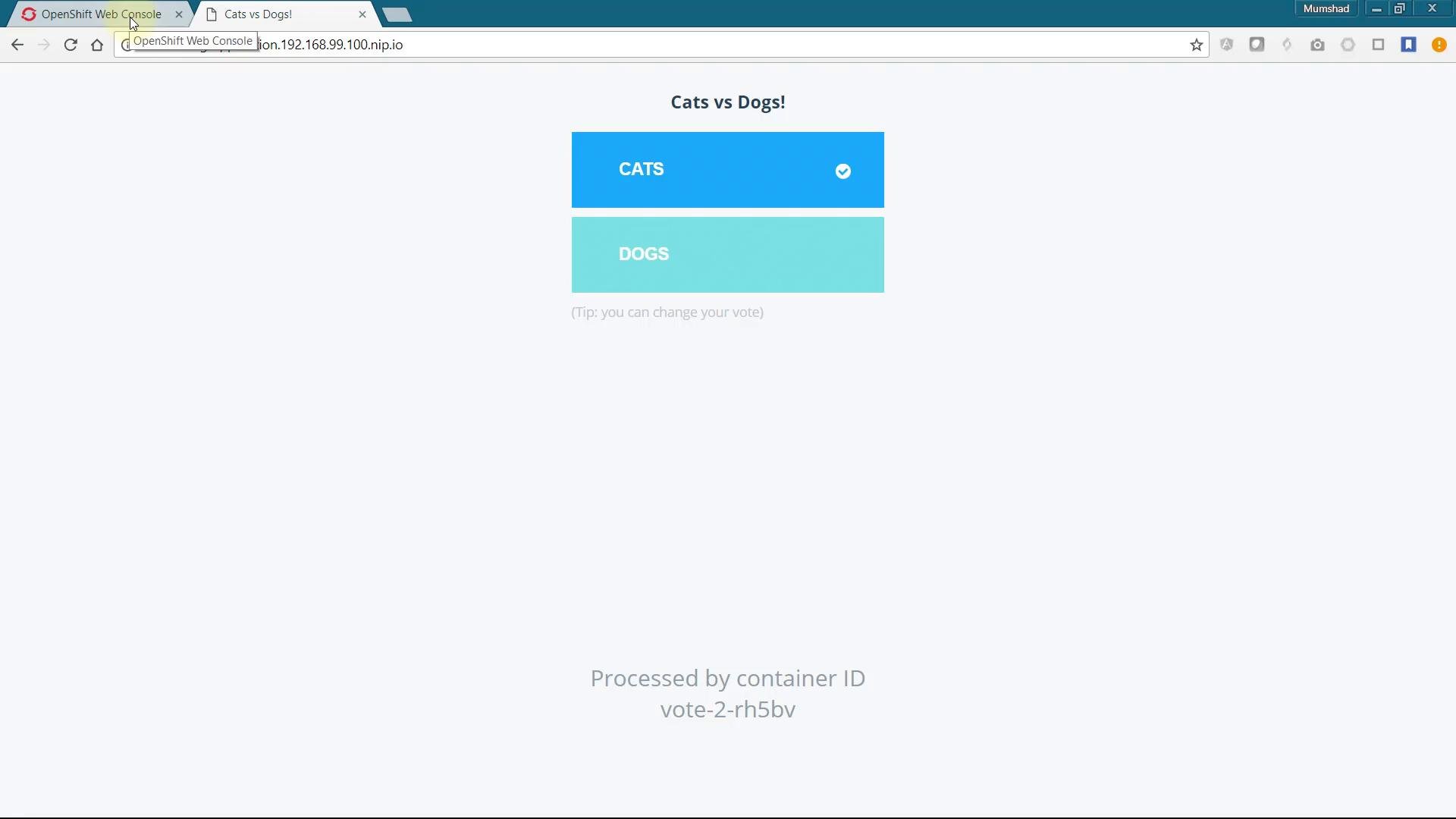
If the results page shows an immediate 50/50 tie even after you voted, the most likely cause is that the worker responsible for moving votes from Redis into PostgreSQL is not running.
Deploy the worker (background processor)
The worker code is in the/worker directory. Unlike the other components, we will build the worker with a Docker strategy using the Dockerfile in that context directory.
Create a new application for worker (Advanced Options, context /worker). Open the BuildConfig for the newly created app and edit the YAML: switch the strategy from Source to Docker, and remove the from section under the strategy so the Dockerfile in the repo is used directly. Save the BuildConfig and start a build:
Troubleshooting tips
- If you see authentication errors from Redis or PostgreSQL, double-check that the corresponding environment variables (
REDIS_PASSWORD, DB credentials) are set on the correct DeploymentConfig and that the service names match what the applications expect (redis,db). - Use
oc logs <pod>to view pod logs (including the worker) andoc get podsto check pod statuses. - Prefer Secrets for credentials: create a Secret and reference it from your DeploymentConfig (or use the web console to mount secrets as env vars).
Summary
This lesson covered deploying a multi-tier voting application on OpenShift:- Add/import templates (Redis) and register them in the catalog.
- Deploy the
vote(Python) front-end and ensureREDIS_PASSWORDis set. - Deploy PostgreSQL from the catalog and name the service
db. - Deploy the
result(Node.js) service and setPORT=8080. - Build the
workervia Docker strategy and verify that it processes votes from Redis into PostgreSQL.