

- The ConfigMap manifest and the key/value pairs it stores.
- The relevant Deployment snippet that consumes those keys via
configMapKeyRef. - The commands and expected behavior when the Deployment is applied before the ConfigMap exists, and what changes after the ConfigMap is created.
ConfigMap manifest
File:carts-configmap.yaml
ConfigMaps are intended for non-sensitive configuration data. For secrets, use Kubernetes Secrets instead.
Deployment snippet that consumes the ConfigMap
File:carts-db-deployment.yaml
This is the essential part of the Deployment that consumes the ConfigMap values via configMapKeyRef. It focuses on the container, ports, and environment variables:
env.valueFrom.configMapKeyRef references both:
- the ConfigMap resource name:
cartsdb-config - the specific key within it:
MONGODB_USERandMONGODB_DATABASE
A ConfigMap is a separate Kubernetes resource. If the Deployment references a ConfigMap that does not exist when the Pod is created, the Pod will fail to start with an error like CreateContainerConfigError until the ConfigMap is created.
Reproduce the failure (apply Deployment before ConfigMap)
Try deploying the Deployment before creating the ConfigMap to observe the failure:CreateContainerConfigError (example screenshot):
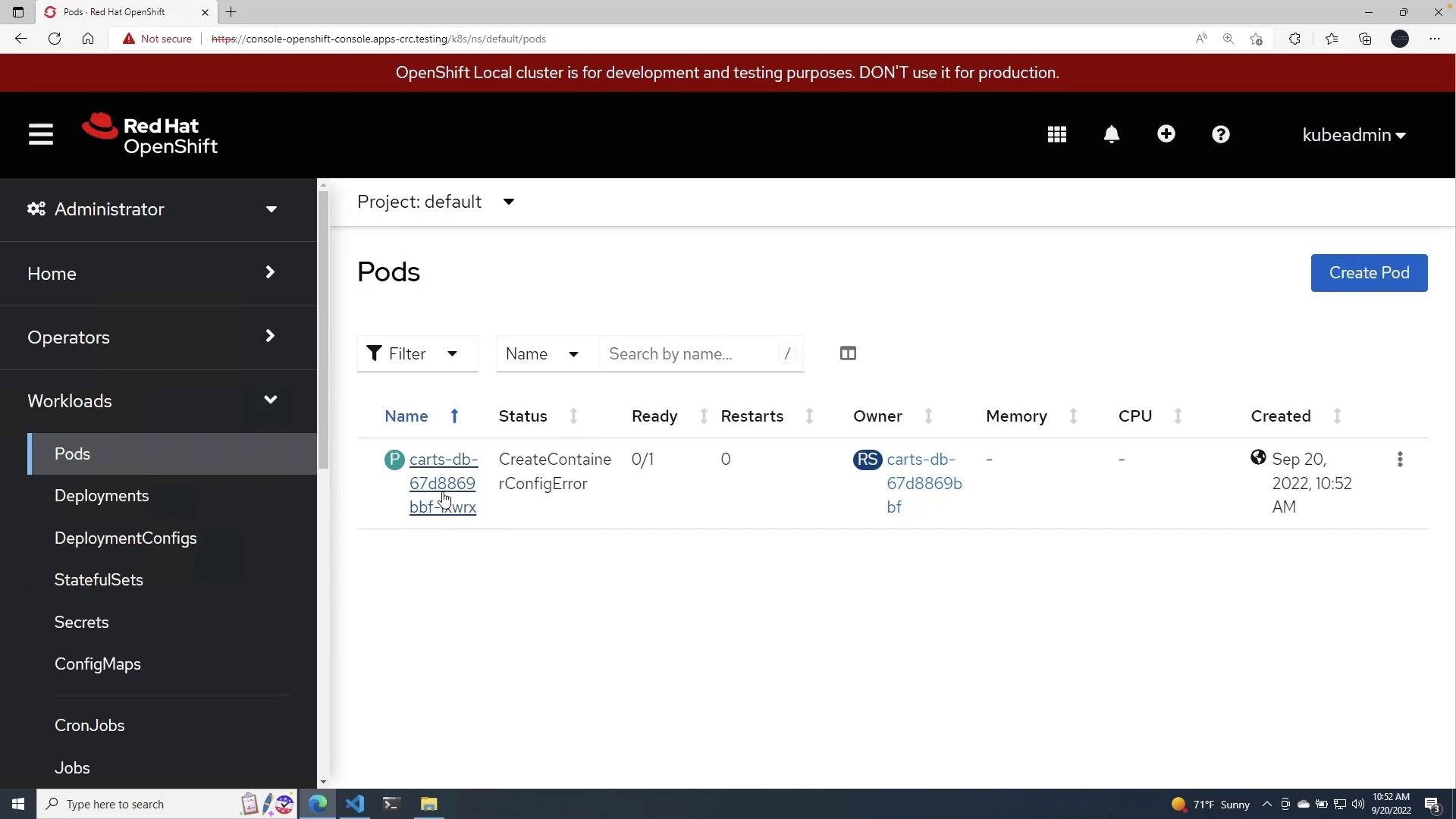
cartsdb-config was not found.
Create the ConfigMap and recover the Pod
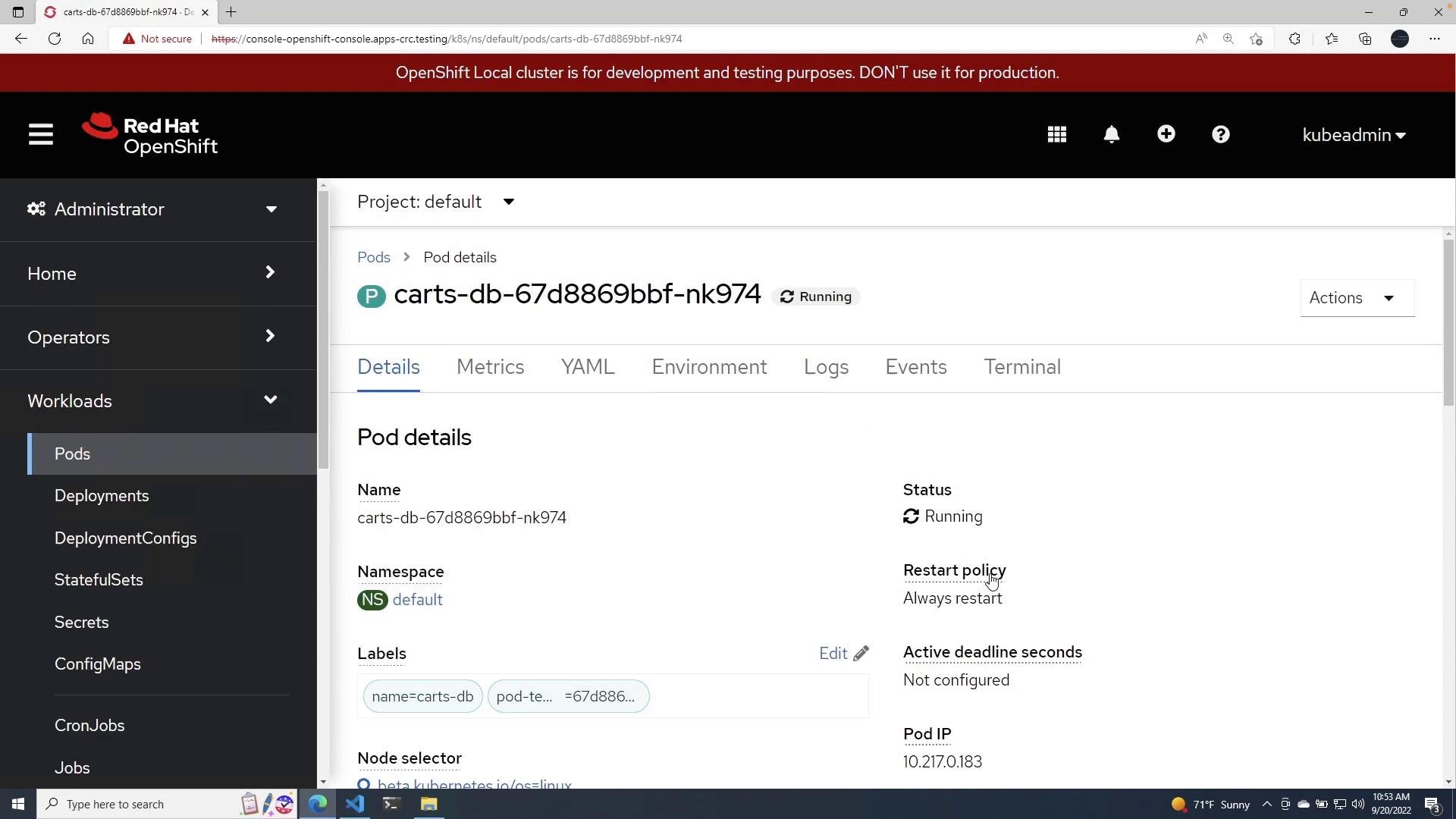
Create the ConfigMap, then reapply the Deployment or delete the failed Pod so the ReplicaSet recreates it:Running. Example OpenShift console view showing the Pod in Running state:
Quick reference
Links and further reading
Summary
- Store non-sensitive configuration data in a ConfigMap as key/value pairs.
- Reference ConfigMap values from a Pod using
env.valueFrom.configMapKeyRef. - Ensure the ConfigMap exists before the Pod is created; otherwise the Pod will fail with
CreateContainerConfigError. - For secrets or sensitive information, use Kubernetes Secrets instead of ConfigMaps.
Do not store sensitive credentials in a ConfigMap. Use Kubernetes Secrets for passwords, tokens, and private keys.