

- A quick Kubernetes networking recap
- How OpenShift implements an overlay network using Open vSwitch (OVS)
- Pod IPs versus stable Service DNS names
- OpenShift SDN plugin modes and CNI alternatives
- How to expose applications externally
Kubernetes networking recap
A Kubernetes cluster has control plane and worker nodes. Each node (physical or virtual) has its own IP address (for example,192.168.1.10, 192.168.1.11, 192.168.1.12, 192.168.1.13).
Applications run inside containers within pods. Each pod receives its own IP address. Because workloads typically communicate (for example, a web frontend talking to a database), the network must provide unique pod IPs and routing between nodes so pods can reach each other reliably.
OpenShift implements a software-defined network (SDN) to provide a single virtual network that spans
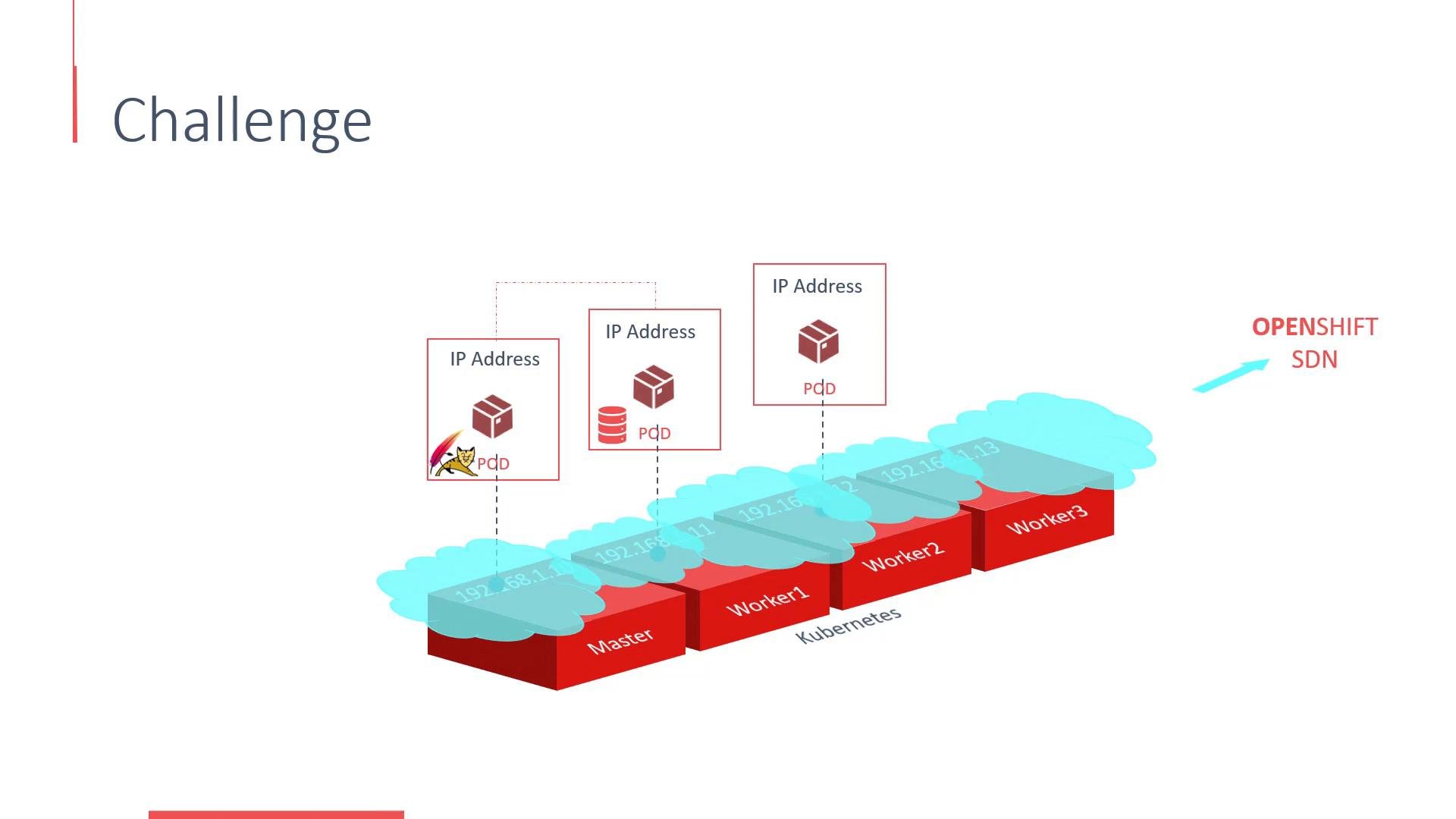
10.128.0.0/14. The platform divides that range into per-node subnets (for example 10.128.0.0, 10.128.2.0, 10.128.4.0), and all pods scheduled onto a node receive IP addresses from that node’s subnet. In a sample deployment, a web pod might get 10.128.0.5 while a database pod gets 10.128.2.2.
You can inspect pod IPs with:
Pod IPs vs Services and DNS
Although pods can reach each other by IP, pod IPs are ephemeral — they can change after a restart or reschedule. To provide stable connectivity, OpenShift exposes the Service abstraction and an internal DNS so clients talk to stable names instead of pod IPs. Bad (discouraged) example — connecting directly to a pod IP:Always prefer Services + DNS names to reach applications inside the cluster rather than using pod IPs. Services provide a stable endpoint and decouple clients from pod lifecycle events.
OpenShift SDN plugin modes
OpenShift SDN supports multiple plugin modes. A common default isovs-subnet, which provides cross-node pod connectivity by allocating subnets and programming OVS. To enforce isolation between projects (namespaces), OpenShift also offers ovs-multitenant, which assigns each project a virtual network ID (VNID) to prevent unintended pod-to-pod communication across projects.
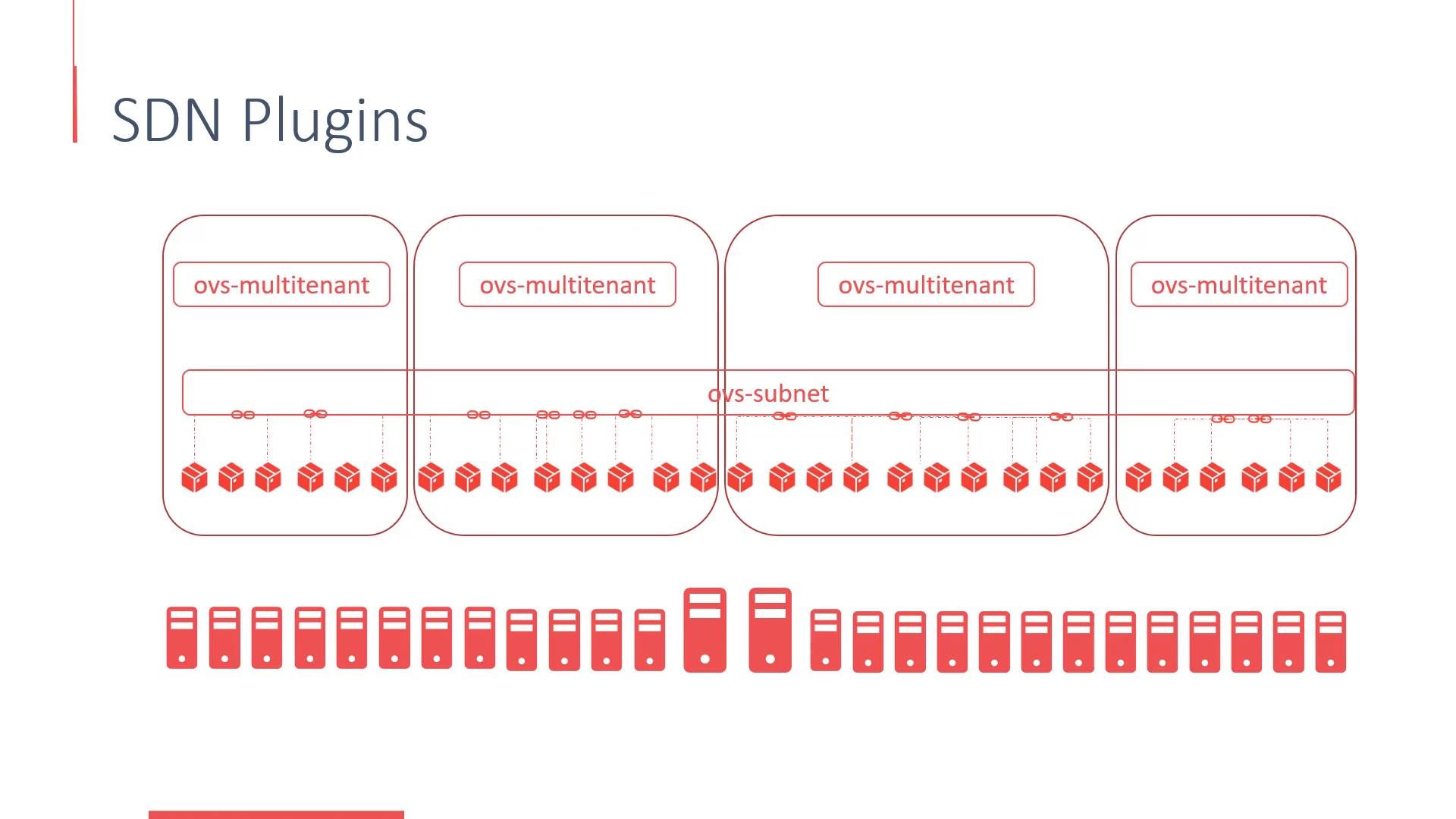
Beyond OVS-based plugins, OpenShift can integrate with other CNI providers such as Nuage, Contiv, and Flannel. Each solution has different operational characteristics and features — evaluate them based on throughput, policy, observability, and operational workflow.
Exposing applications outside the cluster
So far we covered overlay networking that enables internal pod-to-pod and Service connectivity. To expose applications to users outside the cluster, OpenShift provides:- Services with
NodePort,LoadBalancer, orClusterIPtypes - Routes (OpenShift’s higher-level routing resource) that map external hostnames to Services and provide TLS termination, path routing, and host-based routing
Best practices
- Use Services + DNS for in-cluster communication to avoid brittle pod IP dependencies.
- Choose an SDN/CNI plugin that matches your isolation, performance, and policy requirements.
- Monitor overlay CIDR utilization to avoid IP exhaustion during scaling.
- Use Routes for external HTTP(S) traffic; use LoadBalancer or Ingress depending on your infrastructure provider.