

NetworkPolicy Configuration
The network policy is defined using YAML and specifies the following details:- API version and resource kind (NetworkPolicy)
- A pod selector that identifies target pods
- Ingress rules that allow traffic only from pods with a specific label
name: carts-db and permits ingress traffic solely from pods that have the label cartsdbaccess: "true".
• The
• The
podSelector under the spec targets the Cards DB pod (with the label name: carts-db).• The
ingress rule allows inbound traffic only from pods labeled with cartsdbaccess: "true".Deployment Configuration in Cards.yaml
Next, we examine the Cards deployment YAML. Notice that on line 16, the pod template is tagged with the new labelcartsdbaccess: "true". This label ensures that the Cards deployment is permitted to connect to the Cards DB as allowed by our network policy.
cartsdbaccess: "true" label, enabling it to communicate with the Cards DB pod as defined in the network policy.
Steps to Apply the Configuration
1. Apply the Cards Deployment
Run the following command to apply the Cards deployment: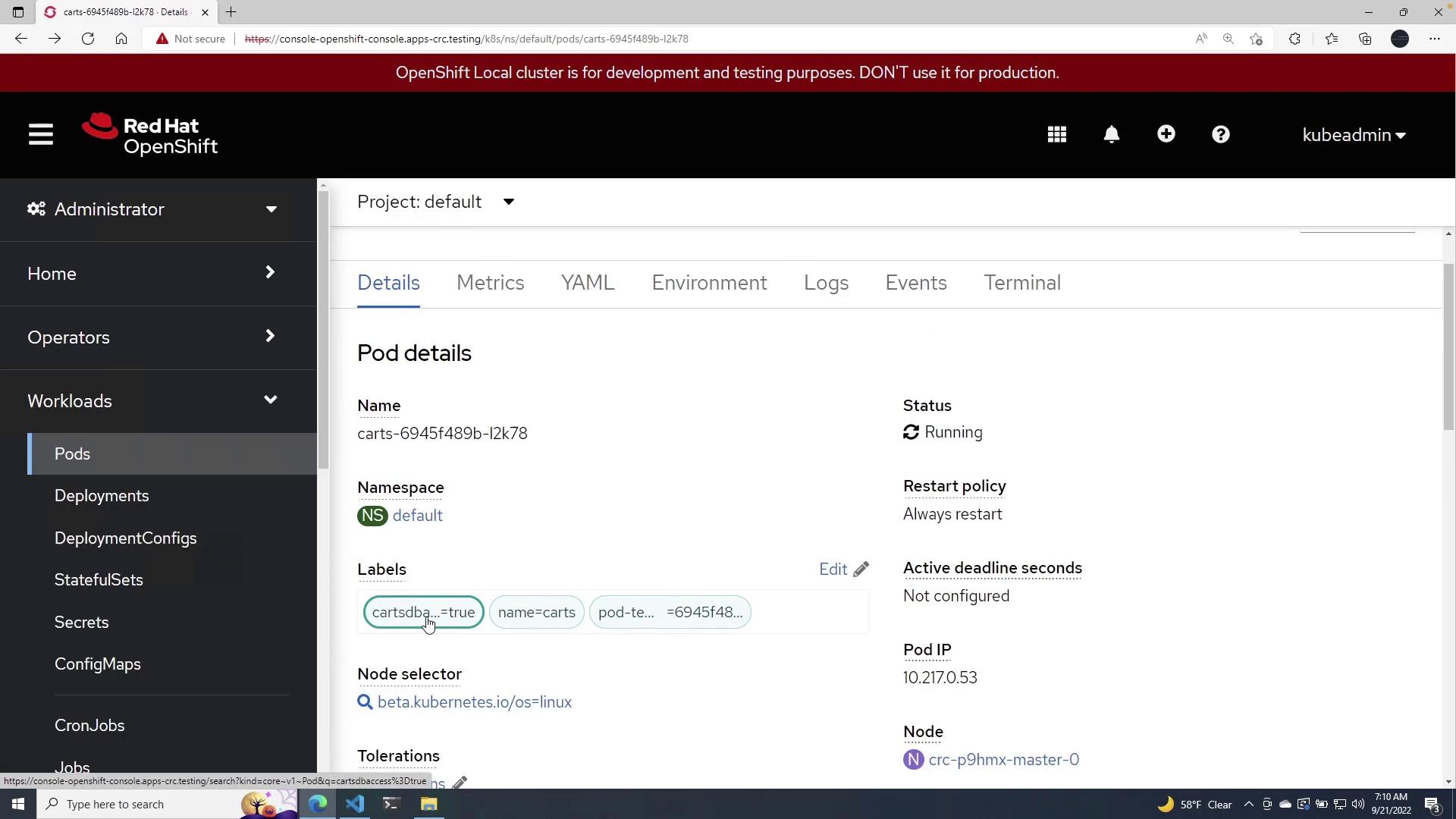
2. Apply the Network Policy
Next, apply the network policy using the command below: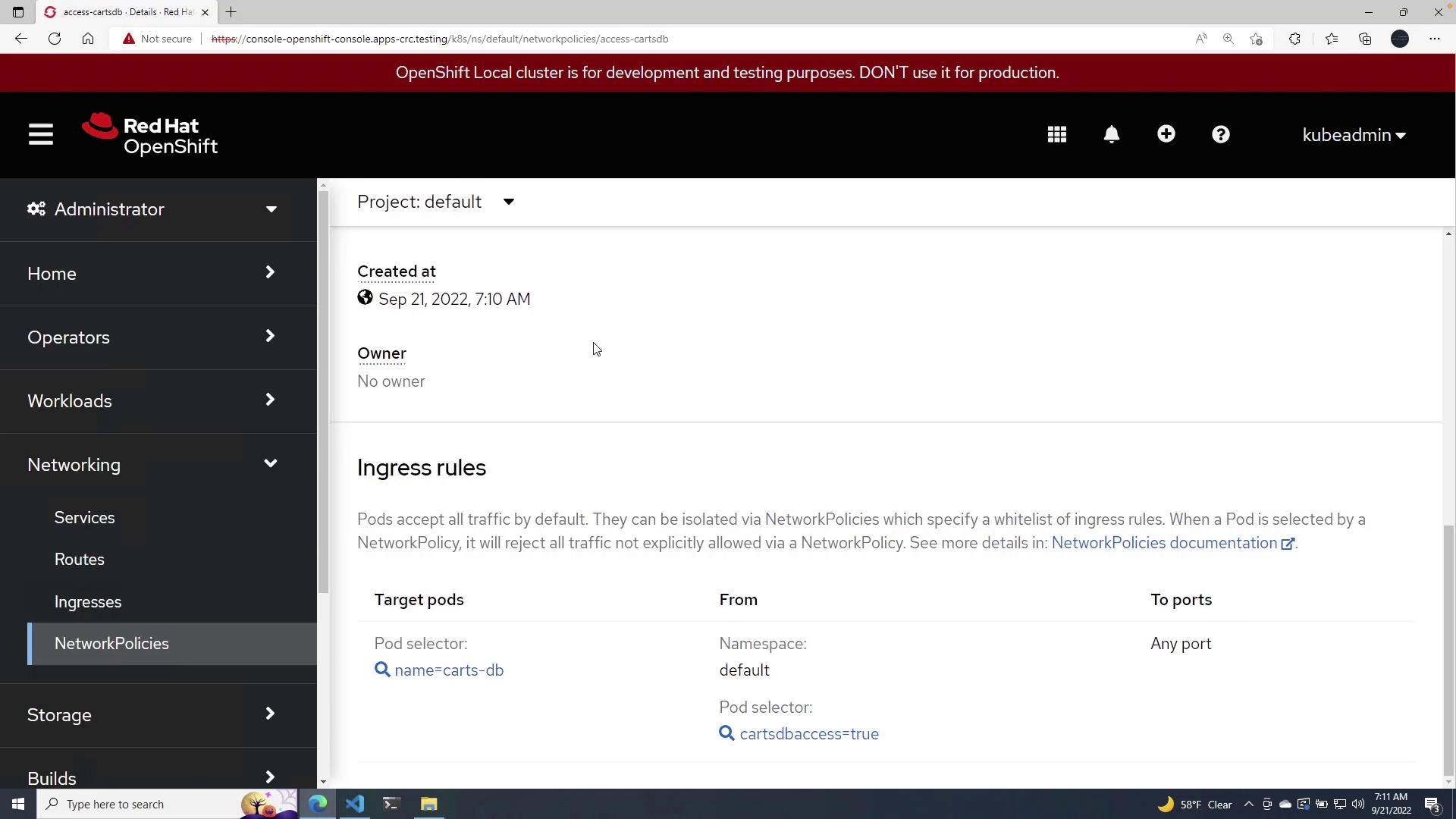
With this configuration, only pods with the label
cartsdbaccess: "true" are permitted to send traffic to the Cards DB pods, ensuring controlled and secure communication within your Kubernetes cluster.Key Concepts
Below is a table summarizing the key components of this configuration:This lesson demonstrates how network policies combined with proper pod labeling can secure and control network traffic within a Kubernetes environment. For further reading, explore the following resources: