

Why these design considerations matter
- Training provenance (third-party pre-trained model vs. in-house training) affects control, legal/risk exposure, and cost.
- You must balance cost, accuracy, latency, and task-specific metrics (BLEU, MAP, precision, recall, F1) against business objectives.
- Good planning and iterative experimentation avoid unsustainable infrastructure costs and brittle production behavior.
Cost vs. accuracy trade-offs
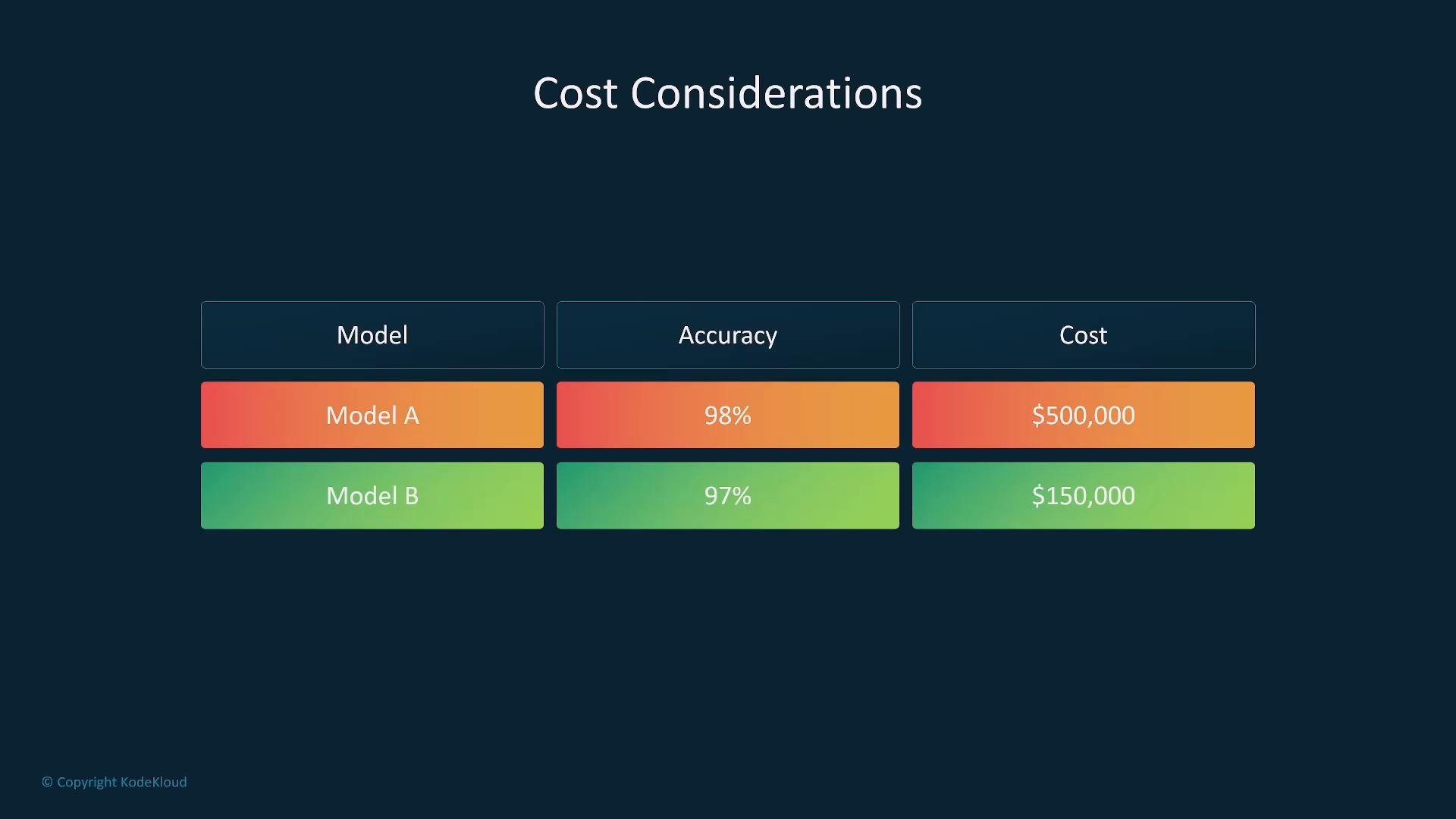
- Larger, more complex foundation models often produce higher accuracy but incur much greater costs to train, host, and serve.
- Smaller or specialist models are typically cheaper and faster but may trade off some generalization.
- Always evaluate marginal gains (e.g., 98% vs 97%) relative to business impact — small accuracy gains can be very expensive.
Latency and inference speed
- Define latency constraints up front. Real-time systems (live translation, perception for vehicles, chat with SLAs) require low-latency inference and sometimes specialized architectures or hardware acceleration.
- Some methods (for example, exact k-NN over large embedding sets) push computation into inference time and can become a bottleneck. Consider approximate search, caching, or precomputation.
- Simpler models generally infer faster. Evaluate whether your application tolerates slightly higher latency or slightly lower accuracy.
- k-NN and other retrieval/nearest-neighbor approaches perform significant work at inference (distance computations in high-dimensional spaces). For strict real-time needs, adopt approximate nearest neighbor (ANN) algorithms, compact indexes, and optimized vector stores.
Modality: what inputs your model must handle
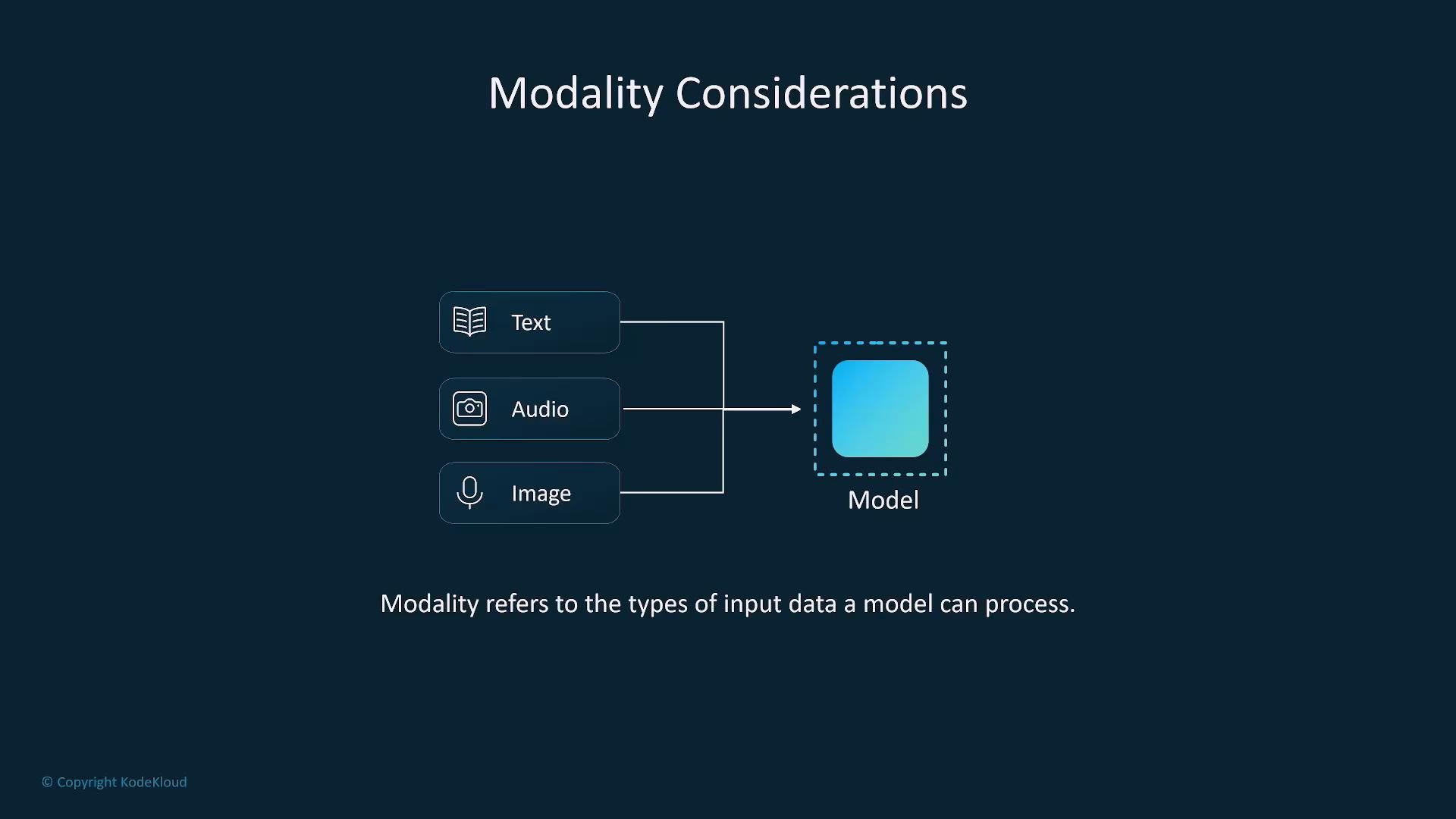
- Modality = types of input (text, image, audio, video, sensor data). Choose models or pipelines that match the modalities your application needs.
- Options:
- Multimodal foundation models that can process several modalities in a single architecture.
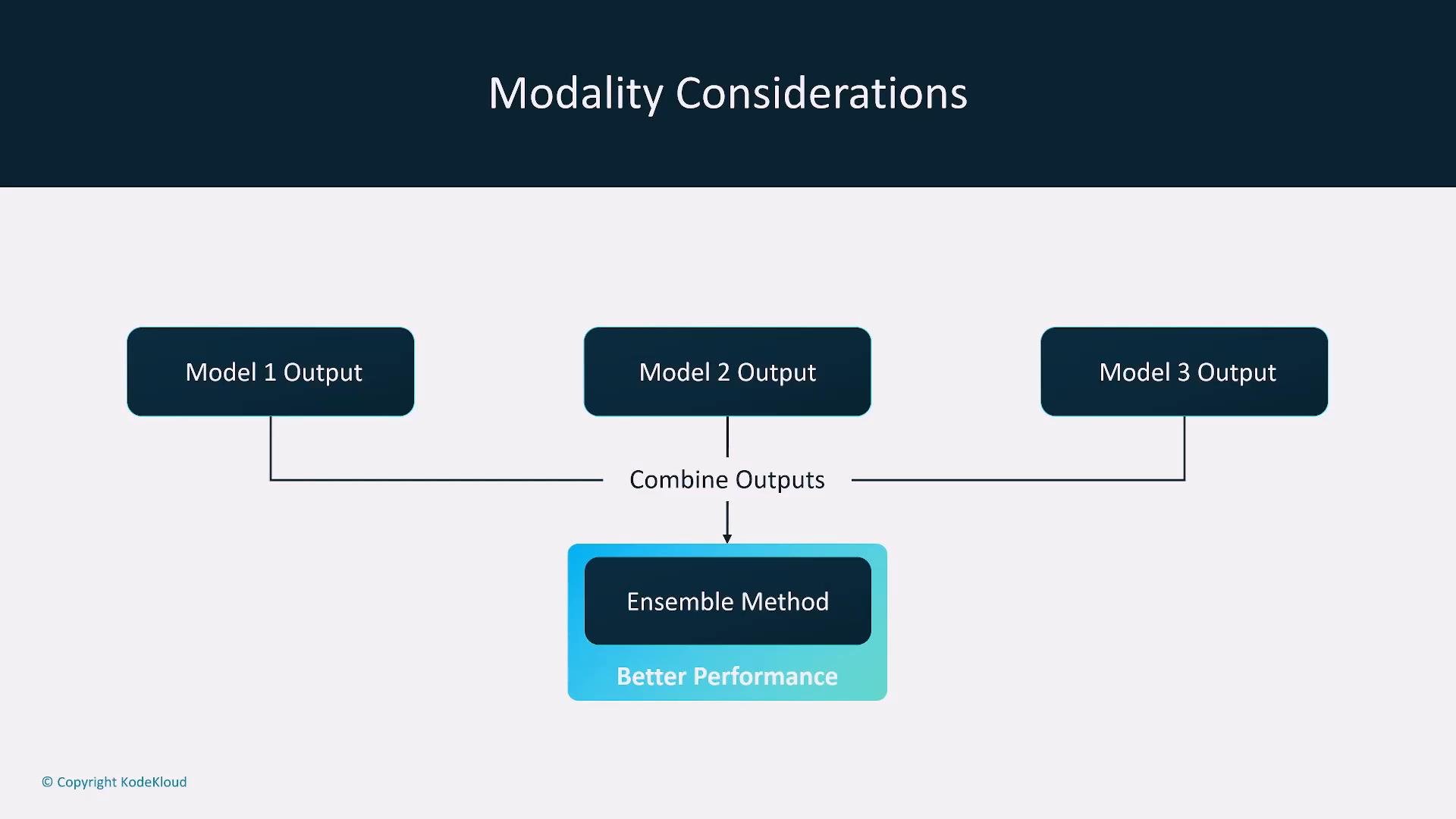
- Ensembles of specialist models (one per modality) whose outputs are fused downstream.
Ensemble methods
- Combining several narrow, specialized models often yields better end-to-end performance than a single monolithic multimodal model, especially when subproblems have different optimal architectures.
- Ensembles introduce orchestration complexity: latency stacking, calibration of confidences, and cost of running multiple models concurrently.
Choosing the right architecture
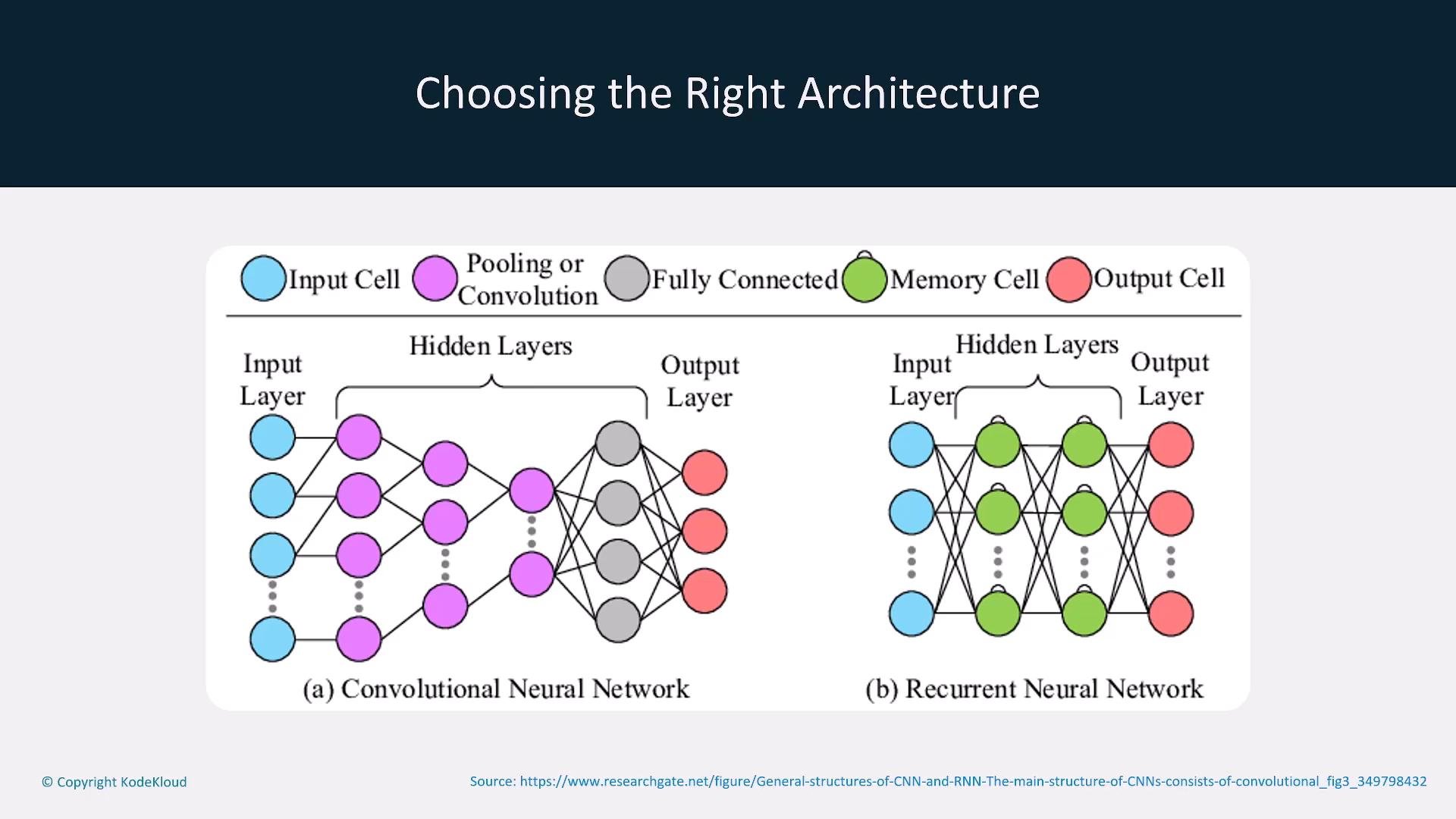
- Align model family to the task and data:
- CNNs excel at many image problems.
- RNNs (and their successors like Transformers) are typically better for language and sequence tasks.
- Architecture choice affects model size, training dynamics, and inference patterns — all important for MLOps.
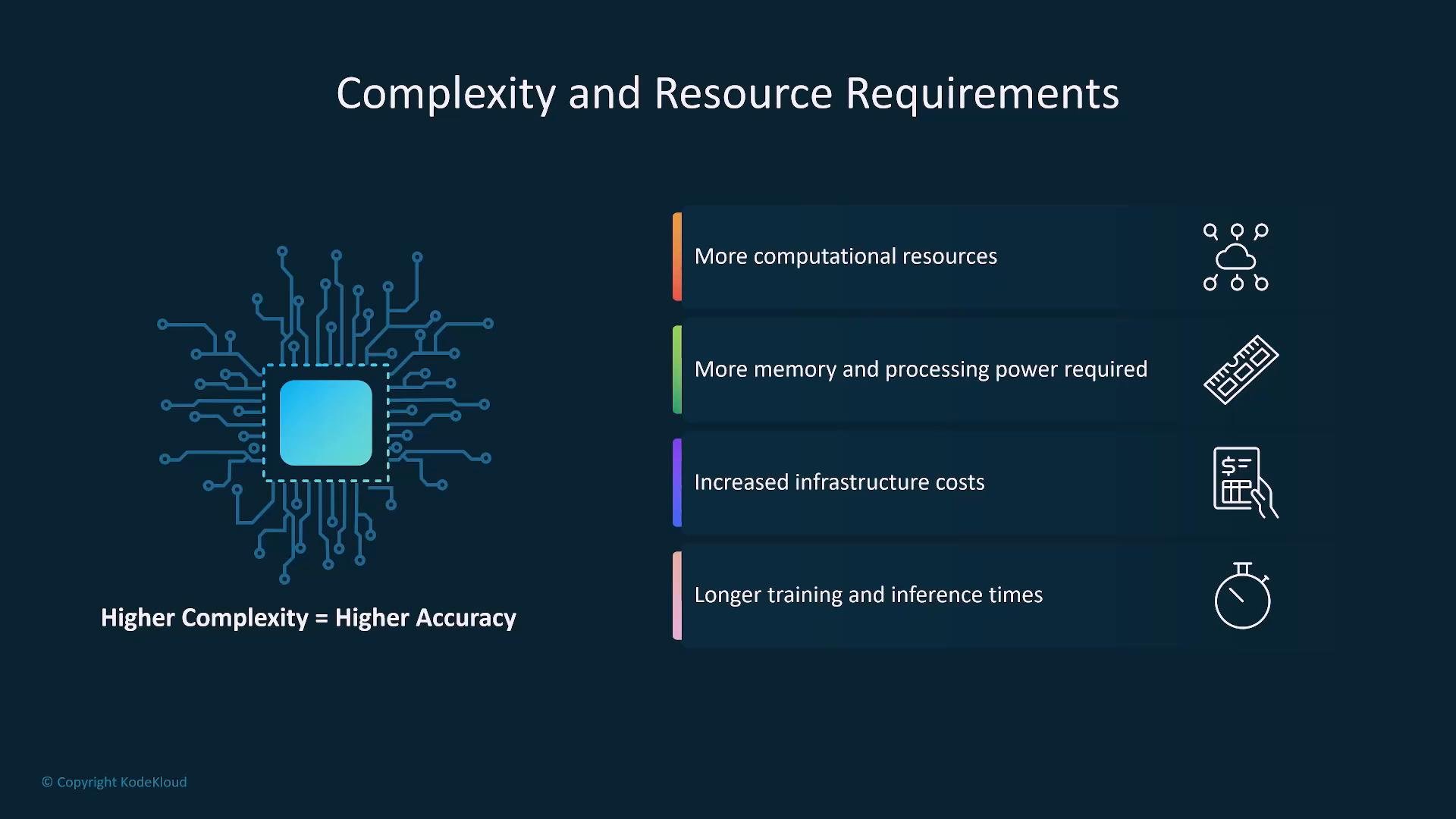
Complexity and resource requirements
- Increased model complexity requires more compute, memory, and orchestration — driving up training time, inference latency, and infrastructure costs.
- Budget for distributed training overhead, checkpoint storage, and longer release cycles when adopting large models.
Performance metrics — what to measure and why
Choose metrics that map to business risk and user experience. Below is a concise guide.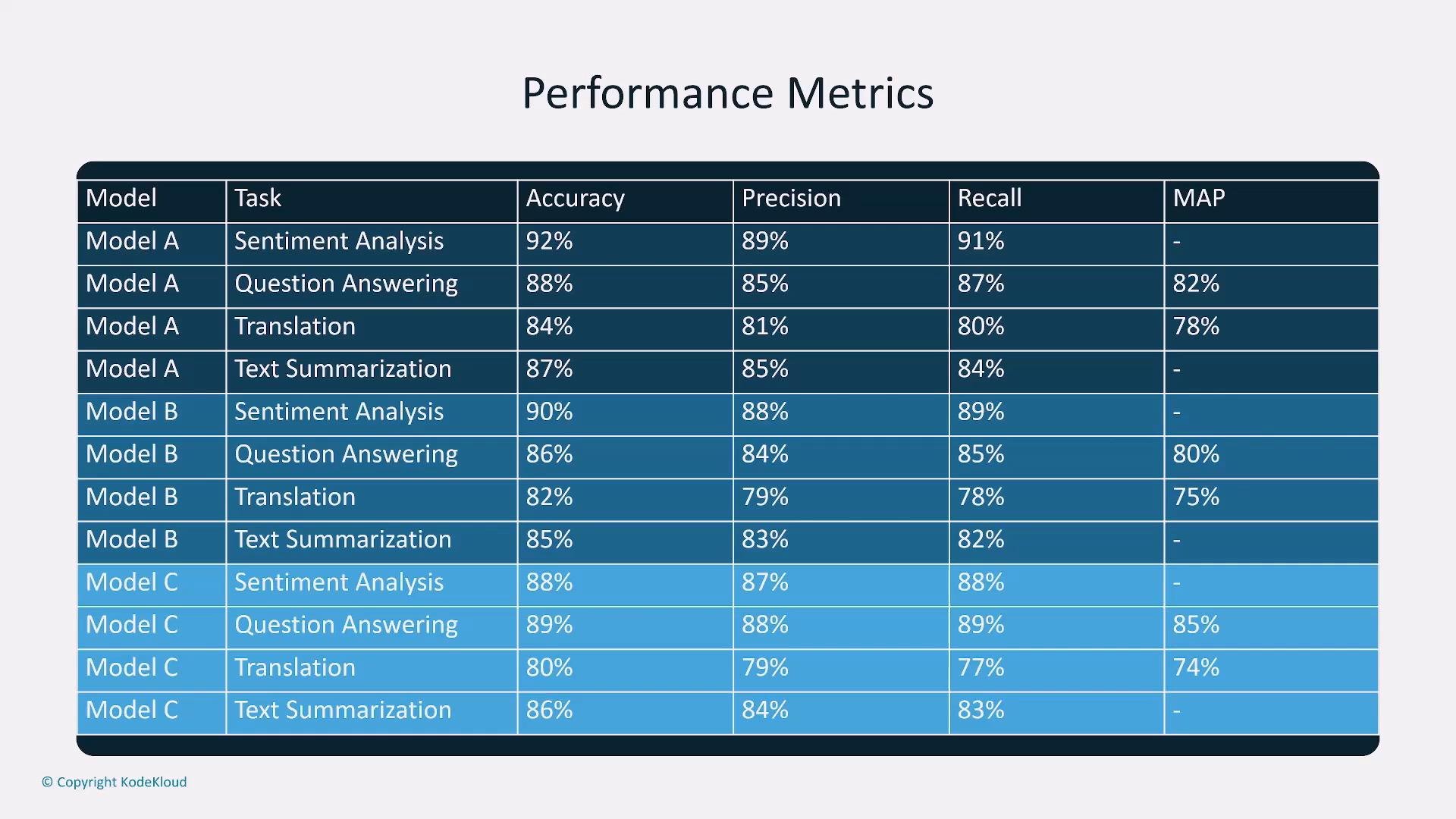
Choose metrics that reflect real business risk. For example, in medical diagnosis, prioritize recall (sensitivity) over raw accuracy to minimize missed positive cases. Map each metric to a user or business outcome.
Interpreting metrics and trade-offs
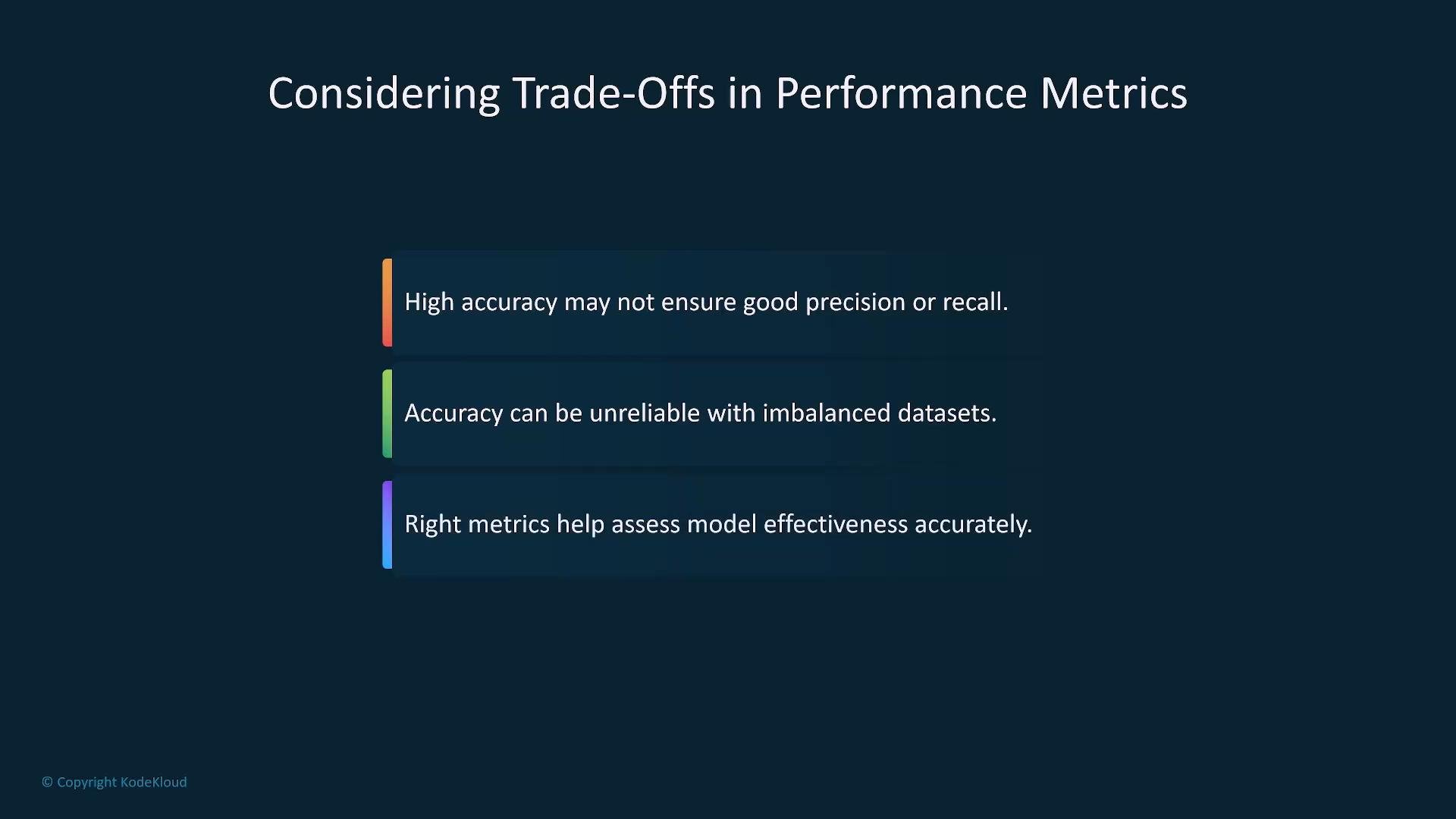
- Don’t rely on a single number. Accuracy can be misleading on imbalanced data; use precision/recall, F1, or task-specific metrics.
- Always compare models across multiple axes: accuracy, latency, cost per inference, memory footprint, and maintainability.
- Include operational metrics (inference latency percentiles, failure rates, and cost per 1,000 requests) in comparisons.
Customization: fine-tuning vs full pre-training
- Fine-tuning: adapt a pre-trained foundation model to your domain/task. It is usually faster, less expensive, and should be the first option for domain adaptation.
- Full pre-training (training from scratch): gives full control but is expensive, time-consuming, and resource-intensive.
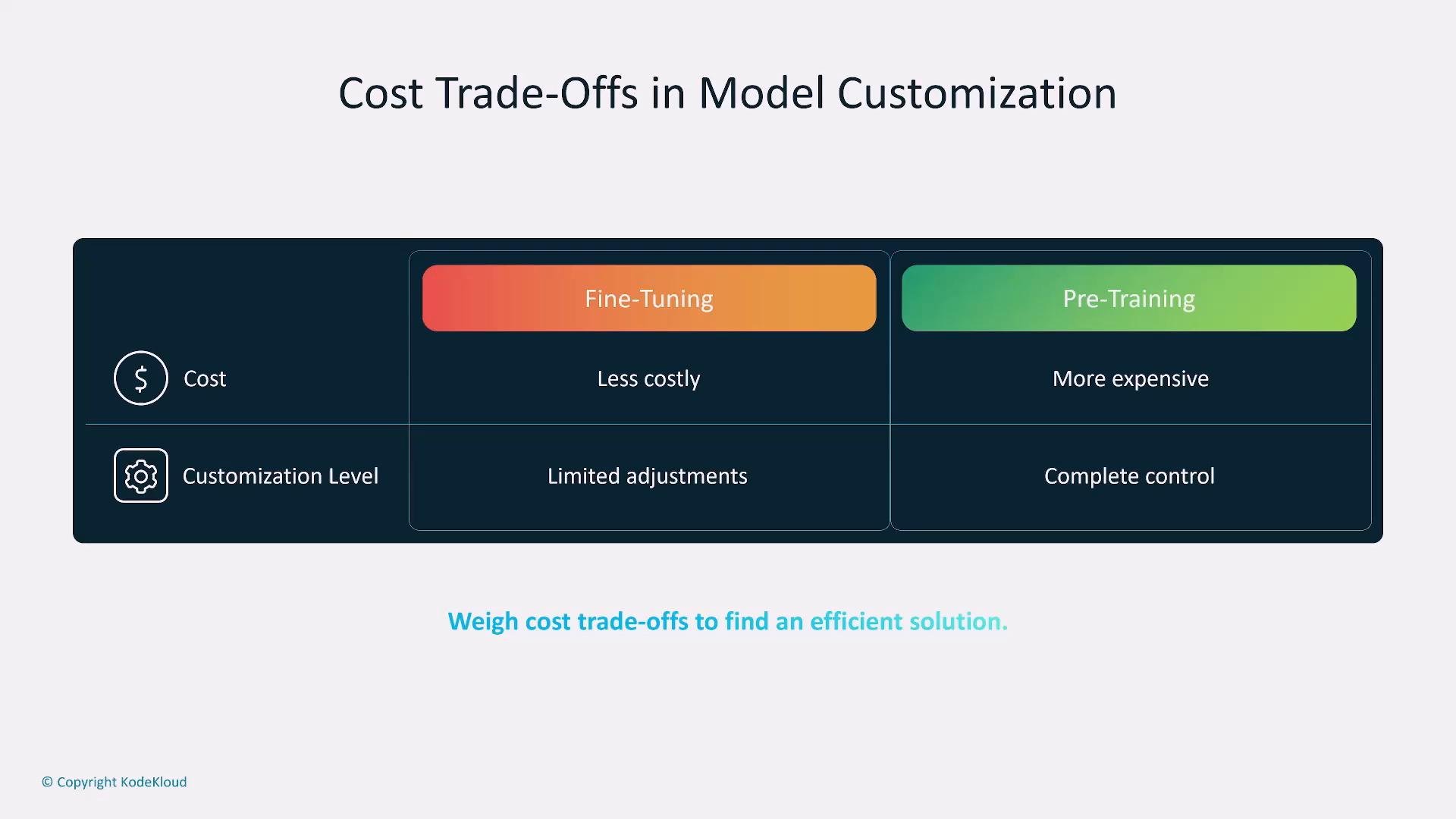
Full pre-training is rarely the first choice. Only choose it when fine-tuning cannot meet requirements or when you need complete control over data and architecture. Evaluate fine-tuning first to save cost and time.
Retrieval-Augmented Generation (RAG)
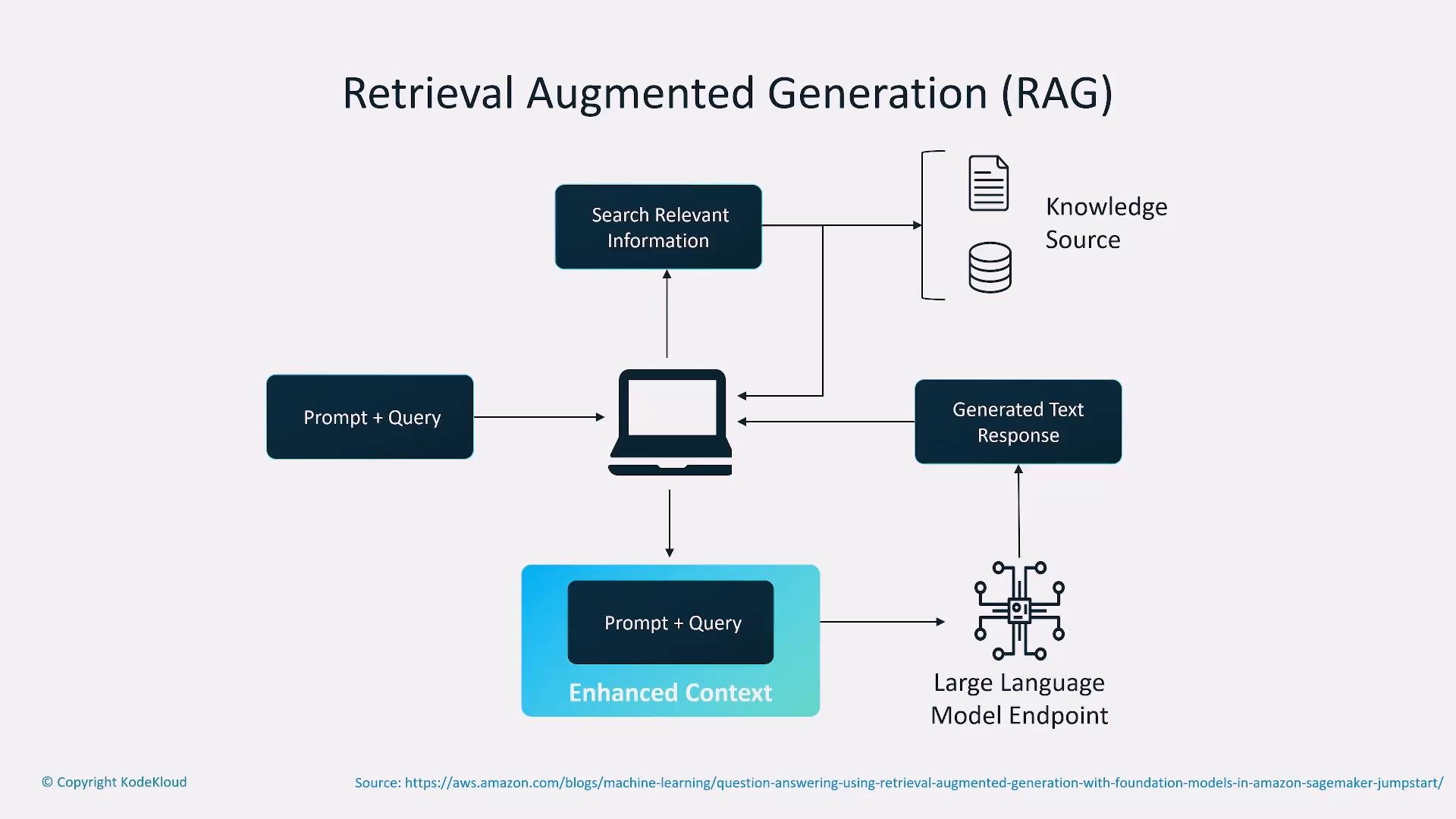
- RAG pipelines retrieve relevant documents/knowledge (from internal KBs, docs, or the web) and supply them as context to a generative model to improve factuality and topicality.
- Typical flow: user query → retrieve top documents (vector search) → build augmented prompt/context → generate response.
- RAG improves domain accuracy and keeps responses up to date, but introduces retrieval latency and additional costs (vector storage, search services).
Vectors, embeddings, and vector databases
- Tokens and documents are transformed into embeddings (vectors) that capture semantic relationships.
- Store precomputed embeddings in a vector database to enable fast semantic search and retrieval in a RAG pipeline. This reduces runtime compute and improves latency compared with computing embeddings on every query.
- Vector-store options include managed services and open-source solutions (Pinecone, Milvus, FAISS, OpenSearch k-NN). Choose based on scale, latency needs, and integration constraints.
Design summary — balance and measurable trade-offs
- Designing a production foundation-model application is a multi-dimensional trade-off:
- Cost (training, hosting, inference) vs. accuracy.
- Latency vs. model complexity.
- Customization approach (fine-tuning vs. pre-training).
- Retrieval (RAG) benefits vs. added latency and storage cost.
- Define success metrics that tie model performance to business outcomes. Use experiments and cost/latency profiling to make data-driven choices before production rollout.
- Hugging Face: Retrieval-Augmented Generation overview — https://huggingface.co/blog/rag
- FAISS (Facebook Research) — https://github.com/facebookresearch/faiss
- Pinecone (managed vector DB) — https://www.pinecone.io/
- Milvus (open-source vector database) — https://milvus.io/
- Vector search with OpenSearch (k-NN) — https://opensearch.org/docs/latest/search-plugins/knn/
- Kubernetes concepts (for scalable deployment) — https://kubernetes.io/docs/concepts/overview/what-is-kubernetes/