

- What redundancy and availability levels are required by the business?
- What performance (latency, throughput) must be met for production SLAs?
- Which pricing model (on‑demand, reserved/Savings Plans, token-based, spot) fits the workload?
- When should you build custom models versus reusing or fine‑tuning pre‑trained models?
Redundancy
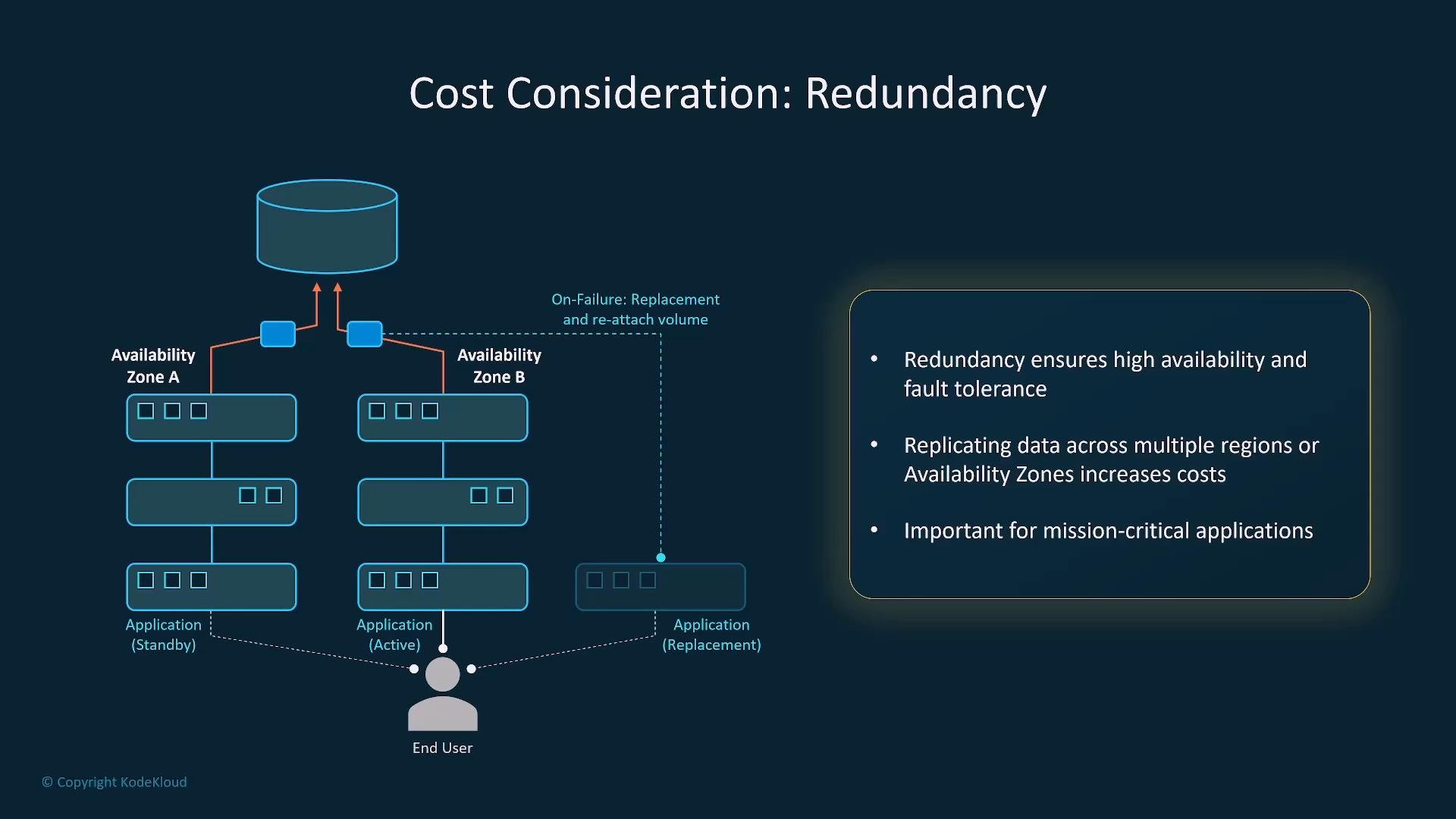
Redundancy reduces downtime and data loss risk but increases storage, transfer, and operational cost. Decide whether your model state and storage need multi‑AZ or multi‑Region replication based on risk tolerance.- Multi‑AZ (local redundancy): improves regional uptime and fault tolerance with modest additional cost.
- Multi‑Region (global redundancy): protects against regional failures and supports geo‑distributed users, but raises storage, data transfer, and management costs.
- For non‑mission‑critical workloads where some data loss is acceptable, reduce replica counts to save cost.
Availability
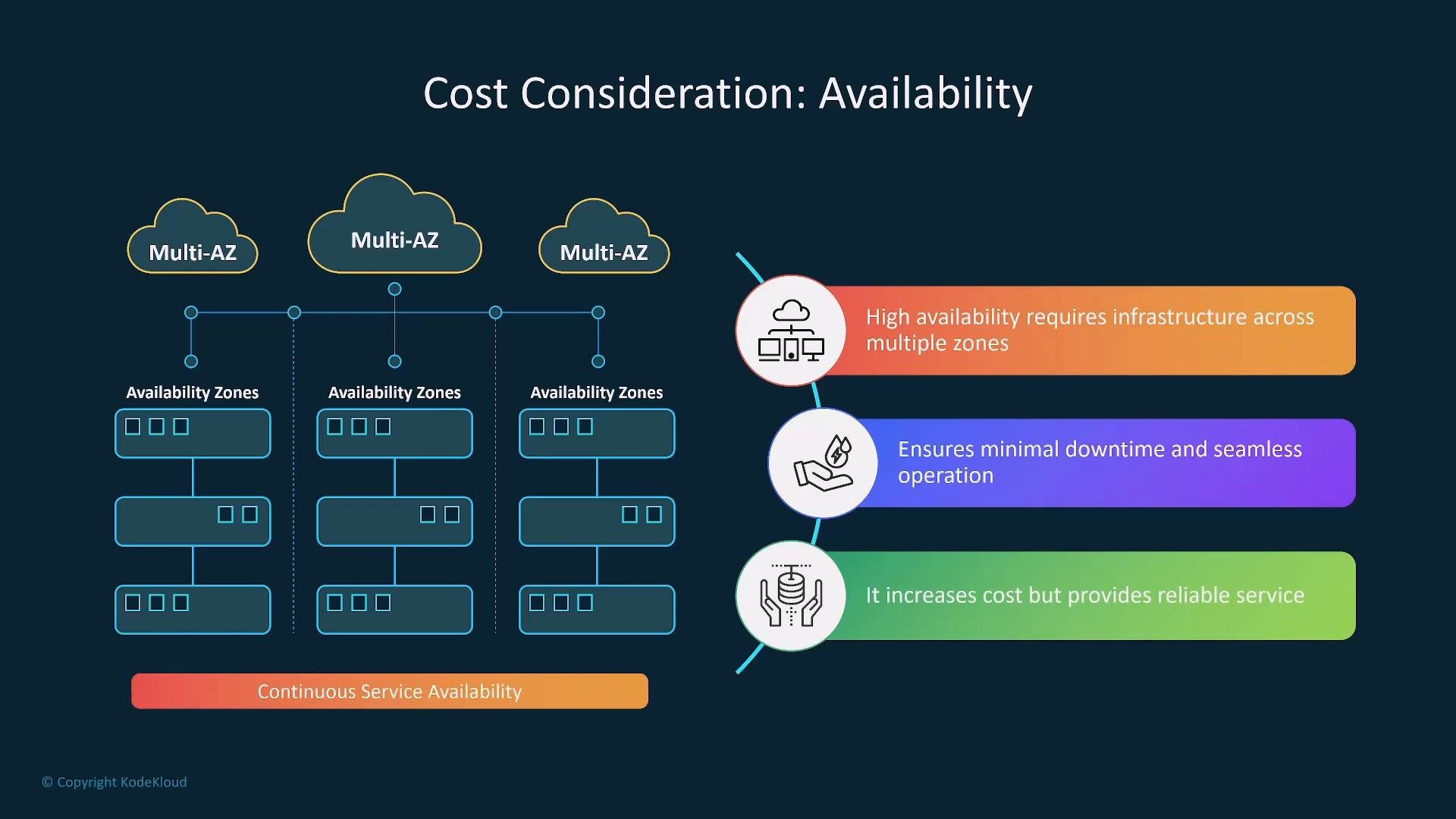
Availability choices directly impact end‑user experience and cost. Higher availability generally means distributing infrastructure across AZs or Regions and using active‑standby or active‑active designs. Design checklist:- Define SLOs/SLA targets and acceptable downtime first — these drive redundancy and architecture.
- Use active‑standby or active‑active across AZs for higher resilience; weigh the cost vs. risk reduction.
- Tier services: critical models get higher availability and locality (edge/regional), while non‑critical workloads can use lower tiers.
Performance and compute choices
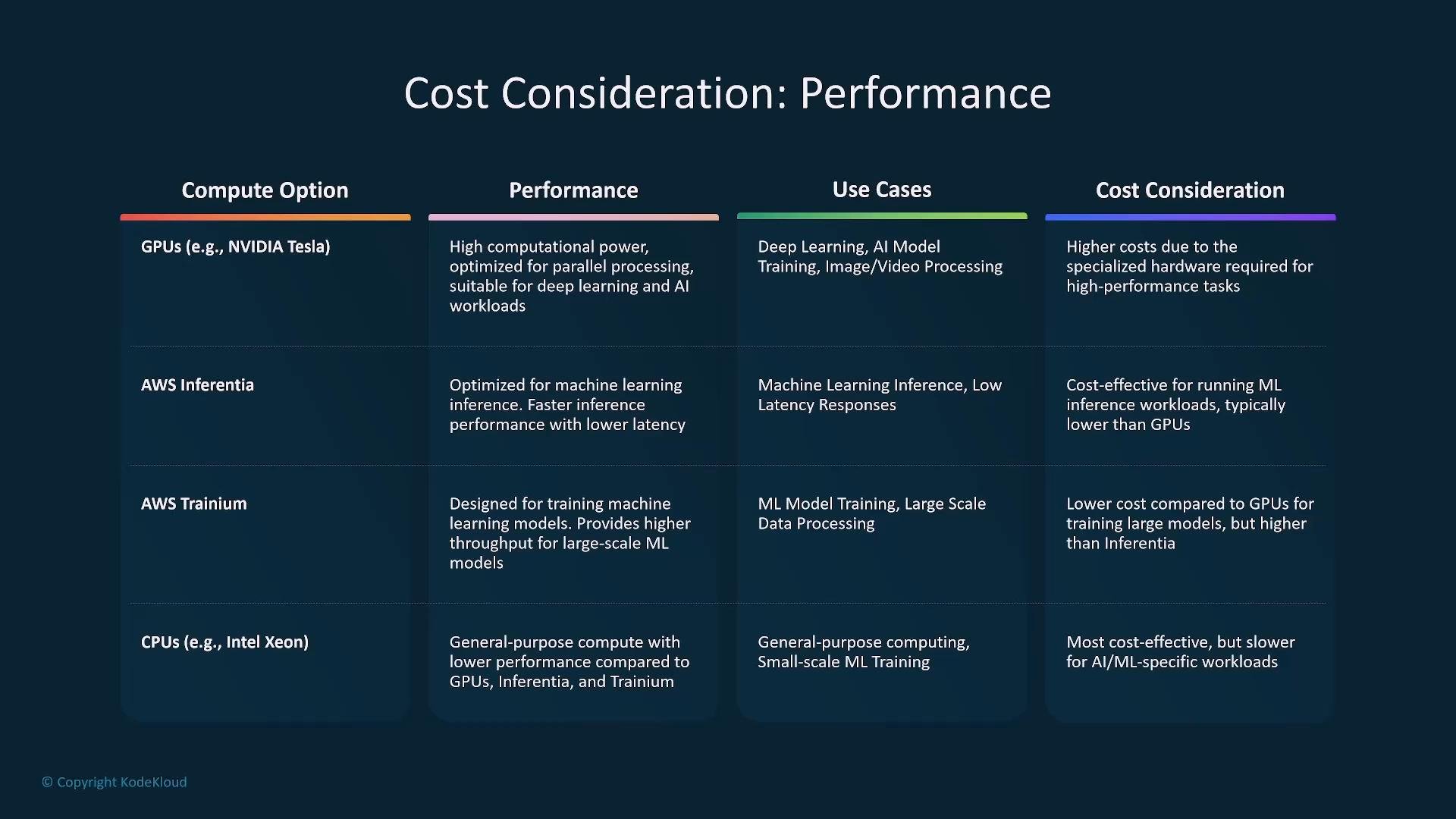
Performance requirements (latency, throughput) determine the compute platform and accelerator choices. Choosing the right hardware is one of the biggest levers for cost-efficiency. Compute comparison (high-level)
Match hardware to use case:
- Real‑time inference: consider GPUs or Inferentia for latency-sensitive production.
- Training and large fine‑tuning: Trainium or GPU clusters, depending on framework support.
- Batch inference or development: CPUs or spot GPU instances to reduce cost.
- Batching requests increases throughput and reduces per‑unit compute cost for high-volume inference.
- Fine‑tune performance targets to business needs: slightly higher latency may be acceptable and save cost.
- Design model pipelines to offload heavy tasks to asynchronous batch processing where possible.
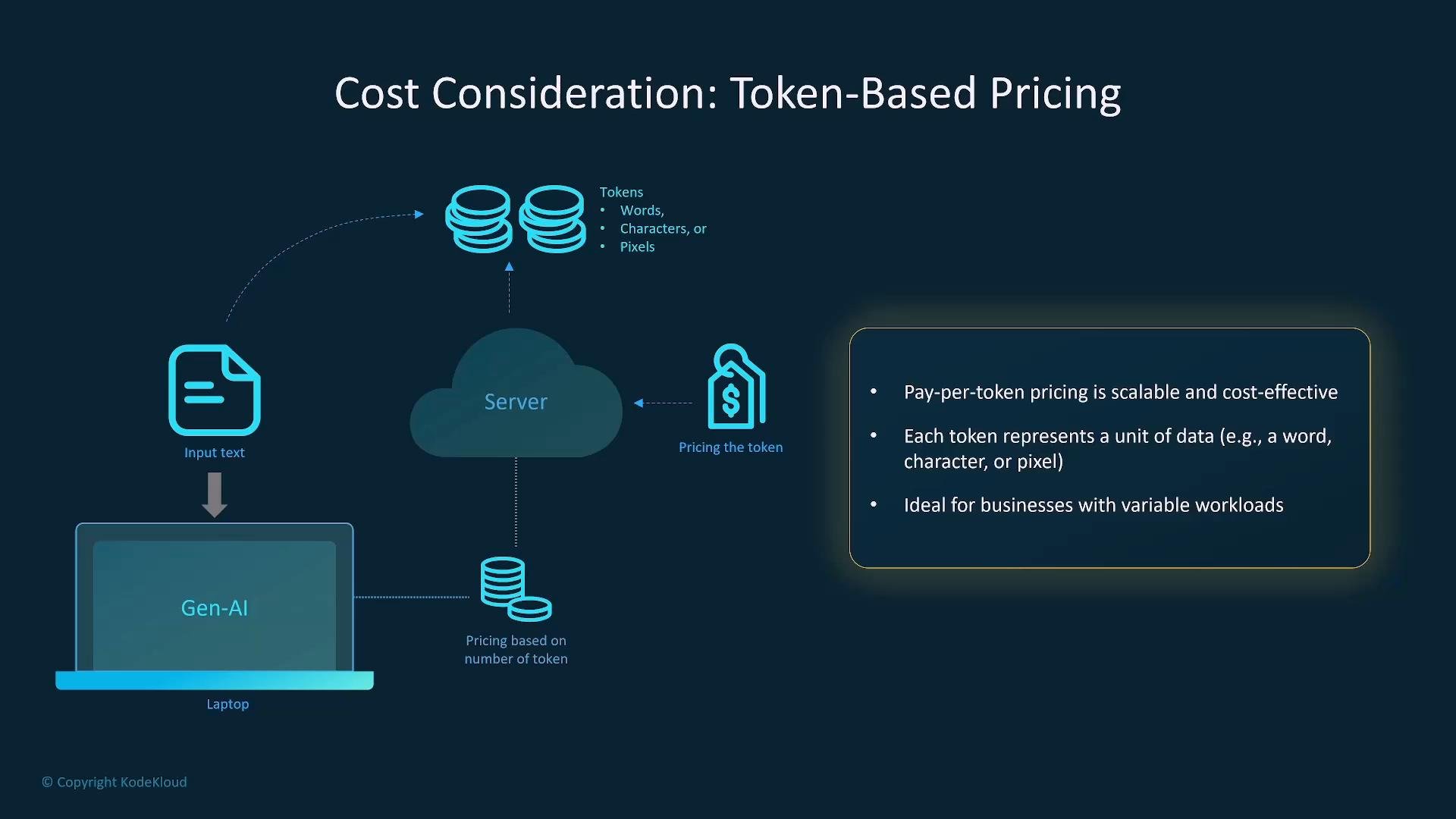
Token‑based pricing
Many managed Gen‑AI services (including those accessed through AWS Bedrock) use token or unit‑based billing — you pay per input/output unit rather than per hour.- Tokens map to words/characters or model‑specific units; understand how your model charges to estimate costs.
- Token pricing is good for variable or bursty workloads, since you only pay for usage.
- For sustained high volumes, compare token pricing with committed or enterprise pricing options (e.g., Savings Plans, committed‑use tiers).
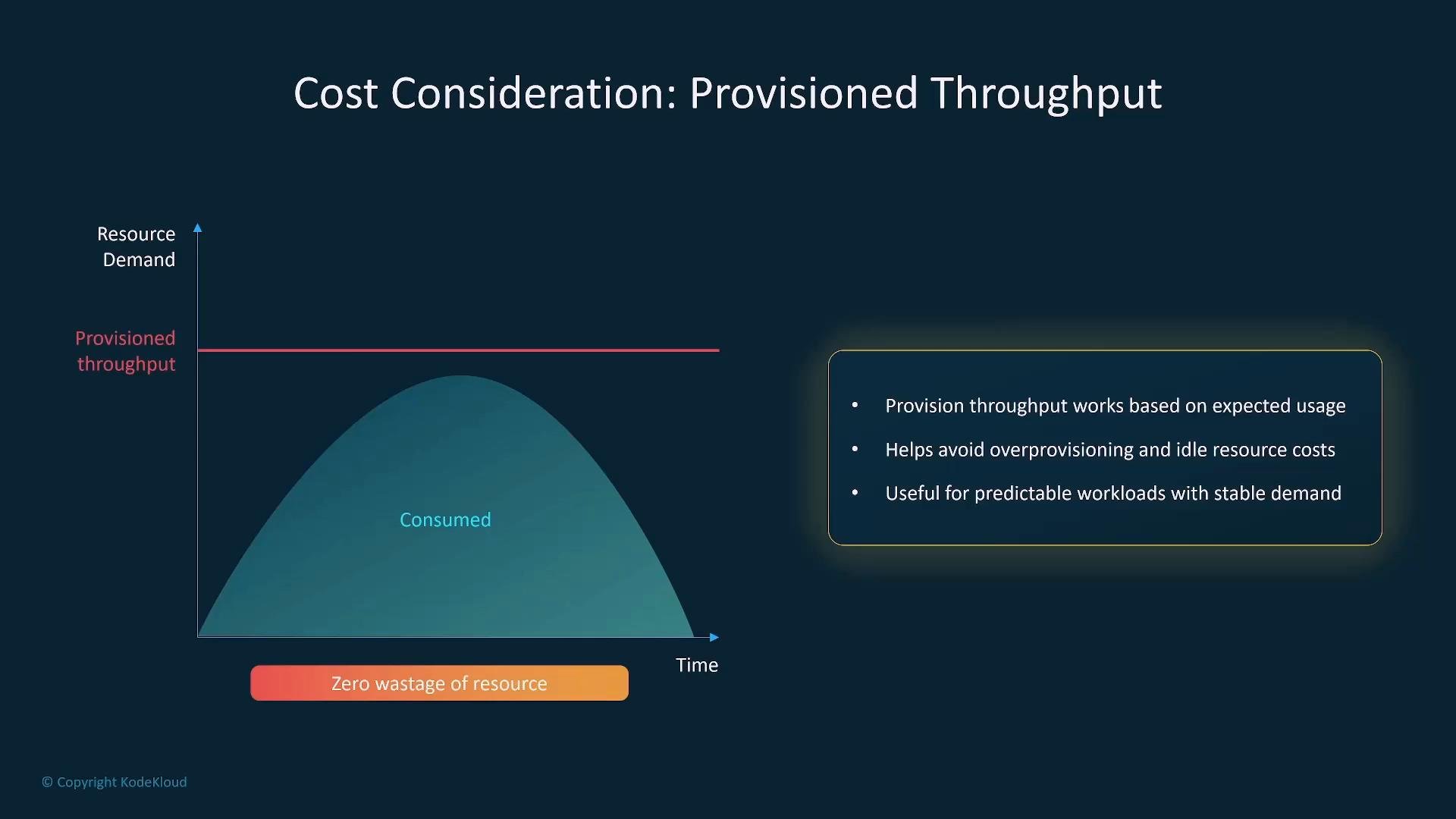
Provisioned throughput vs. autoscaling
Choose provisioning model based on demand predictability:- Provisioned throughput: predictable cost, guarantees capacity, but can lead to idle resource waste in low demand periods.
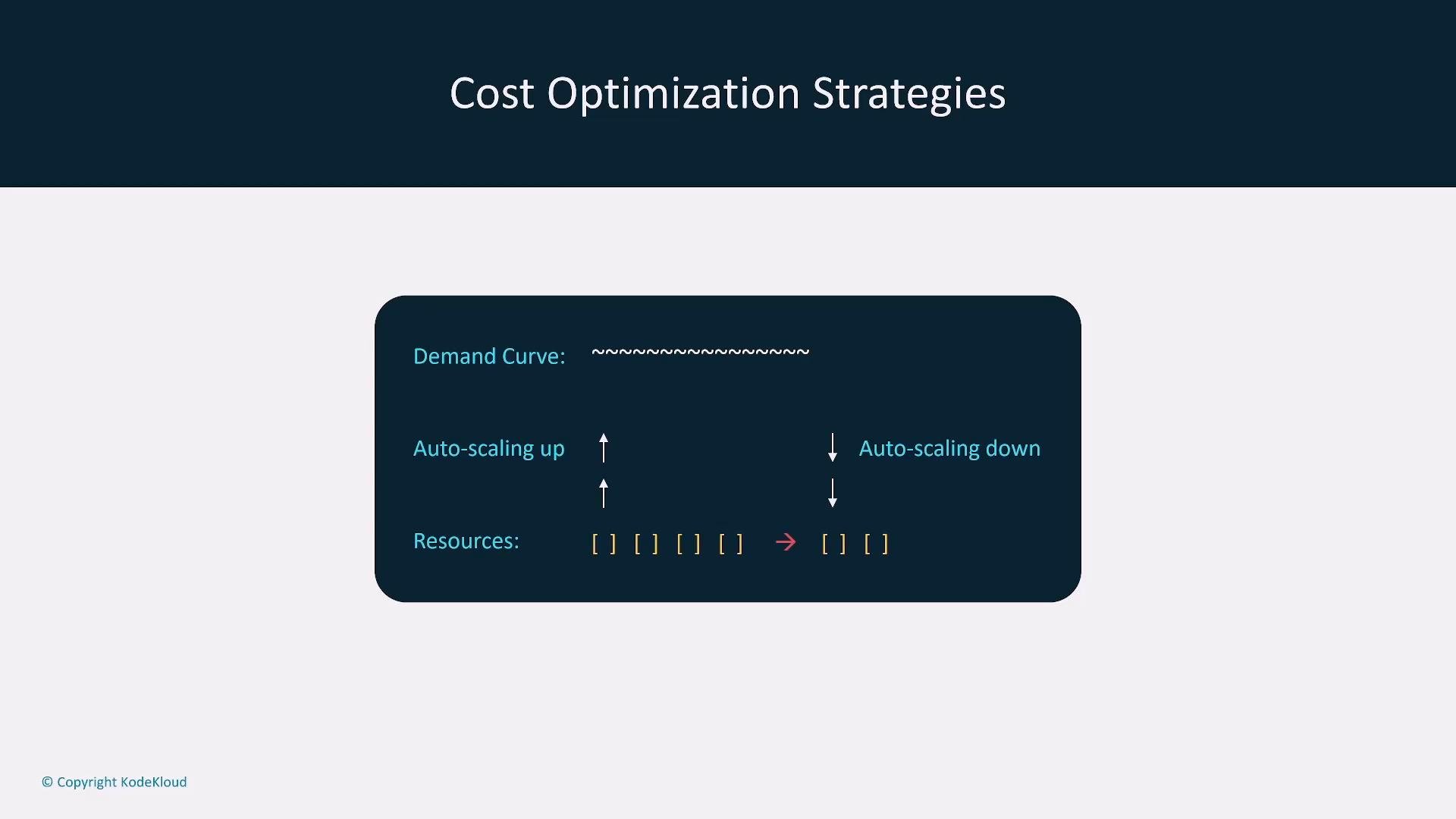
- Autoscaling: reduces idle costs by matching capacity to demand; ensure scaling policies meet latency SLOs for spikes.
- Mix reserved capacity or Savings Plans for baseline load and autoscaling/on‑demand for bursts.
- Spot Instances are excellent for non‑critical batch jobs or pre‑processing to cut compute cost.
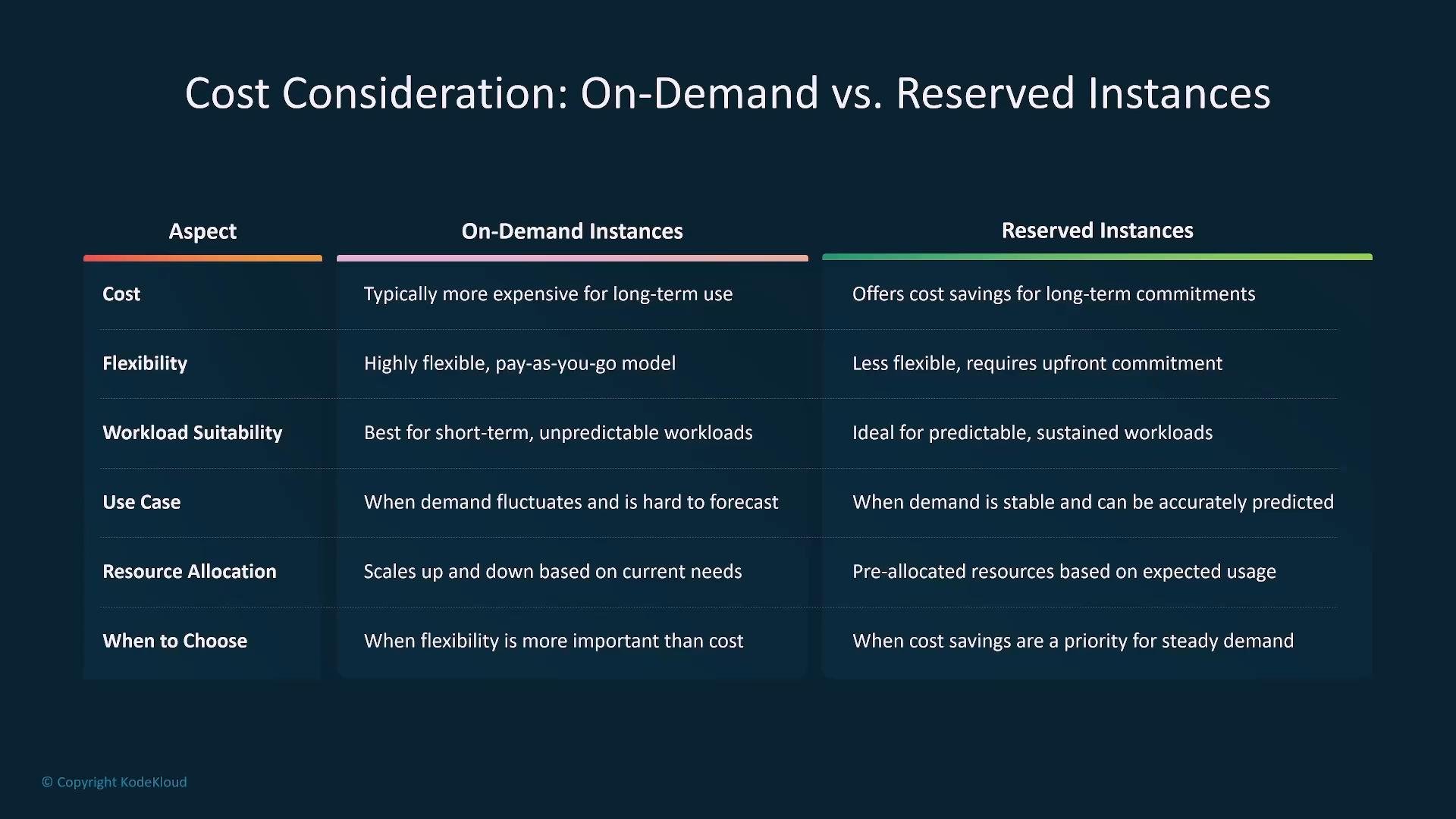
On‑demand vs. reserved / savings
- On‑demand: flexible, ideal for development, testing, or unpredictable workloads.
- Reserved Instances / Savings Plans: lower effective hourly costs with 1–3 year commitments — best for predictable baseline capacity.
- Hybrid approach: use reserved/Savings Plans for steady baseline, and on‑demand or spot for peak/burst capacity.
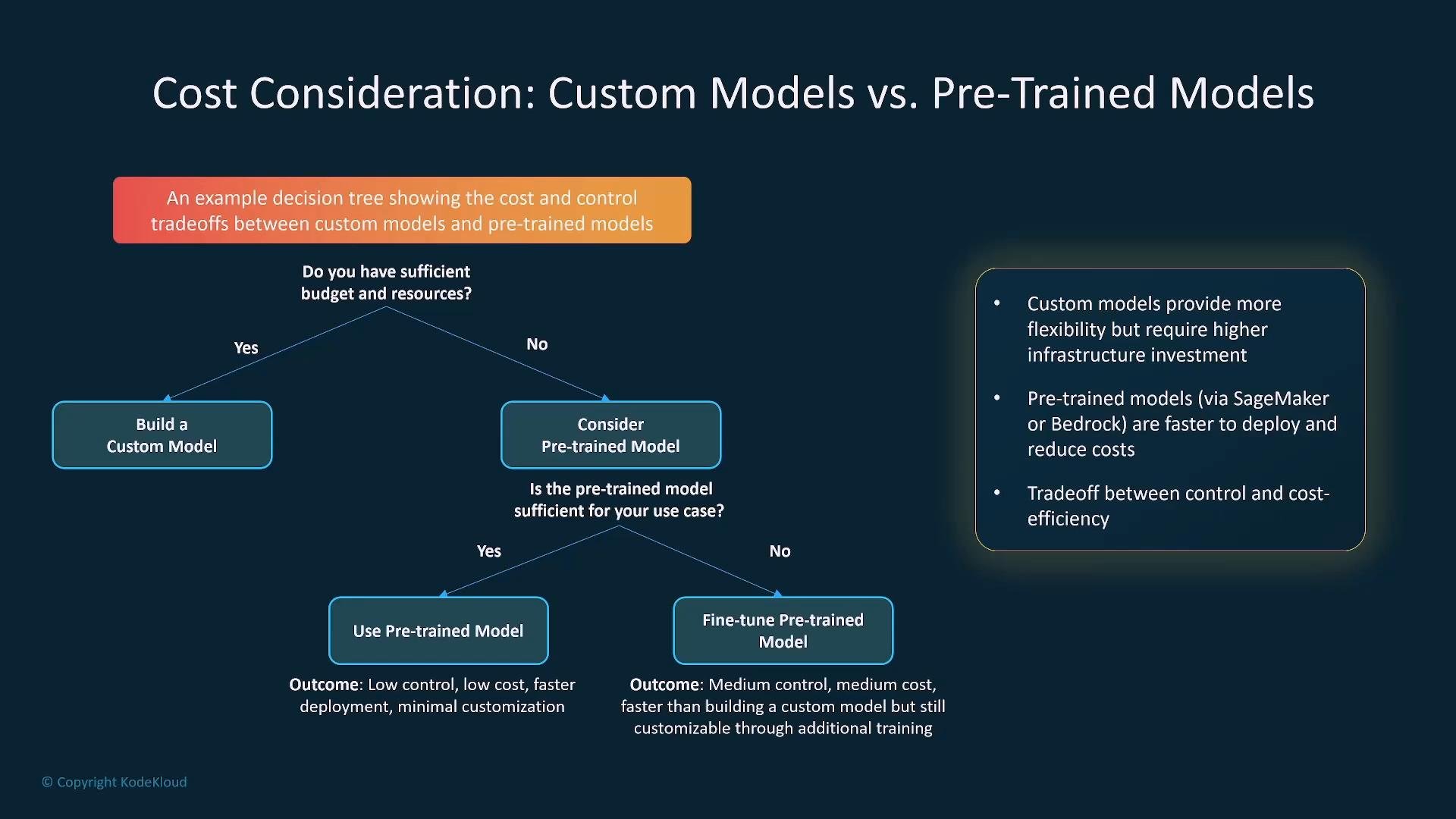
Model strategy: custom vs pre‑trained
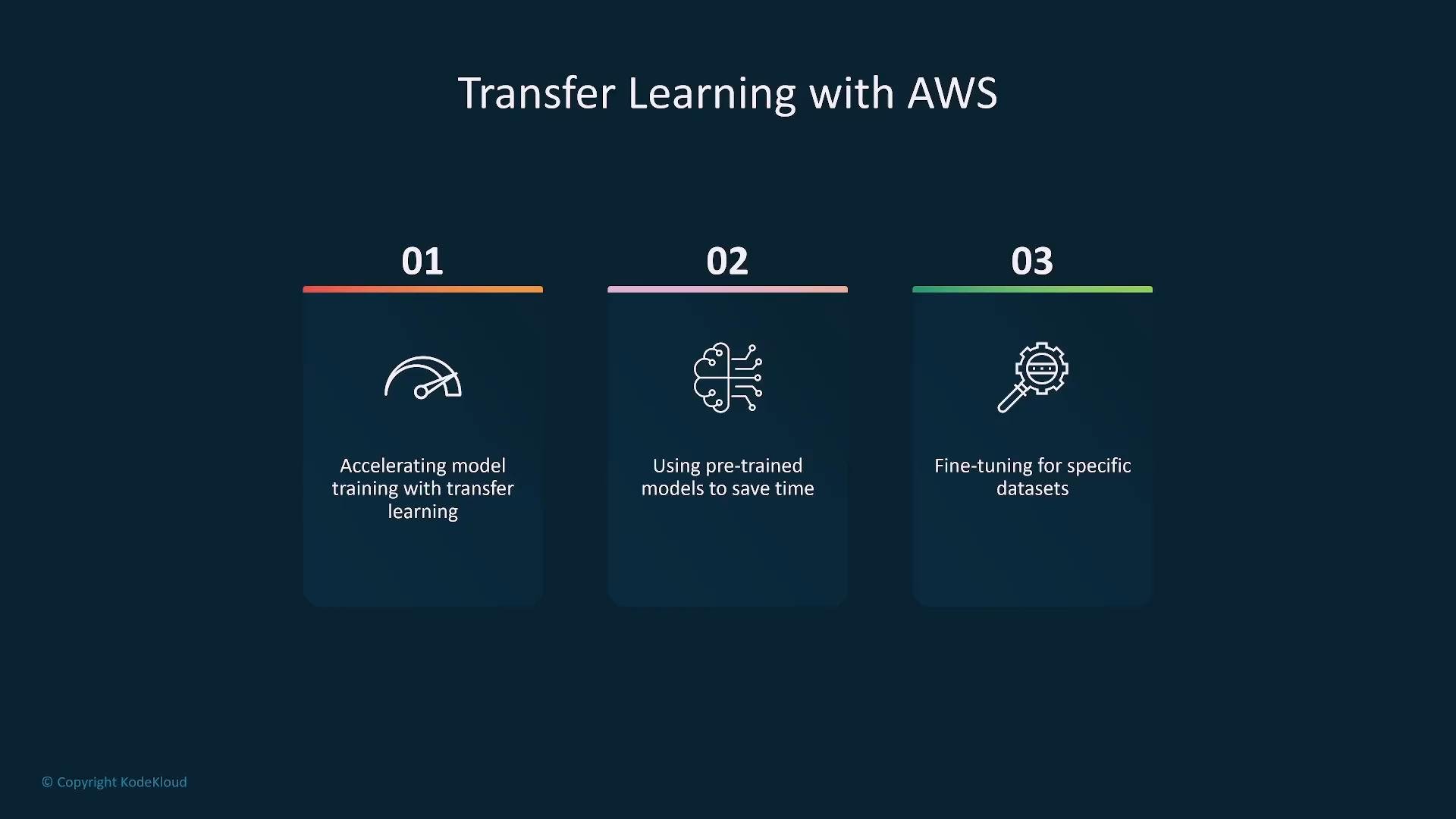
- Pre‑trained (foundation) models: faster to deploy and often more cost‑effective for a wide range of tasks. Fine‑tuning or prompt engineering can meet many production needs.
- Custom models from scratch: higher development, compute, and maintenance cost — justified for unique product differentiation, proprietary data constraints, or specialized architectures.
- Transfer learning / fine‑tuning: typically the most cost‑effective path—use foundation models and adapt them to your data rather than full training.
Bedrock and consumption-based services
AWS Bedrock and similar consumption services bill for usage; costs grow with higher throughput and larger context windows.- For steady usage, negotiate committed pricing or use Savings Plans where available.
- Reduce per‑request cost by batching inputs, minimizing context length, or caching frequent responses.
- Favor fine‑tuning or adapter approaches over full model training when possible to lower compute and storage cost.
Backups, persistence, and recovery
Persistent artifacts — embeddings, checkpoints, model artifacts, and metadata — require a backup and recovery strategy to meet RPO/RTO goals.- Define backup frequency and retention based on business RPO/RTO.
- Regularly test restores; validation ensures backups are usable when needed.
- Choose appropriate services: AWS Backup, S3 versioning, S3 Cross‑Region Replication (CRR), and lifecycle policies to balance cost and recoverability.
- Multi‑Region replication improves resilience but increases storage and transfer costs.
Latency, capacity, and business fit
Increasing capacity typically reduces latency but raises cost. Align capacity decisions with business KPIs such as revenue impact, user experience, and SLA fines.- Use edge caching, CDN endpoints, or regional inference endpoints to lower perceived latency without full multi‑Region replication.
- Accept slightly higher latency where business tolerance exists to save cost.
- Run capacity planning exercises to quantify revenue per latency improvement and prioritize investments.
Cost optimization strategies
Practical levers to reduce Gen‑AI costs while maintaining performance:- Autoscaling: dynamic scaling to match load and avoid idle resources.
- Spot Instances: use for pre‑processing, batch jobs, or non‑critical training.
- Right‑sizing: periodically analyze instance utilization and move to more cost‑efficient instance families.
- Savings Plans / Reserved Instances: commit to baseline usage for discounts.
- Batching and request consolidation: reduce per‑inference overhead.
- Monitoring and reviews: use cost and performance metrics to detect waste and validate optimizations.
Regional coverage and data residency
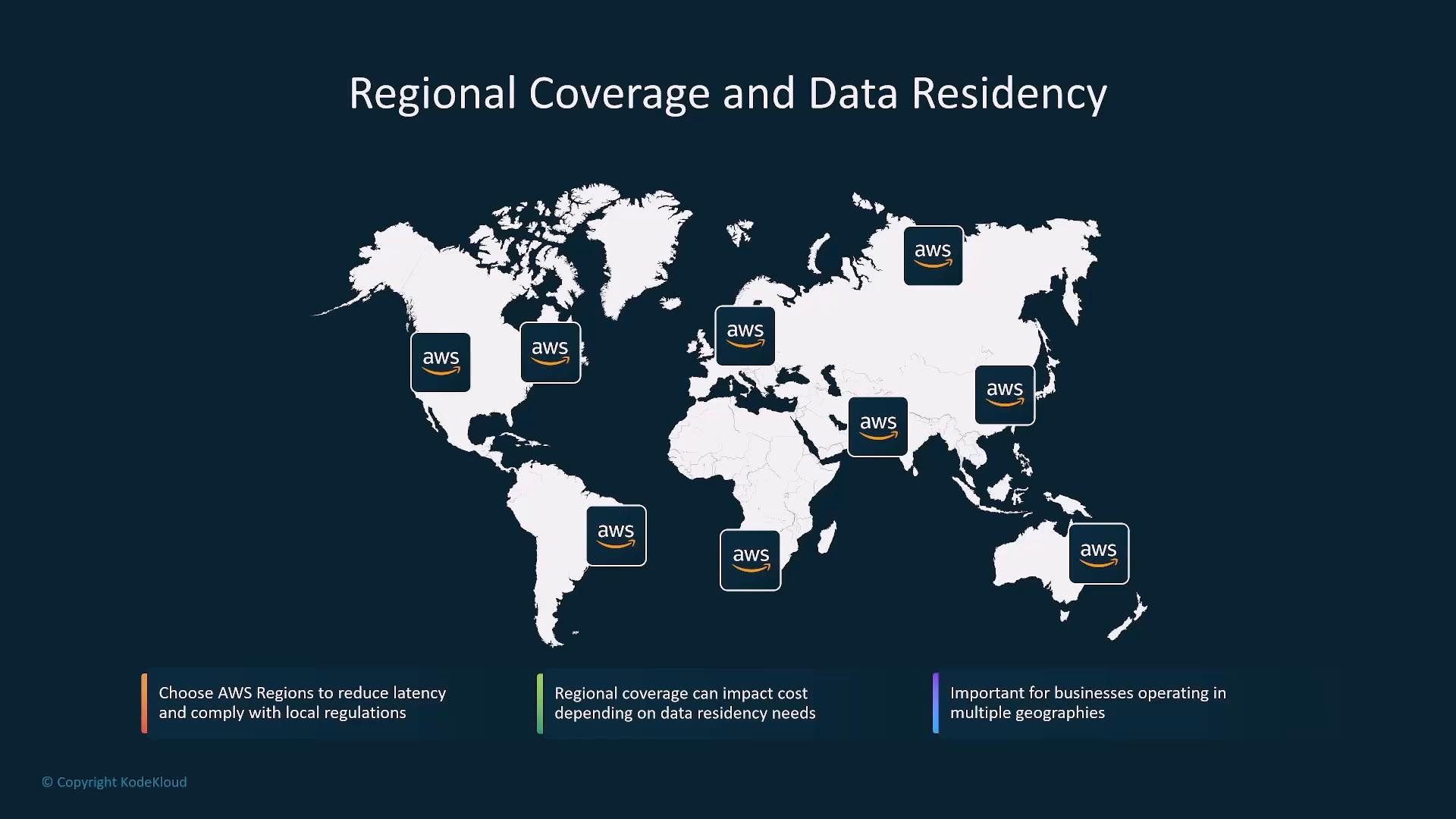
Compliance and data residency (e.g., GDPR) influence region choice and replication. Hosting across multiple Regions increases cost but may be required for legal or performance reasons.- Select Regions that balance compliance, latency, and cost.
- Minimize cross‑region transfer and use encryption + access controls to meet regulatory requirements.
- Consider hybrid approaches (regional inference endpoints with centralized training) to balance cost and residency needs.
AWS tools to manage cost
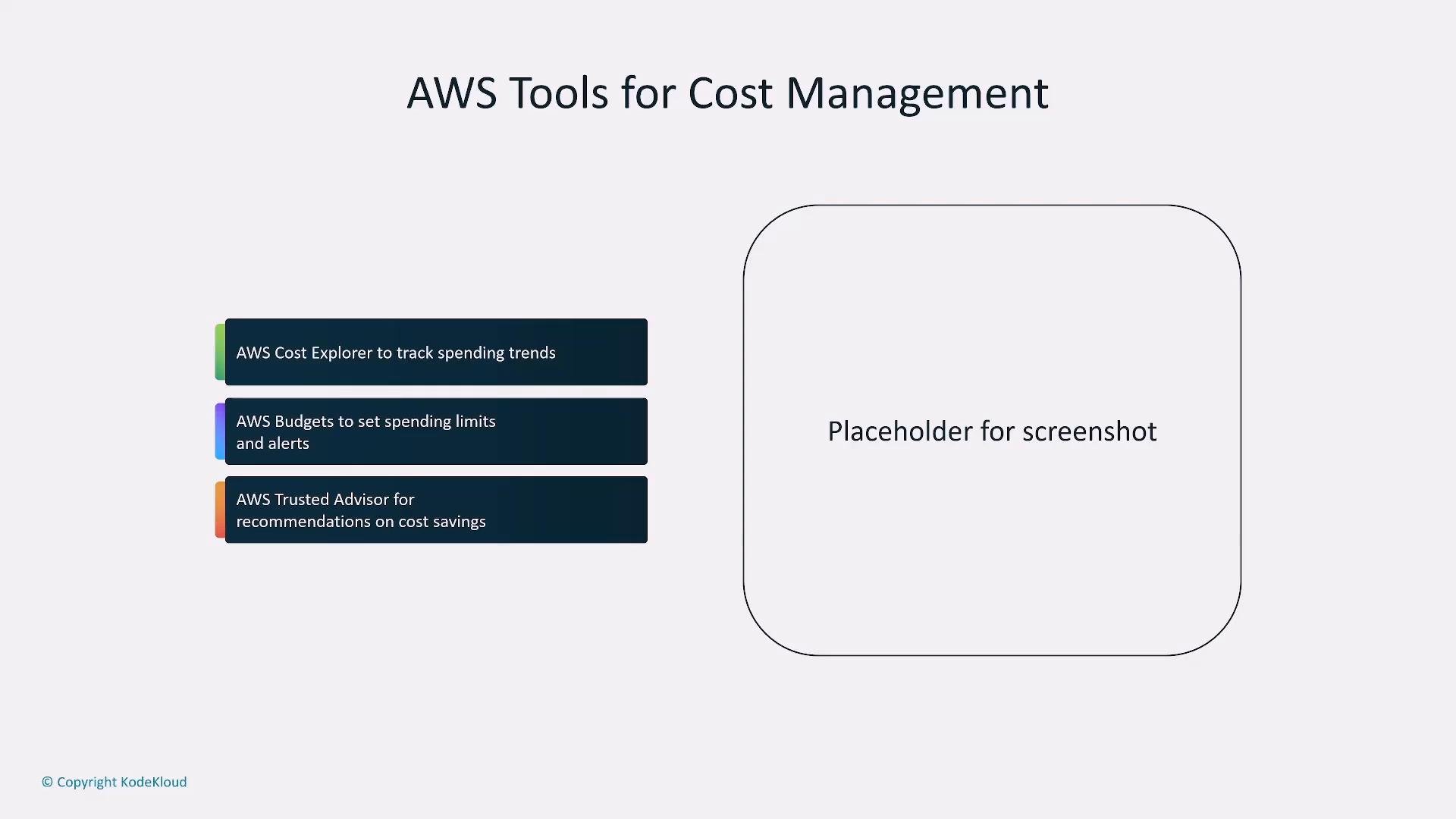
Use AWS native tools to monitor, alert, and optimize spend:- AWS Cost Explorer — analyze trends and identify cost drivers.
- AWS Budgets — create cost/usage thresholds and alerts.
- AWS Cost and Usage Report — full billing dataset for deep analysis.
- AWS Trusted Advisor / Compute Optimizer — actionable recommendations for cost savings and right‑sizing.
- Start by defining SLOs, compliance, and business priorities — they drive all cost and architecture decisions.
- Choose redundancy and regional coverage to meet those priorities; accept associated cost trade‑offs.
- Right‑size compute (GPU, Inferentia, Trainium, CPU) to workload characteristics.
- Evaluate pricing models (token-based, on‑demand, reserved, Spot) and use a hybrid approach for flexibility and savings.
- Apply autoscaling, spot instances, batching, and Savings Plans to optimize spend.
- Regularly review backups, recovery plans, telemetry, and cost reports to keep spend aligned with business value.
Make decisions based on business objectives (SLOs, compliance, revenue impact). After that, optimize architecture and pricing to meet those goals while minimizing cost.
- AWS Bedrock: https://aws.amazon.com/bedrock/
- AWS SageMaker Savings Plans: https://aws.amazon.com/sagemaker/pricing/savings-plans/
- AWS Cost Explorer: https://aws.amazon.com/aws-cost-management/aws-cost-explorer/
- AWS Backup: https://aws.amazon.com/backup/
- AWS Trusted Advisor & Compute Optimizer: https://aws.amazon.com/premiumsupport/technology/trusted-advisor/ and https://aws.amazon.com/compute-optimizer/