RegisteringTaking an exam for the first time What to know Demo
This article provides a step-by-step guide for registering for the AWS AI Practitioner exam for first-time candidates.
Welcome, students. In this lesson, we will guide you through the entire registration process for taking the AWS AI Practitioner exam for the first time. Follow along for a detailed step-by-step walkthrough.
Step 1: Navigating to the AWS Training and Certification Page
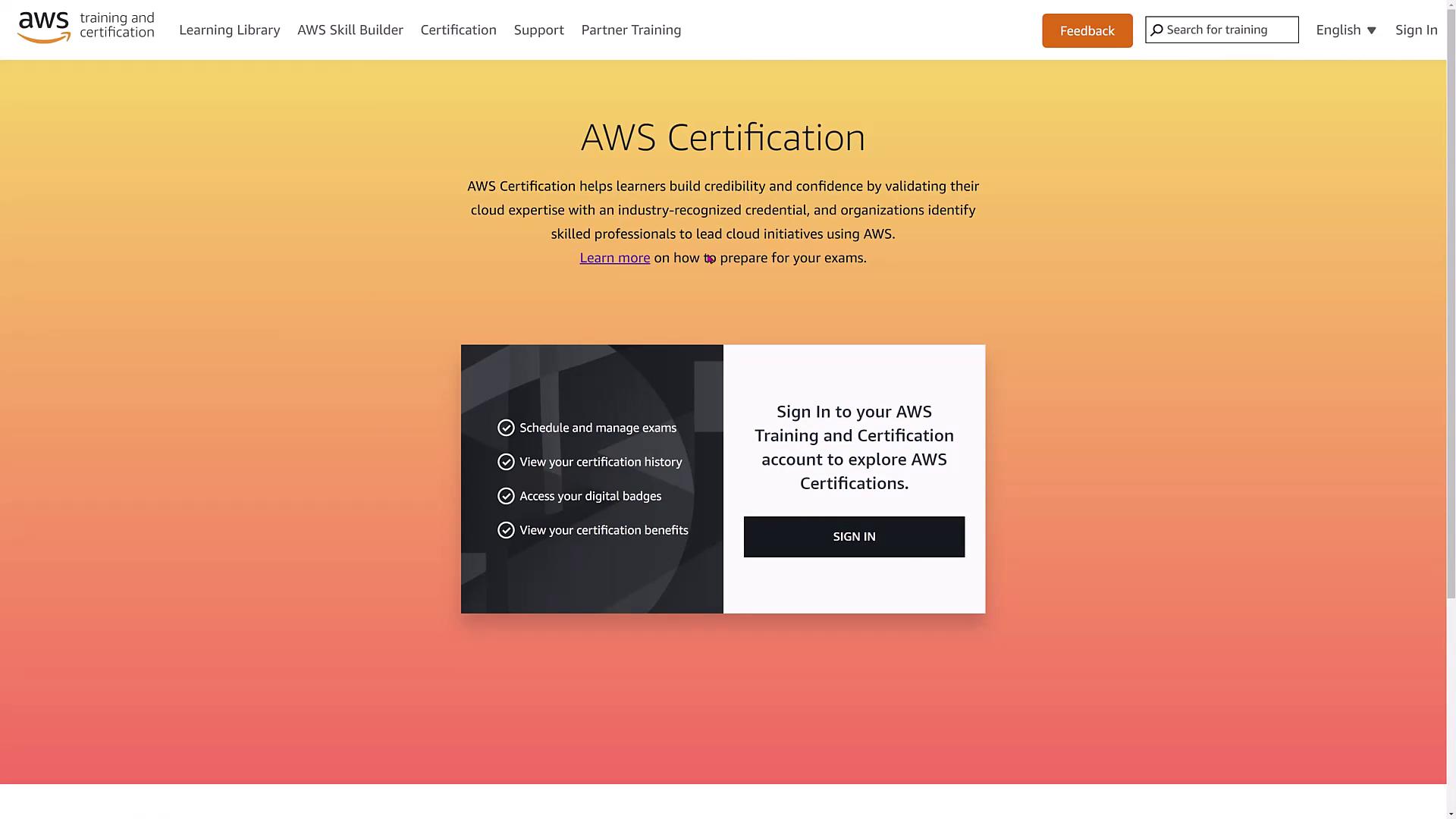
Start by going to Google’s homepage and entering “AWS training and certification.” Ignore the sponsored ads and click on the result labeled AWS.training. Once on the AWS certification page, you’ll notice an orange sign-in section.
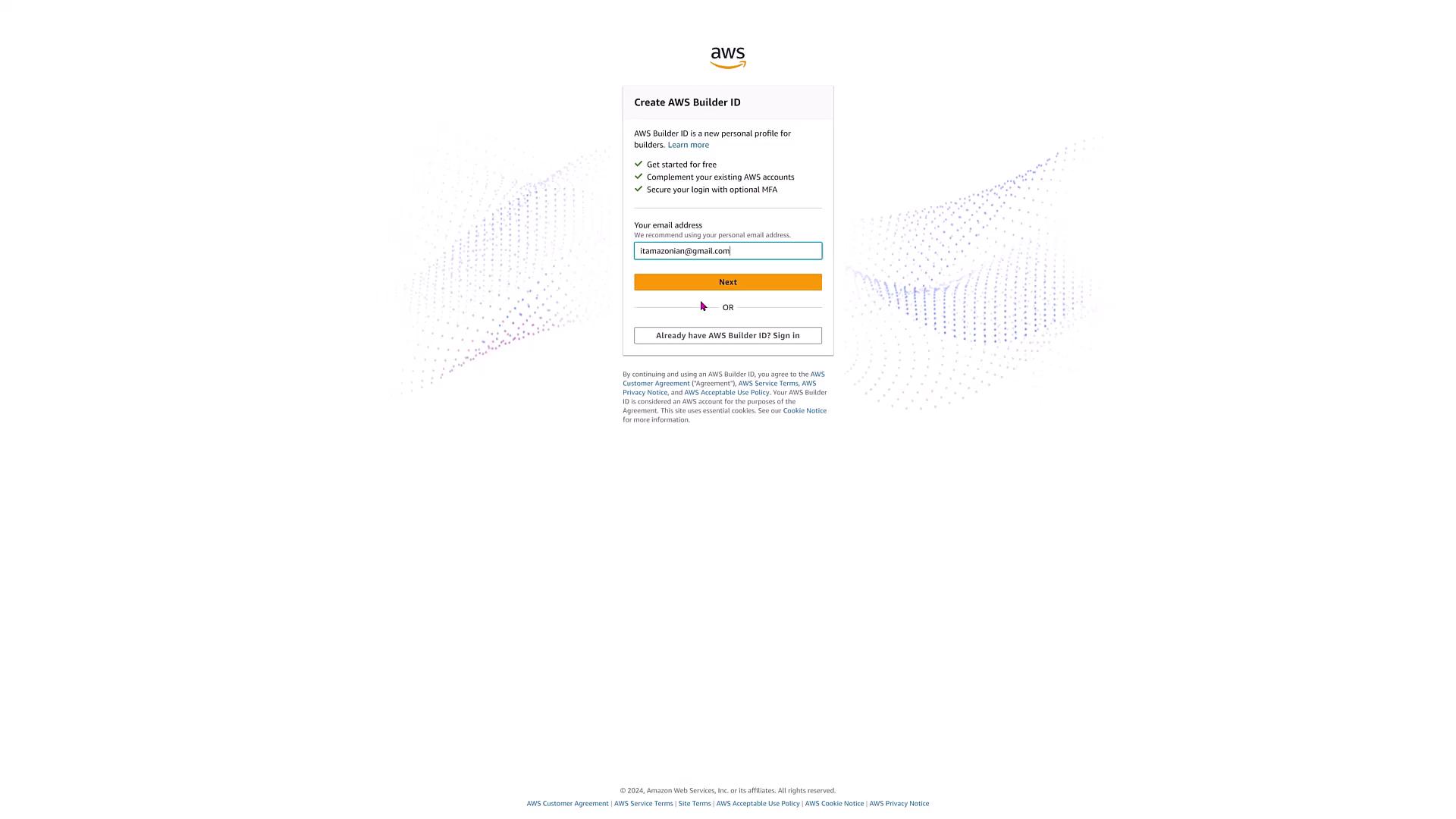
Sign in using your AWS Builder ID. If you’re not affiliated with an AWS partner organization, select AWS Builder ID and then click on “create or sign in.” For this demo, we are using the AWS Builder ID associated with a personal email.
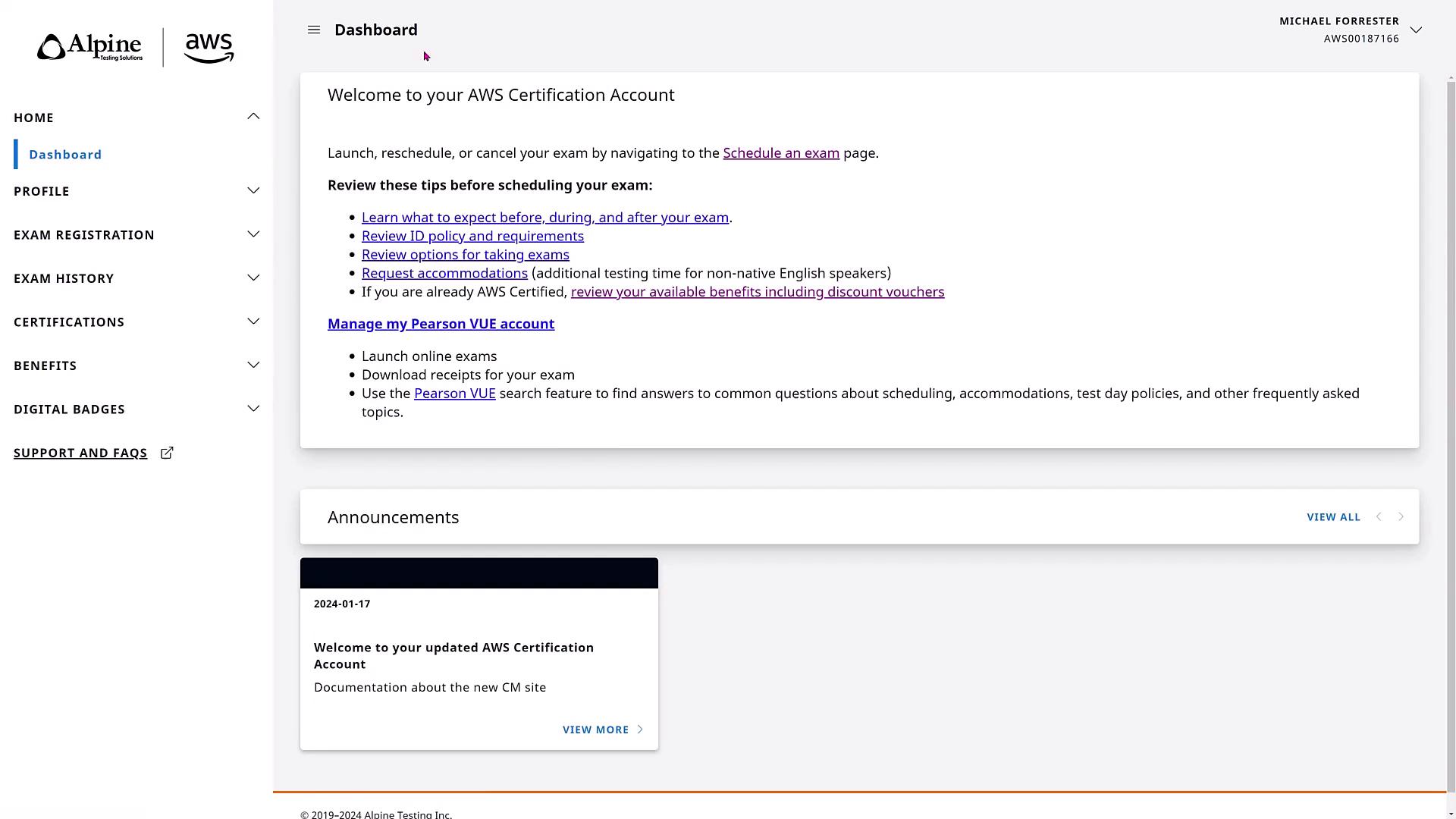
After signing in, you might be prompted with a verification challenge to confirm your trusted device. Once verified, you will be redirected to the CertMetrics page. Click on “go to your account” to access your AWS Certification dashboard hosted by Alpine Testing Solutions.
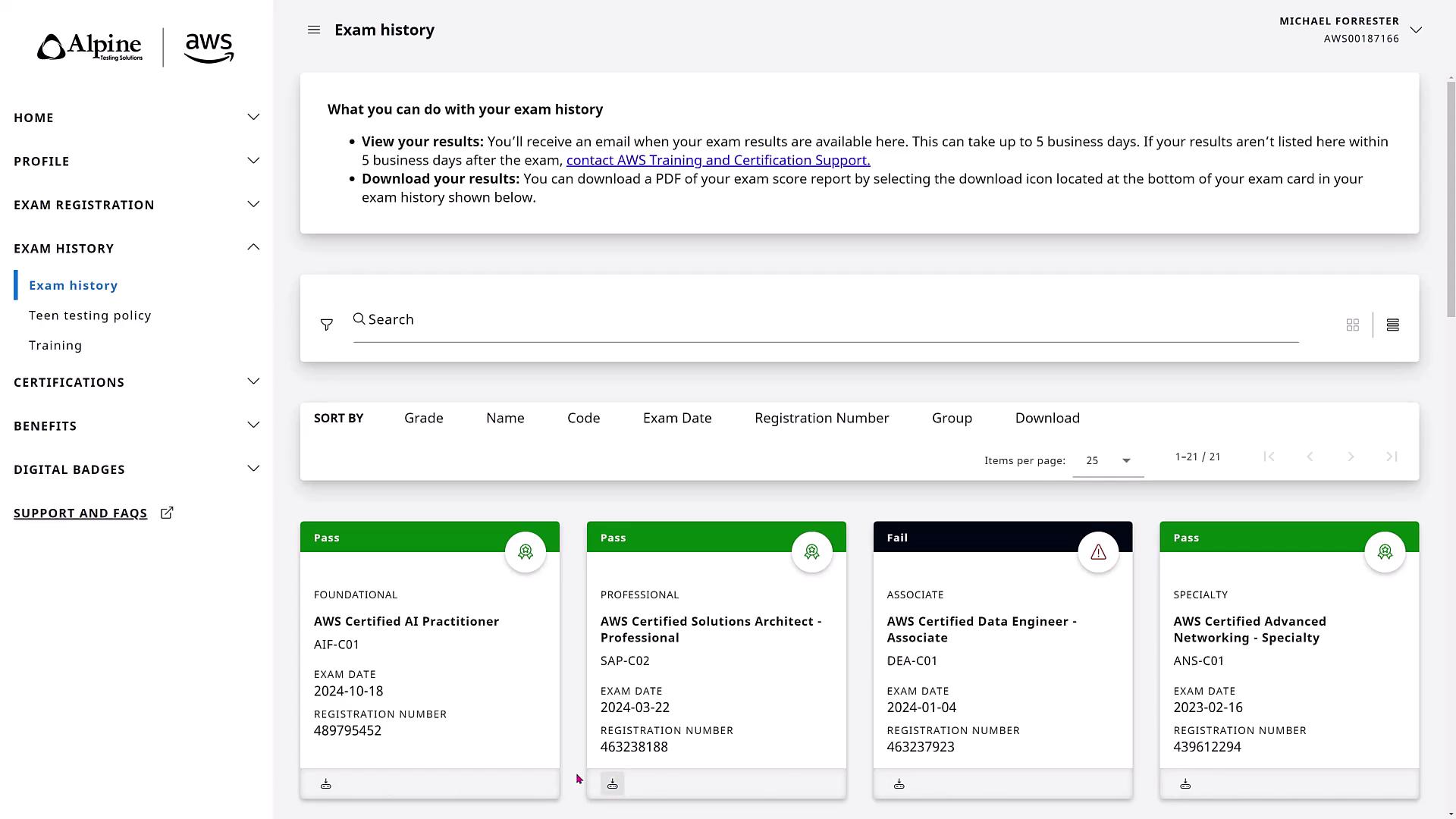
On the dashboard, you can view various options available on the left sidebar, such as your exam history. The exam history section displays detailed records for each exam, including instances where some tests have been particularly challenging or required retakes.
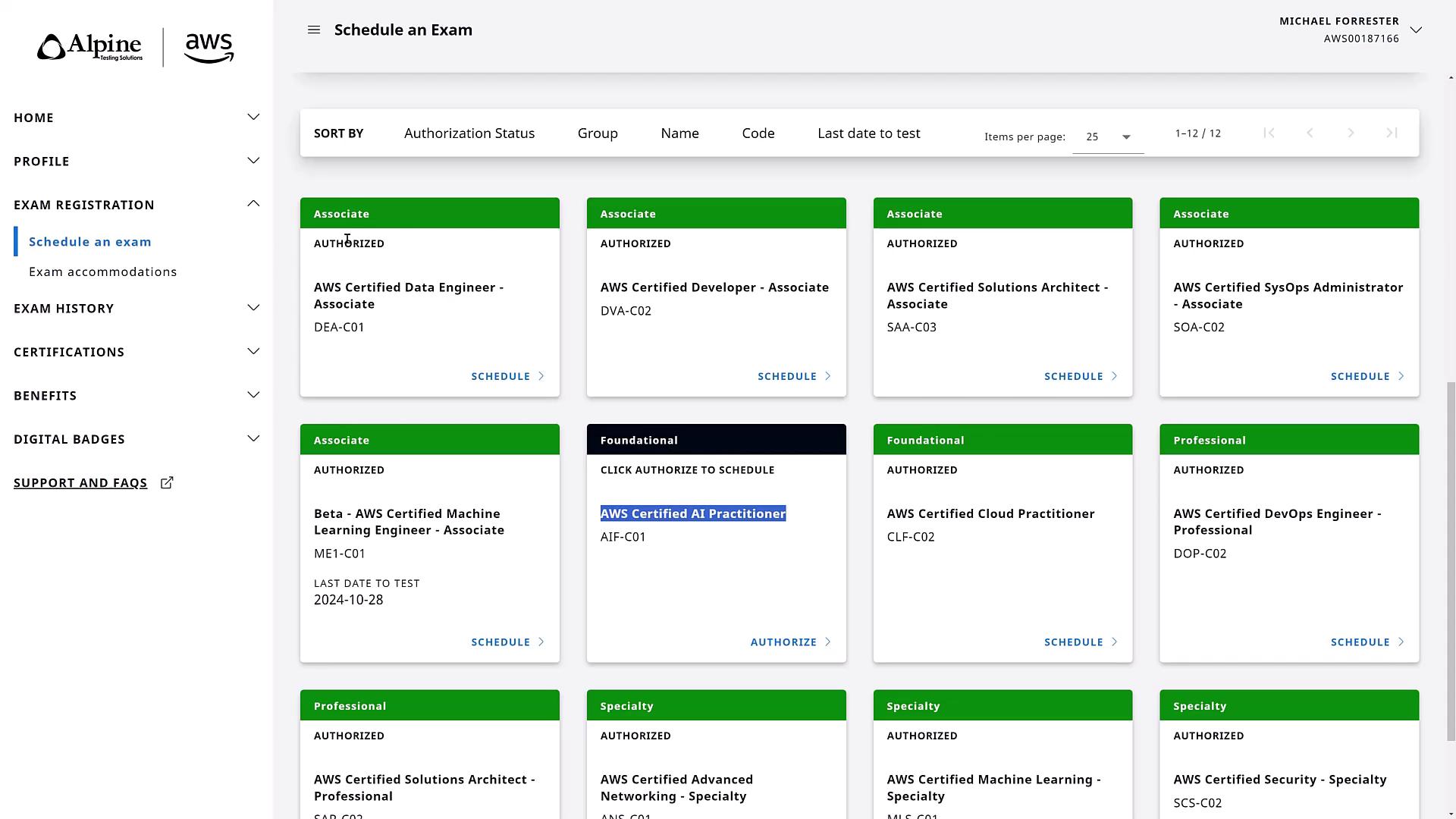
To register for a new exam, click on “Schedule an Exam.” Scroll down to locate the AWS Certified AI Practitioner exam. Note that the exam might appear in black instead of green, which indicates that authorization may be required.
If you receive a prompt to authorize your eligibility, follow the instructions carefully and contact support via the Support and FAQs section if any issues arise.
Once authorized, click “Schedule” to be redirected to the Pearson VUE website where AWS hosts its certification exams.
It is highly recommended to take the exam in person rather than online, as the online process entails additional setup requirements and restrictions.
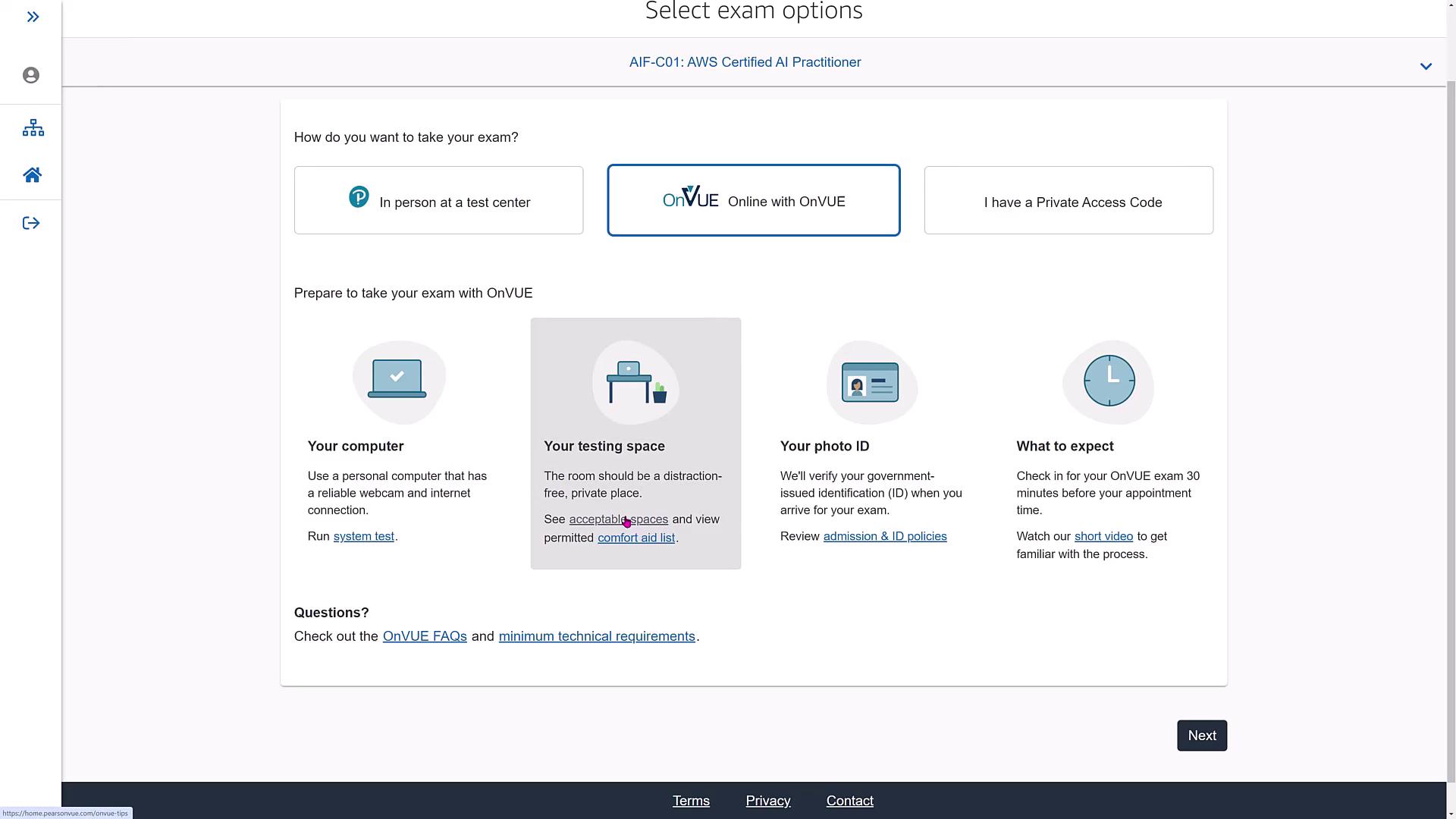
Click on “View” to begin the online process. Before starting the exam, run the system test to ensure your computer meets the necessary requirements. Review the system test instructions, guidelines for an acceptable testing space, the list of approved comfort aids, and watch the accompanying video. Note that the first-time login process might take up to 30 minutes.
Step 4: Selecting the Exam and Running the System Test
After running your system test, continue with the exam registration. AWS offers an option to register using a Private Access Code if one is provided. The exam is available in five written languages.
Select your preferred language (here, English) and click “Next.” The exam version code (for example, AIFC 01) will be displayed for the latest version.
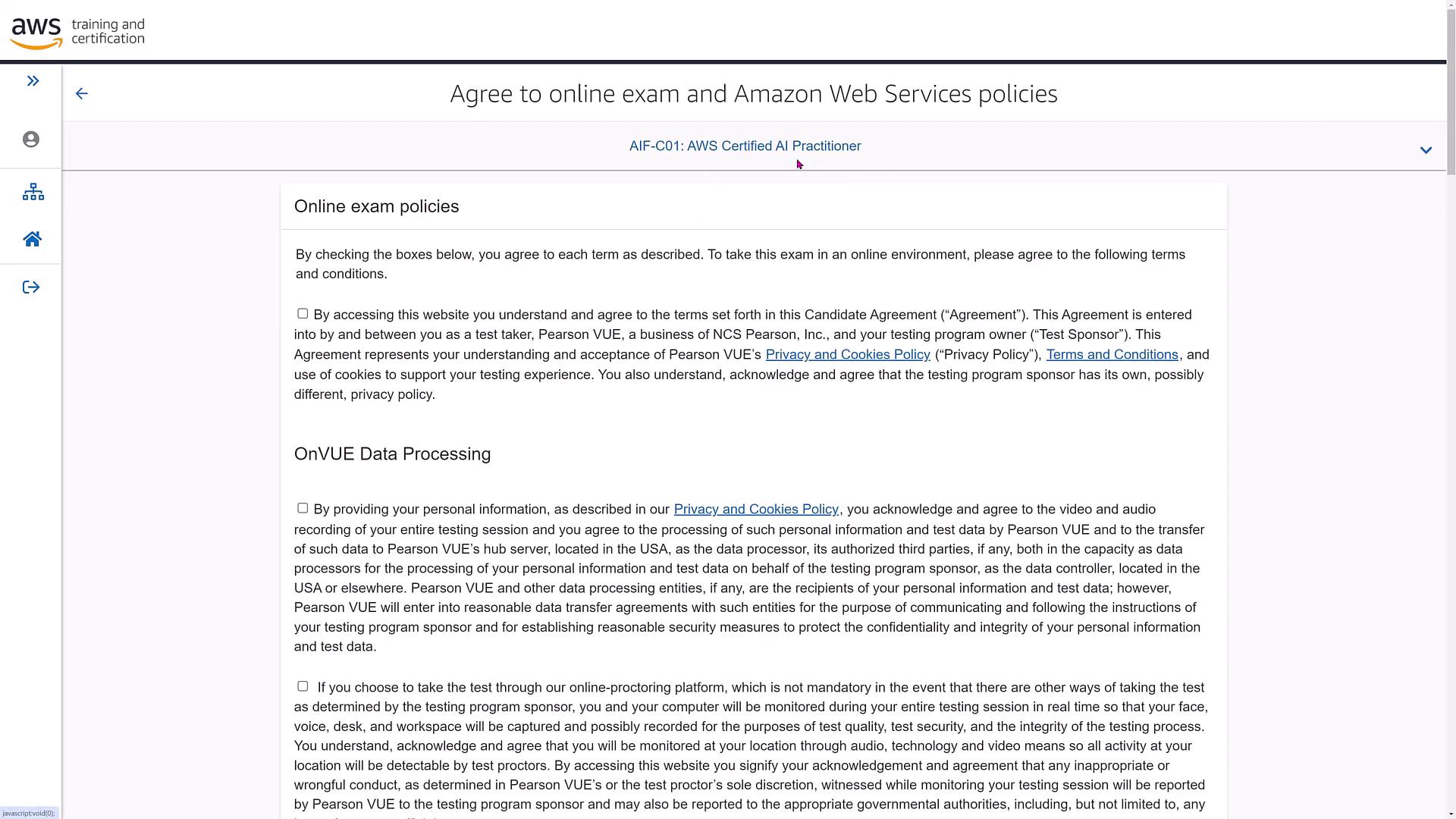
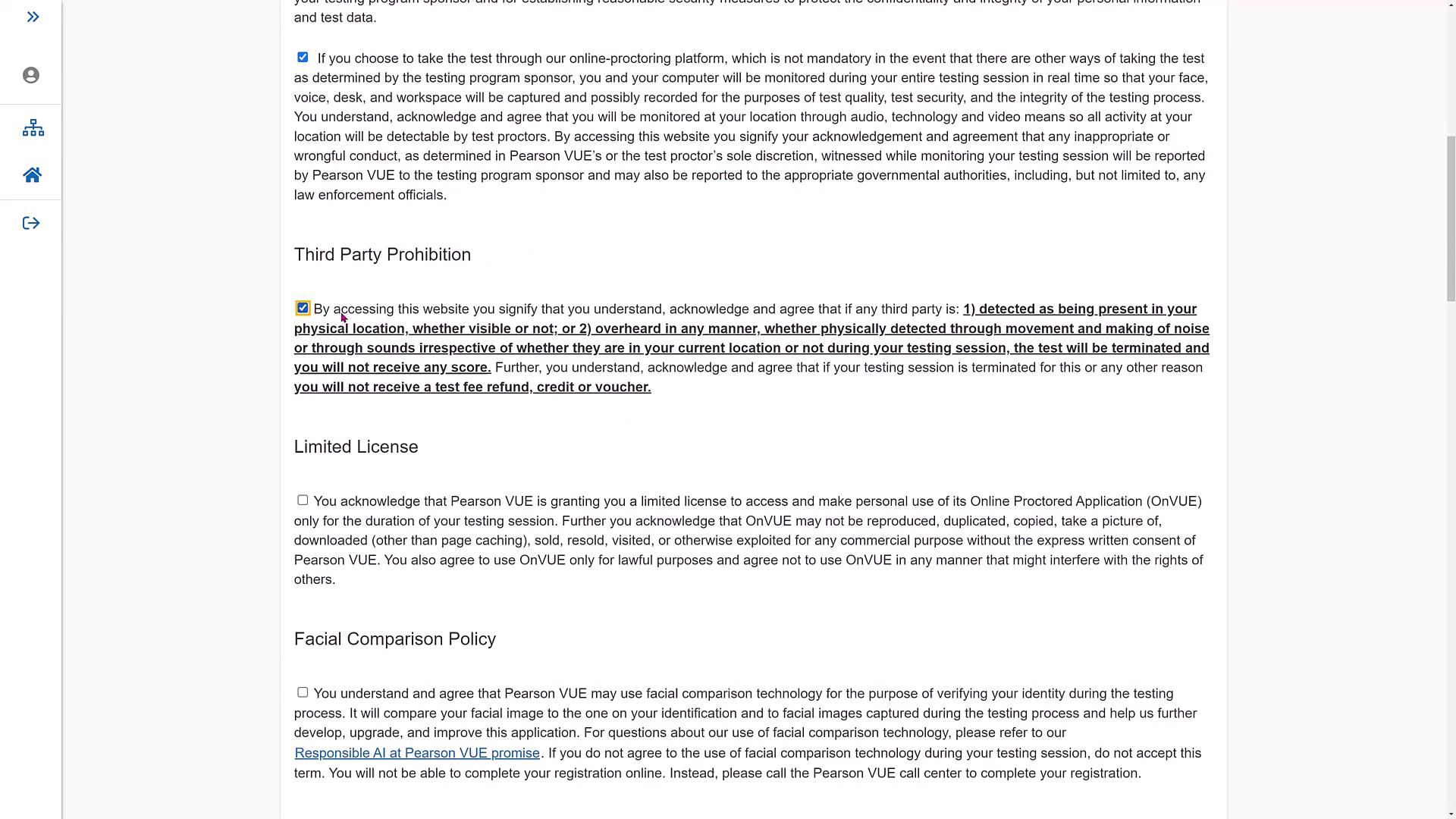
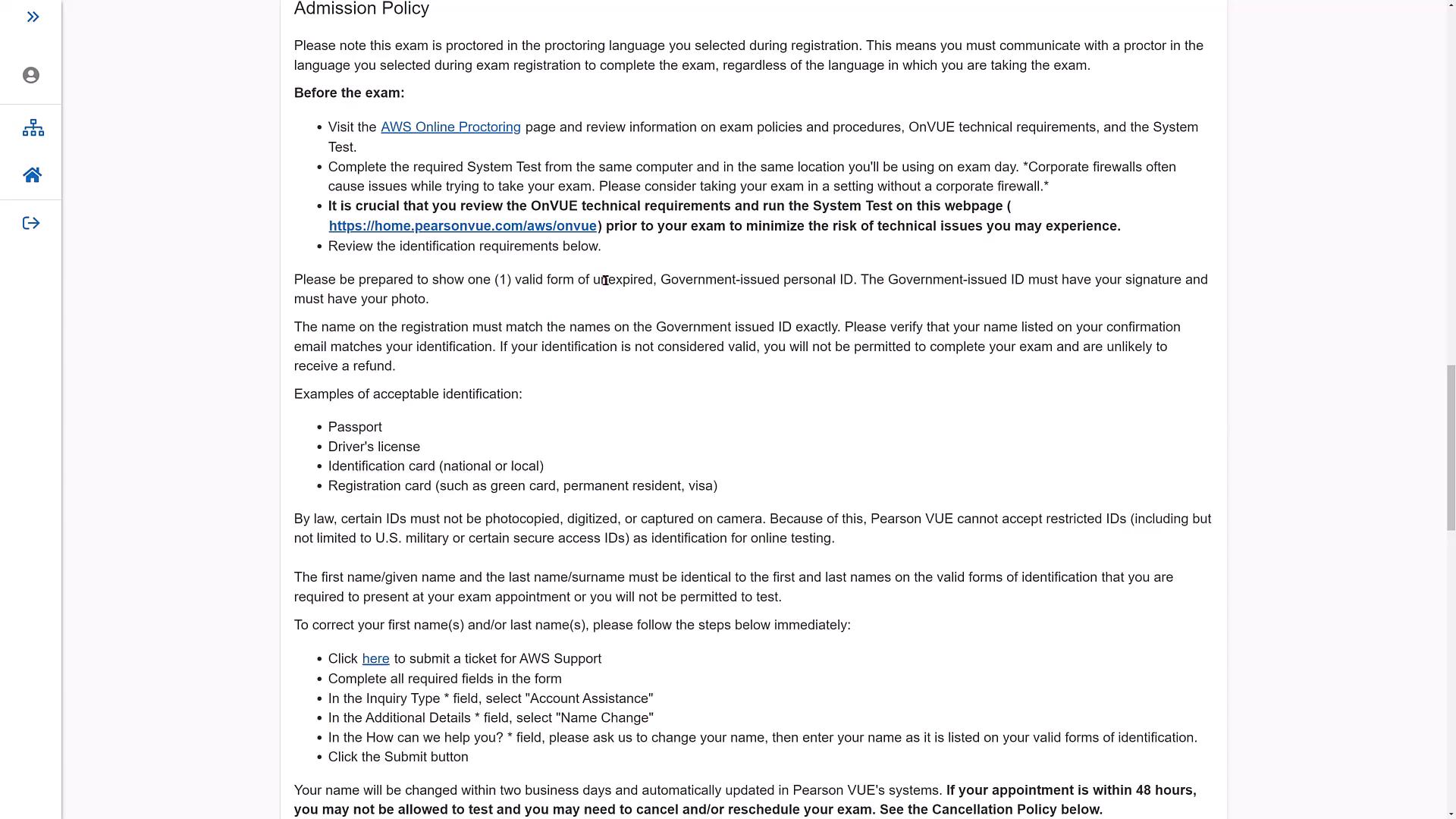
Review the detailed exam policies, including data processing rules, prohibition of third-party assistance, and proctoring regulations. These guidelines also cover facial comparison requirements and testing space restrictions.
Ensure that you run the system test at least once before exam day. Failing to do so will require you to complete it on the exam day itself.
Step 6: In-Person Exam Considerations and Rescheduling
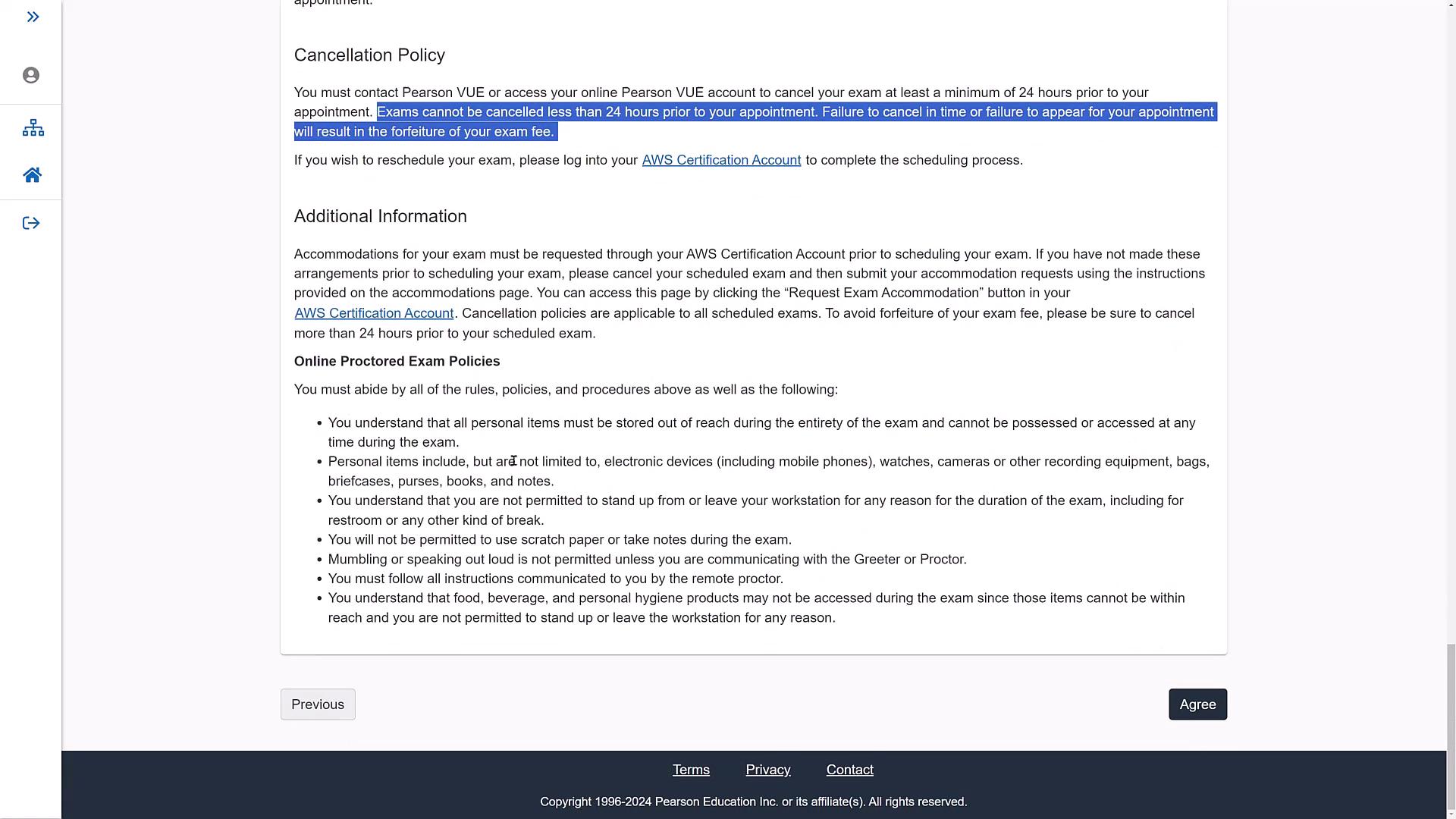
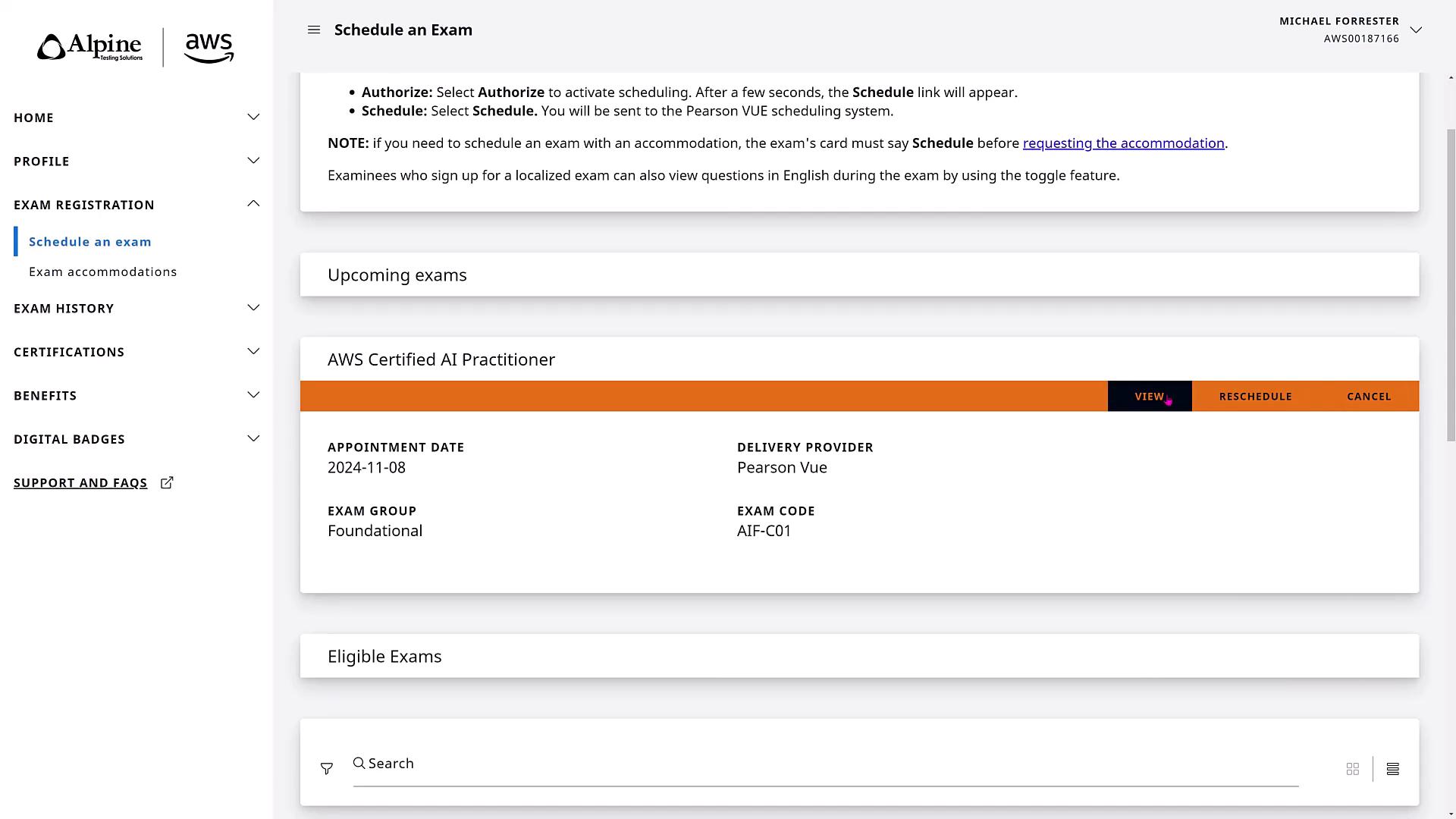
If you opt to take the exam in person, prepare to present two pieces of acceptable identification. Be sure to review up-to-date ID requirements before your exam date.On exam day, return to the same URL; the scheduling page will then display only the exams for which you are registered and offer options to view, reschedule, or cancel your appointment. Rescheduling can be done up to 24 hours in advance, with a maximum of two reschedules before cancellation becomes necessary.
For online exams, personal items such as cell phones, watches, tablets, or any extra electronic devices are not permitted. Only a laptop or desktop with a single monitor is allowed. Additionally, water, briefcases, or purses must not be within reach. No breaks, standing up, or note-taking is permitted. Follow all instructions carefully; unless medically approved, no food or drink consumption is allowed during the exam.
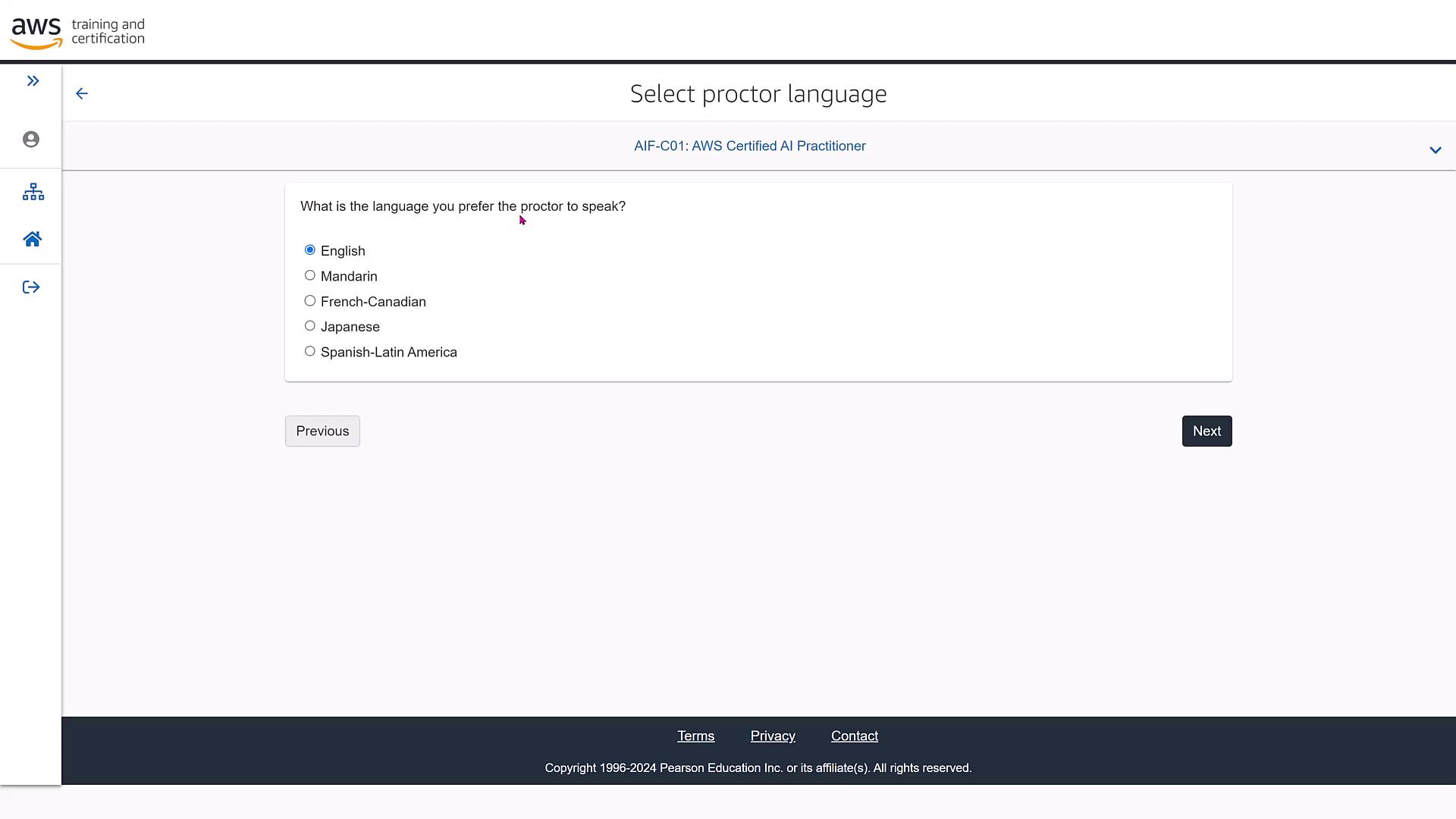
When selecting the exam language, you can choose from options like English, Mandarin, French, Japanese, and Spanish. In this demo, we are using English.
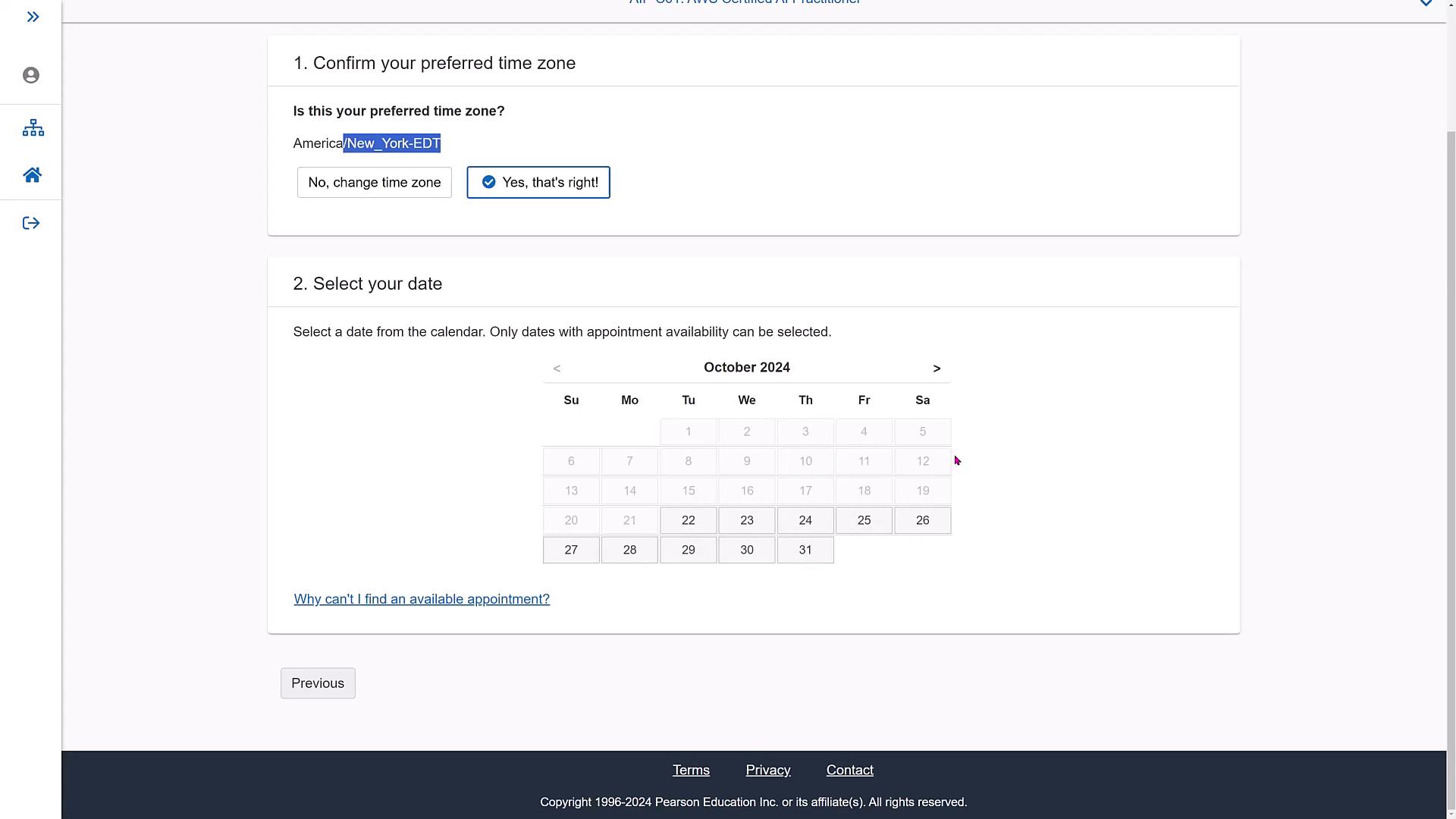
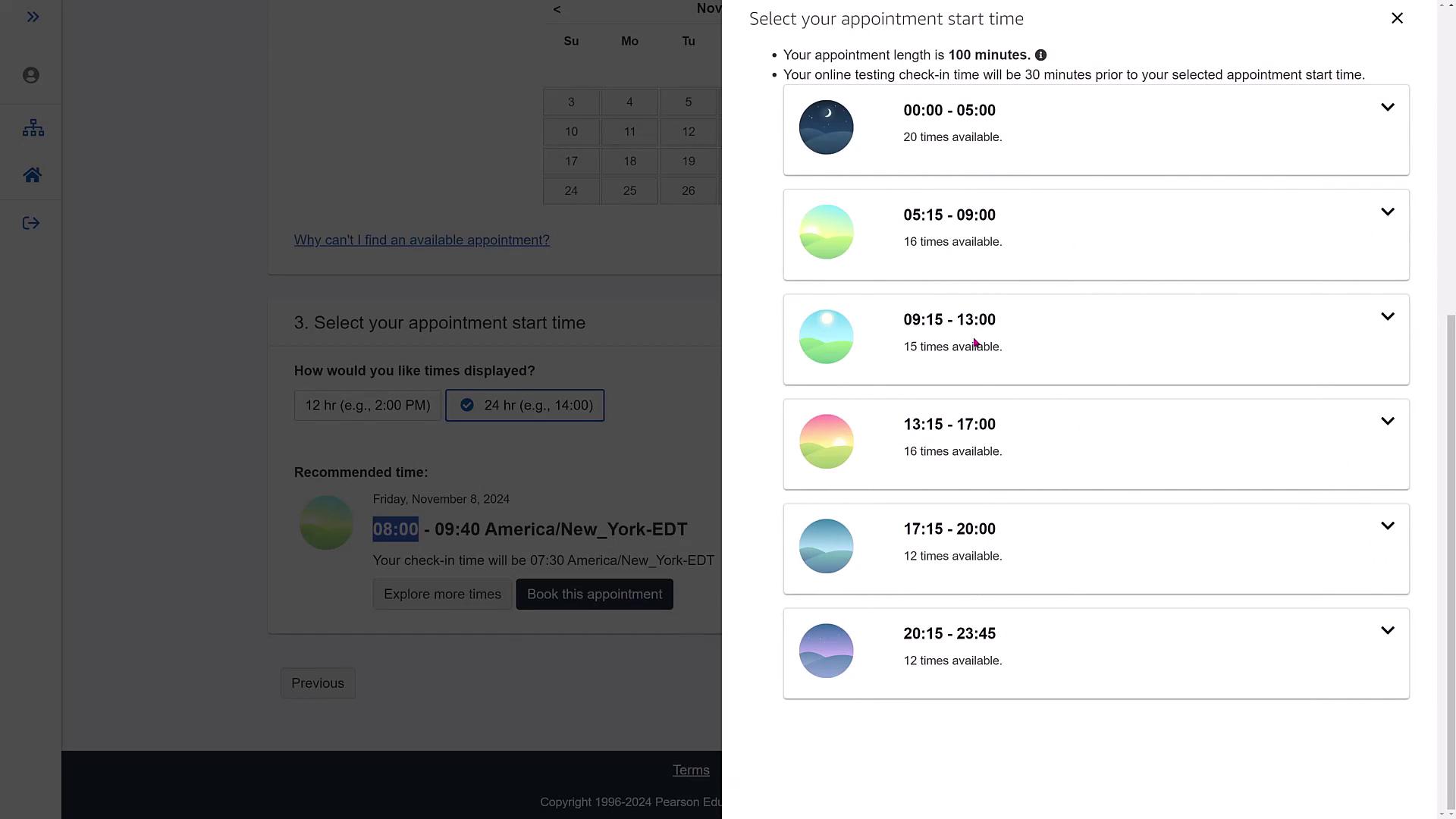
Next, confirm your preferred time zone (for example, New York EDT for East Coast residents) and choose an available exam date. The calendar will highlight available dates for you. If you prefer another month, simply navigate to that month on the calendar.
For instance, if November suits your schedule better, choose a date like November 8th (a Friday). The interface may indicate early check-in times (for example, an 8:00 a.m. exam might require check-in at 7:30 a.m.). Click “Explore More Times” to see additional time slots if needed.
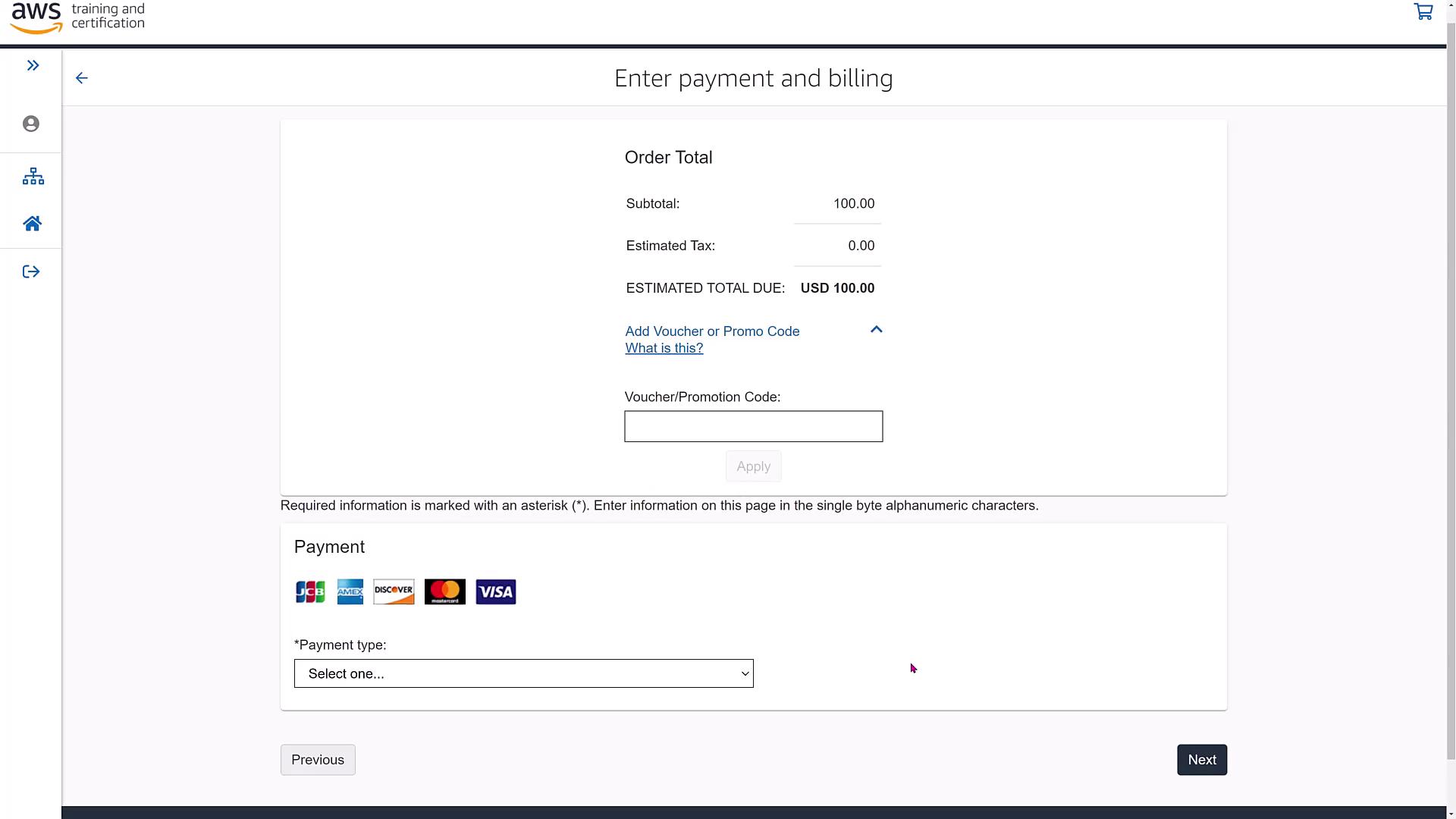
After choosing your preferred slot, proceed to book the appointment. The appointment details, including the exam start time, check-in time, and exam fee (typically $100), will be confirmed. If you have an AWS discount coupon, visit the benefits section on your certification page to apply it at checkout.Proceed to the checkout process, where you will be prompted to enter your address and payment details.
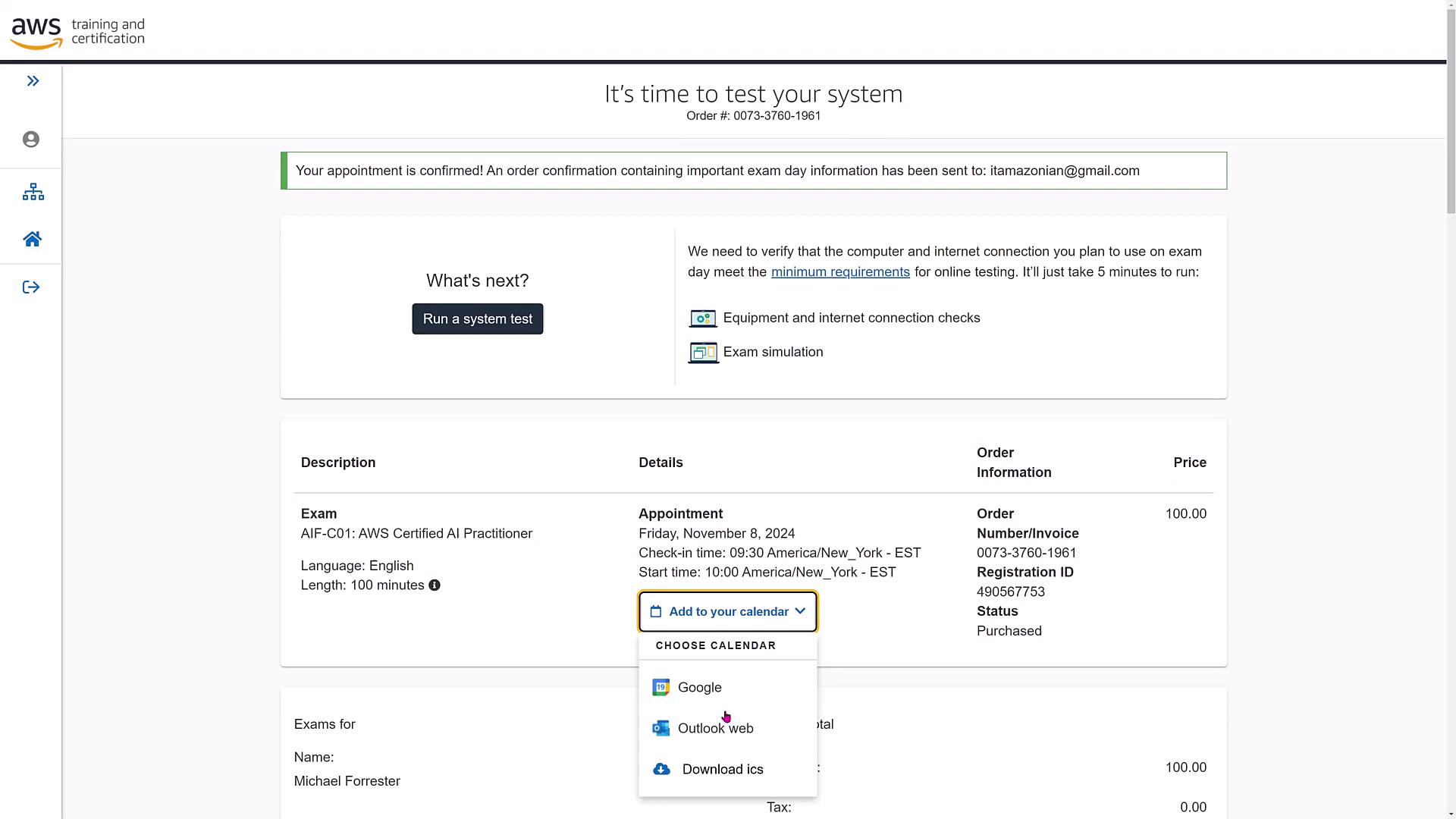
Upon submitting your payment, an order confirmation will be displayed. This confirmation outlines your exam appointment details and offers options to add the exam to your preferred calendar (Google Calendar, download, etc.).
The confirmation page reiterates the terms and conditions you agreed to regarding payment and exam policies. A confirmation email summarizing the appointment and providing next steps will also be sent to your inbox.
Step 8: Reviewing Certification Benefits and Exam History
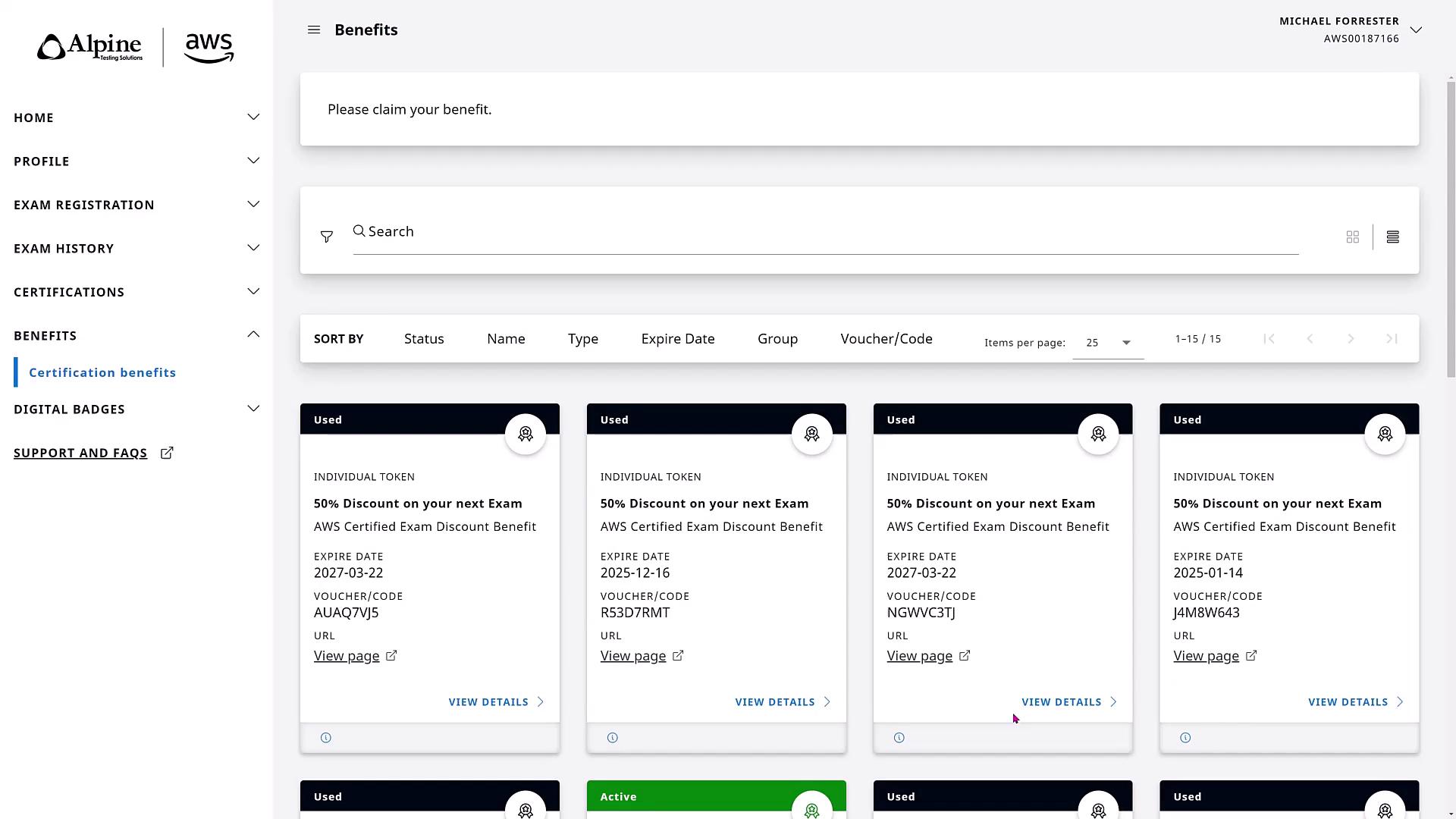
After registration, clicking on “Home” returns you to the certification benefits page. Here, you can view any discount tokens (including their status and expiration dates) and check your overall certification progress.
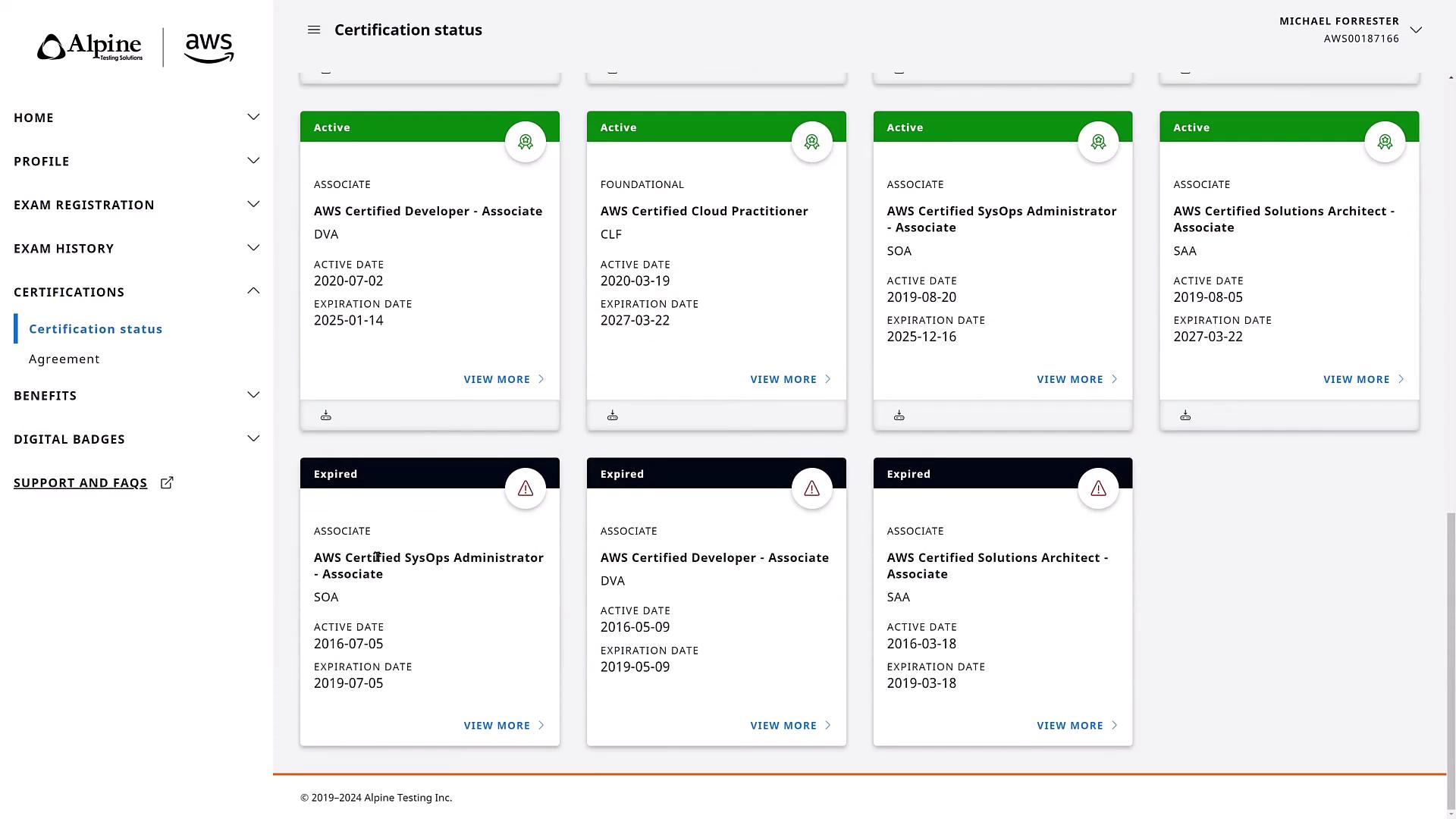
Your active and expired certifications can also be reviewed on your certification dashboard.
The exam history section displays detailed exam results, including notes on challenging exams and instances when retakes were necessary. On exam day, the scheduling page will update to show only the exams you are registered for, with options to view, reschedule, or cancel your appointment.
Click “View” at your scheduled time to start the exam on the Pearson VUE website. If you need to change your appointment, use the reschedule or cancel options provided.
For any questions during the registration process, feel free to reach out on our Discord server.
We hope you found this lesson useful as you prepare for your AWS AI Practitioner exam. Happy studying and best of luck on your certification journey!