

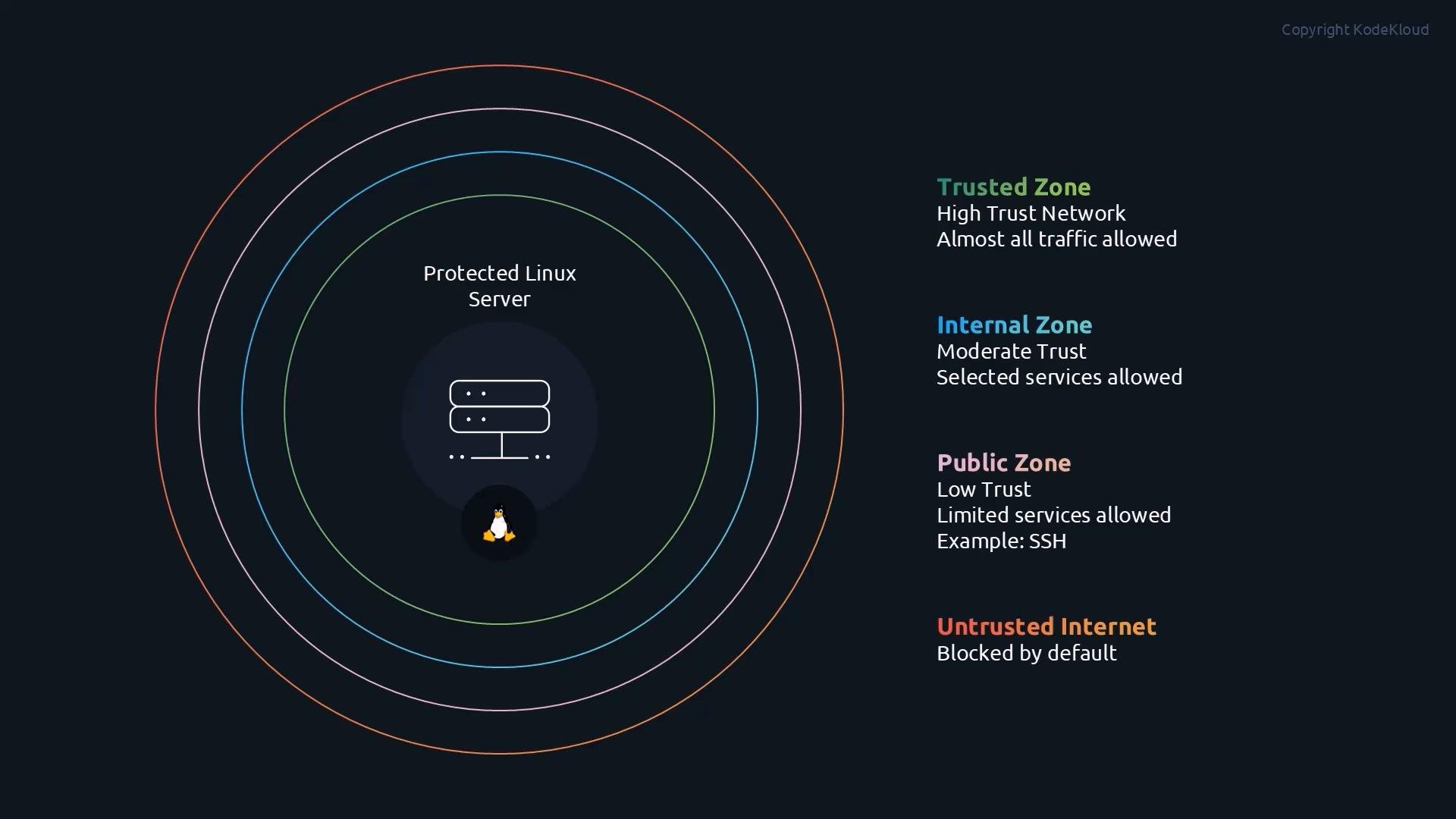
public zone typically allows a few essential services (like SSH) while blocking most incoming traffic. A trusted zone might allow nearly all connections. Assigning interfaces and sources to appropriate zones simplifies firewall management—you don’t need to write many low-level rules; pick the right zone and firewalld enforces the policy.
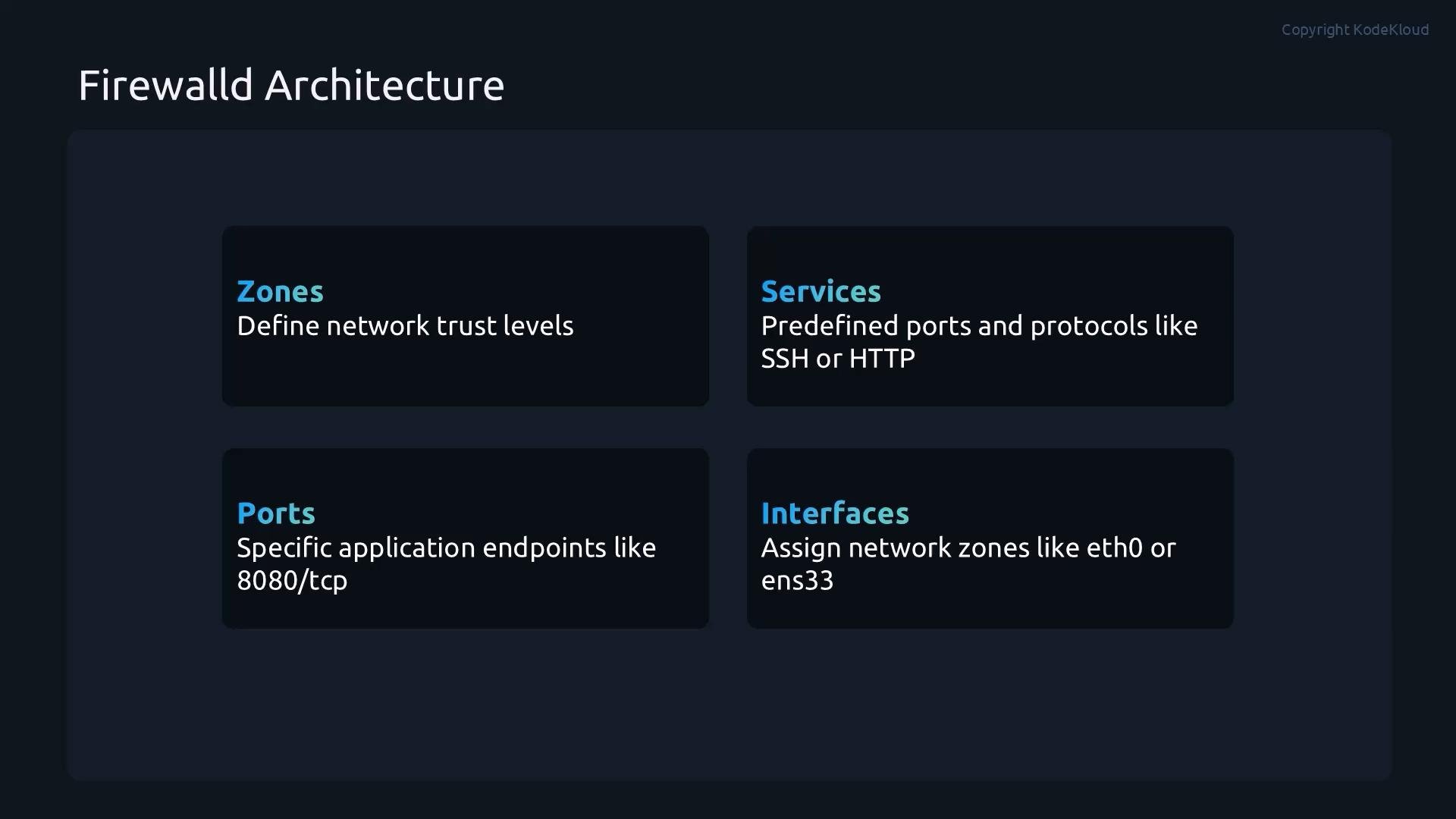
To understand firewalld, focus on its four main building blocks: zones, services, ports, and interfaces. The following table summarizes their purpose and examples.
--permanent modify the runtime configuration and are lost on reboot. Use --permanent to change the saved configuration and run firewall-cmd --reload to apply permanent changes to the current runtime.
Commands quick reference:
Common changes (runtime vs. permanent)
- Allow a service (runtime only):
- Remove a service (runtime only):
- Make a service change permanent:
- Add a specific port (example:
8080/tcp):
- Remove a port:
- Assign an interface to a zone:
- Reload to apply permanent configuration to the runtime:
By default, commands without
--permanent change only the runtime configuration and are lost on reboot. Using --permanent modifies the saved configuration, and firewall-cmd --reload applies those permanent changes to the current runtime.iptables rules.
Links and references
- firewalld official documentation: https://firewalld.org/
- iptables (background on low-level packet filtering): https://www.netfilter.org/projects/iptables/