

/etc/rsyslog.conf/etc/rsyslog.d/*.conf
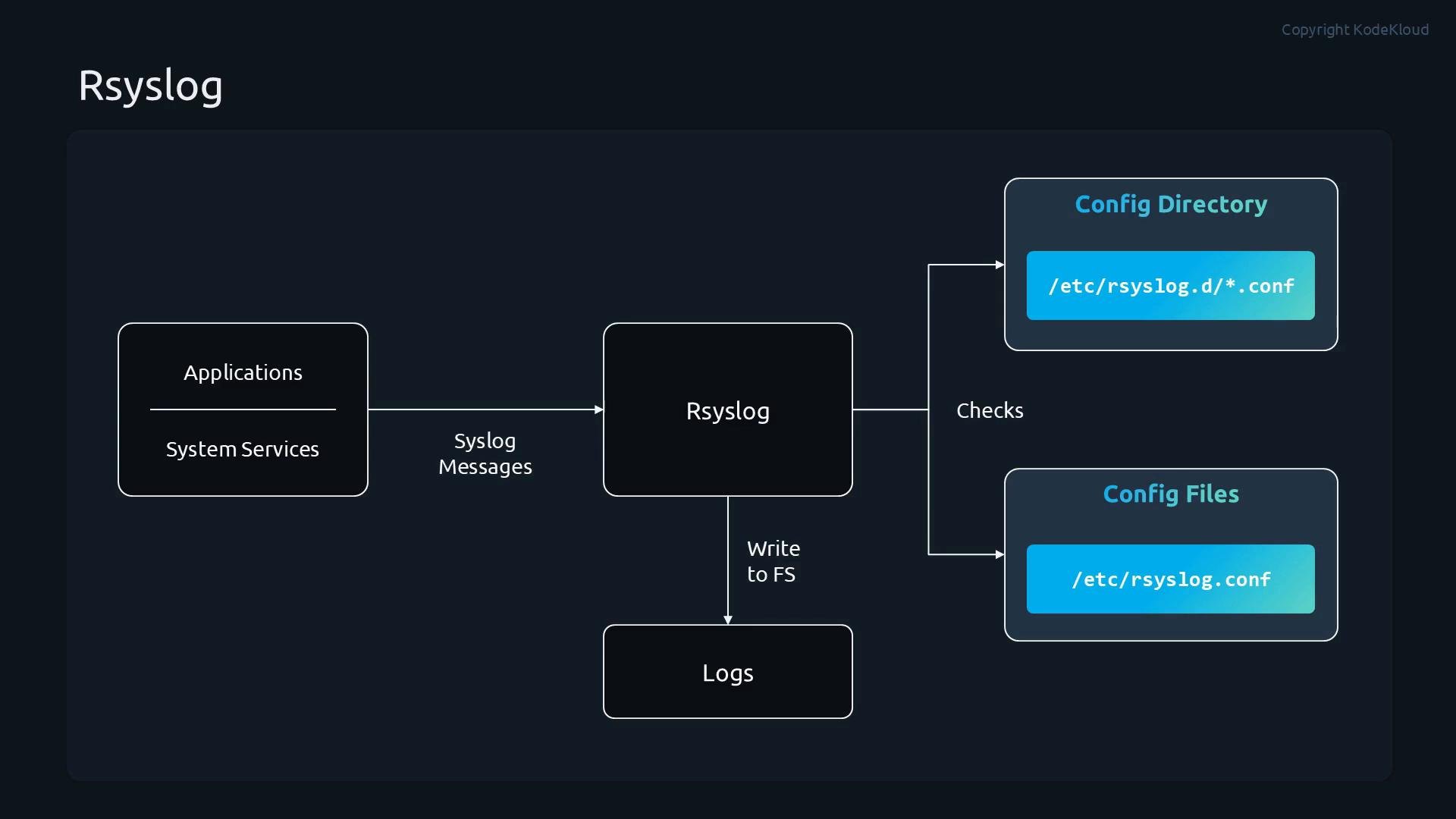
/var/log. Different subsystems are typically recorded to separate files (for example, authentication events to a different file than kernel messages). This separation makes it easier to filter, search and troubleshoot.
Selectors and priorities
Rsyslog filtering uses selectors formed asfacility.priority. Explanation:
- Facility — identifies the subsystem that generated the message (e.g.,
auth,mail,cron,user,kern,local0–local7). - Priority — indicates message severity. Common priorities include:
debug,info,notice,warning,err(orerror),crit,alert,emerg.
You can combine selectors and modifiers. Examples:
*.info— log messages ofinfoseverity and higher from all facilities.mail.none— excludemailfacility messages.authpriv.*— all messages from theauthprivfacility.
Example configuration snippet
Place this in/etc/rsyslog.d/myconfig.conf (or another .conf file in /etc/rsyslog.d/):
Where to look for logs
Common log files and their use cases: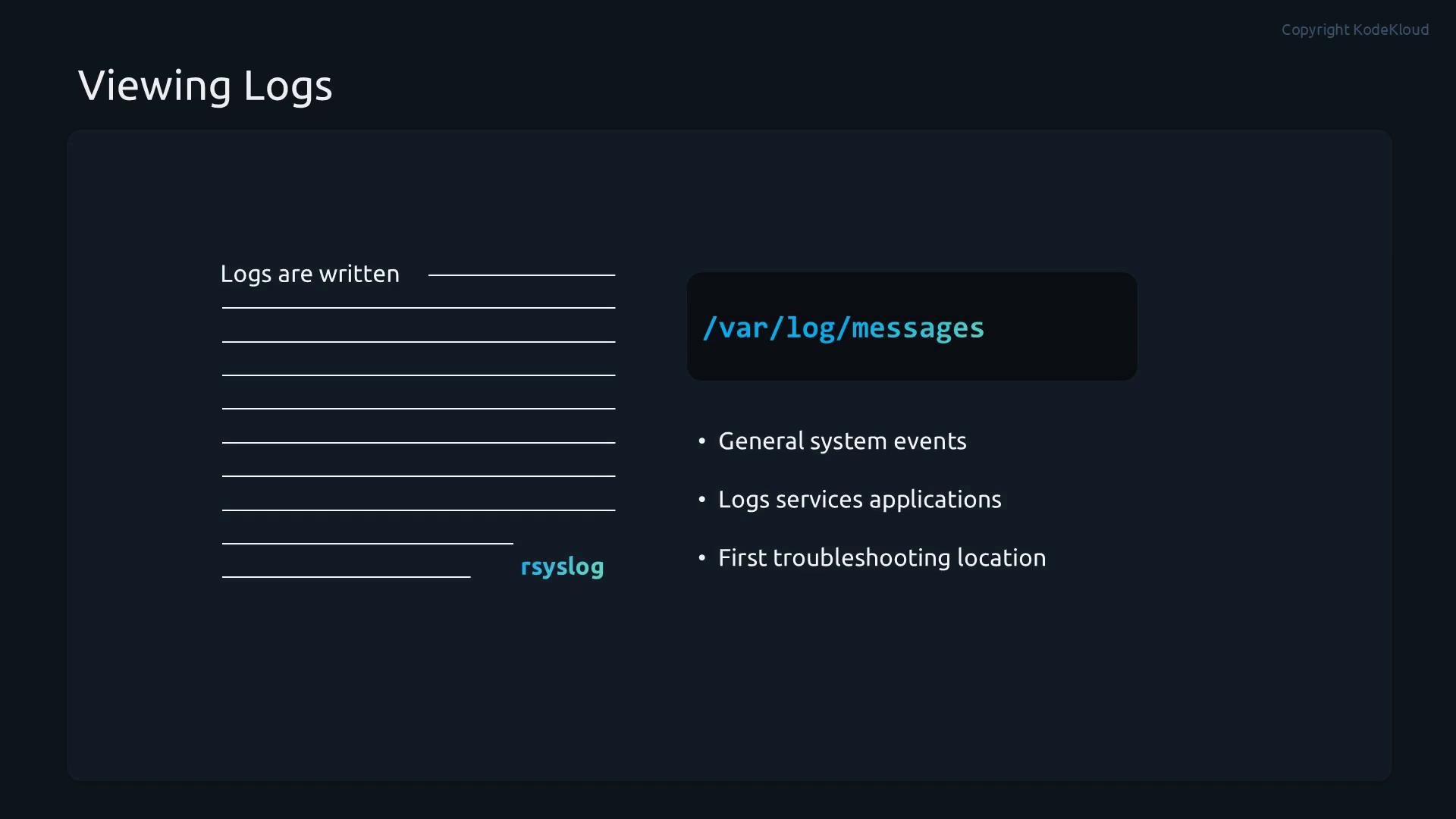
Always place custom rsyslog configuration files in
/etc/rsyslog.d/ and ensure the filename ends with .conf. After adding or modifying configuration, restart the rsyslog service so the new rules are loaded.Demo: Create a custom rsyslog rules file
This demo shows how to create a custom rules file, reload rsyslog, and generate test messages withlogger.
- Create
/etc/rsyslog.d/mycustom.confwith the following content:
- Restart rsyslog to apply the new configuration:
- Generate test messages using
logger:
- Verify the log files in
/var/log:
Troubleshooting tips
- If rules don’t appear to take effect:
- Check rsyslog service status and recent system log entries:
- Confirm your custom file ends with
.confin/etc/rsyslog.d/and contains valid syntax. - Use
loggerwith different facilities and priorities to test individual rules.
- Check rsyslog service status and recent system log entries:
- When forwarding logs to a remote collector, ensure network connectivity and that the remote service accepts the configured transport (TCP/UDP/TLS).
Syntax errors or misconfigured selectors can cause messages to be misplaced or dropped. Always restart rsyslog after changes and verify your rules by generating test messages with
logger.Next steps and resources
With the basics covered, you can extend rsyslog to:- Forward logs to remote collectors (syslog over UDP/TCP, TLS).
- Use templates for structured/log format customization.
- Configure queues and rate-limiting for high-volume environments.
- Integrate with log management solutions (Elastic Stack, Splunk, Graylog).
- Rsyslog documentation: https://www.rsyslog.com/doc/
- Syslog overview: https://en.wikipedia.org/wiki/Syslog