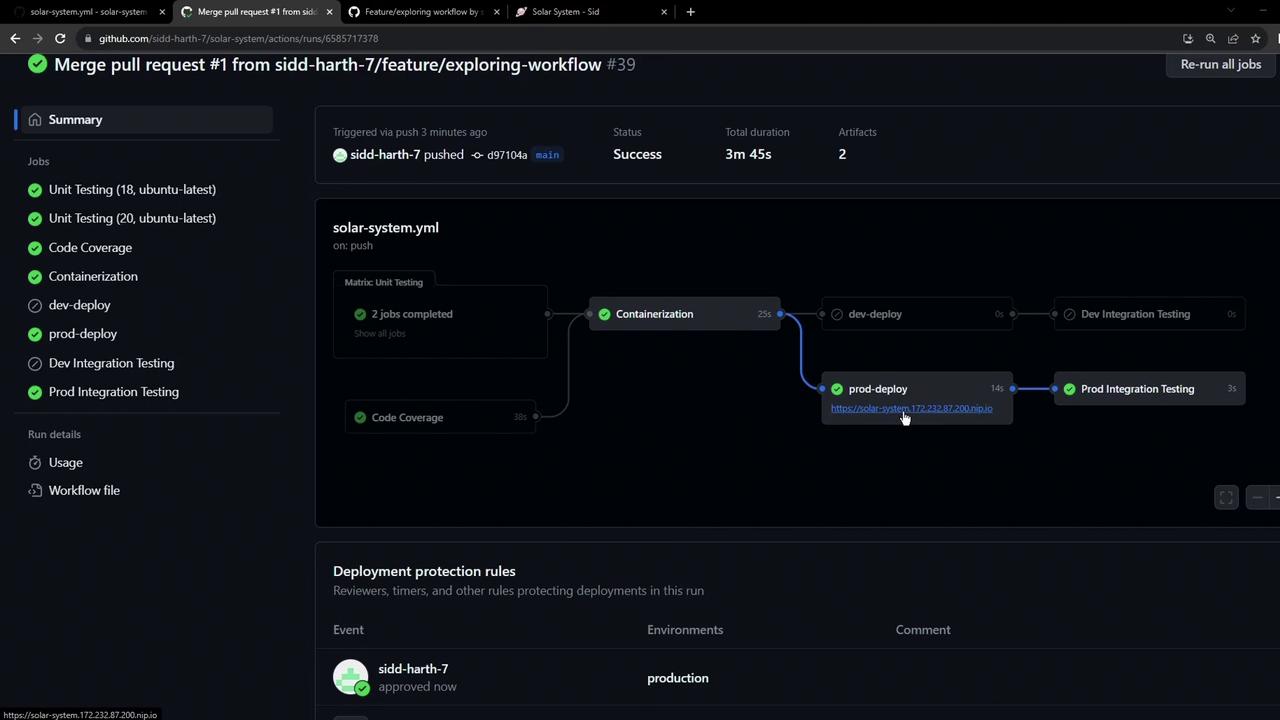
main branch runs production deployments. By using if expressions like contains and exact branch comparisons, you can maintain a single workflow file and control which jobs run on which branches.
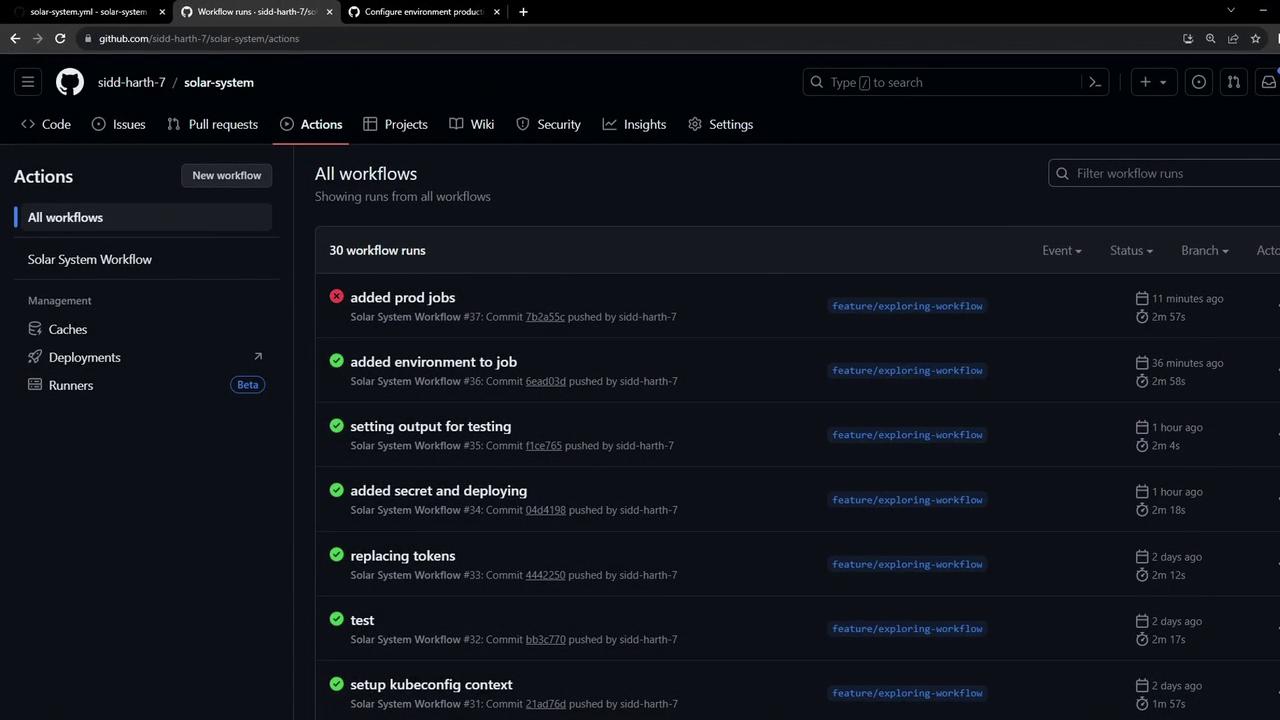
Workflow Overview
Our workflow defines seven jobs and global environment variables:Desired Branch Conditions
Configuring Conditional Jobs with if
GitHub Actions supports if expressions on jobs. We’ll use:
contains(github.ref, 'feature/')for feature branchesgithub.ref == 'refs/heads/main'for themainbranch
The
if expression runs at the job level. Jobs whose conditions evaluate to false are marked as skipped.1. Dev Jobs
Addif: contains(github.ref, 'feature/') to both development jobs:
2. Prod Jobs
Guard production jobs with an exact branch check:Testing on a Feature Branch
Commit and push to a feature branch. You’ll see only the Docker and dev jobs run, while production jobs are skipped: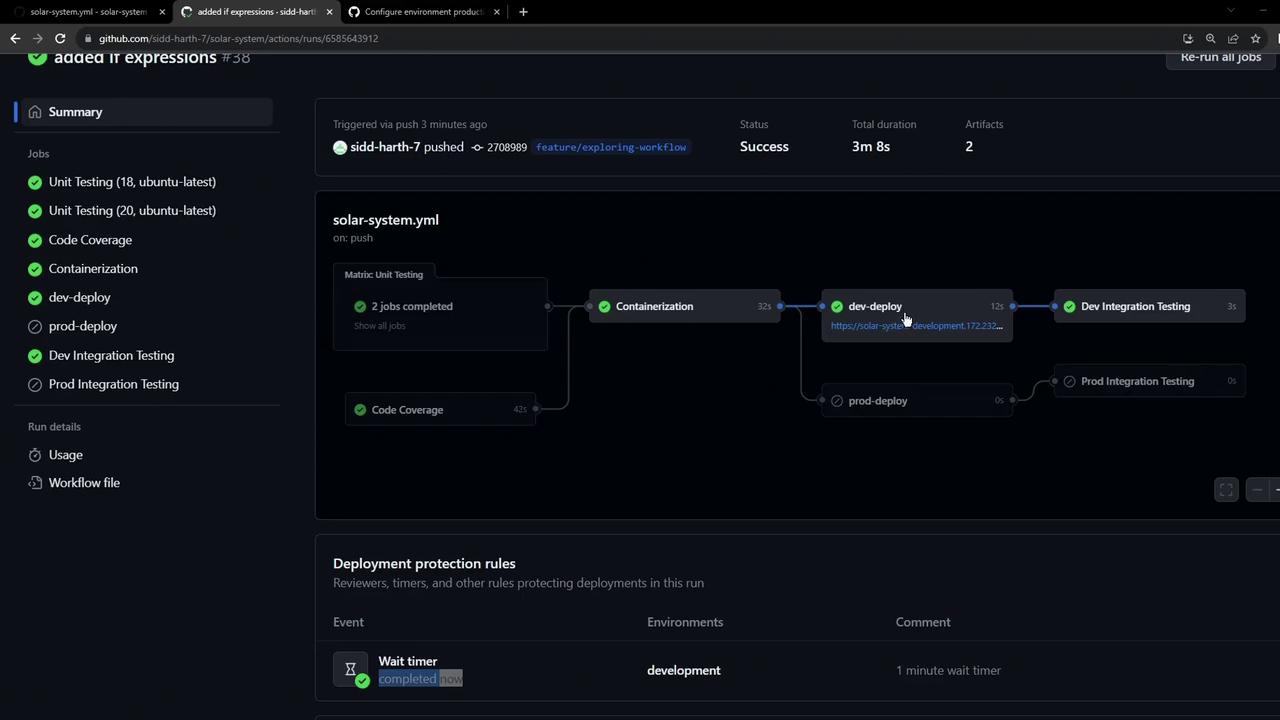
if condition evaluated to false.
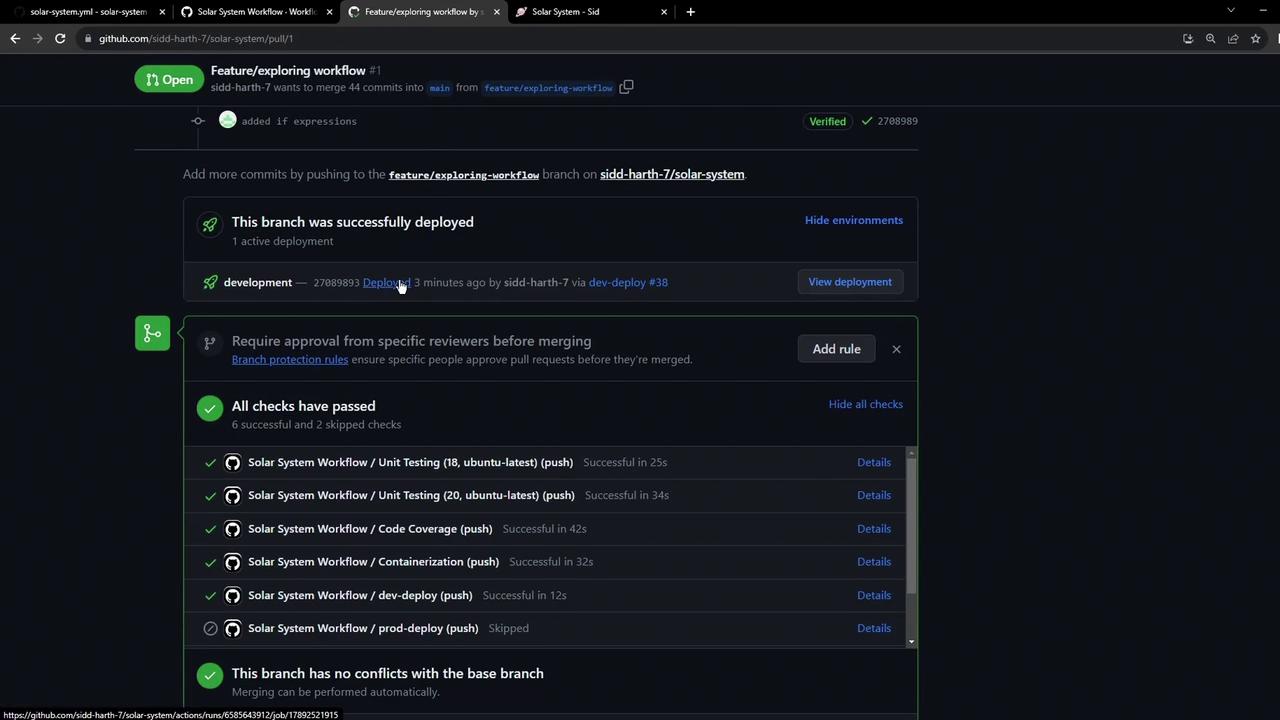
Raising a Pull Request
When you open a PR intomain, all checks should pass and your dev-deploy URL is available for reviewers:
Production Deployment Approval
After merging, the workflow onmain triggers production jobs. If you’ve enabled environment protection rules, you’ll see a “Review pending deployments” prompt:
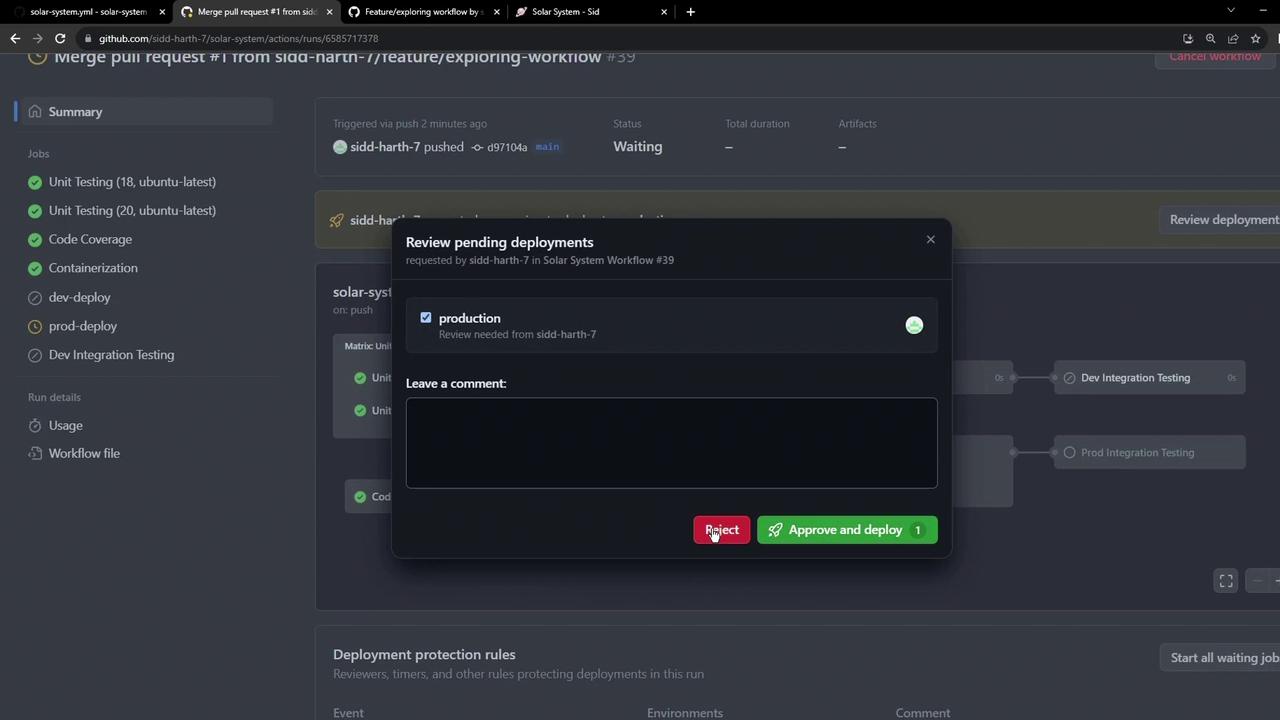
Ensure you’ve configured environment protection rules in your repository settings to require manual approvals before Production deployments.
Final Workflow Summary on main
Once approved, only the production deploy and integration tests run on main: