

1. Workflow Skeleton
Begin by defining the workflow trigger, environment variables, and placeholders for your jobs:2. Reference: Development Jobs
Use thesedev-deploy and dev-integration-testing jobs as templates. They build, deploy to a development namespace, and verify the app is live.
3. Adding Production Jobs
3.1 prod-deploy
Duplicate thedev-deploy job, adjust manifests, and target your production environment. This job also captures the load balancer IP for your Ingress controller.
3.2 prod-integration-testing
Once the production deploy finishes, verify the live endpoint:4. Consolidated Jobs Table
5. Running the Workflow
- Commit and push your changes to
mainor afeature/*branch. - Trigger the workflow manually or via a push event.
- Monitor the sequential execution: dev jobs ➔ prod-deploy ➔ prod-integration-testing.
If
prod-deploy is blocked by branch protection or environment rules, you’ll see an error and the integration test will be skipped.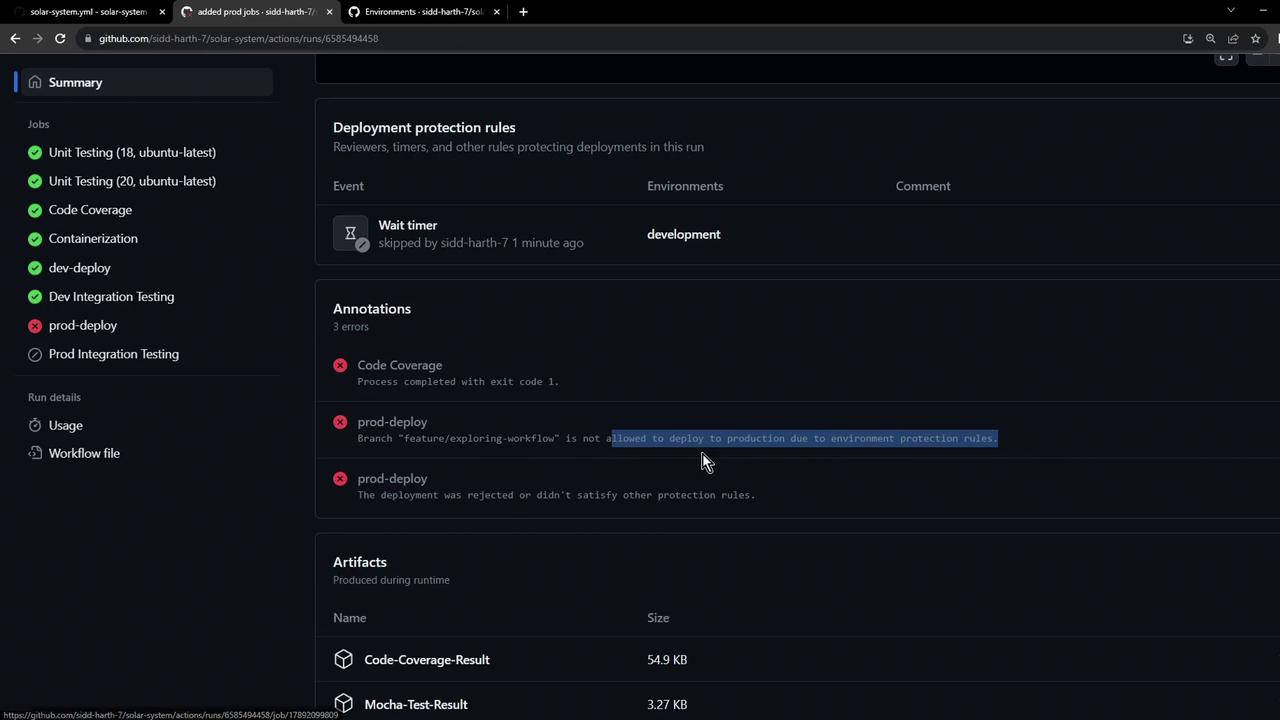
6. Environment Protection Rules
Configure deployment protection rules in your repository settings to enforce review policies, wait timers, or required approvals before production deployments.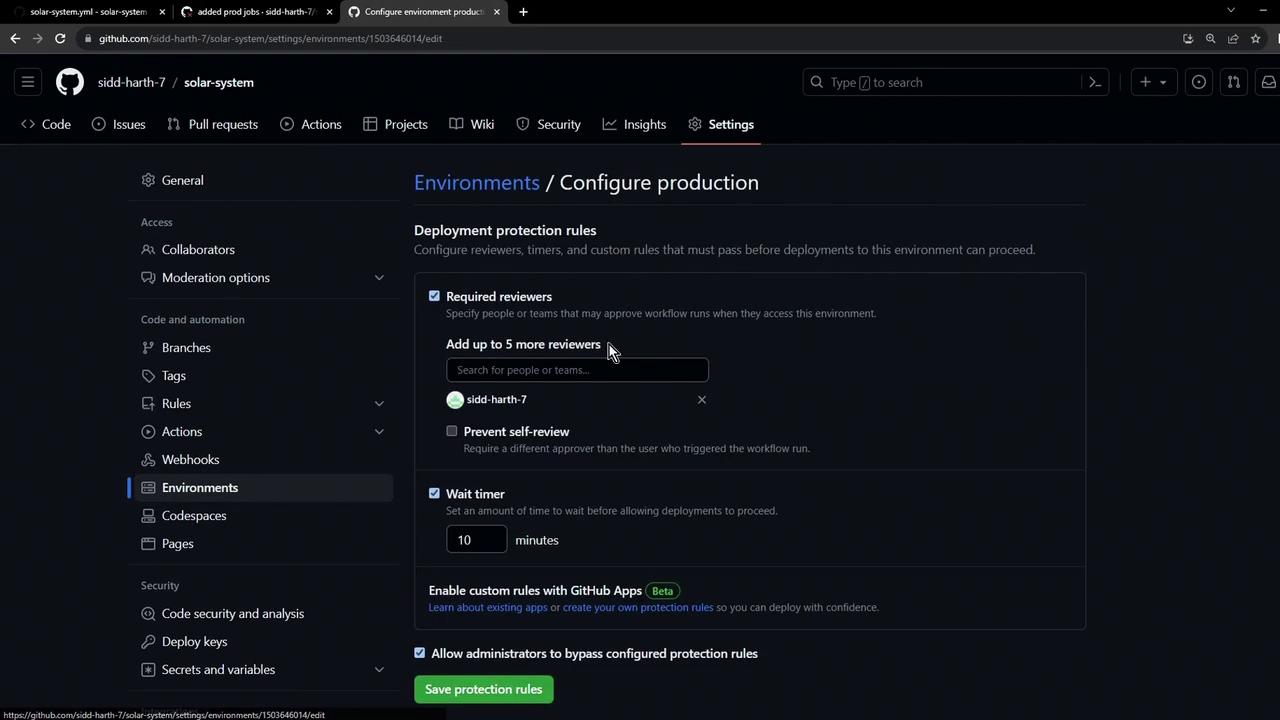
Triggering from an unauthorized branch (e.g., a feature branch without approval) will block
prod-deploy. Subsequent jobs will be skipped.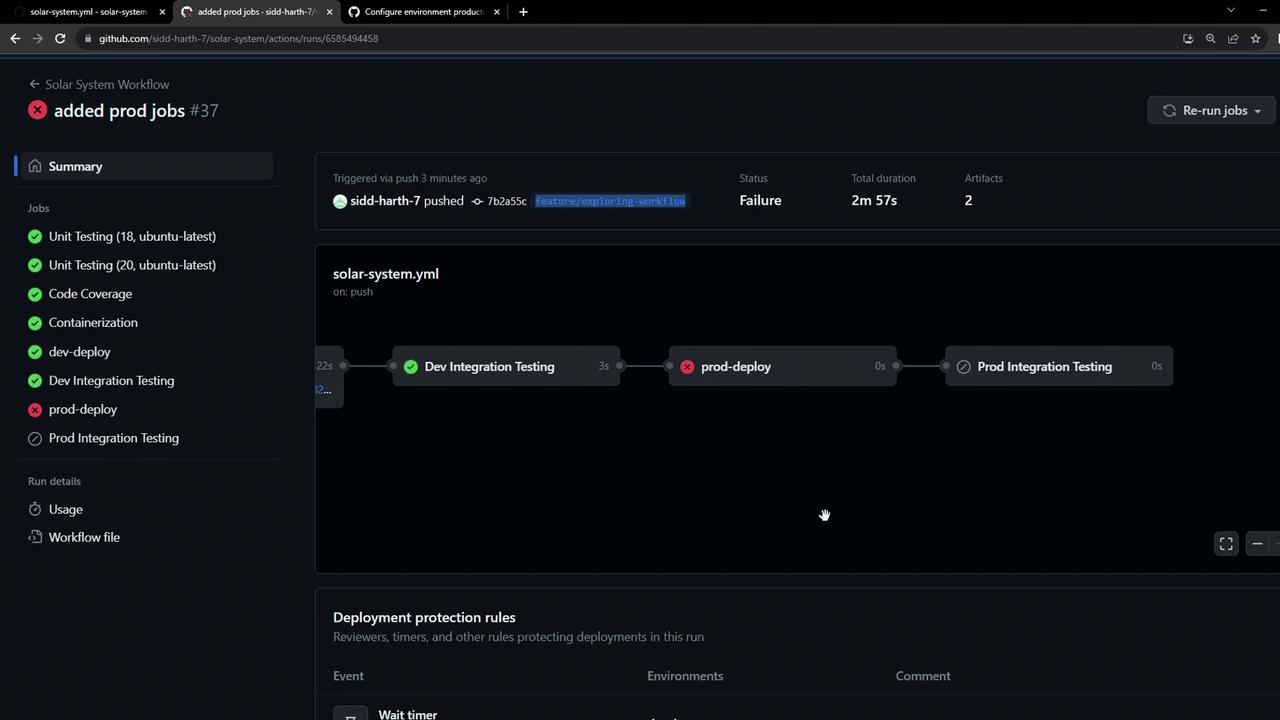
Links and References
- GitHub Actions Documentation
- Kubernetes Basics
- azure/setup-kubectl
- cscheidlen/replace-tokens GitHub Action