

Step 1: Copy the GitLab Repository URL
On GitLab, navigate to the Solar-System project and copy its HTTPS clone URL: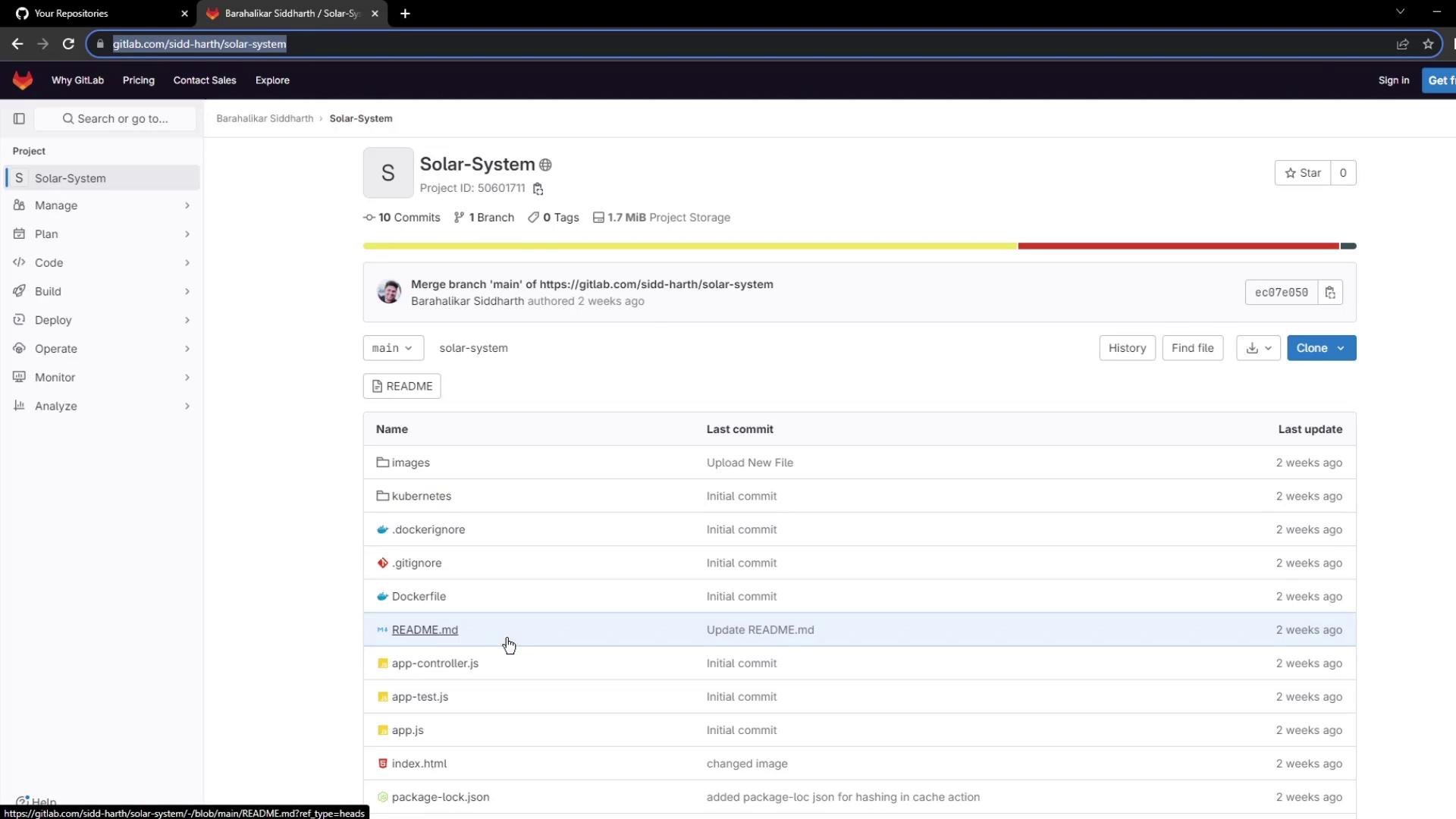
Step 2: Import the Repository into GitHub
- Go to GitHub’s import interface at
https://github.com/new/import. - Paste the GitLab URL into the Your old repository’s clone URL field.
- Set the Owner and enter
solar-systemas the Repository Name. - Choose Public visibility.
- Click Begin import.
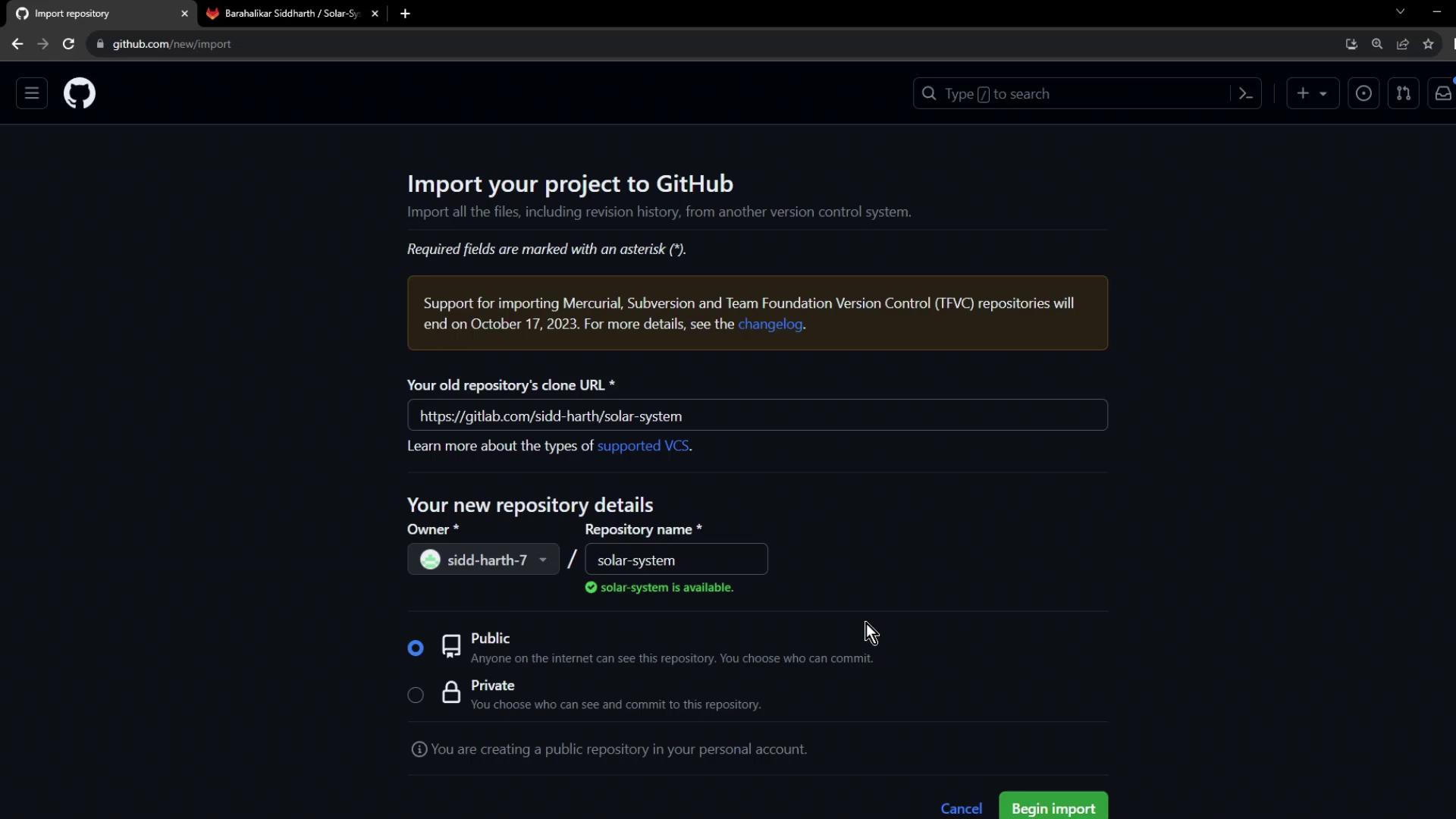
Large repositories may take several minutes to import. You can monitor progress on the same page.
Step 3: Verify the Imported Files
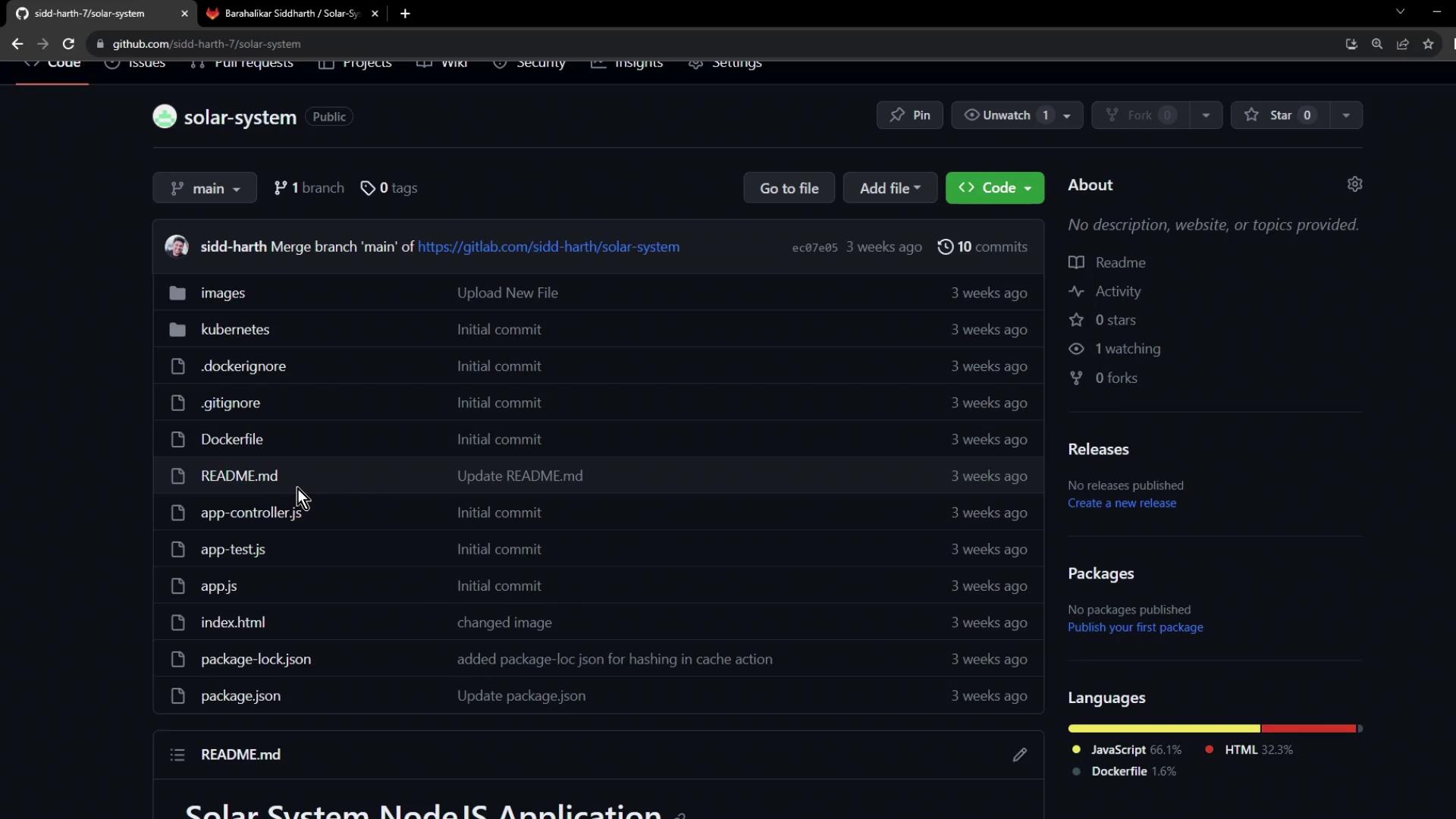
After the import completes, navigate to your newsolar-system repository. Confirm that all files—such as README.md, Dockerfile, and JavaScript source files—have been migrated successfully:
Quick Reference
Next Steps
With your code now on GitHub, you can:- Create a workflow file in
.github/workflows/ - Define jobs for linting, testing, and building
- Trigger CI/CD on each push or pull request