

continue-on-error expression lets you prevent failures in a specific step or an entire job from aborting your workflow. You can use this setting to:
- Handle non-critical errors without stopping downstream steps.
- Upload logs and artifacts even when tests or checks fail.
- Experiment with unstable configurations in a matrix without blocking the run.
continue-on-error behaves at each level:
Continue-on-error at the Step Level
When you setcontinue-on-error: true on a step, a non-zero exit code won’t fail the job. This is ideal for allowing post-test uploads or cleanup steps to run even if tests or coverage checks fail.
By enabling
continue-on-error on the coverage step, your workflow still uploads the coverage report even if the threshold isn’t met.Continue-on-error at the Job Level
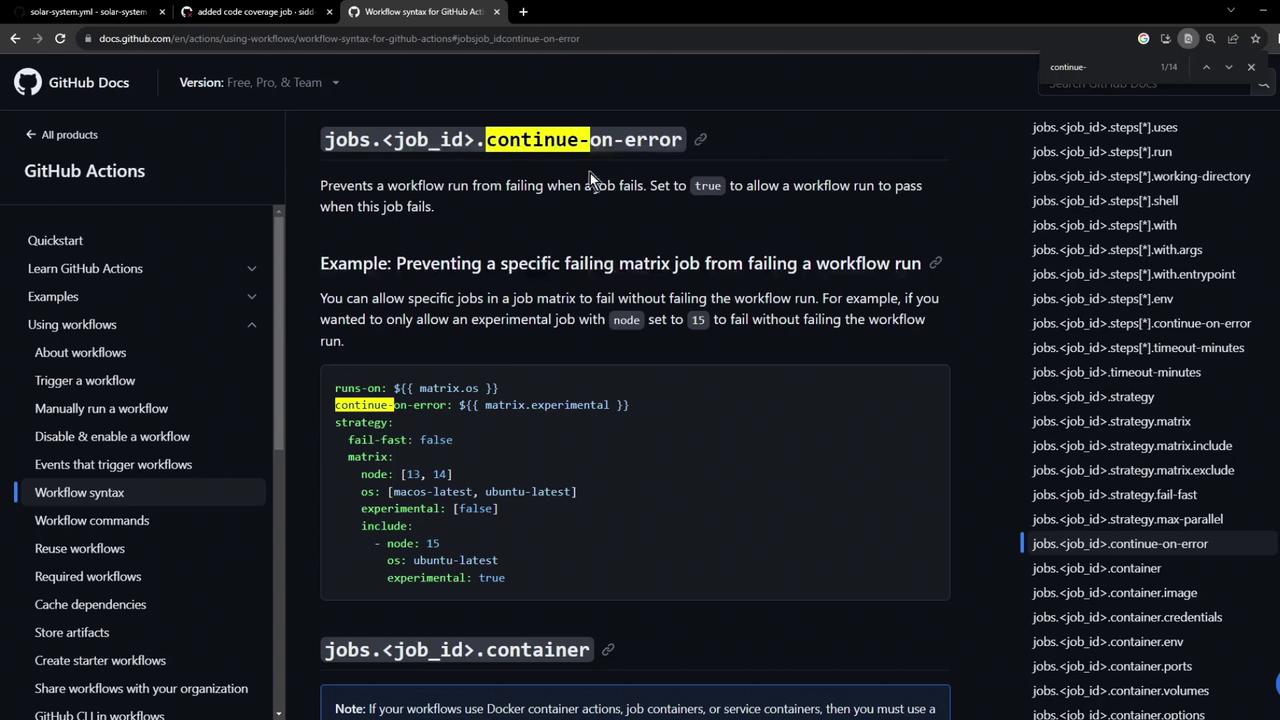
Applyingcontinue-on-error on a job prevents that job from failing the entire workflow run. This is useful for matrix jobs where you want an “experimental” axis to fail quietly.
matrix.experimental: true will not block the workflow on failure.
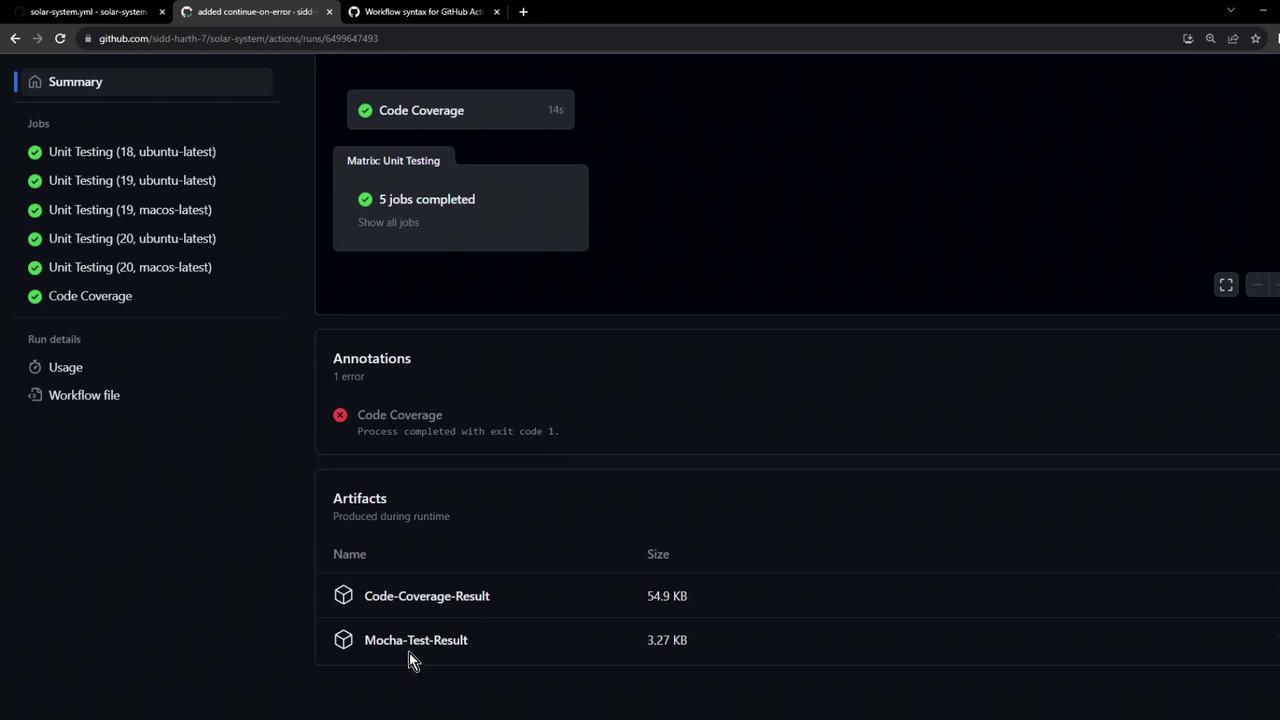
Below is the workflow summary, showing completed unit tests, a coverage job with an error, and the uploaded artifacts:
Links and References
- GitHub Actions Workflow Syntax: continue-on-error
- GitHub Actions: Uploading Artifacts
- nyc Code Coverage Tool