

node_modules between runs, you can dramatically reduce install times and lower CI costs.
Workflow Performance without Caching
Our initial CI run for the solar-system project completed in 59 seconds: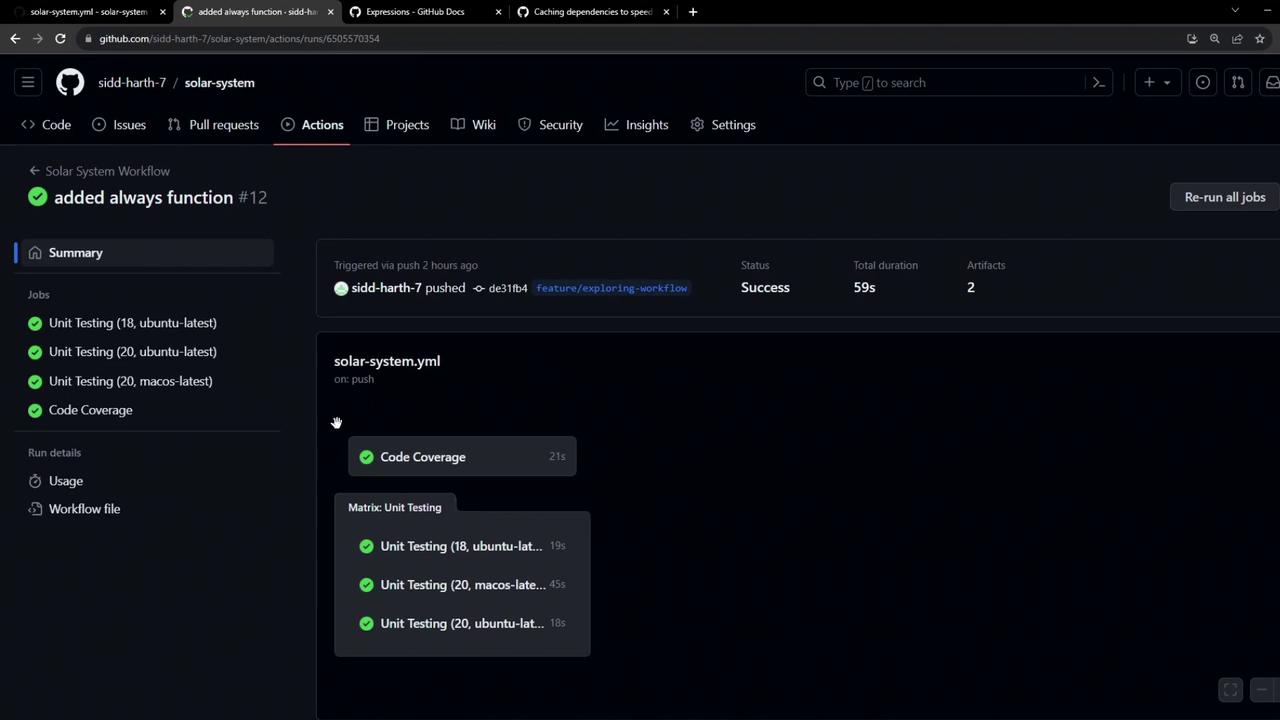
On macOS, the Setup Node.js and Install Dependencies steps took about 20s and 15s respectively:
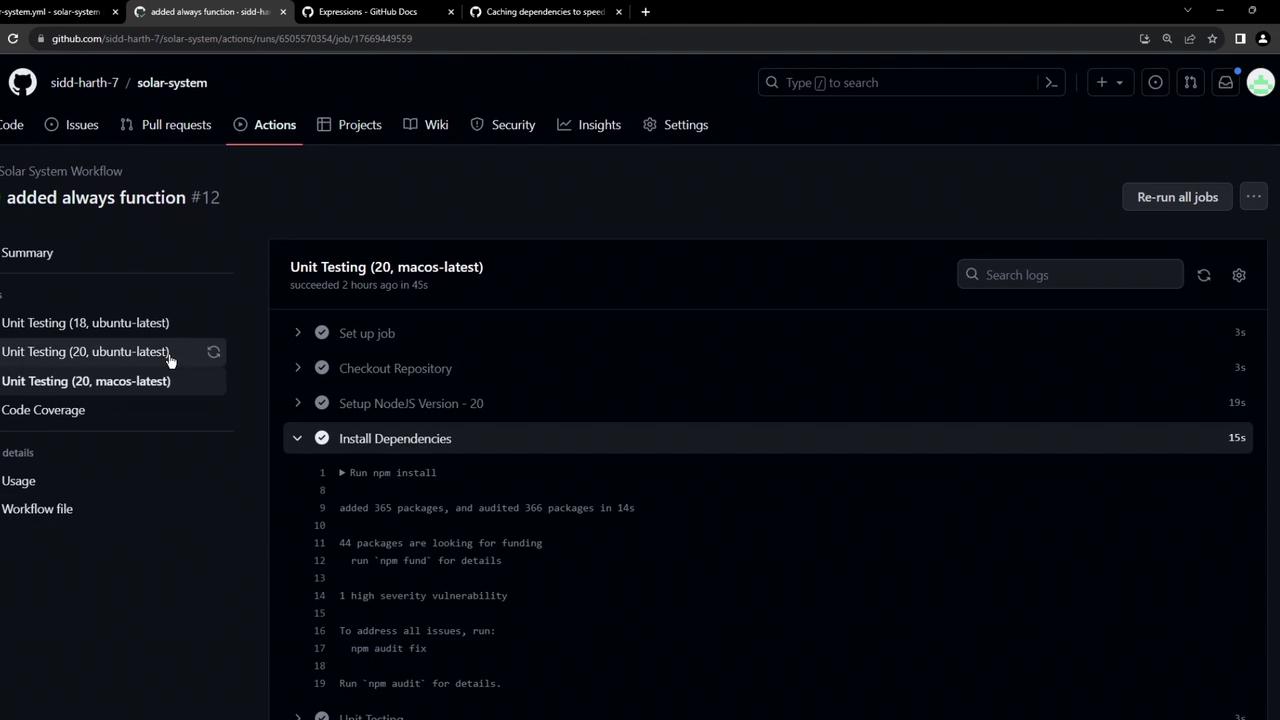
package.json grows, so do install times. Let’s fix that with caching.
Caching Dependencies with actions/cache
GitHub’s actions/cache action lets you save and restore directories or files across jobs and workflow runs. Unlike artifacts (which are job outputs), caches retain dependencies that rarely change—likenode_modules.
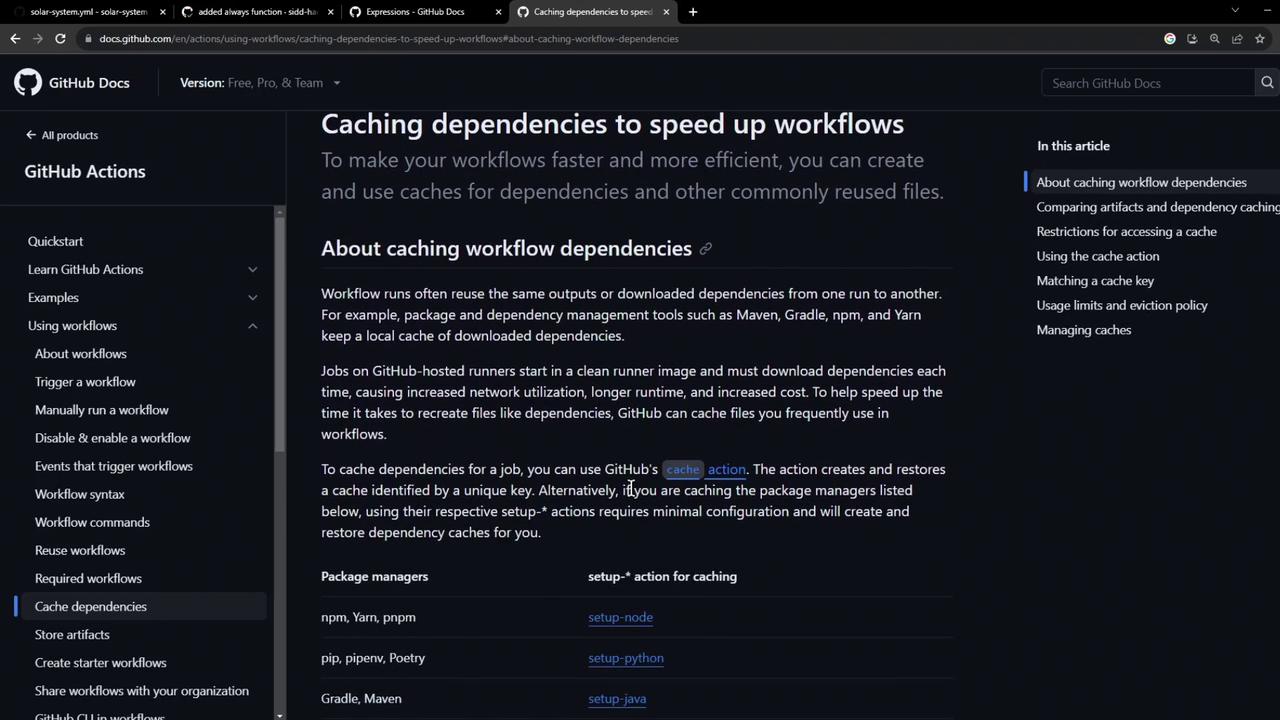
- path: The directory or file to cache (e.g.,
node_modules). - key: A unique identifier for the cache, typically including OS and a hash of lockfiles.
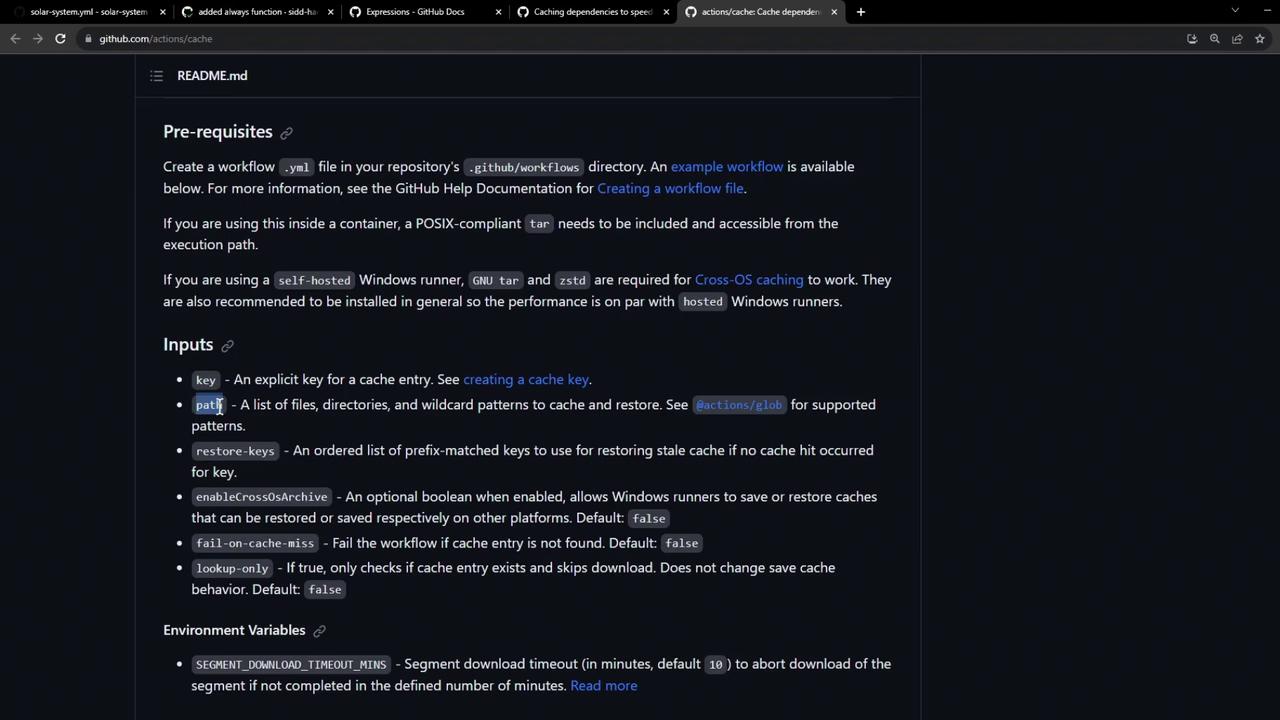
Including
hashFiles('package-lock.json') in your key invalidates the cache whenever dependencies change.Implementing Caching in Our Workflow
We’ll integrate cache steps into both unit-testing and code-coverage jobs.Unit Testing Job
path: node_modulescaches installed packages.key: ${{ runner.os }}-node-modules-${{ hashFiles('package-lock.json') }}${{ runner.os }}separates caches per OS.hashFiles('package-lock.json')busts the cache when lockfile updates.
Code Coverage Job
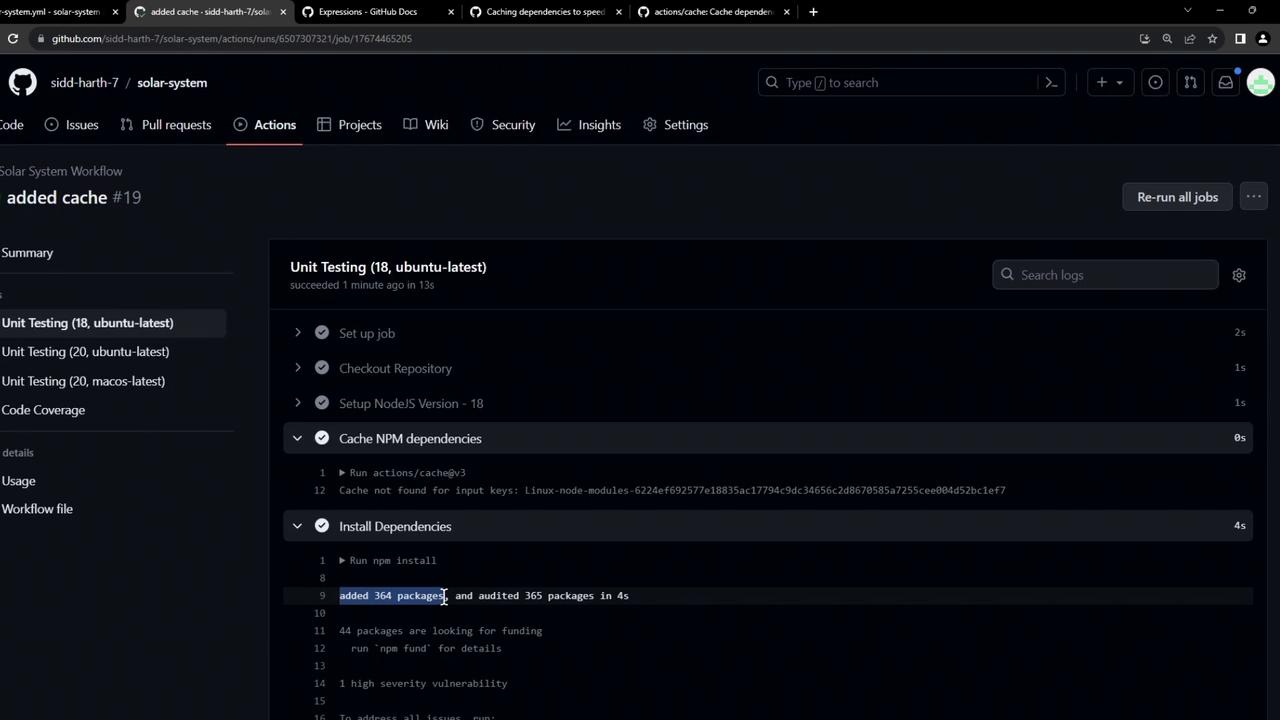
First Workflow Run: Cache Creation
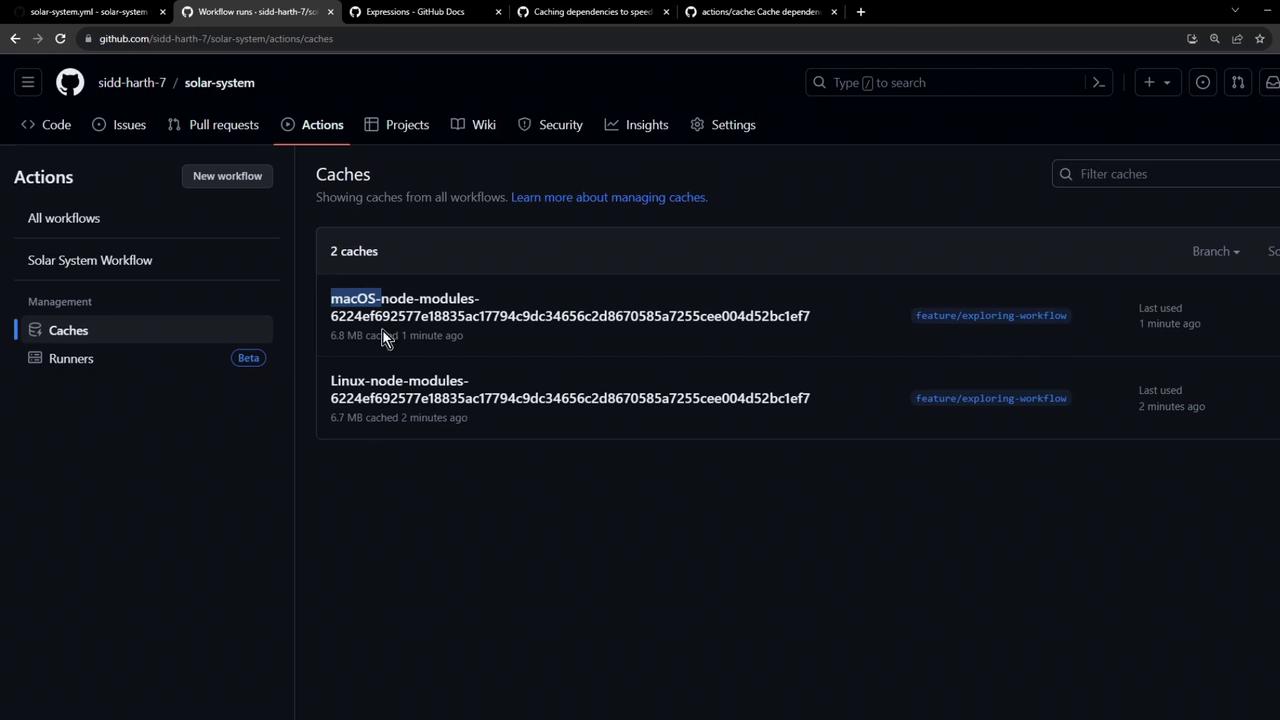
After pushing these changes, visit Settings → Caches in your repo to see cache entries: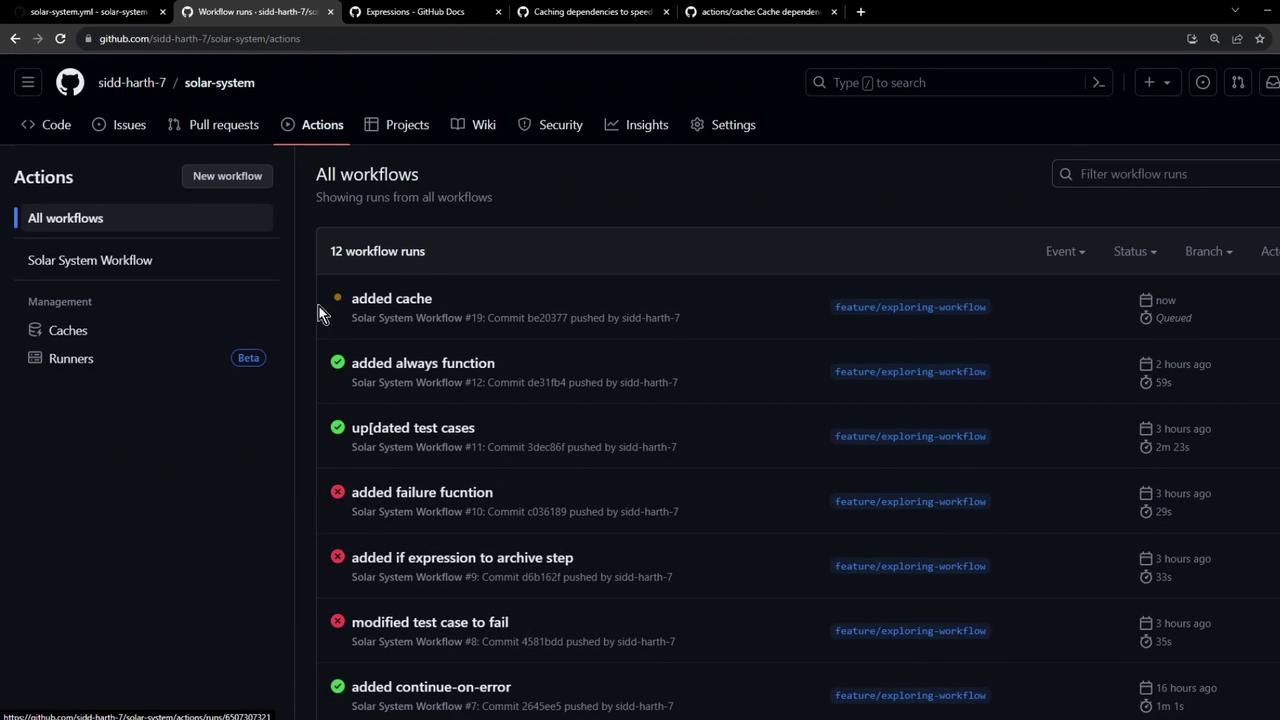


Subsequent Run: Cache Restoration
On the next push, the workflow pulls down the saved cache in under a second: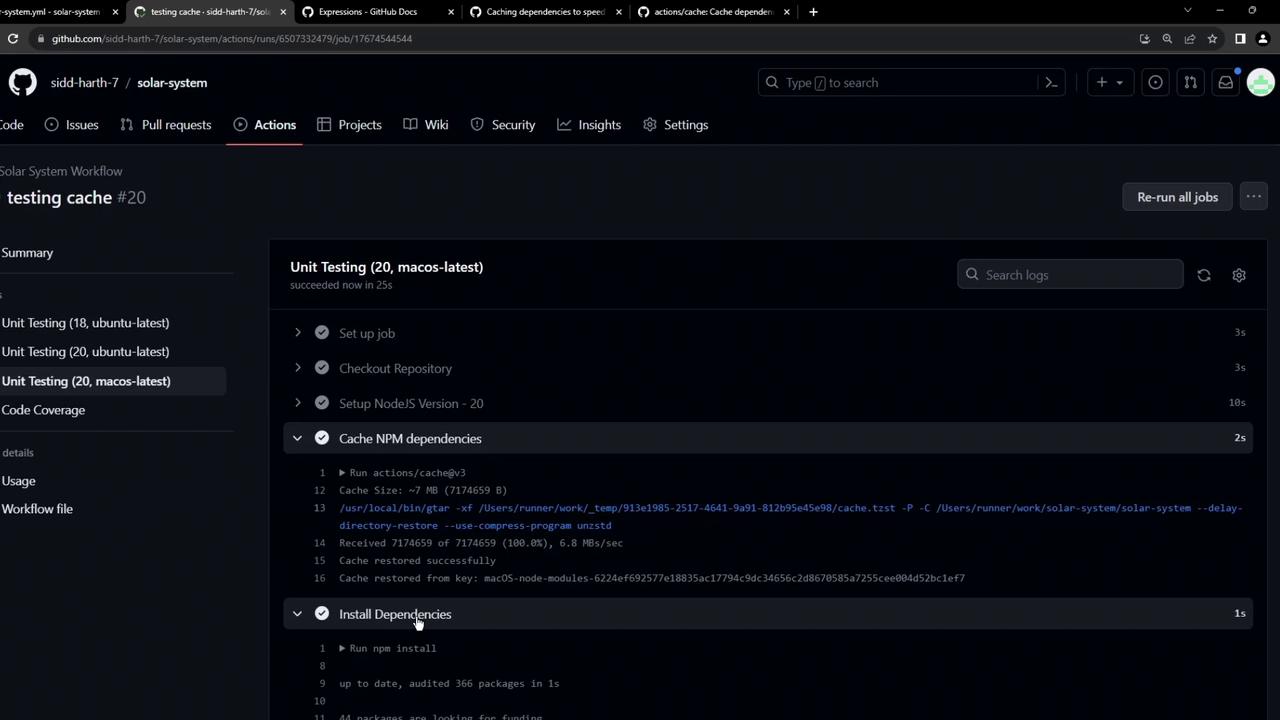
Conclusion
By cachingnode_modules with actions/cache, you’ll see faster CI runs and reduced compute costs. In our next article, we’ll cover advanced cache invalidation strategies when dependencies change.