

npm run coverage, and archives the results for later inspection.
Environment Variables
Make sure the following variables are defined in your repository settings:1. Existing Unit Testing Job
This YAML snippet configures a matrix-based unit testing job across multiple Node.js versions and OS environments:2. Job Overview
3. Adding the Code Coverage Job
Add a second job namedcode-coverage right below the existing unit-testing definition:
npm run coverage outputs coverage data under the coverage folder, which the upload-artifact action then archives for 5 days.
4. Viewing Artifacts in the GitHub Actions UI
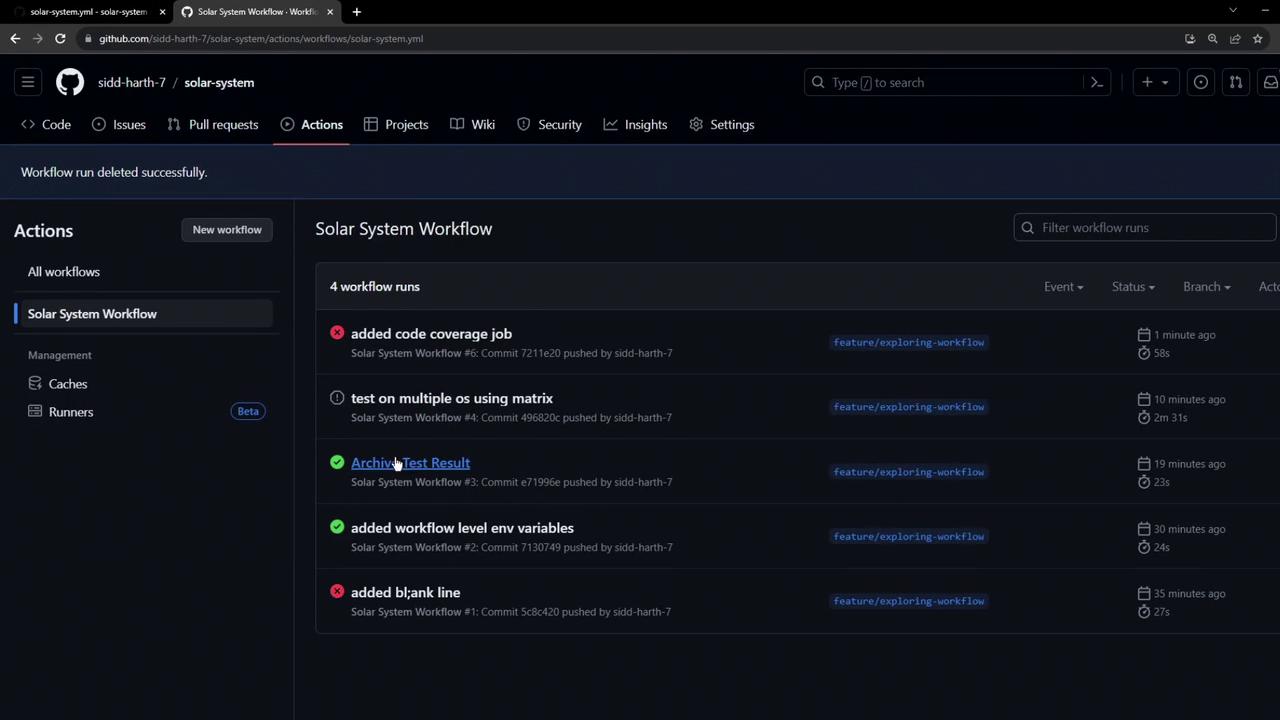
Artifacts from each workflow run appear in the Artifacts section of the run summary. You can remove individual artifacts manually or rely on theretention-days setting for automatic cleanup.
5. Handling Coverage Threshold Failures
If your global coverage threshold (for example, 90%) isn’t met, the coverage step exits with a non-zero code. Subsequent steps—including artifact uploads—are skipped.
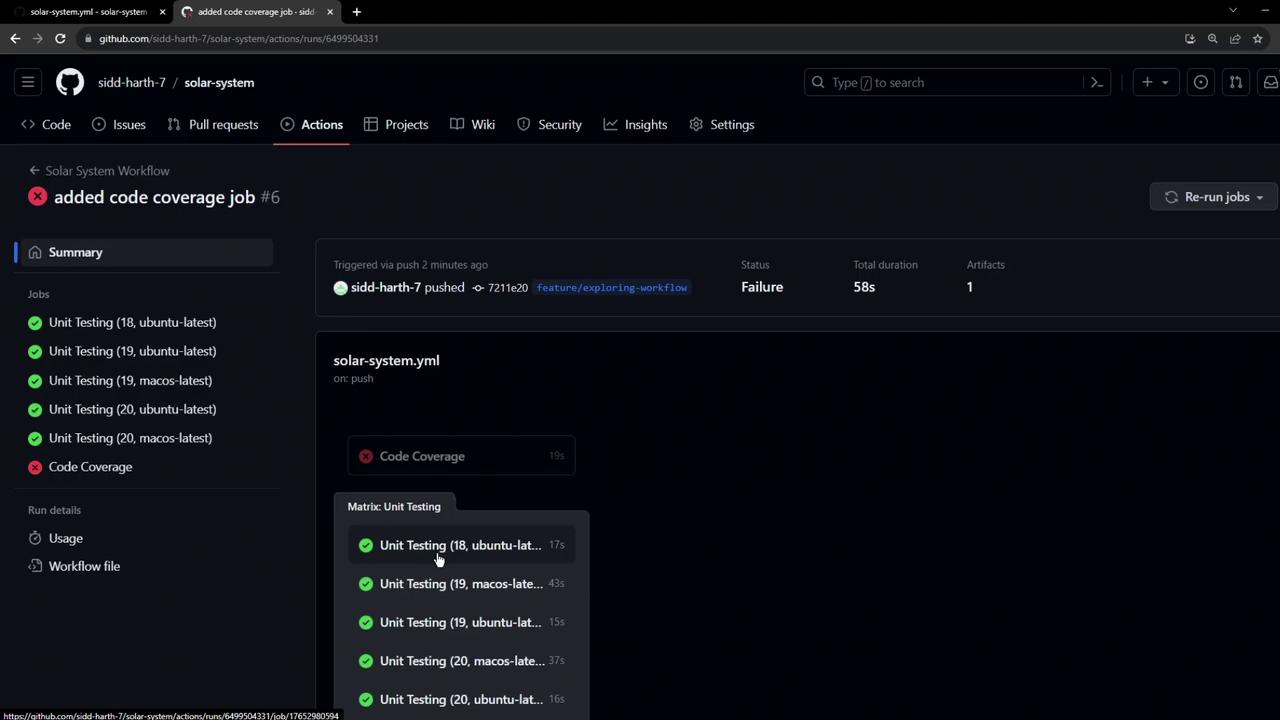
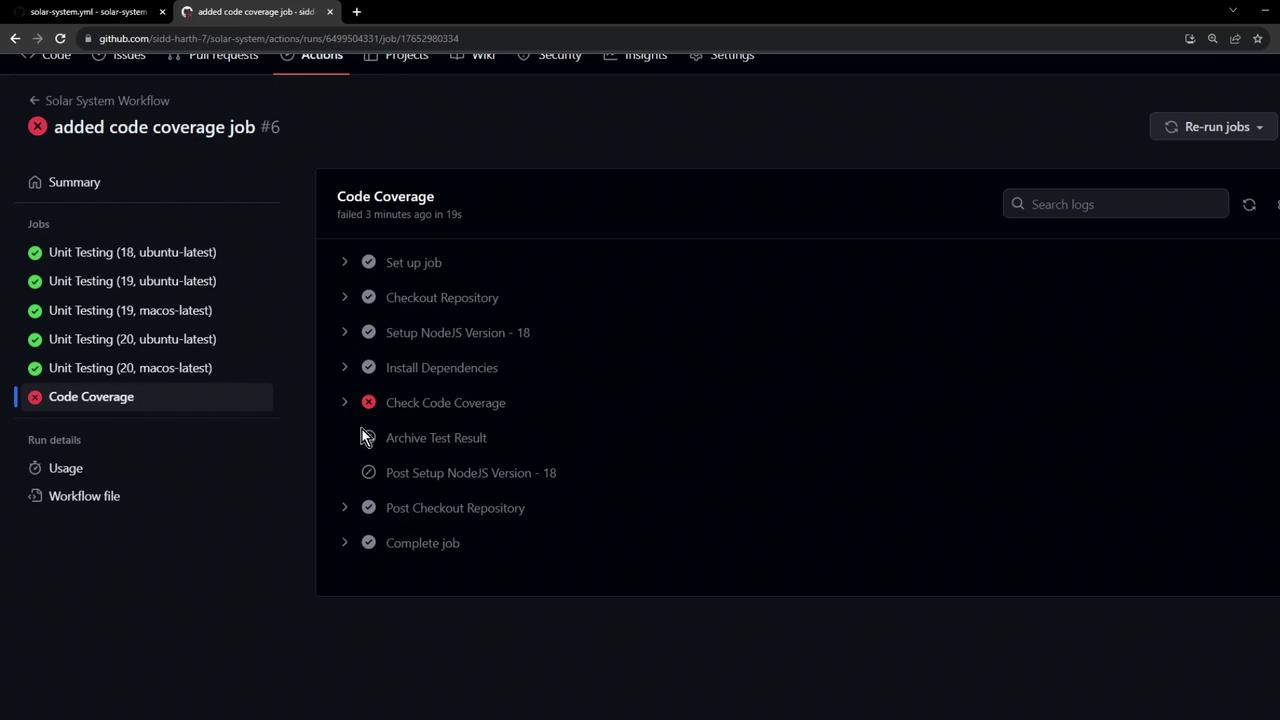
To ensure artifact upload even on failure, consider using
continue-on-error: true for the coverage step or placing the upload step in a separate always() conditional.6. Next Steps
- Write additional tests to boost coverage above your threshold.
- Tweak or disable the coverage threshold in your test config.
- Implement error-handling strategies to archive critical artifacts regardless of step failures.
Links and References
- GitHub Actions Documentation
- actions/checkout @ GitHub Marketplace
- actions/setup-node @ GitHub Marketplace
- actions/upload-artifact @ GitHub Marketplace