

kubectl to authenticate and interact with a remote Kubernetes cluster as part of your CI/CD pipeline.
Initial Workflow
Below is the existingdev-deploy job before integrating the Kubeconfig step:
Without a configured context,
kubectl cannot authenticate against your Kubernetes cluster in GitHub Actions.Adding the Kubeconfig Secret
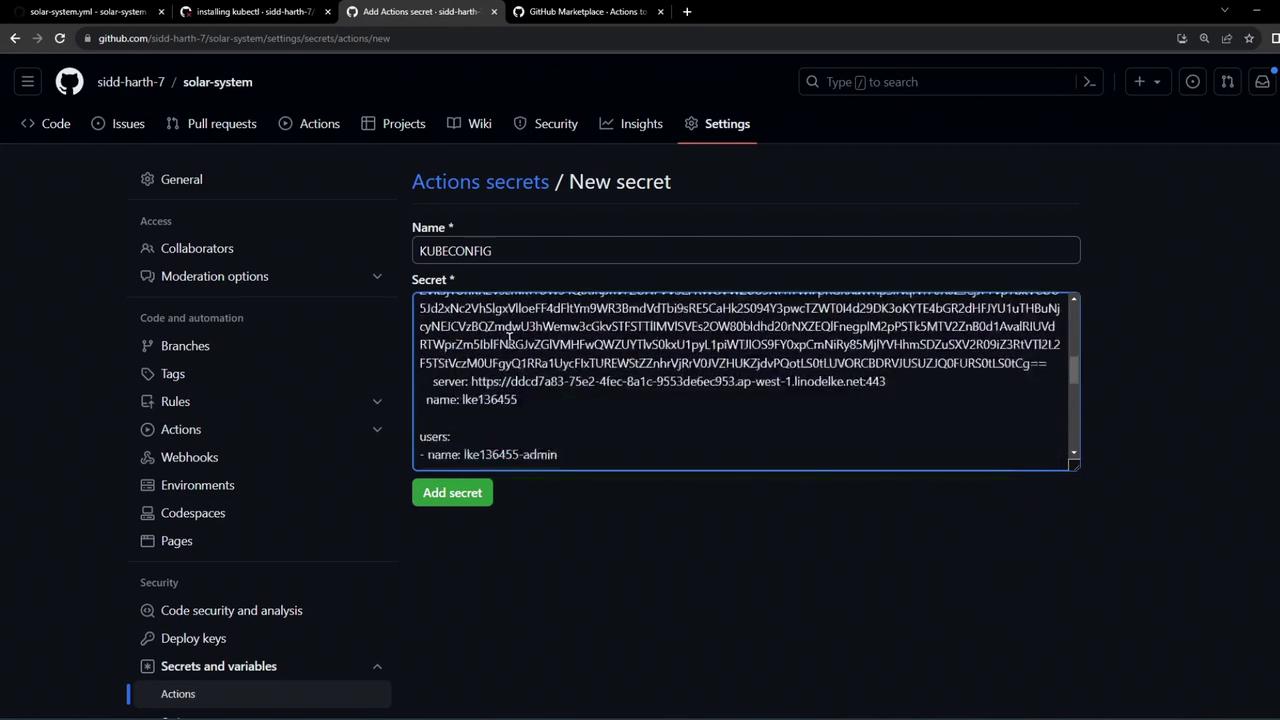
To securely provide your cluster credentials, add the Base64-encoded Kubeconfig to GitHub Actions secrets:- In your repository, go to Settings > Secrets and variables > Actions.
- Click New repository secret.
- Name the secret
KUBECONFIG. - Paste your Base64-encoded Kubeconfig content and save.
Never commit your plain Kubeconfig file to source control. Always store it as an encrypted secret.
Selecting the Context Action
Use the azure/k8s-set-context@v3 action to apply the Kubeconfig in your workflow. You can find it by searching “kubeconfig” in the GitHub Marketplace under Actions.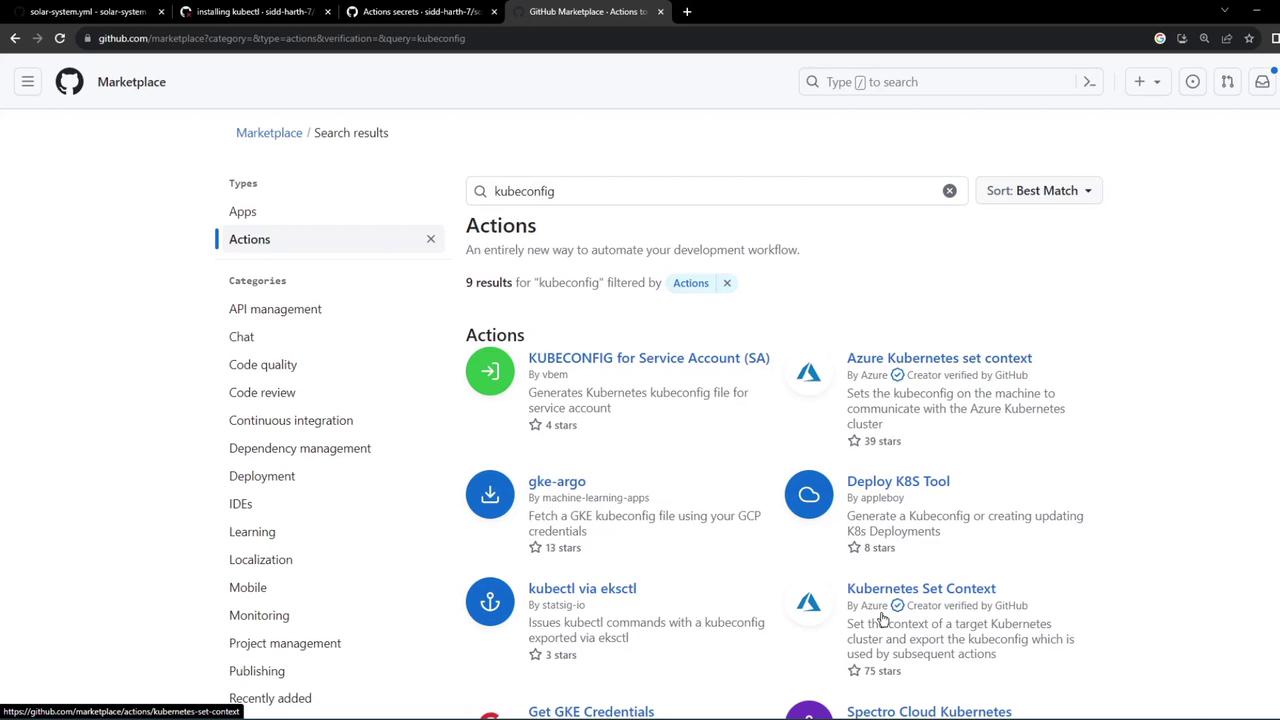
Final Workflow with Kubeconfig
Update yourdev-deploy job to include a step that sets the Kubernetes context using the secret:
Workflow Step Summary
Commit and push these changes to trigger the GitHub Actions workflow. The pipeline will now read the
KUBECONFIG secret, configure context, and run kubectl commands against your remote cluster.
Monitoring Workflow Results
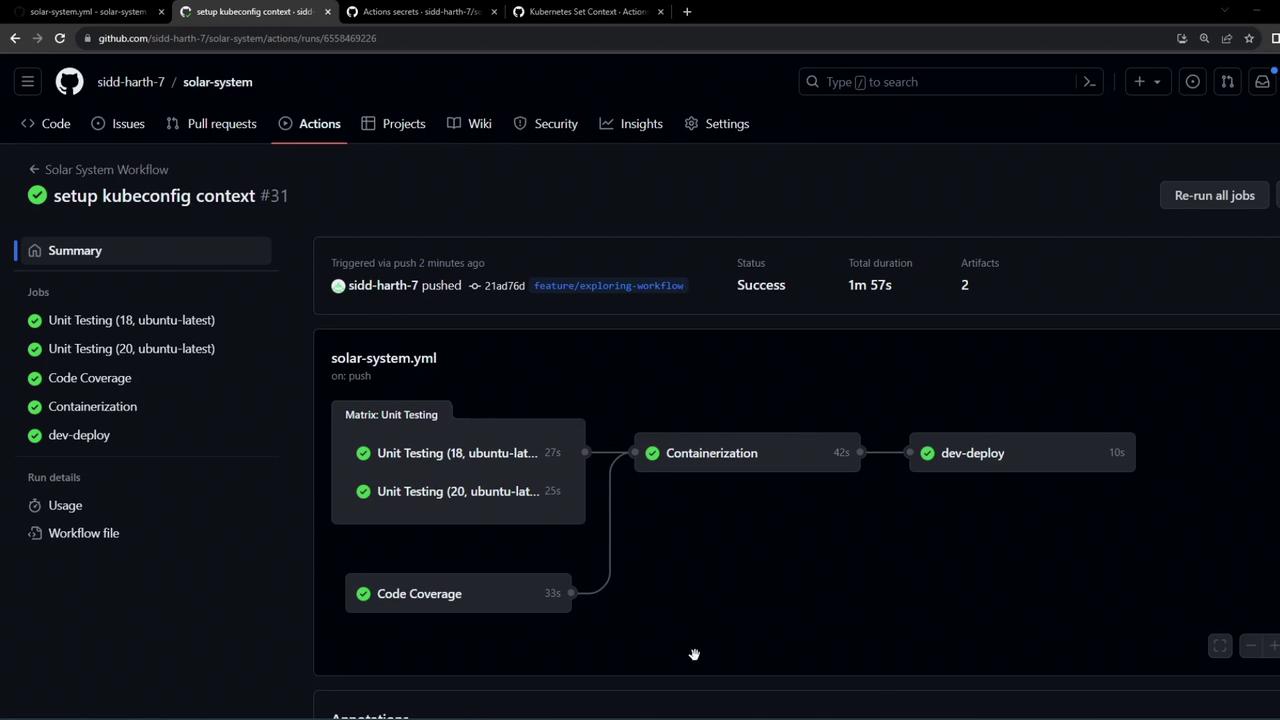
After completion, you should see a green checkmark on all jobs, includingdev-deploy. The Set Kubeconfig Context step applies your credentials, and the subsequent step confirms connectivity.
Sample Logs
kubectl authenticates with your remote cluster via the secure Kubeconfig file stored in GitHub Actions secrets.
Links and References
- azure/setup-kubectl – GitHub Action to install
kubectl - azure/k8s-set-context – GitHub Action to configure Kubernetes context
- GitHub Actions Secrets
- Kubernetes Basics