In this guide, you’ll learn how to automate token replacement in your Kubernetes manifests using GitHub Actions. We will cover:
  • Defining repository-level variables for namespace, replicas, and image
  • Installing and configuring the cschleiden/replace-tokens@v1 action
  • Dynamically fetching the Ingress controller’s external IP
  • Applying placeholder replacement in kubernetes/development/*.yaml
  • Verifying the transformed manifests before deployment

Placeholder tokens in your manifests

Under kubernetes/development/, manifests contain tokens like {_NAMESPACE_}, {_REPLICAS_}, {_IMAGE_}, and {_INGRESS_IP_}:
# kubernetes/development/deployment.yaml
apiVersion: apps/v1
kind: Deployment
metadata:
  name: solar-system
  namespace: {_NAMESPACE_}
spec:
  replicas: {_REPLICAS_}
  selector:
    matchLabels:
      app: solar-system
  template:
    metadata:
      labels:
        app: solar-system
    spec:
      containers:
      - name: solar-system
        image: {_IMAGE_}
        imagePullPolicy: Always
        ports:
        - containerPort: 3000
          name: http
# kubernetes/development/service.yaml
apiVersion: v1
kind: Service
metadata:
  name: solar-system
  namespace: {_NAMESPACE_}
spec:
  ports:
  - port: 3000
    targetPort: 3000
  selector:
    app: solar-system
# kubernetes/development/ingress.yaml
apiVersion: networking.k8s.io/v1
kind: Ingress
metadata:
  name: solar-system
  namespace: {_NAMESPACE_}
  annotations:
    kubernetes.io/tls-acme: "true"
spec:
  rules:
  - host: solar-system-{_NAMESPACE_}.{_INGRESS_IP_}.nip.io
    http:
      paths:
      - path: /
        pathType: Prefix
        backend:
          service:
            name: solar-system
            port:
              number: 3000
  tls:
  - hosts:
    - solar-system-{_NAMESPACE_}.{_INGRESS_IP_}.nip.io
    secretName: solar-system
All tokens must be replaced before applying these files to the cluster.

1. Define repository variables

Navigate to Settings > Secrets and variables > Actions in your GitHub repository. Here you can add both non-secret variables and secrets.
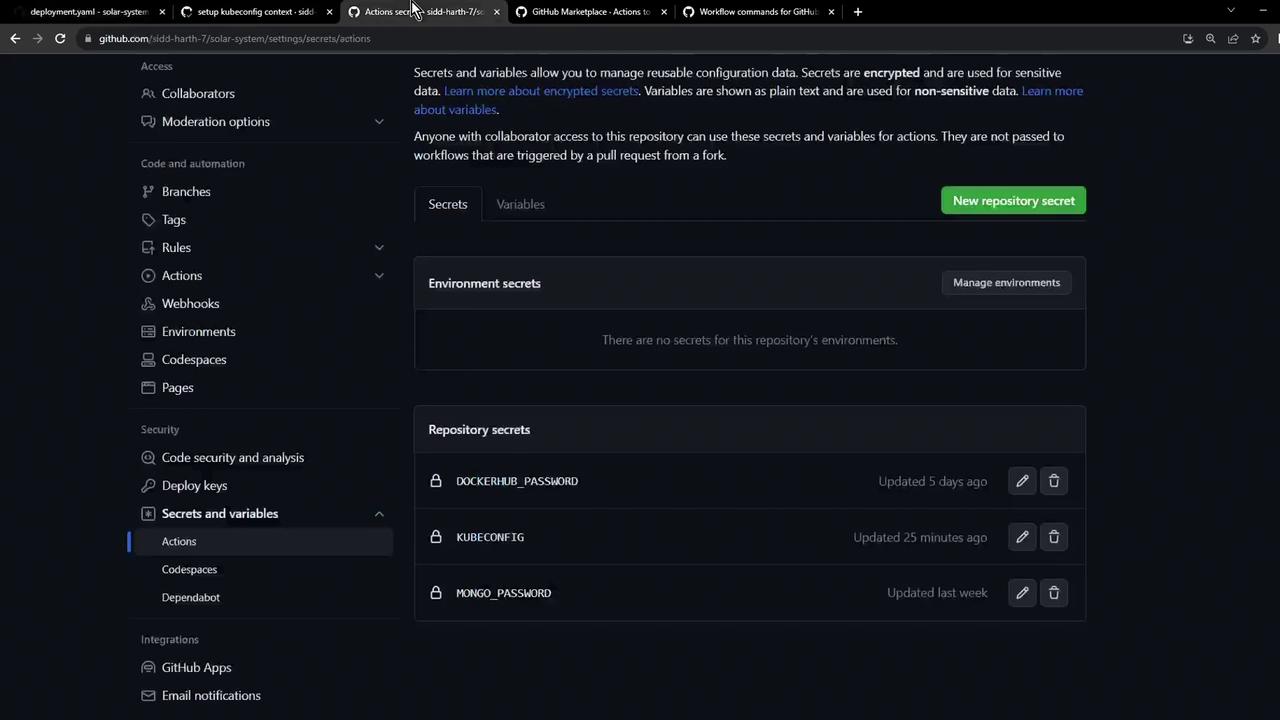
The image shows a GitHub repository settings page focused on "Secrets and variables," displaying environment and repository secrets like DOCKERHUB_PASSWORD, KUBECONFIG, and MONGO_PASSWORD.
Use Variables for non-sensitive configuration (e.g., NAMESPACE, REPLICAS) and Secrets for credentials (KUBECONFIG, DOCKERHUB_PASSWORD).
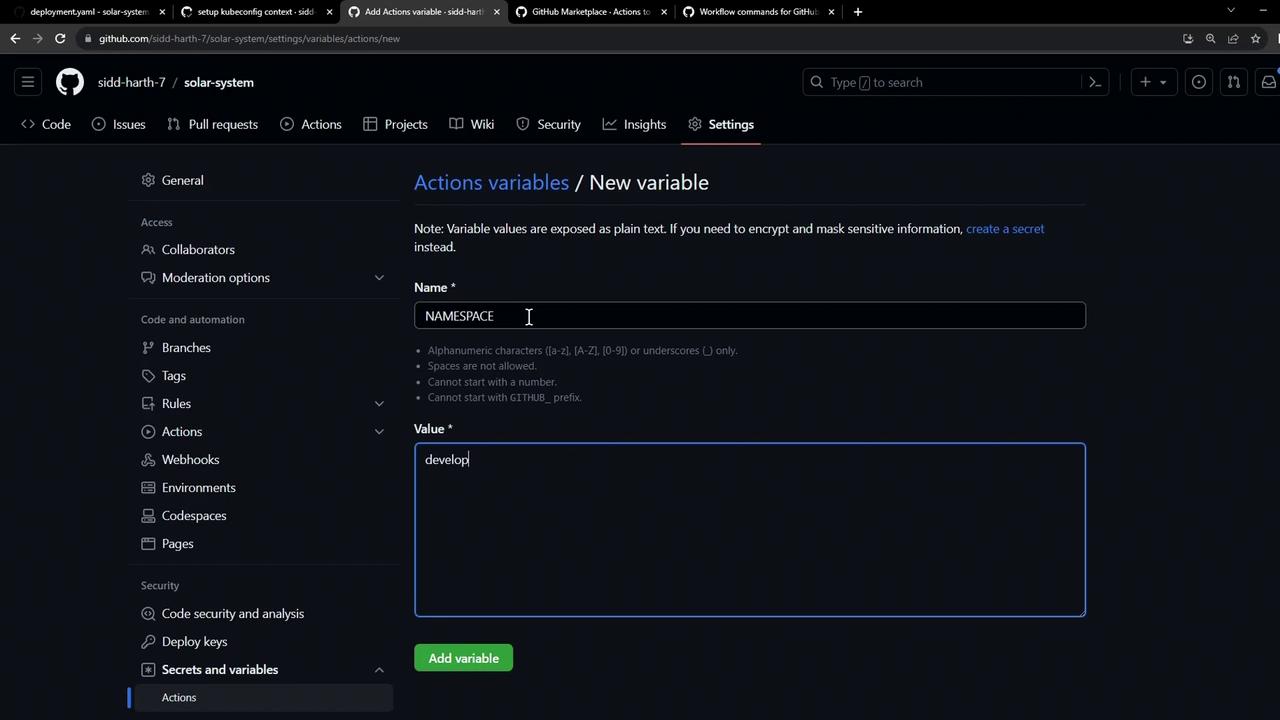
Add the following repository variables:
NameValueDescription
NAMESPACEdevelopmentKubernetes namespace for development
REPLICAS2Number of replicas to deploy
The image shows a GitHub settings page where a new action variable is being added, with "NAMESPACE" as the name and "develop" as the value.
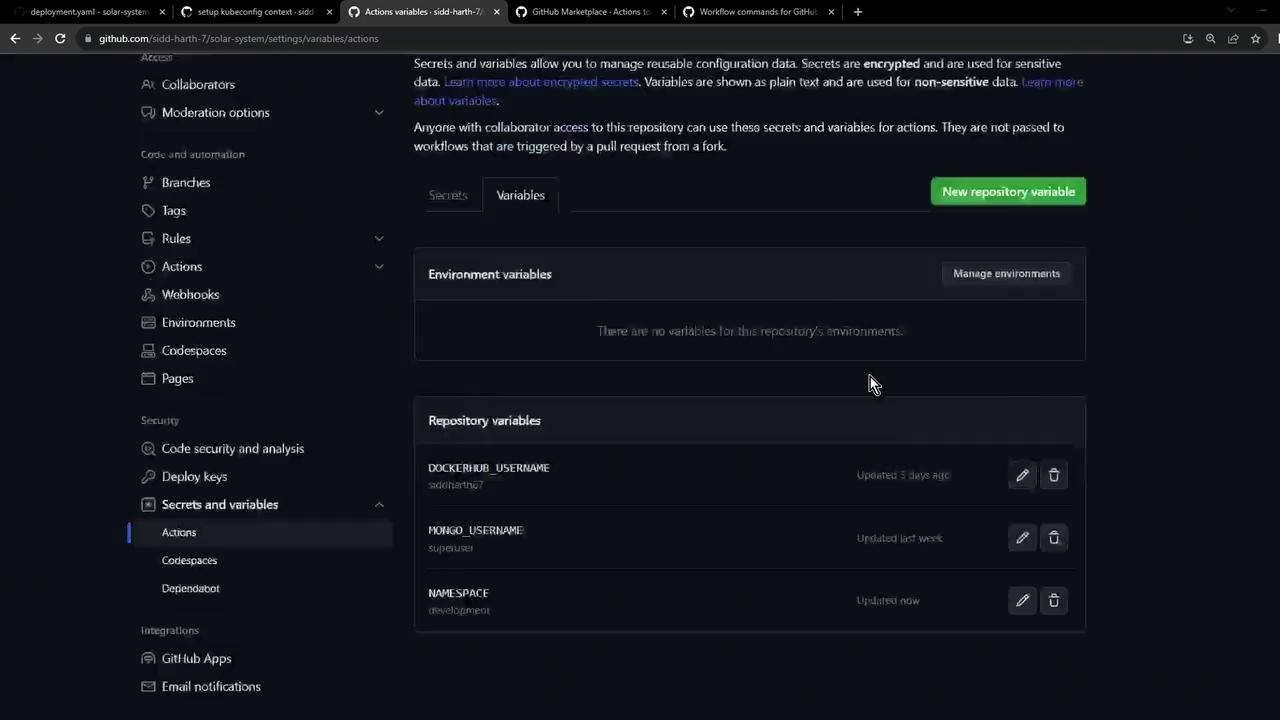
Once added, your list should look like this:
The image shows a GitHub repository settings page, specifically the "Secrets and variables" section under "Actions," displaying environment and repository variables.
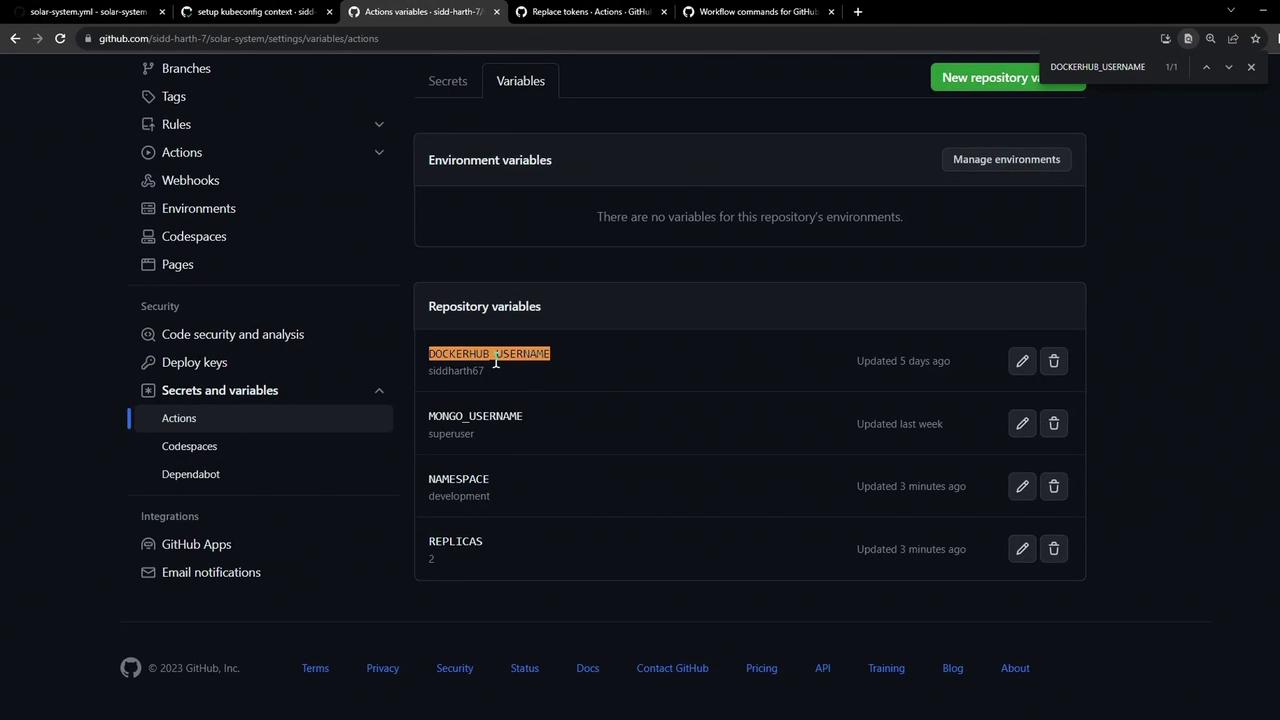
Ensure you also have DOCKERHUB_USERNAME defined for constructing the container image reference:
The image shows a GitHub repository settings page, specifically the "Secrets and variables" section under "Actions," displaying a list of repository variables such as DOCKERHUB_USERNAME and MONGO_USERNAME.

2. Choose a token-replacement action

From the GitHub Marketplace, install cschleiden/replace-tokens@v1. This action will scan files and replace tokens based on your specified prefix and suffix.
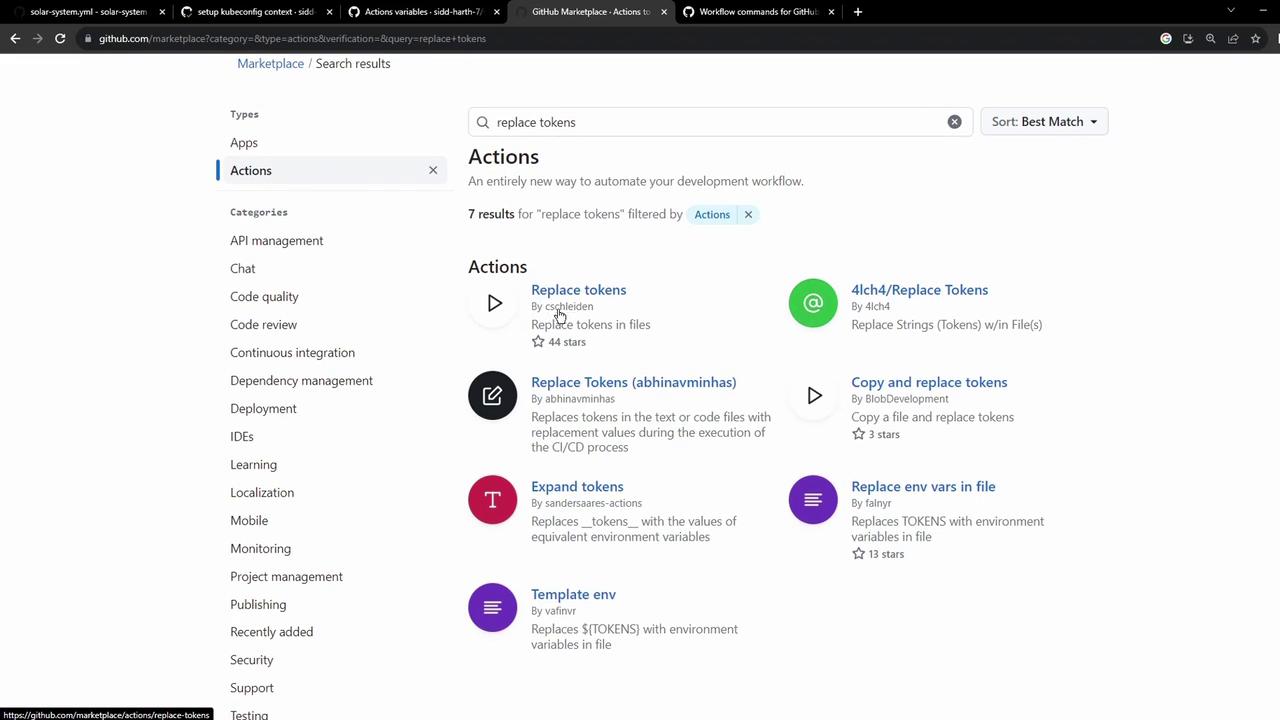
The image shows a GitHub Marketplace search results page for "replace tokens" actions, listing various tools for automating token replacement in files.
Example configuration:
- uses: cschleiden/replace-tokens@v1
  with:
    tokenPrefix: '{_'
    tokenSuffix: '_}'
    files: 'kubernetes/development/*.yaml'
  env:
    NAMESPACE: ${{ vars.NAMESPACE }}
    REPLICAS: ${{ vars.REPLICAS }}
    IMAGE: ${{ vars.DOCKERHUB_USERNAME }}/solar-system:${{ github.sha }}
    INGRESS_IP: ${{ env.INGRESS_IP }}

3. Fetch the Ingress IP dynamically

Hard-coding the external IP limits flexibility. Instead, retrieve it at runtime using kubectl and store it in GITHUB_ENV:
kubectl -n ingress-nginx get svc ingress-nginx-controller \
  -o jsonpath="{.status.loadBalancer.ingress[0].ip}"
In your workflow, you’ll capture this value:
- name: Save NGINX Ingress Controller IP
  id: save_ingress_ip
  run: |
    echo "INGRESS_IP=$(kubectl -n ingress-nginx \
      get svc ingress-nginx-controller \
      -o jsonpath='{.status.loadBalancer.ingress[0].ip}')" >> $GITHUB_ENV

4. Complete GitHub Actions workflow

Below is a full example workflow that ties everything together:
name: Dev Deploy

on:
  push:
    branches: [ main ]

jobs:
  deploy:
    runs-on: ubuntu-latest
    steps:

    - name: Checkout repository
      uses: actions/checkout@v3

    - name: Set Kubeconfig
      uses: azure/k8s-set-context@v3
      with:
        method: kubeconfig
        kubeconfig: ${{ secrets.KUBECONFIG }}

    - name: Fetch Kubernetes cluster details
      run: |
        kubectl version --short
        echo "----------------------------------------------"
        kubectl get nodes

    - name: Save NGINX Ingress Controller IP
      id: save_ingress_ip
      run: |
        echo "INGRESS_IP=$(kubectl -n ingress-nginx \
          get svc ingress-nginx-controller \
          -o jsonpath='{.status.loadBalancer.ingress[0].ip}')" >> $GITHUB_ENV

    - name: Replace tokens in Kubernetes manifests
      uses: cschleiden/replace-tokens@v1
      with:
        tokenPrefix: '{_'
        tokenSuffix: '_}'
        files: 'kubernetes/development/*.yaml'
      env:
        NAMESPACE: ${{ vars.NAMESPACE }}
        REPLICAS: ${{ vars.REPLICAS }}
        IMAGE: ${{ vars.DOCKERHUB_USERNAME }}/solar-system:${{ github.sha }}
        INGRESS_IP: ${{ env.INGRESS_IP }}

    - name: Verify token replacement
      run: |
        echo "=== deployment.yaml ==="
        cat kubernetes/development/deployment.yaml
        echo "=== service.yaml ==="
        cat kubernetes/development/service.yaml
        echo "=== ingress.yaml ==="
        cat kubernetes/development/ingress.yaml

5. Outcome

After the workflow completes:
  • namespace will be set to development
  • replicas updated to 2
  • image resolved as <your-dockerhub-username>/solar-system:<commit-sha>
  • Ingress host entries generated with the actual load balancer IP
This pattern can be replicated for other environments (e.g., kubernetes/production/) by adjusting repository variables and glob patterns in the workflow.