Before migrating pipelines or running migrations, perform a focused review of the existing Jenkins controller, its job types, agents, plugins, and credentials. This helps identify compatibility issues, credentials that must be re-created, and any agent configuration needed when migrating to GitHub Actions or other CI platforms. I’m running Jenkins on a VM reachable at http://139.84.149.70:8080 and the controller version is 2.504.1. The instance hosts roughly four projects of mixed types (Freestyle, Declarative Pipeline, Scripted Pipeline) with various triggers (poll-based and SCM-based). Here’s the Jenkins process observed on the host (Java flags shown):
root@jenkins:~#
ps aux | grep -i jenkins
jenkins      940  0.5 10.0 6892276 1649636 ?        Ssl  May19   5:56 /usr/bin/java -Xms1G -Xmx2G -Djava.awt.headless=true -jar /usr/share/java/jenkins.war --webroot=/var/cache/jenkins/war --httpPort=8080
root        28174  0.0  0.0  6544  2304 pts/0    S+   12:45   0:00 grep --color=auto -i jenkins
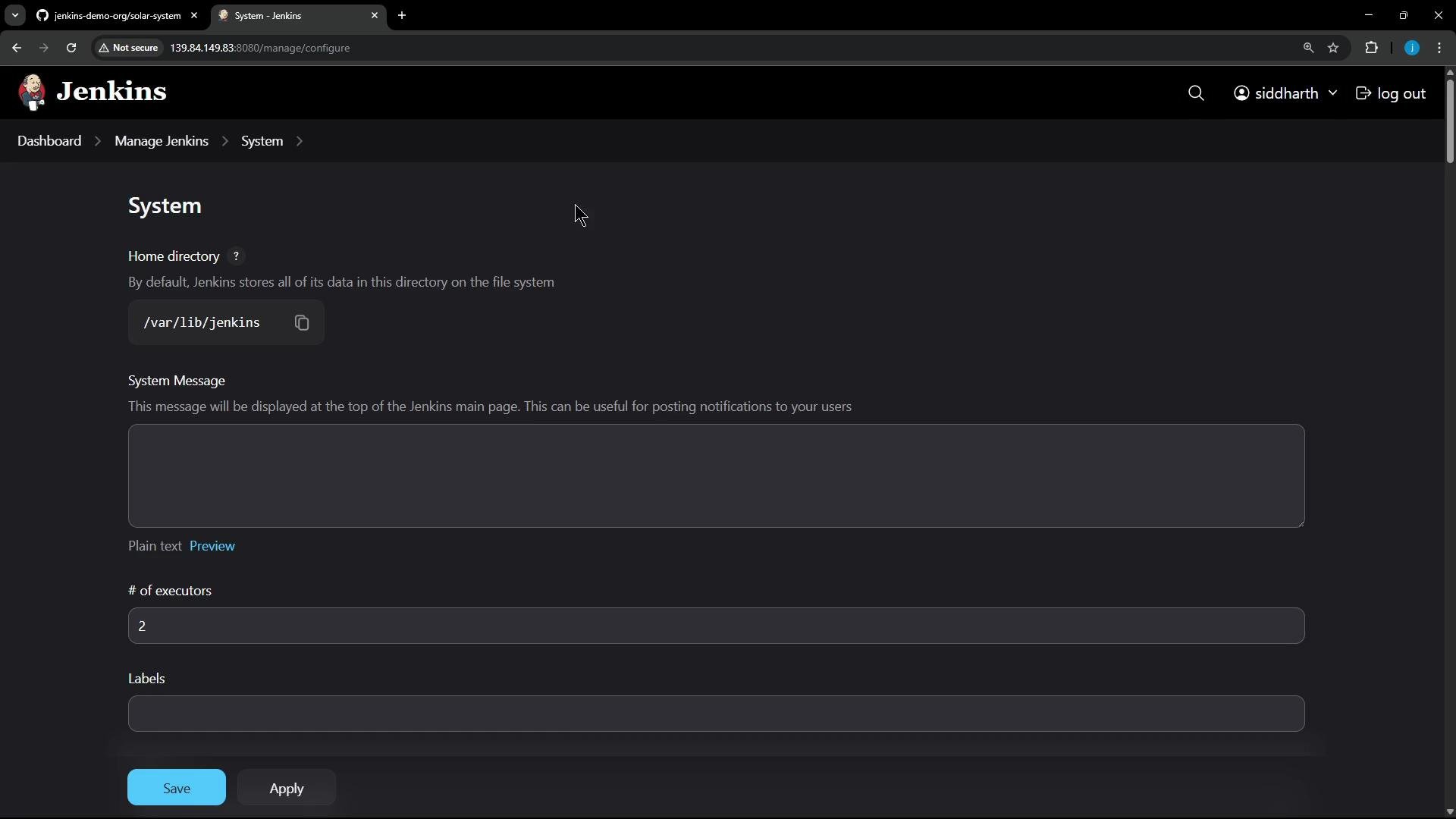
The dashboard shows several pipelines and jobs (visible statuses, last build times, durations):
A Jenkins continuous-integration dashboard in dark mode showing several pipeline jobs with status icons, last success/failure times, and durations. The left sidebar displays navigation items like New Item, Build History, and Build Queue.

Quick configuration summary

ItemValue
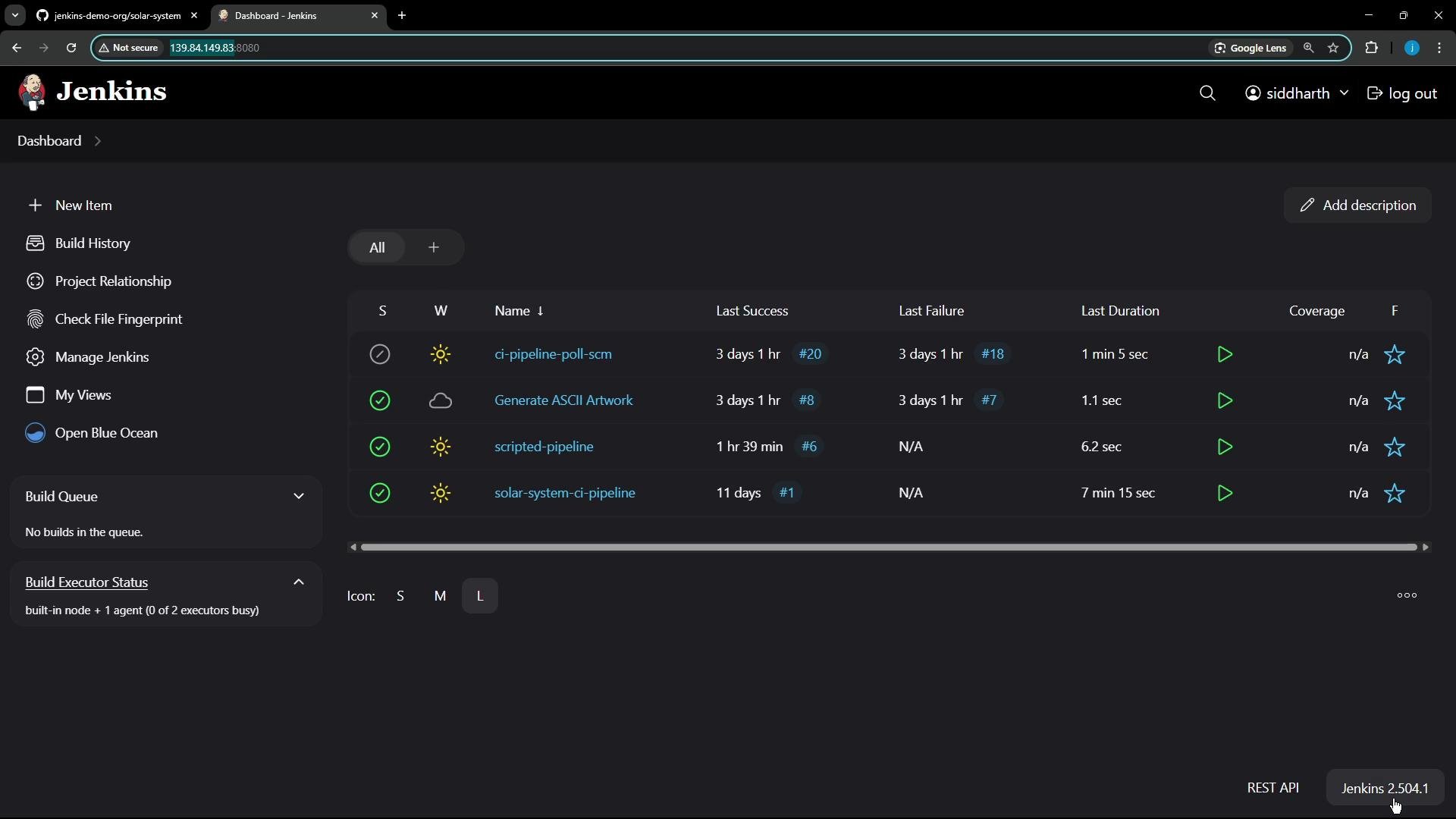
Jenkins home directory/var/lib/jenkins
Controller executors2
Jenkins URLConfigured in System Settings (UI)
Controller version2.504.1
Common job typesFreestyle, Declarative Pipeline, Scripted Pipeline
Typical triggersPoll SCM, SCM webhooks
A dark-themed Jenkins "System" settings page. It shows the Jenkins home directory (/var/lib/jenkins), a system message box, executors set to 2, and Save/Apply buttons.

Installed tools and notable plugins

This environment is primarily used for Node.js-based pipelines. High-level tools and plugins observed:
Tool / PluginPurpose
Node.js installerProvides Node runtime for builds
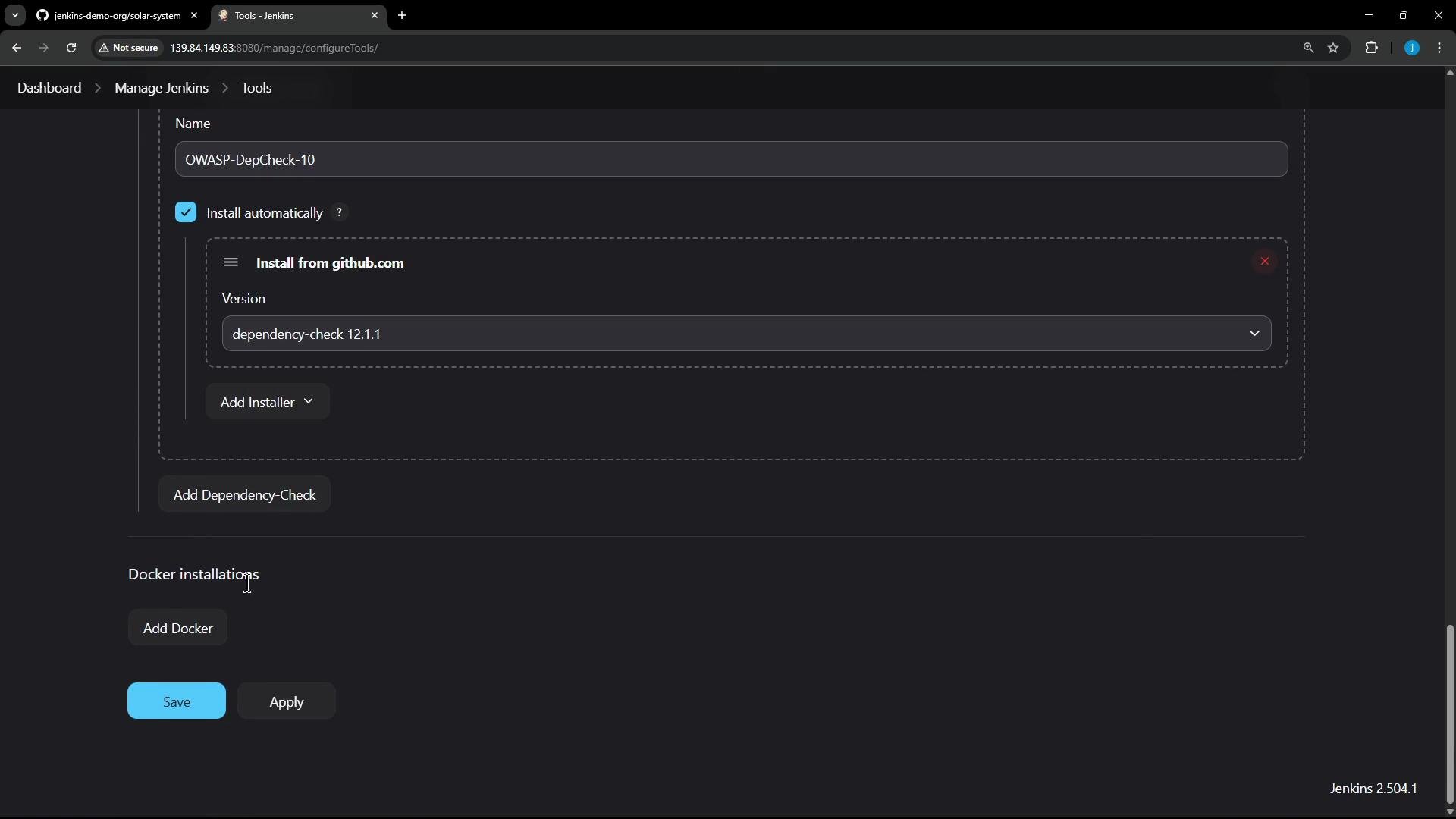
OWASP Dependency-Check (dependency-check 12.1.1)Dependency vulnerability scanning
Sysdig-related toolSecurity/monitoring integrations
Local DockerImage build/push during pipelines
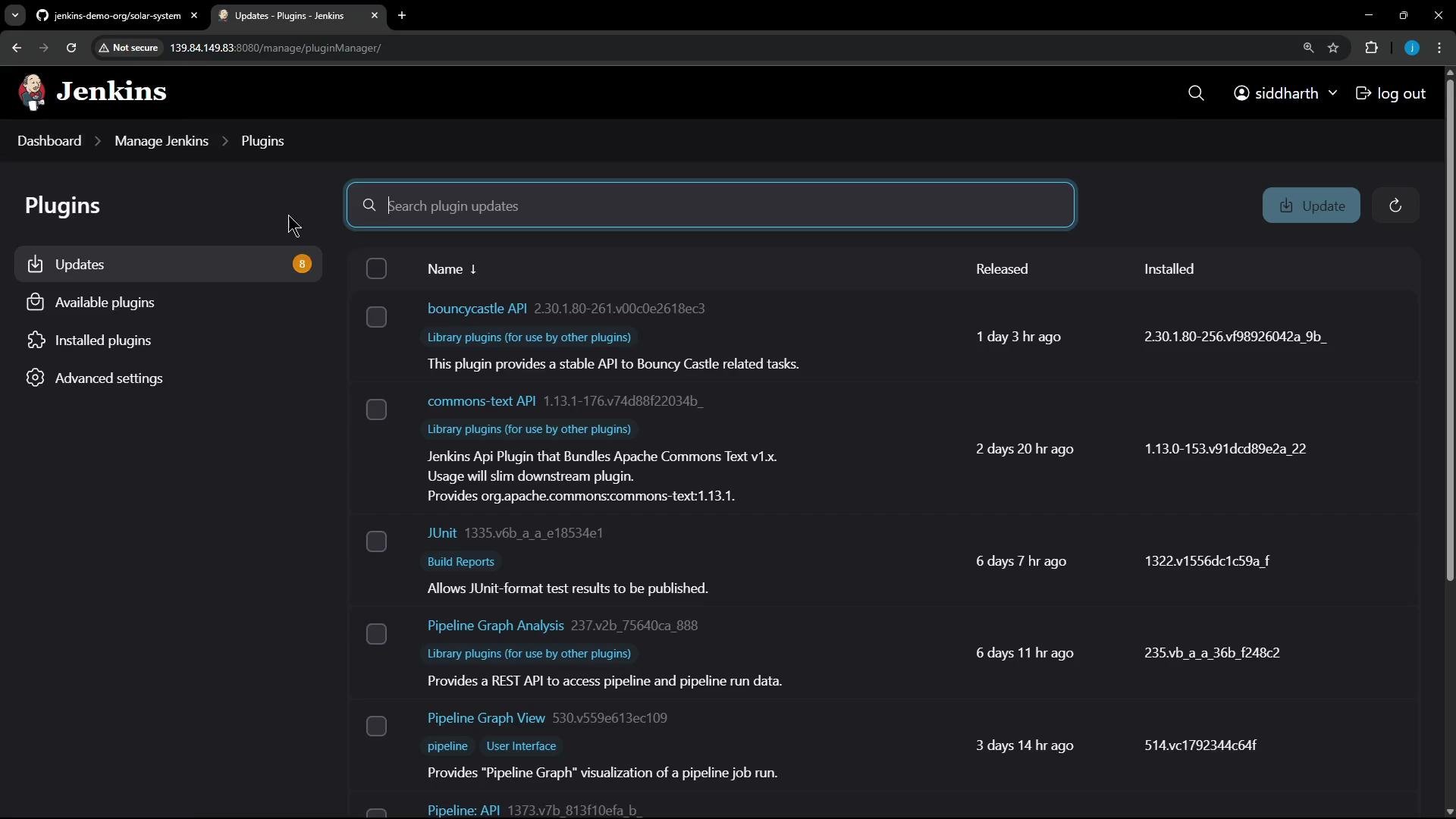
Various Jenkins pluginsPipeline, SCM, JUnit, and others (some updates available)
A dark‑theme screenshot of the Jenkins "Manage Jenkins → Tools" configuration page showing an OWASP-DepCheck tool entry. The "Install automatically" box is checked and the installer is set to "dependency-check 12.1.1", with Add Docker, Save and Apply buttons visible.
Plugin updates are visible in the UI; consider reviewing change logs before upgrading plugins during a migration:
A screenshot of the Jenkins web UI on the Plugins > Updates page showing a list of plugins available for update (e.g., bouncycastle API, commons-text, JUnit, Pipeline Graph Analysis). The interface includes a search bar, an "Update" button, and navigation links on the left.

Nodes and agents

  • The built-in controller node provides two executors.
  • There is an additional agent named us-west-1-ubuntu-22, which was offline at the time of inspection.
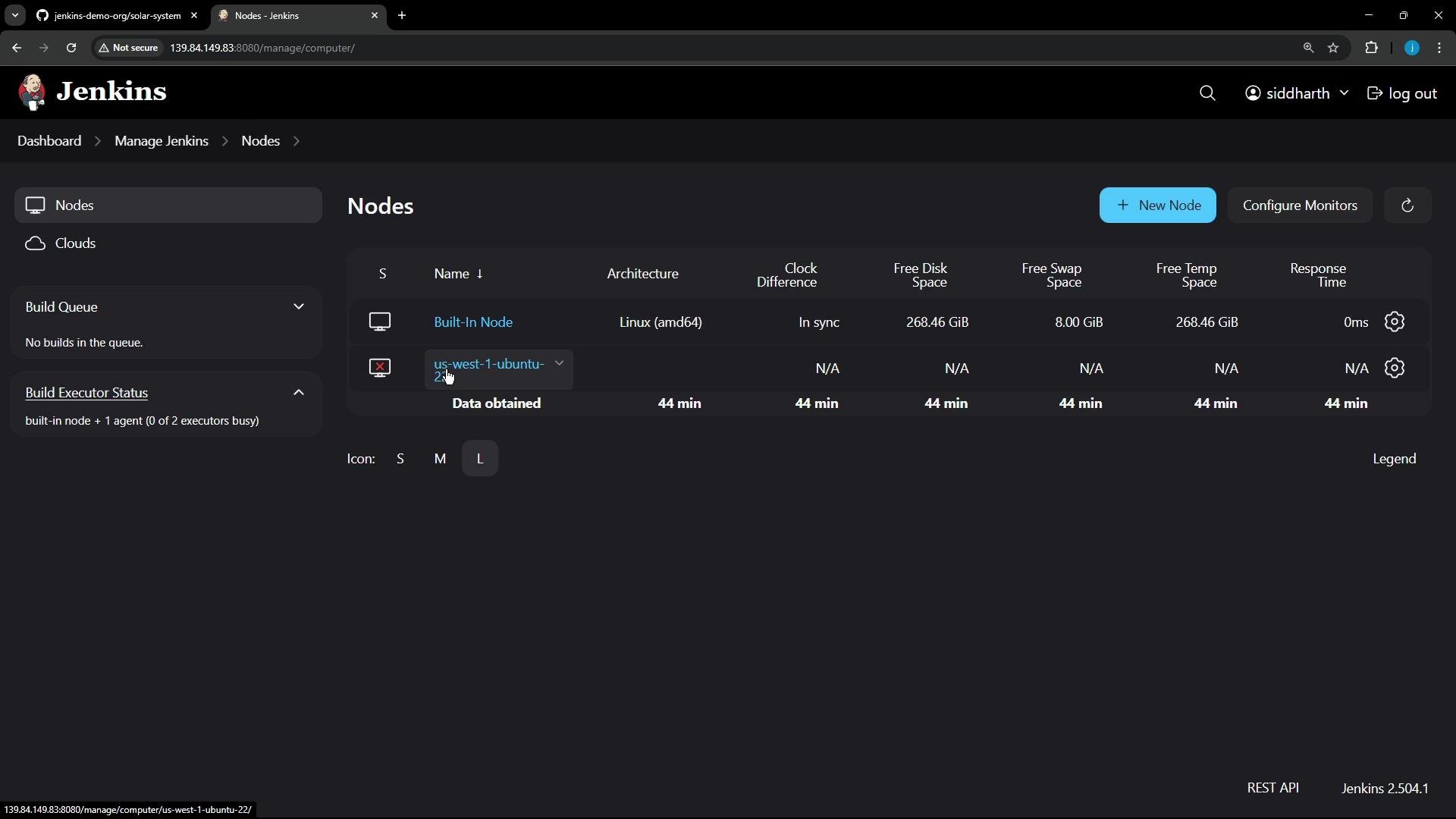
A screenshot of the Jenkins "Nodes" management page in dark theme showing a Built-In Node (Linux amd64) with free disk/swap stats and an offline agent named "us-west-1-ubuntu-22" reporting N/A metrics. The top toolbar shows a "New Node" button and the logged-in user "siddharth."

Connecting the agent manually

In this environment the controller is not configured for HTTPS agent communication, so the agent is launched manually using the agent JAR. On the agent host:
# Download the agent jar from the controller
curl -sO http://139.84.149.70:8080/jnlpJars/agent.jar

# Store the agent secret in a file (replace with the real secret, securely)
echo "REPLACE_WITH_AGENT_SECRET" > secret-file

# Start the agent using the secret stored in a file
java -jar agent.jar -url http://139.84.149.70:8080/ -secret @secret-file -name "us-west-1-ubuntu-22" -webSocket -workDir "/home/jenkins-agent"
Never commit agent secrets, API tokens, or other credentials into source control. Use credential managers, secret stores, or environment-specific secret injection. Limit token scope and expiry.
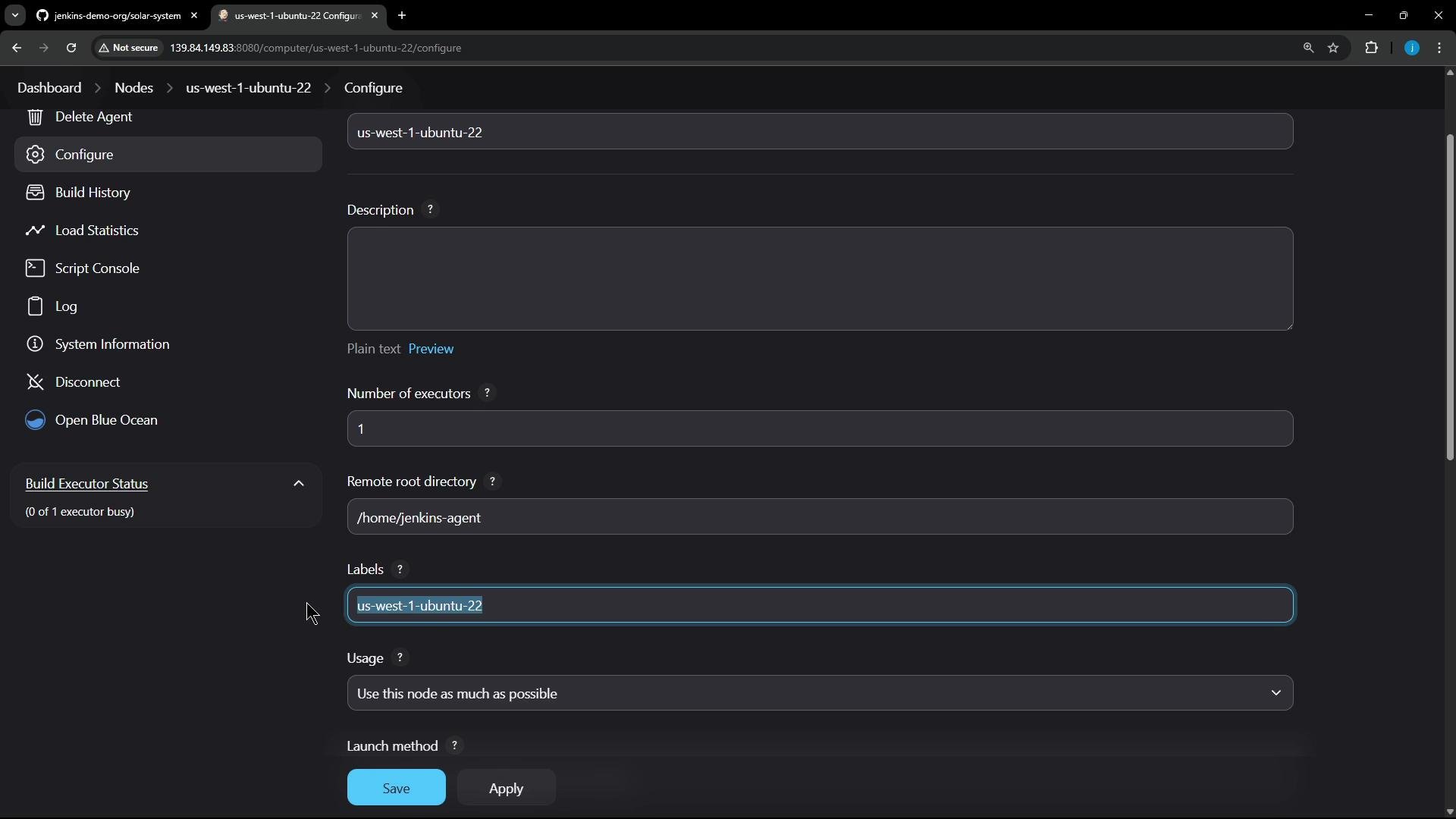
After starting the agent it should connect and report a single executor, its remote root directory, and labels. Jobs targeting the agent label will run on this node.
A dark-themed Jenkins node configuration page for the agent "us-west-1-ubuntu-22," showing fields like Description, Number of executors (1), Remote root directory (/home/jenkins-agent), Labels, and Save/Apply buttons. The left sidebar lists agent actions (Delete Agent, Configure, Build History, etc.) and a Build Executor Status panel.

Security and credentials

  • Authentication: Jenkins own user database (internal user store).
  • Current UI user: Siddharth.
  • API tokens in use to authenticate automation (e.g., tokens named gh-1).
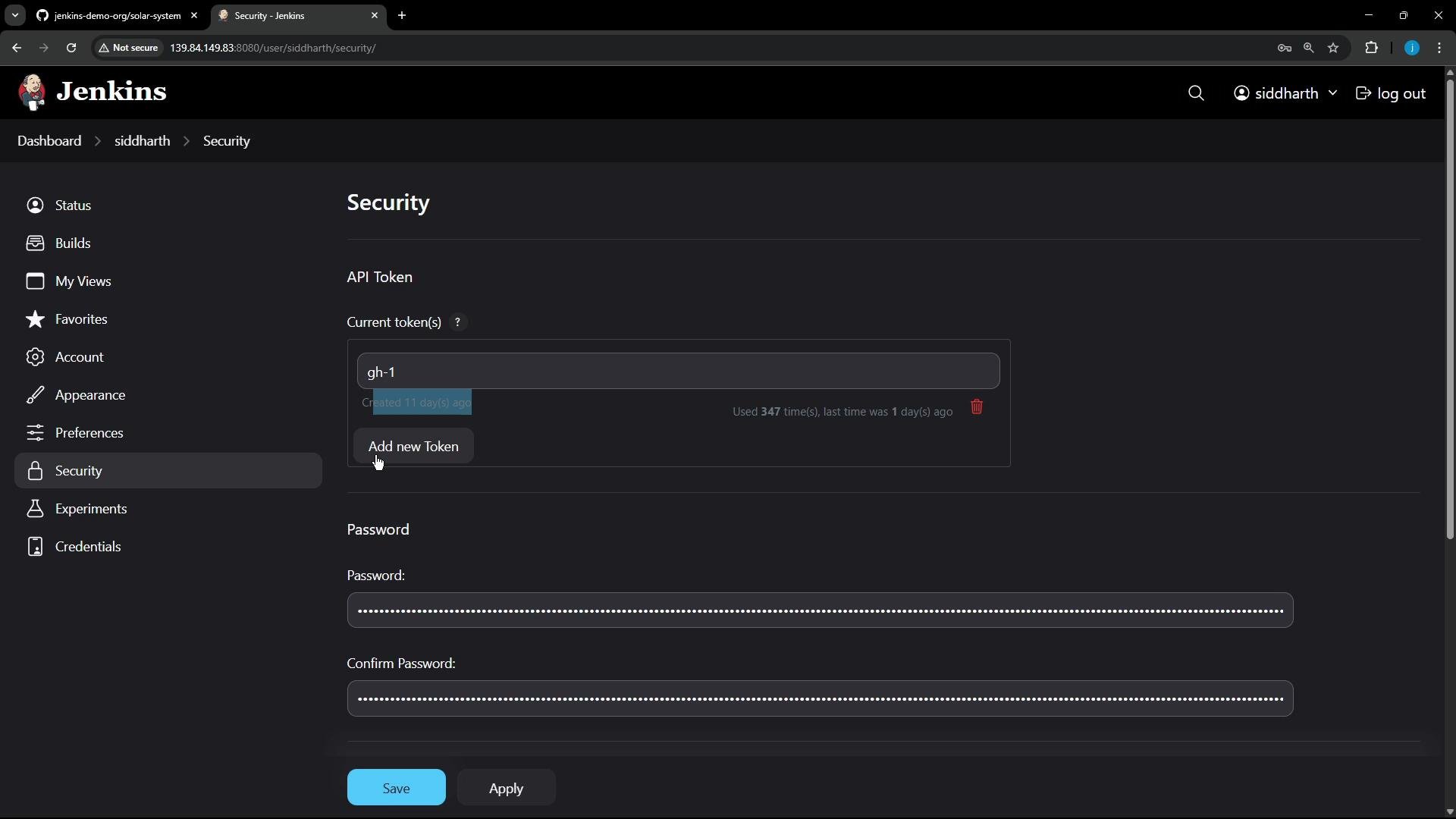
A screenshot of the Jenkins web interface on the "Security" settings page, showing API token management (a token labeled "gh-1" and an "Add new Token" button) and password/confirm password fields with Save/Apply buttons. The dark-themed layout includes a left navigation menu with items like Status, Builds, Account, and Security.

Credentials stored in Jenkins

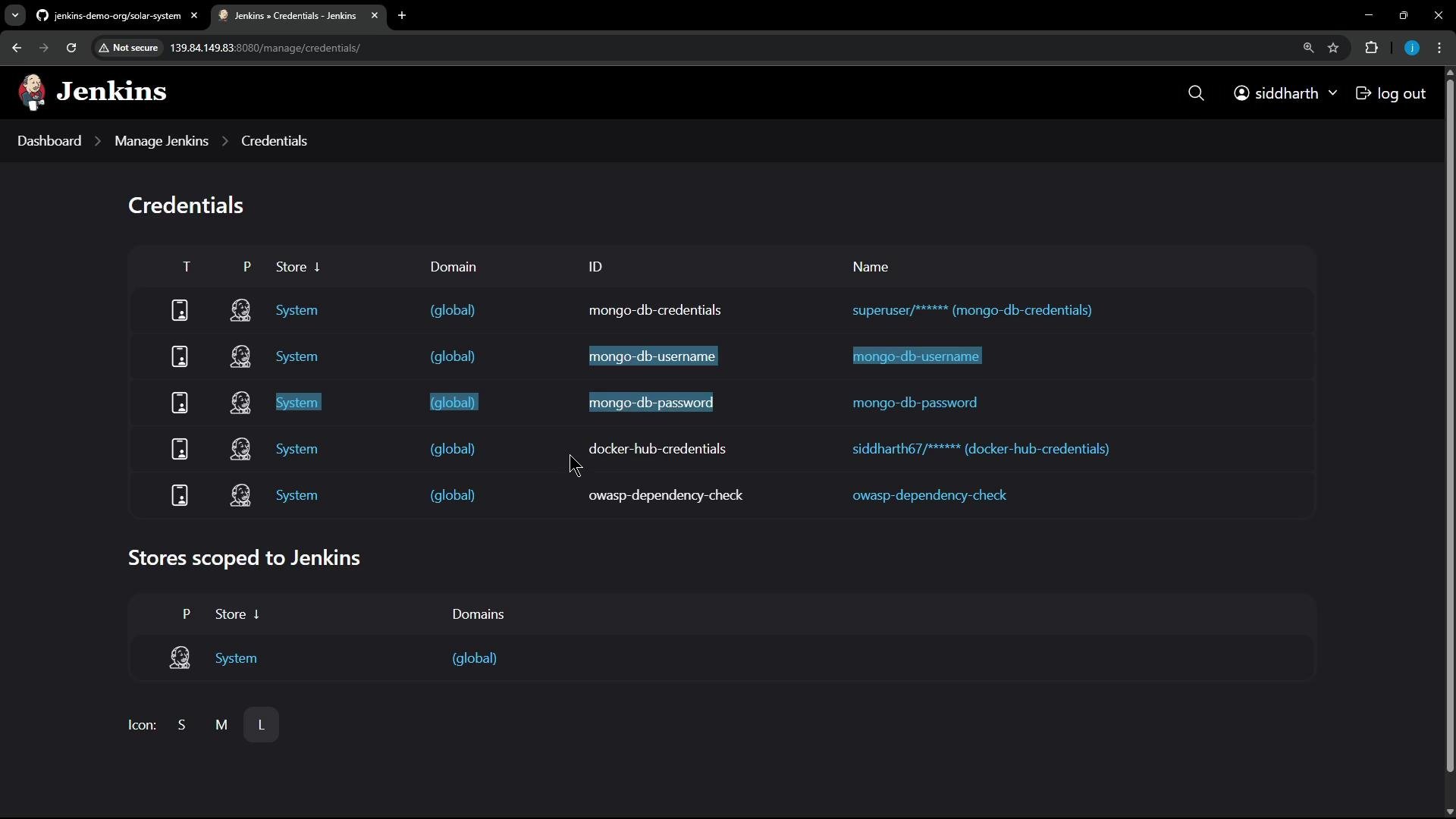
Several credentials are scoped in Jenkins credential stores and referenced by pipelines:
CredentialUse
mongo-db-credentials (user/password)Used in unit tests and coverage stages
mongo-db-username / mongo-db-passwordTest DB access
docker-hub-credentialsPushing Docker images
OWASP DepCheck credentialUsed by Dependency-Check where required
A screenshot of the Jenkins "Credentials" administration page showing a list of stored credentials (e.g., mongo-db-credentials, mongo-db-username, mongo-db-password, docker-hub-credentials) and credential stores scoped to the system. The UI is in dark theme with navigation breadcrumbs at the top.
When migrating pipelines to GitHub Actions (or another CI), plan to:
  • Re-create necessary secrets in the target CI secrets store.
  • Avoid copying credentials verbatim—rotate tokens where possible.
  • Map Jenkins credentials to corresponding environment names (e.g., DOCKERHUB_TOKEN, MONGO_USER, MONGO_PASS).
Tip: Inventory every credential referenced by jobs (check pipeline scripts and Freestyle build steps). Use a spreadsheet or small manifest to record each credential name, where it’s used, required scope, and a recommended replacement in the target CI.

Summary and next steps

  • The controller is a standard Jenkins installation with one connected agent (and one offline agent at audit time).
  • Key tools and plugins (Node.js installer, Dependency-Check, Docker) are in use; some plugins show available updates.
  • Credentials and API tokens exist and will need to be re-created in the target CI. Do not migrate secrets directly—use secure secret tooling and rotate credentials after migration.
  • Next: inspect each project in turn, run representative builds to validate behavior, then begin mapping pipeline steps to GitHub Actions workflows or the target CI solution.

Watch Video

Practice Lab