

catchError wrapper used in a Code Coverage stage into equivalent GitHub Actions steps. Jenkins’s catchError lets a failing step continue the pipeline while setting a specific build or stage result. When migrating to GitHub Actions we want the workflow to run the same coverage command, continue on error so downstream jobs still run, and preserve HTML artifacts for later inspection.
This article walks through the original Jenkins stage, the parsed AST-like representation the importer prints in dry-run, the Ruby transformer implementation, the importer dry-run invocation and output, the generated GitHub Actions job snippet, and the run results.
Jenkinsfile snippet (Code Coverage stage — original)
What the importer sees (AST-like JSON)
Run the importer in dry-run mode to print parsed identifiers and their arguments. In this case the importer detected acatchError node whose child is a sh invocation of the coverage command.
Sample parsed representation for catchError (converted to valid JSON for clarity):
Approach — desired mapping to GitHub Actions
Goal: mirror Jenkins behavior so coverage failures do not block the pipeline, but HTML reports are still produced and uploaded. Steps:- Extract the inner coverage command from
item.dig("children", 0, "arguments", 0, "value", "value"). - Fall back to
npm run coverageif the command is not found. - Emit two GitHub Actions steps:
- Install dependencies:
npm install --no-audit. - Run coverage: set
continue-on-error: trueso the workflow continues even if the command exits non‑zero.
- Install dependencies:
- Let the existing importer conversion handle
publishHTML→actions/upload-artifact@v4(artifact upload of the coverage HTML).
Transformer implementation (helper-transformer.rb)
The transformer below is added to the importer’s custom transformers so thatcatchError nodes are converted into a lightweight sequence of GitHub Actions steps.
Running the importer dry-run
Use thegh actions-importer tool in dry-run mode to test extraction and transformation without writing the final workflows.
catchError and the output file produced:
Resulting GitHub Actions job (excerpt)
The generated Code Coverage job includes checkout, dependency installation, the coverage step withcontinue-on-error: true, and artifact upload for the HTML report.
Pull request diff (abridged)
The transformer replaced the untranslatedcatchError block in the PR diff with two explicit steps that install dependencies and run the coverage command with continue-on-error.
What happened when the workflow ran
- A new workflow run was triggered after merging the PR.
- The Code Coverage job executed the two transformed steps:
- The
npm install --no-auditstep completed. - The
npm run coveragestep failed the coverage threshold (exit code non-zero).
- The
- Because
continue-on-error: truewas set, the job continued and downstream jobs also ran. - The coverage HTML report was uploaded as an artifact and is available for download from the run.
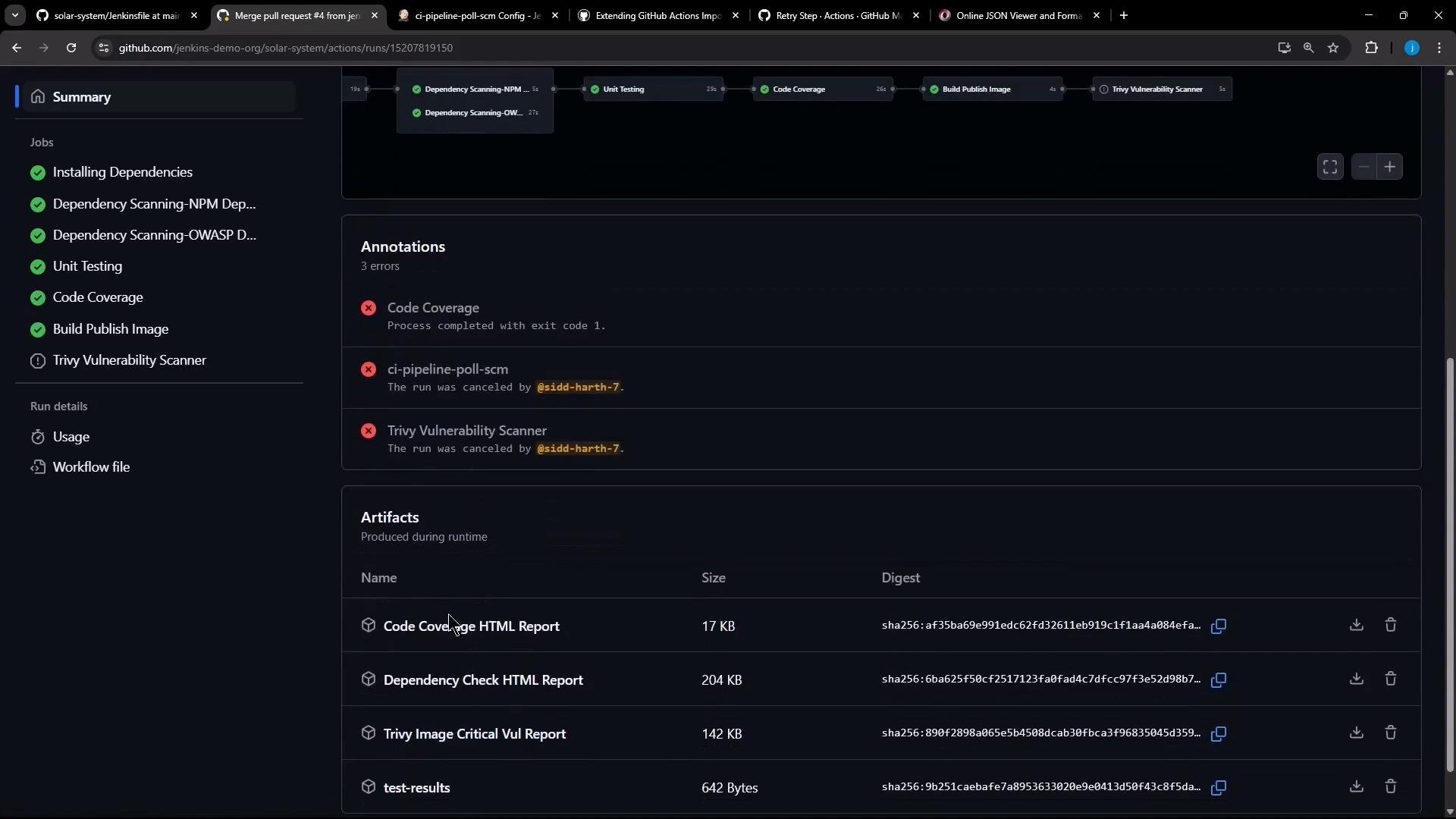
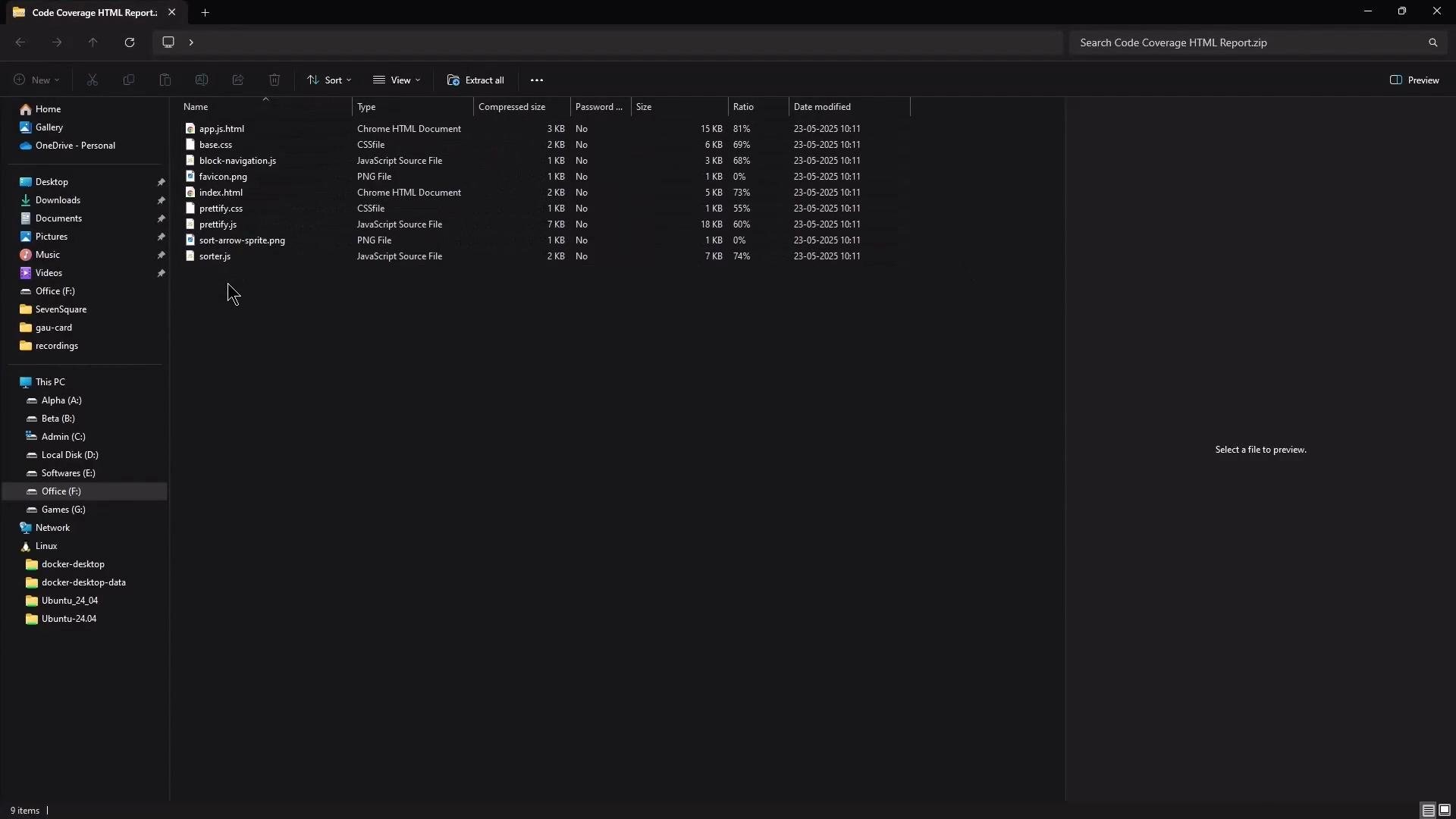
Code coverage failure (abridged)
This is an example of the coverage output that caused the coverage command to exit non-zero:Using
continue-on-error: true in the converted step mirrors Jenkins catchError semantics: it allows the workflow to continue and still upload artifacts even when the coverage command fails. Note that GitHub Actions will mark that step as successful for continuation, so consider also surfacing the failure via annotations, test result upload, or a PR comment if you want to preserve visibility of the failure state.Mapping summary
Example of a JSON-like transformer output is represented in the
helper-transformer.rb implementation above.
References
- Jenkins
catchErrorstep documentation: https://www.jenkins.io/doc/pipeline/steps/workflow-basic-steps/#catcherror-catch-error-mark-build-as-failed-until-unstable - GitHub Actions
continue-on-error: https://docs.github.com/en/actions/using-workflows/workflow-syntax-for-github-actions#jobsjob_idstepscontinue-on-error - actions/upload-artifact: https://github.com/actions/upload-artifact
Summary
- We added a custom transformer that:
- Detects a
catchErrornode and extracts the inner shell command (defaults tonpm run coverage). - Emits two GitHub Actions steps: an installation step and a coverage step with
continue-on-error: true.
- Detects a
- The importer still converts
publishHTMLtoactions/upload-artifactautomatically, preserving HTML reports as artifacts. - This keeps the pipeline behavior consistent: coverage failures do not block downstream jobs while reports remain available for inspection.