

- Jenkins: Groovy-based Declarative or Scripted Pipelines, rich plugin ecosystem, long-lived agents.
- GitHub Actions: YAML workflows with jobs, steps, marketplace actions, reusable workflows, and hosted or self-hosted runners.
- Pipeline syntax conversion
- Jenkins pipelines are Groovy-based and can be Declarative or Scripted. Scripted pipelines often include advanced Groovy logic that doesn’t translate directly to YAML.
- Migration approach:
- Identify monolithic scripts and break them into smaller, testable units (shell scripts, Python/Node scripts).
- Use GitHub Actions steps to call these scripts or wrap them in composite/custom actions.
- When control flow is complex, express simple orchestration in YAML and move imperative logic into scripts or actions.
- Custom plugins
- Jenkins pipelines frequently depend on community or custom plugins (Docker, Kubernetes, notification plugins).
- In GitHub Actions, similar capabilities are attained using marketplace actions or by authoring custom actions.
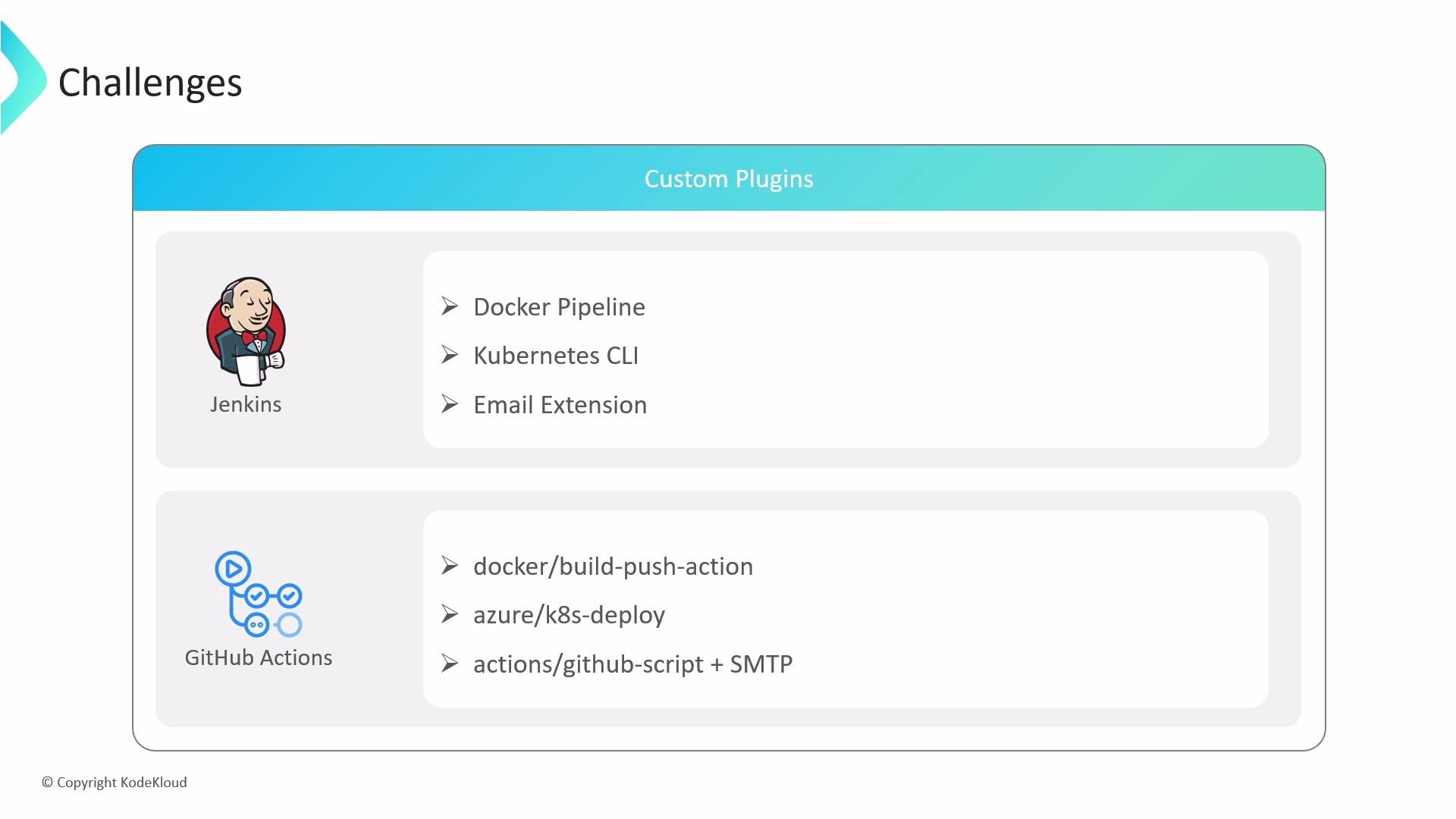
- Use well-maintained marketplace actions when possible (for example:
docker/build-push-action,azure/k8s-deploy). - Combine actions to achieve the desired behavior (for example
actions/github-scriptplus an SMTP call for email). - Author a composite action or a JavaScript/Docker action to encapsulate specific behavior and reuse it across workflows.
- Environment variables and secrets
- Jenkins uses credential bindings such as
withCredentials(...) { ... }to inject secrets safely into the pipeline. - GitHub Actions uses repository, organization, or environment secrets, exposed via the
secretscontext. For cloud providers, prefer provider-specific credential actions.
- Use provider-specific credential action (recommended for AWS):
- Or inject secrets as environment variables for a step:
Always store credentials in GitHub Secrets or environment secrets. Prefer cloud-provider-specific credential actions (e.g., AWS, Azure, GCP) to minimize the risk of secret leakage in logs.
- Complex pipeline logic and reuse
- Jenkins supports advanced conditional logic and shared libraries for complex abstractions.
- GitHub Actions supports reusable workflows and composite actions. These rely on declared inputs/outputs and are structured differently than arbitrary Groovy code.
- Extract reusable parts into composite actions or standalone scripts (shell, Python, Node) that can be invoked from workflows.
- Use reusable workflows with well-defined inputs/outputs to capture pipeline-level composition and enforce consistent behavior across repositories.
- Job scheduling and triggers
- Jenkins supports SCM polling, cron-style triggers, and manual triggers in the pipeline.
- GitHub Actions supports event-based triggers (push, pull_request, etc.), scheduled triggers via
schedulewith acron, and manual dispatch viaworkflow_dispatch.
needs to express job dependency ordering in GitHub Actions:
- Long-running or stateful jobs
- Jenkins agents can be long-lived and maintain state, which is helpful for extended tests or stateful jobs.
- GitHub Actions hosted runners have a hard timeout (6 hours per job). Self-hosted runners can extend timeouts (up to 72 hours depending on configuration).
If your pipelines depend on long-running jobs or persistent agent state, plan to use self-hosted runners or refactor jobs into smaller steps that persist state externally (artifacts, caches, or remote testbeds).
- Inventory current Jenkins pipelines, plugins, and shared libraries.
- Identify long-running jobs and evaluate self-hosted runner needs.
- Replace plugin functionality with marketplace actions or author custom actions.
- Move imperative Groovy logic into scripts or composite actions.
- Centralize secrets in GitHub Secrets and use provider-specific credential actions.
- Implement reusable workflows and composite actions to capture shared behavior.
- Add monitoring and observability (logs, artifacts) to validate parity during rollout.
- Migrating from Jenkins to GitHub Actions involves translating Groovy pipeline constructs and plugins into YAML workflows, marketplace actions, composite/custom actions, and reusable workflows.
- Key focus areas: secure secret handling, replacing plugin functionality, refactoring complex logic, and addressing long-running job requirements.
- Use reusable workflows and composite actions for shared behavior and consider self-hosted runners or job decomposition for long-running/stateful workflows.
- GitHub Actions documentation
- Jenkins documentation
- Marketplace examples:
docker/build-push-action,aws-actions/configure-aws-credentials,azure/k8s-deploy