

- Native integration with GitHub repositories and events.
- Author workflows using declarative YAML files stored in your repo.
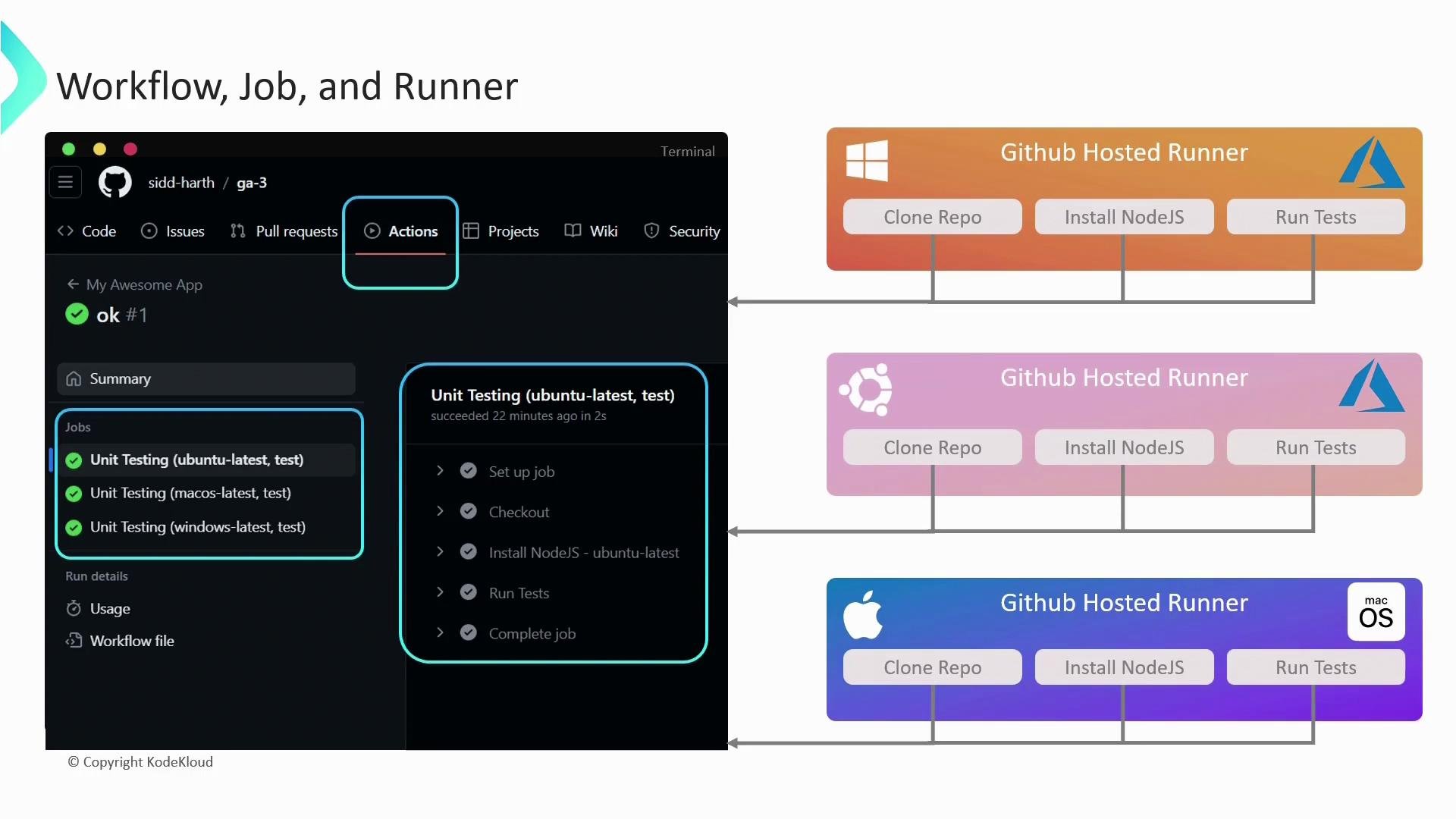
- GitHub manages provisioning, scaling, and runner environments (unless you opt for self-hosted).
- Built-in support for multiple operating systems (Ubuntu, Windows, macOS).
- Rich visibility with logs, artifacts, and step-level outputs in the Actions tab.
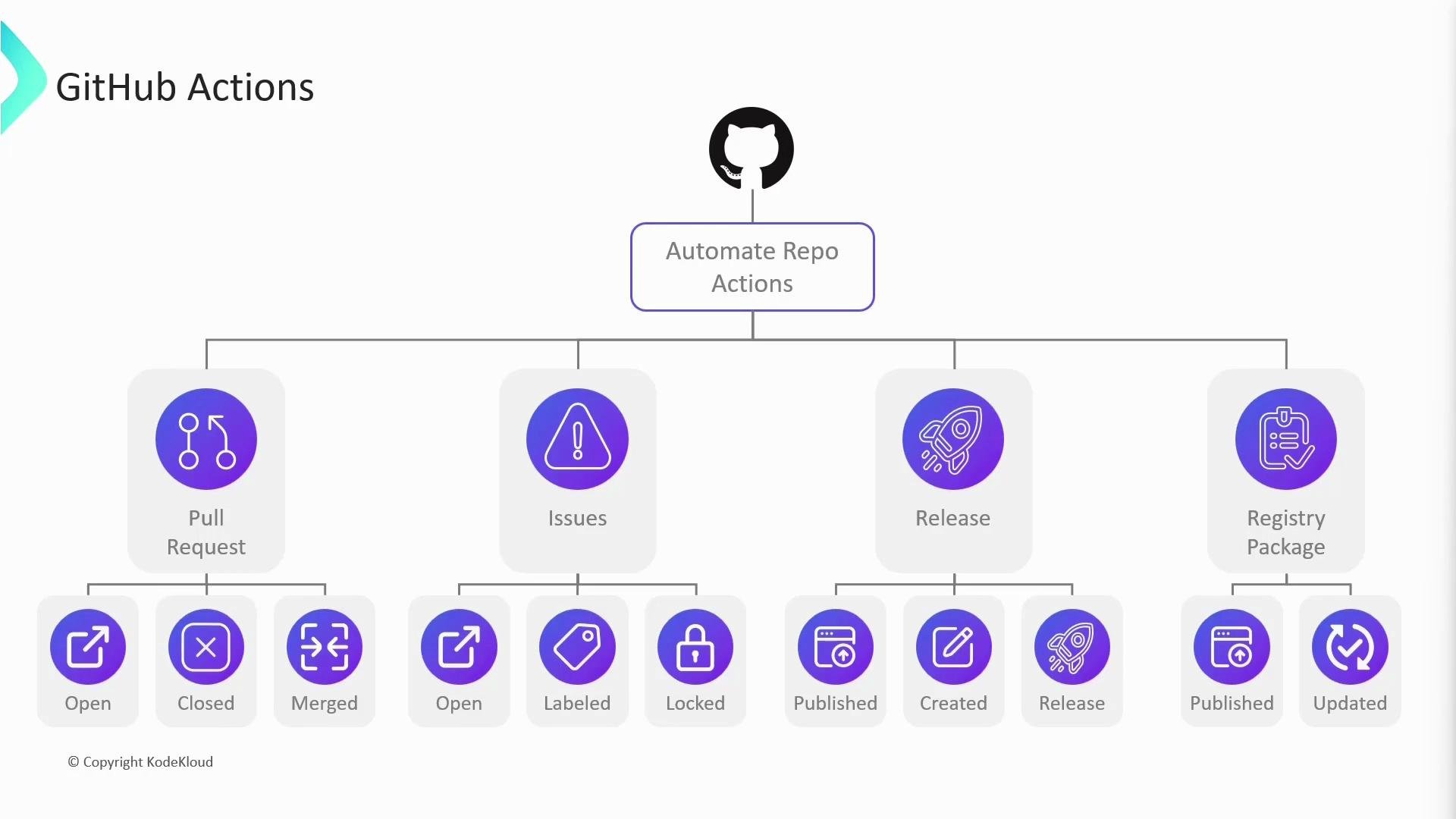
- Continuous integration: run tests and static analysis on every push and pull request.
- Continuous delivery: publish packages or deploy merged changes to environments.
- Repository tasks: add labels, post comments, assign reviewers, or automate issue triage.
- Releases, package registry workflows, scheduled jobs, and more.
Core concepts
Understanding these primary building blocks will help you design reliable workflows:Example workflow
This minimal example demonstrates a matrix-based job that runs unit tests across multiple OSes:- The workflow triggers on a
pushevent. - There is a single job
unit-testingthat uses a matrix strategy. runs-on: ${{ matrix.os }}provisions one runner per OS in the matrix (three runners total).- Each runner executes steps serially (checkout → install → run tests), while the runners run concurrently.
Workflows live in the
.github/workflows directory of the repository. Each YAML file in that directory defines one workflow and its triggers.Runners and execution
A runner is the execution environment for jobs. GitHub Actions will provision runners based onruns-on. For the example above, GitHub creates three runners and runs the same job concurrently across them. You can monitor job logs, artifacts, and step outputs through the repository’s Actions tab in the GitHub UI. These logs are invaluable for debugging and verifying CI/CD runs.
Runner types — GitHub-hosted vs Self-hosted
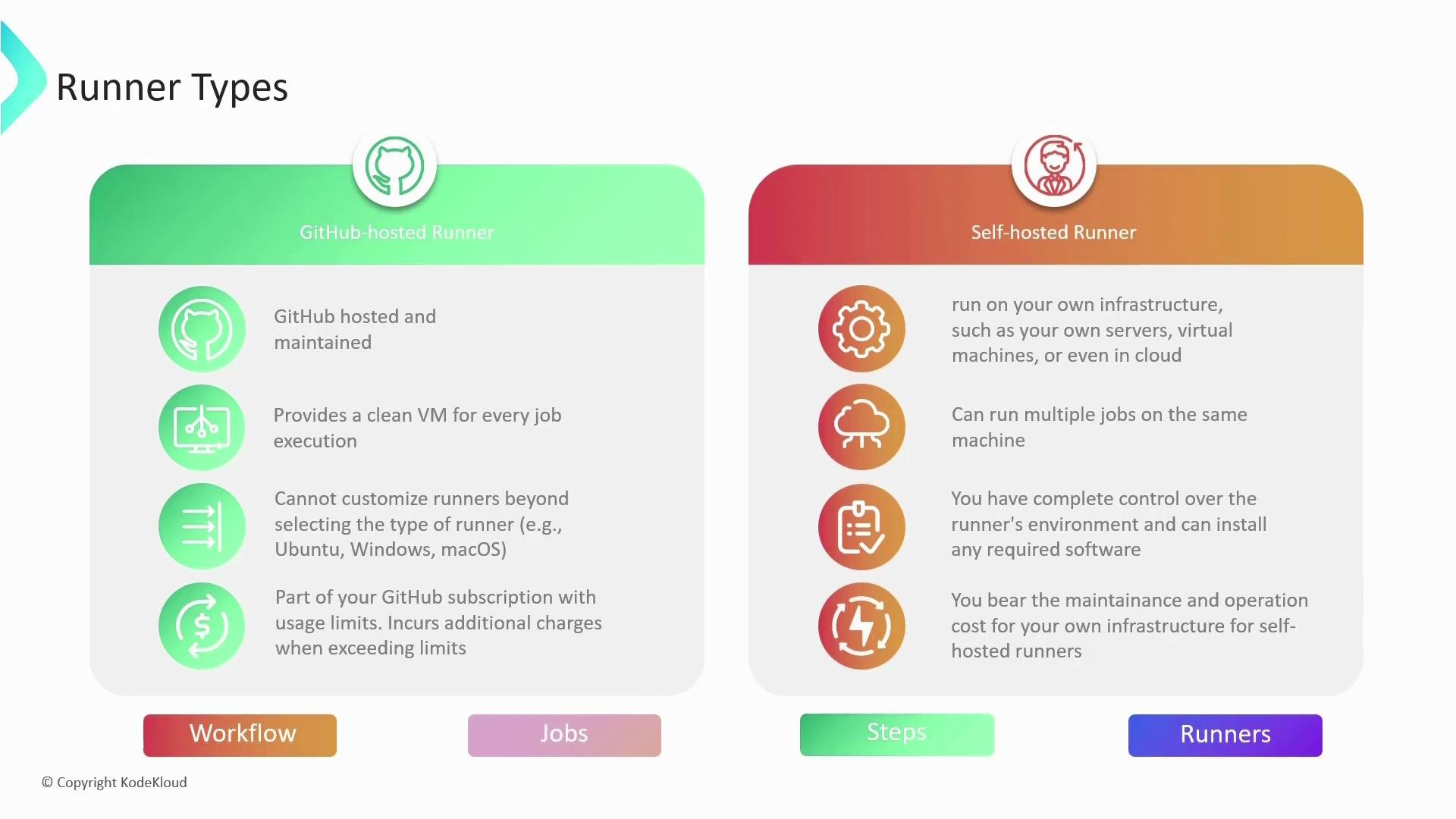
Choose a runner type based on control, compliance, and cost:
Practical differences:
- GitHub-hosted runners provide clean images with preinstalled common tools, but you cannot make system-level persistent changes across jobs.
- Self-hosted runners run on your infrastructure (on-prem or cloud) and allow customizations, privileged access, and long-lived caches. They require you to handle maintenance and scaling.
- Use GitHub-hosted for general CI/CD workloads to reduce maintenance overhead.
- Use self-hosted for complex builds requiring GPUs, legacy tools, private network access, or when compliance requires on-prem execution.
Next steps & resources
To deepen your knowledge and start authoring workflows, check these resources:- GitHub Actions documentation: https://docs.github.com/actions
- GitHub Actions workflow syntax: https://docs.github.com/actions/using-workflows/workflow-syntax-for-github-actions
- CI/CD concepts and best practices: https://docs.github.com/actions/learn-github-actions/introduction-to-github-actions
- GitHub Actions provides a flexible, integrated automation platform that supports CI/CD and many other repository automations.
- Workflows are defined in YAML files under
.github/workflows. - Jobs run on runners (GitHub-hosted or self-hosted), with steps executing sequentially inside jobs.
- Choose runner types based on control, security, and resource requirements.