

migrate command to convert a Jenkins pipeline into an equivalent GitHub Actions workflow. The tool will create a pull request (PR) in your repository containing the generated workflow and any migration artifacts. This guide explains the command format, key options, example usage, how to review the generated PR, and what to do after merging.
Command overview
Run the following command to start a Jenkins → GitHub Actions migration:
Replace placeholders with your actual repository and Jenkins job URLs.
Examples
Generic form:Expected output
If the command completes successfully, it prints where logs were written and the PR URL. Example output:Logs: path to inspect detailed migration diagnostics and the generated artifacts.
Reviewing the generated pull request
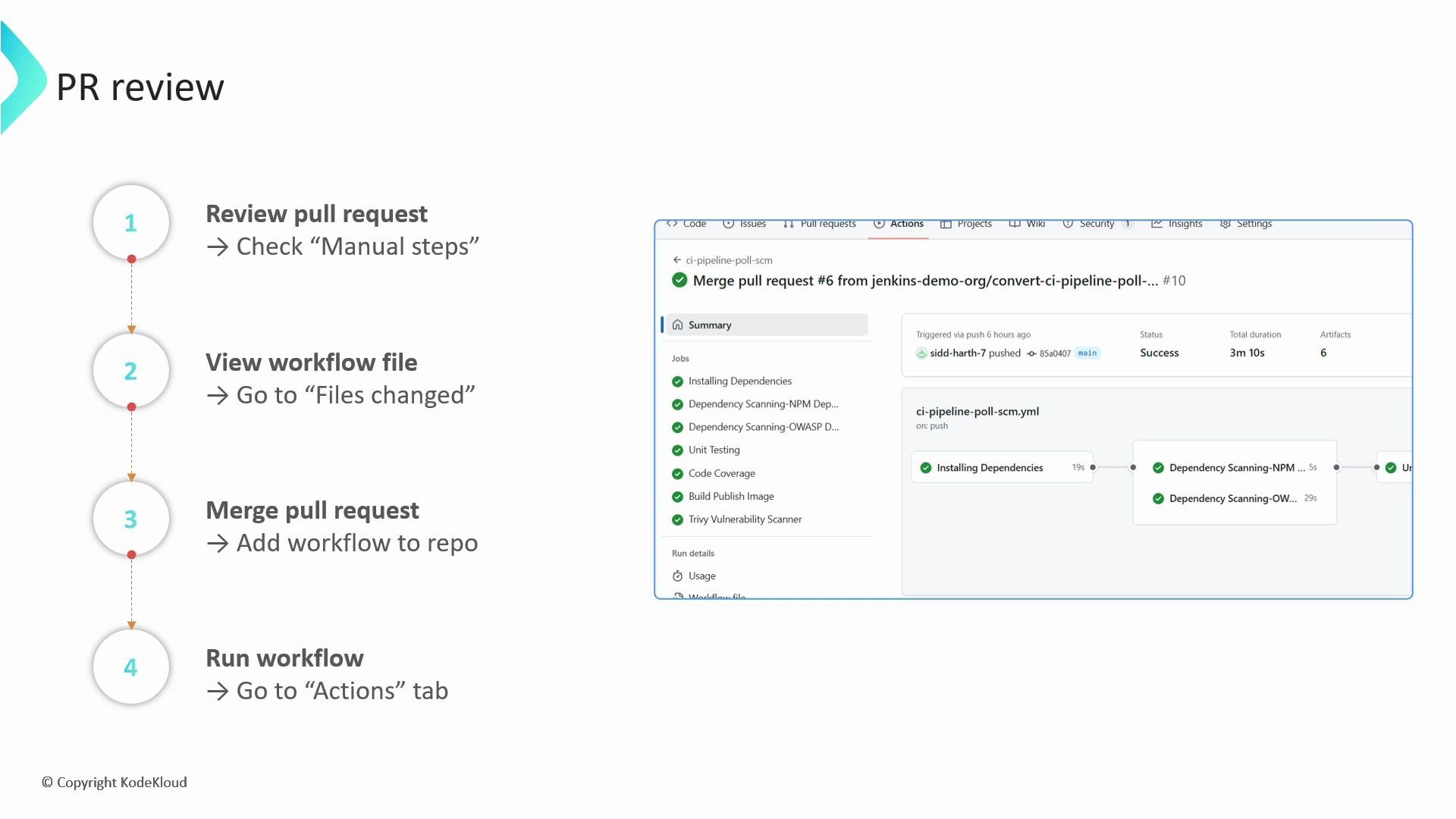
- Open the PR URL printed by the command.
- Read the PR description carefully — it contains a “Manual steps” section listing items that must be completed before the workflow will run correctly (for example, required secrets or platform-specific build tools).
- Inspect the files changed. Typically the new workflow file(s) appear under
.github/workflows/. Confirm workflows, job steps, environment variables, and referenced secrets match your Jenkins pipeline’s intent. - Make any manual edits directly in the PR if needed.
Create any required secrets at the repository or organization level before you merge the PR. Without those secrets, the workflow may fail when it runs.
Never commit plaintext credentials or secrets into the repository. Use GitHub repository or organization secrets for sensitive values referenced by the workflow.
What else to check in the PR
- Files changed: confirm the workflow YAML(s) are added under
.github/workflows/. - Steps: verify the sequence, build/install steps, and any scripts align with your Jenkins pipeline.
- Environment and secrets: ensure
env:andsecrets:usage matches available secrets, or note which secrets must be created. - Runners and tool availability: check if the workflow expects specific runner labels or preinstalled tools (e.g.,
node,docker,kubectl) and update accordingly.
Merging and running the workflow
- After you finish reviewing the PR and have created any required secrets, merge the pull request to add the workflow to your repository.
- Once merged, go to the repository’s Actions tab to view workflow runs and logs.
- Inspect the run details and the workflow job graph to validate that the migrated pipeline behaves as expected. If jobs fail, use the logs saved in the PR artifacts or the
--output-dirlogs for deeper debugging.
Links and references
- GitHub Actions documentation
- Jenkins documentation
- GitHub CLI (for
ghcommand setup)