

- Scan the built Docker image,
- Fail the pipeline when CRITICAL vulnerabilities are found,
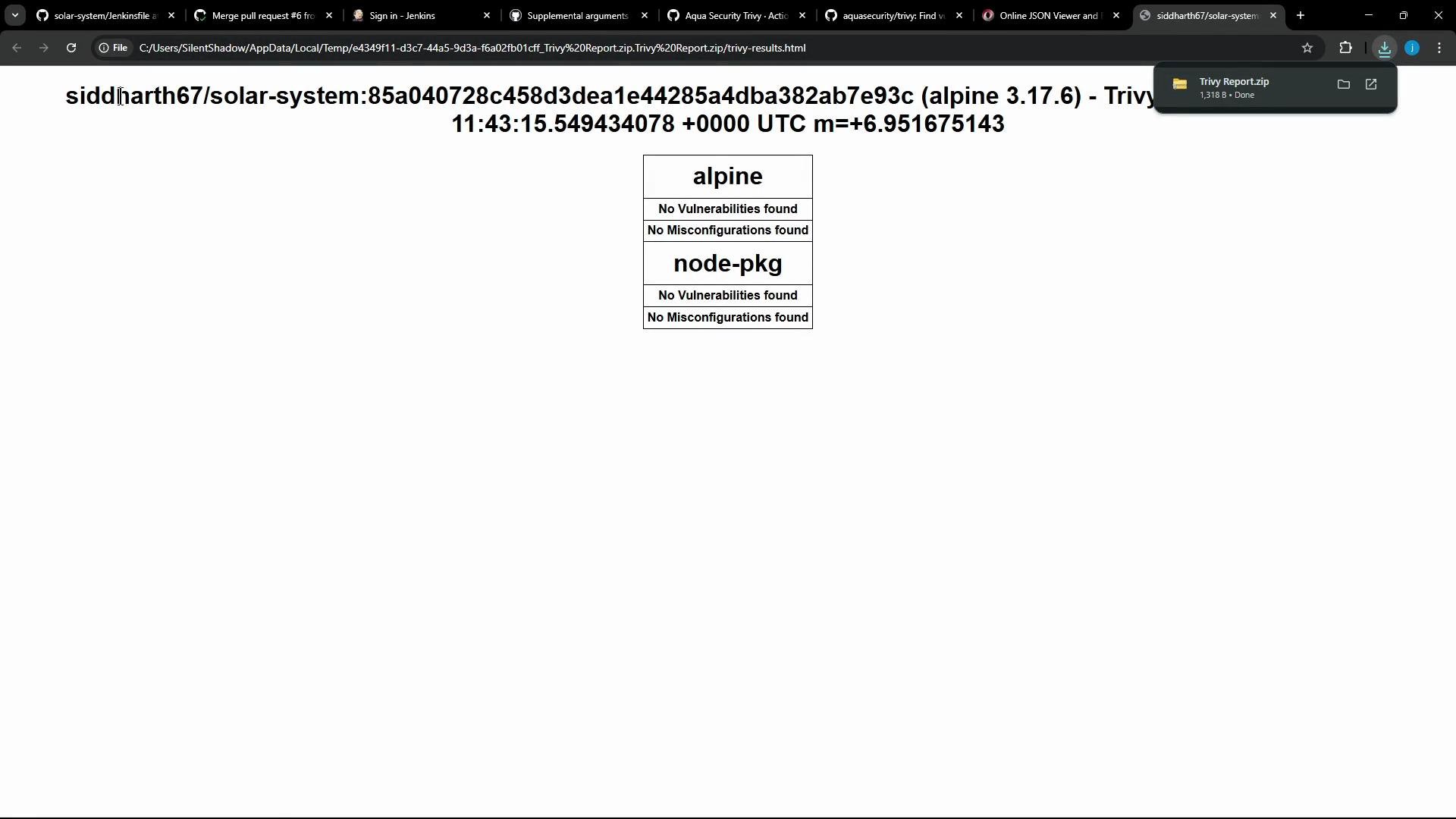
- Publish an HTML report for inspection.
Jenkins pipeline (source)
Here is the consolidated, relevant portion of the originalJenkinsfile. It includes three stages: Code Coverage, Build/Publish Image, and Trivy Vulnerability Scanner.
sh steps do:
- The
trivy imagecommand scanssiddharth67/solar-system:$GIT_COMMITwith:--severity CRITICAL(filter to CRITICAL)--exit-code 1(non-zero exit if CRITICAL vuln found)--quiet(less noisy)--format json -o <file>(JSON output saved)
- The
trivy convertcommand converts JSON into an HTML report using a template.
Why use the official Trivy GitHub Action?
The official action from Aqua Security (aquasecurity/trivy-action) can run Trivy on GitHub Actions runners and produce templated output directly (avoiding a separate convert step). It supports inputs such as format, template, output, severity, exit-code, and hide-progress.
Using
aquasecurity/trivy-action lets you:- run Trivy without installing it manually on runners,
- request templated HTML output directly (via
format: templateandtemplate), - set
exit-codeso the job fails conditionally based on severity.
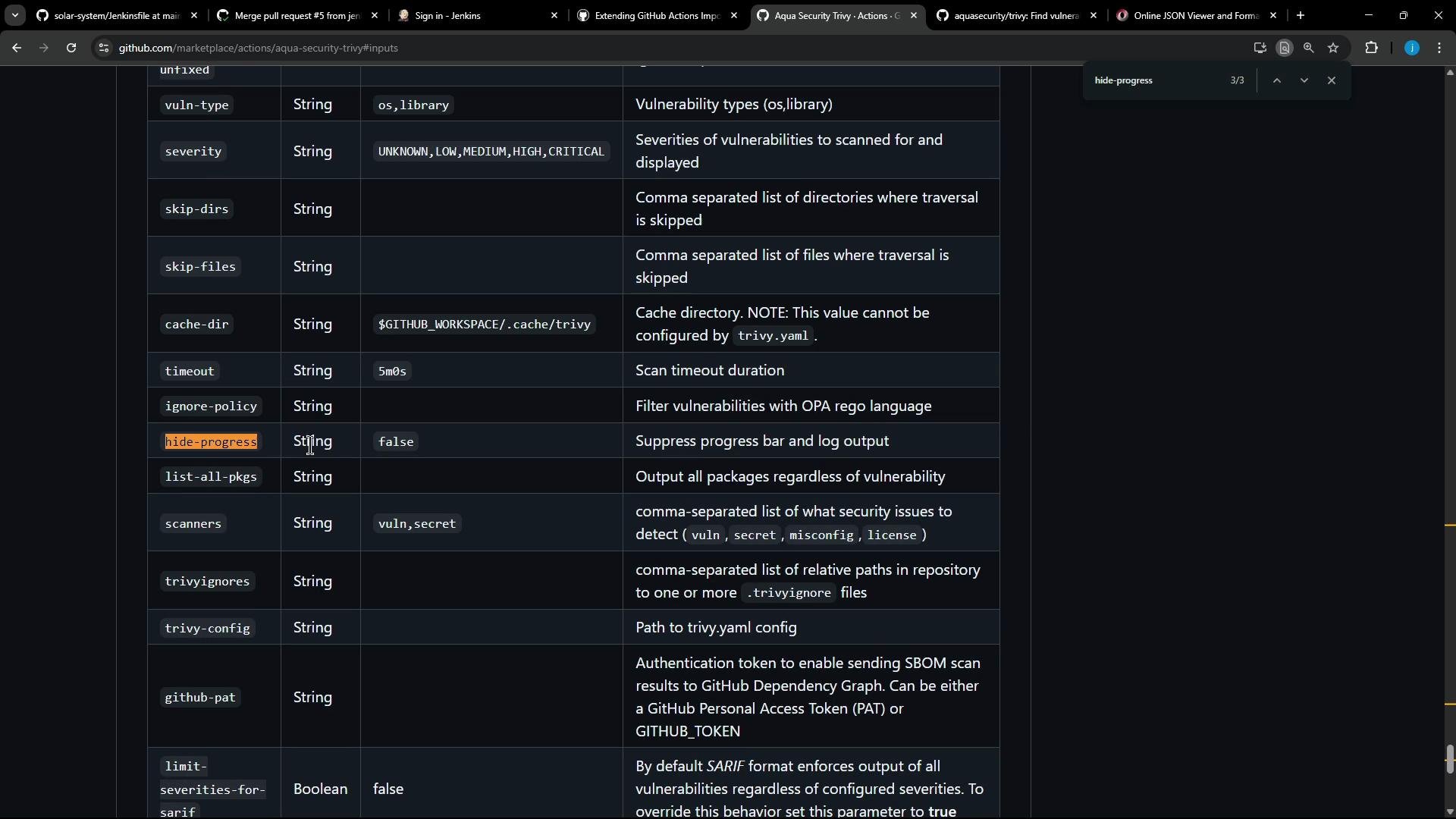
Mapping Jenkins flags to Trivy Action inputs
Use this quick reference when converting the Jenkinstrivy shell invocation into action inputs.
Notes:
- Wrap special GitHub expressions and variables in backticks when showing in docs (e.g.
${{ github.sha }}). - Use
format: templateto make the action emit HTML directly, avoiding a separate conversion step.
Minimal GitHub Actions step equivalent
A compact Actions step that mirrors the Jenkins behavior and outputs an HTML report:template path above references the template bundled by the action. You can also provide a custom template file in your repository and point to it.
Automating the conversion: custom transformer (Ruby)
To automate migrating Jenkinssh steps to GitHub Actions, you can create a transformer that:
- Detects
shcalls that invoketrivy image, - Extracts the image reference, severity, format, output file, exit code, quiet flag,
- Normalizes image references into repository variables (e.g.
vars.DOCKERHUB_USERNAME,vars.IMAGE_NAME) and substitutes${{ github.sha }}, - Emits a
aquasecurity/trivy-actionstep plus anactions/upload-artifactstep that runs withif: ${{ always() }}so the report is uploaded even if the scan fails.
sh Trivy commands with the two GitHub Actions steps shown below.
Generated GitHub Actions job (migrated)
Example of the generated job after running the transformer:- The Trivy action installs the Trivy binary, runs the scan, and writes
trivy-results.html. - If no CRITICAL vulnerabilities are found, the job succeeds and the report is uploaded.
- If CRITICAL vulnerabilities are found, the action exits with code
1(job fails), but the upload step still runs because ofif: ${{ always() }}so you can download the report.
Best practices & tips
- Keep
exit-codesmall integer values (0or1) to clearly control job success/failure. - Use
format: template+template:to generate user-friendly HTML directly from the action. - Use variables for image references in migrated workflows:
${{ vars.DOCKERHUB_USERNAME }},${{ vars.IMAGE_NAME }}, and${{ github.sha }}improve portability. - Always upload scan reports with
if: ${{ always() }}so artifacts are available regardless of job status. - Consult the action docs for advanced inputs and templates: https://github.com/aquasecurity/trivy-action
- For artifact uploads, see
actions/upload-artifact: https://github.com/actions/upload-artifact and GitHub Expressions docs: https://docs.github.com/en/actions/learn-github-actions/expressions#always
Summary
- The Jenkins
trivy image+trivy convertpipeline can be mapped directly toaquasecurity/trivy-actionin GitHub Actions to simplify the workflow and avoid manual conversions. - A custom transformer can detect
trivyshell commands and emit equivalent action steps while normalizing image references and preserving behavior (severity, exit-code, quiet). - Upload reports using
actions/upload-artifact@v4withif: ${{ always() }}so you can inspect results even on failures.