In this guide you’ll learn how to create a custom transformer that preserves Jenkins retry semantics when migrating pipelines to GitHub Actions. The migrated Unit Testing job originally failed because the Jenkins options { retry(2) } identifier had no transformer, and the migrated workflow ran npm test before installing dependencies—so Mocha wasn’t available. This article covers:
  • why the failure happened,
  • how to implement a retry transformer that wraps test execution with a retry action,
  • how to avoid duplicate sh and junit steps,
  • and how to validate the migration with dry-runs.
Problematic test run (excerpt)
Run npm test
npm test
shell: bash --noprofile --norc -e -o pipefail {0}
env:
  MONGO_URI: mongodb+srv://supercluster.d83jj.mongodb.net/superData
  MONGO_USERNAME: superuser
  MONGO_PASSWORD:

> Solar System@6.7.6 test
> mocha app-test.js --timeout 10000 --reporter mocha-junit-reporter --exit

sh: 1: mocha: not found

Error: Process completed with exit code 127.
Why this happened
  • The Jenkinsfile contained options { retry(2) } in the Unit Testing stage, but the importer did not include a transformer for retry, so that option was dropped (or commented out) with no equivalent in the generated workflow.
  • The migrated job executed npm test without a preceding npm install step, so dependencies (Mocha) were missing and tests failed.
Jenkins Unit Testing stage (snippet)
stage('Unit Testing') {
    agent {
        docker {
            image 'node:24'
            args '-u root:root'
        }
    }
    options {
        retry(2)
    }
    steps {
        sh 'npm test'
        junit allowEmptyResults: true, stdioRetention: '', testResults: 'test-results.xml'
    }
}
Migrated job (excerpt from generated GitHub Actions YAML where retry had no transformer)
container:
  image: node:24
#  # This item has no matching transformer
#  docker:
#    key: args
#    value:
#      isLiteral: true
#      value: "-u root:root"
needs:
- Dependency_Scanning_NPM_Dependency_Audit
- Dependency_Scanning_OWASP_Dependency_Check
steps:
# This item has no matching transformer
# - retry:
#     name: retry
#     arguments:
#       - isLiteral: true
#         value: 2
- name: checkout
  uses: actions/checkout@v4.1.0
- name: sh
  shell: bash
  run: npm test
- name: Publish test results
  uses: EnricoMi/publish-unit-test-result-action@v2.12.0
  if: always()
  with:
    junit_files: test-results.xml
Plan (high level)
  1. Add a transformer for the retry identifier so retry(2) becomes a set of GitHub Actions steps implementing retry semantics.
  2. Ensure the repository is checked out and dependencies are installed before running tests.
  3. Prevent duplicate sh and junit steps generated by the importer for the same test command and results.
  4. Use an existing retry action from the Marketplace (for example: nick-fields/retry@v3) to implement retry behavior.
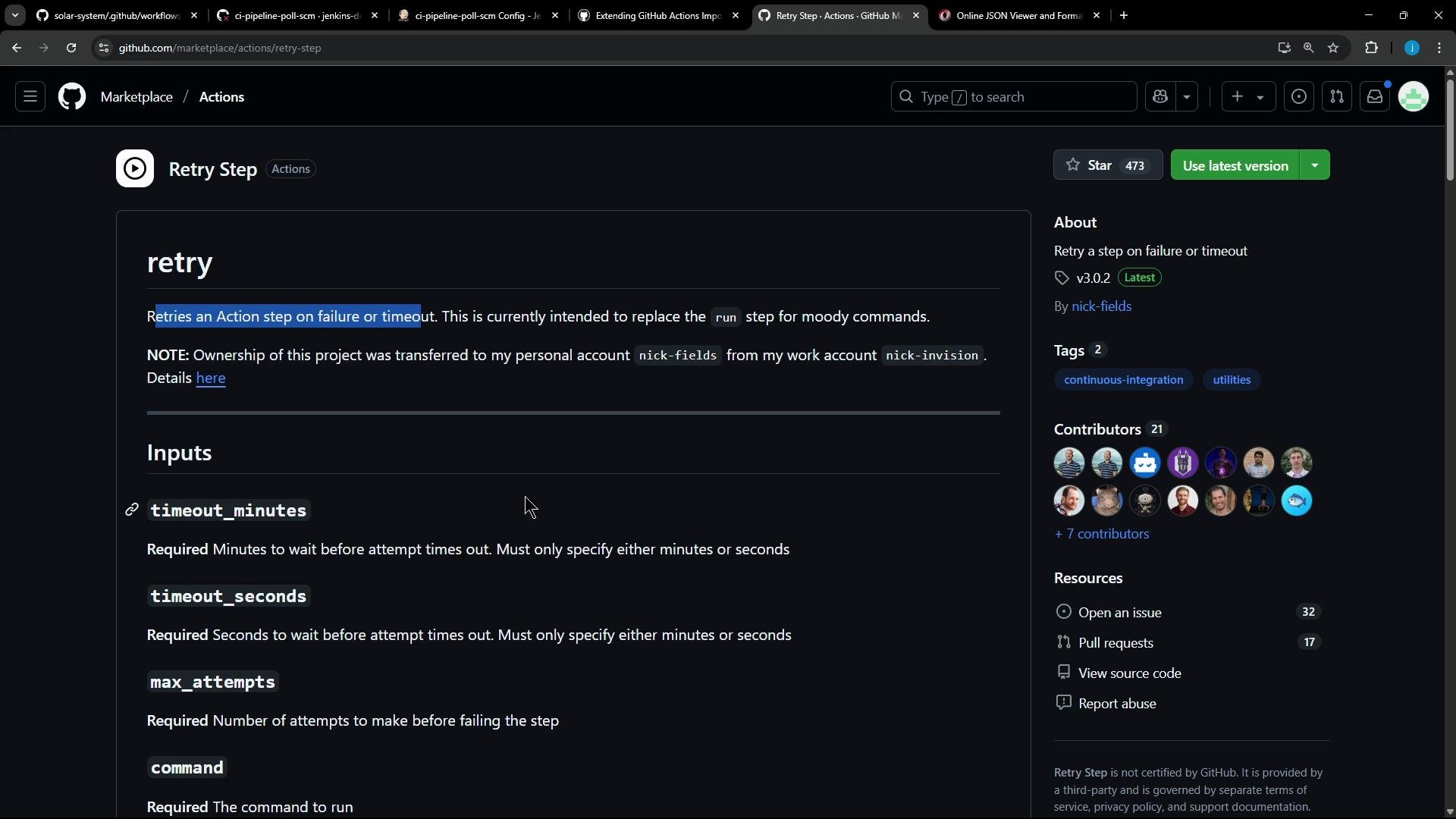
Selecting a Marketplace action Use a Marketplace action that supports retrying commands with configurable attempts and timeouts. Example: Retry Step (nick-fields/retry@v3) supports inputs like timeout_minutes, max_attempts, shell, and command. Example usage:
uses: nick-fields/retry@v3
with:
  timeout_minutes: 10
  max_attempts: 3
  shell: pwsh
  command: dir
Screenshot of a GitHub Marketplace Actions page for the "Retry Step" action, showing its description and input parameters (timeout_minutes, timeout_seconds, max_attempts, command) in a dark theme. The right sidebar displays the version, tags, and contributor avatars.
Transformer design The transformer will emit the following sequence of steps for a Jenkins retry around unit tests:
StepPurposeExample emitted step
1Checkout repositoryactions/checkout@v4
2Install dependenciesrun: npm install --no-audit
3Retry wrapper that runs testsuses: nick-fields/retry@v3 with command: npm test and max_attempts
4Upload test resultsuses: actions/upload-artifact@v4.1.0 for test-results.xml
Creating a custom transformer (Ruby) Add a transformer to your custom transformers file (e.g., ci-pipeline-transformer.rb) that maps retry into the sequence above. This implementation extracts max_attempts robustly and emits the steps as Ruby hashes which the generator will convert to YAML:
# transform "retry" identifier and generate action steps
transform "retry" do |item|
  # Extract max attempts robustly from the arguments array (first argument value)
  max_attempts = item["arguments"][0]["value"]
  # If the argument is wrapped as a hash with isLiteral/value keys, pull out the inner value
  if max_attempts.is_a?(Hash) && max_attempts.key?("value")
    max_attempts = max_attempts["value"]
  end
  max_attempts = max_attempts.to_i

  [
    {
      "name" => "checkout",
      "uses" => "actions/checkout@v4"
    },
    {
      "name" => "install dependencies",
      "run" => "npm install --no-audit"
    },
    {
      "uses" => "nick-fields/retry@v3",
      "with" => {
        "timeout_minutes" => 60,
        "max_attempts" => max_attempts,
        "command" => "npm test"
      }
    },
    {
      "name" => "Publish Test Results",
      "uses" => "actions/upload-artifact@v4.1.0",
      "with" => {
        "name" => "test-results",
        "path" => "test-results.xml"
      }
    }
  ]
end
Notes on the transformer
  • This example hard-codes npm test and test-results.xml because it targets a single Unit Testing retry usage. For broader usage, parse the corresponding Jenkins sh and junit items to extract the command and report path dynamically.
  • Ensure numeric fields such as max_attempts are emitted as integers. If your generator quotes them as strings, adjust the generator to output raw integers.
Inspecting identifier JSON A helper script (for example helper_transformer.rb) that prints identifiers can help you confirm the shape of items the importer provides. Example log lines:
JSON for identifier: {"name"=>"dependencyCheck", "arguments"=>[{"key"=>"additionalArguments", "value"=>{"isLiteral"=>true, "value"=>"..."}}, ...]}
JSON for identifier: {"name"=>"dependencyCheckPublisher", "arguments"=>[...]}
JSON for identifier: {"name"=>"retry", "arguments"=>[{"isLiteral"=>true, "value"=>2}]}
Suppressing duplicate sh and junit steps The importer may still generate sh (for npm test) and junit (for test-results.xml) steps. Add small transformers to return nil for those specific items so they are not emitted:
# Skip the original sh step if it is the npm test command already handled in retry
transform "sh" do |item|
  next nil if item.dig("arguments", 0, "value", "value") == "npm test"
end

# Skip the junit step if it points to the test-results.xml already handled in retry
transform "junit" do |item|
  next nil if item.dig("arguments", 0, "value", "value") == "test-results.xml"
end
Allow or block unverified actions Some imports may reference unverified or older Marketplace actions. You can either allow them explicitly or replace them with maintained/verified alternatives.
If your pipeline uses unverified actions (for example EnricoMi/publish-unit-test-result-action@v2), either replace them with maintained verified alternatives (like actions/upload-artifact@v4.1.0) or run the importer with flags that allow unverified actions. Using unverified or deprecated actions can cause runtime failures.
Example CLI flag (restrict importer to verified actions)
--allow-verified-actions true
Dry run and full migration First run a dry-run to verify your custom transformers and inspect the generated workflow files:
gh actions-importer dry-run jenkins \
  --source-url http://139.84.149.83:8080/job/ci-pipeline-poll-scm/ \
  --output-dir tmp/dry-run \
  --custom-transformers ss-pipeline-transformer.rb
When satisfied, run the migration:
gh actions-importer migrate jenkins \
  --target-url https://github.com/jenkins-demo-org/solar-system \
  --output-dir tmp/migrate \
  --source-url http://139.84.149.83:8080/job/ci-pipeline-poll-scm/ \
  --custom-transformers ss-pipeline-transformer.rb
Fixing action versions If the workflow fails with messages like:
Error: Missing download info for actions/upload-artifact@v3
update the transformer to reference a resolvable, current action tag—for example actions/upload-artifact@v4.1.0:
{
  "name" => "Publish Test Results",
  "uses" => "actions/upload-artifact@v4.1.0",
  "with" => {
    "name" => "test-results",
    "path" => "test-results.xml"
  }
}
Result after migration After adding the custom transformer, the generated Unit Testing job should contain:
  • actions/checkout@v4
  • an npm install --no-audit step
  • nick-fields/retry@v3 that executes npm test with max_attempts from Jenkins retry
  • actions/upload-artifact@v4.1.0 to upload test-results.xml
This ensures dependencies are available before test execution and retry semantics are preserved. Example run output (success path):
 Run nick-fields/retry@v3
...
 Attempt 1
Server successfully running on port - 3000
Command completed after 1 attempt(s).

Run actions/upload-artifact@v4.1.0
With the provided path, there will be 1 file uploaded
Artifact test-results has been successfully uploaded! Final size is 645 bytes.
Artifact download URL: https://github.com/jenkins-demo-org/solar-system/actions/runs/15204925226/artifacts/3183222708
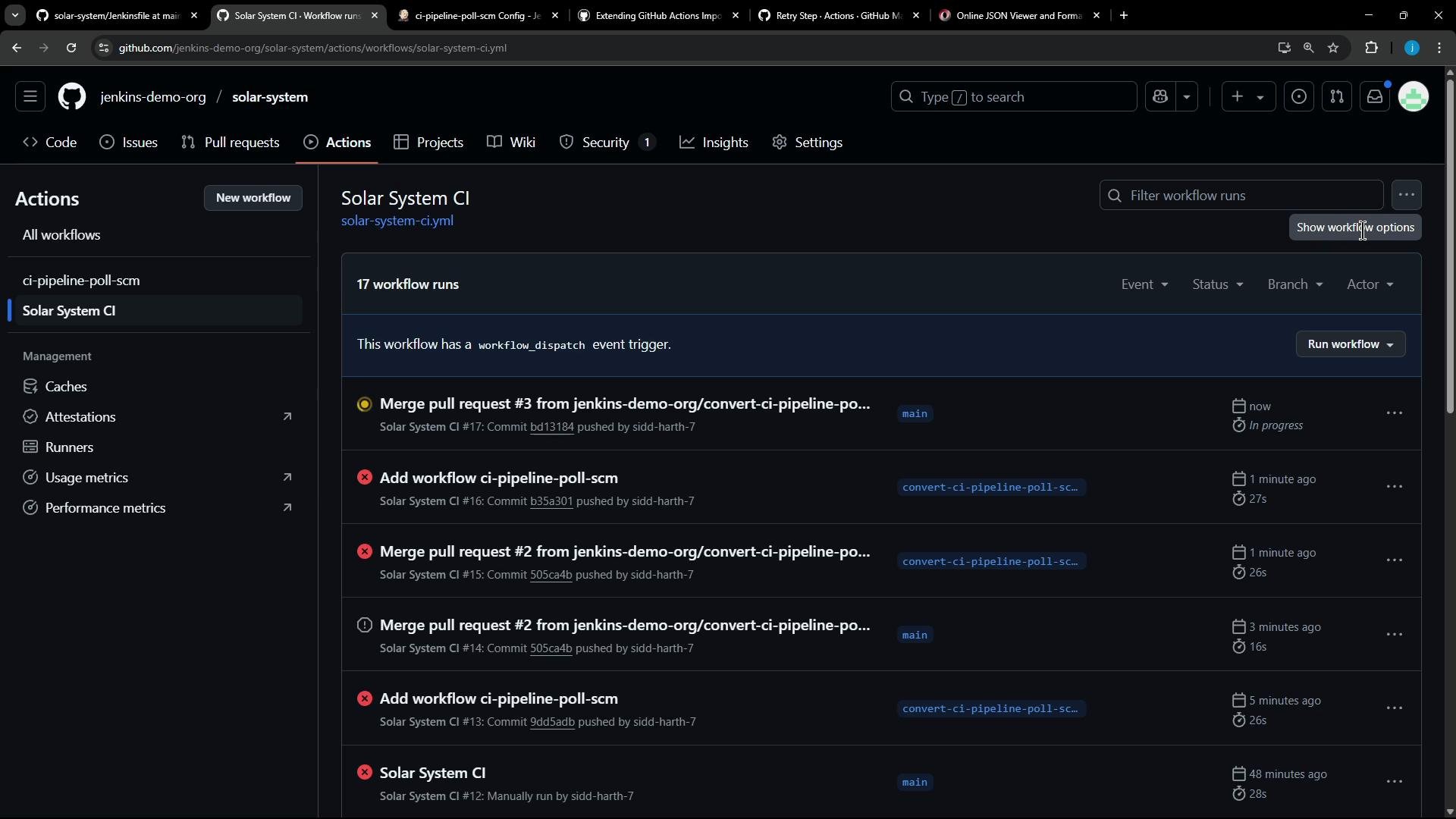
A dark-themed GitHub Actions page for the "jenkins-demo-org/solar-system" repo showing the "Solar System CI" workflow and a list of recent workflow runs. The main panel displays individual run entries with statuses, timestamps and branch labels, while the left sidebar shows workflow and management options like Caches and Runners.
Testing failure + retry To validate the retry behavior, temporarily make tests fail (for example, remove required environment variables). The retry action will attempt the command up to max_attempts. Observations:
  • Retry attempts appear in Actions logs (Attempt 1, Attempt 2, …).
  • If all attempts fail, the job fails after the final attempt and logs show “final attempt failed” or similar.
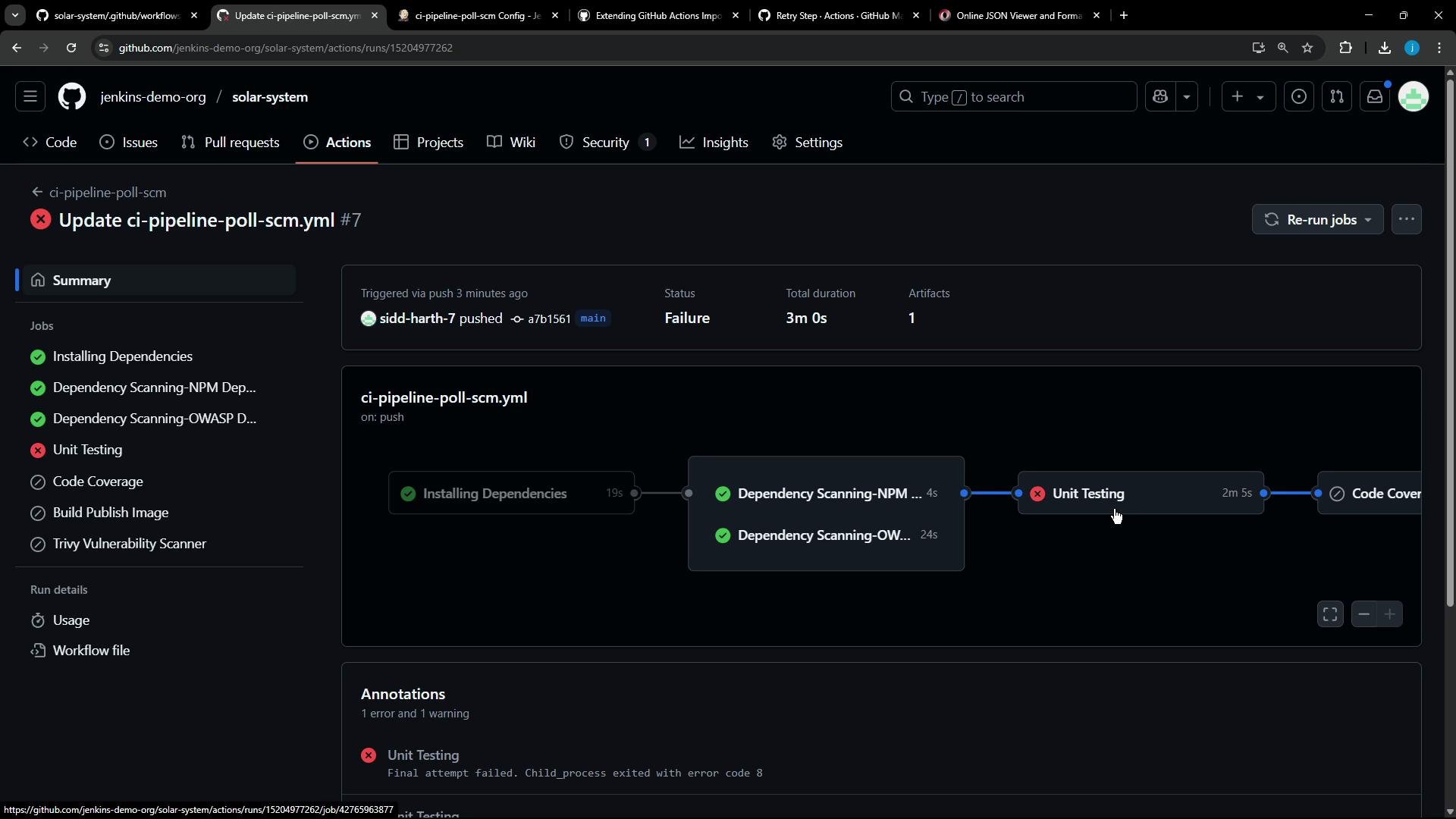
Failure example (screenshot)
A dark-theme GitHub Actions workflow run page for the jenkins-demo-org/solar-system repository showing a failed CI run ("Update ci-pipeline-poll-scm.yml") where the Unit Testing job failed while dependency scans passed. The screen displays the job list with green checks and a red X and a visual pipeline flow highlighting the failing test step.
Final notes and best practices
  • Ensure essential setup steps (checkout, install dependencies) are present before running tests to avoid missing binaries like Mocha.
  • Extract dynamic values (commands, file names, retry counts) from Jenkins identifiers whenever possible so transformers apply across multiple contexts.
  • Prefer verified and actively maintained action versions; the importer can be configured to allow only verified actions so unverified steps are commented out or flagged.
  • Use gh actions-importer dry-run to iterate quickly and validate transformer output before migration.
References and further reading

Watch Video