

Prerequisites
- An existing RDS instance (Primary) in the Available state.
- Appropriate IAM permissions to view and modify RDS instances.
- VPC/networking access for any replica instances (same or different region).
1 — Create a primary DB (example: PostgreSQL)
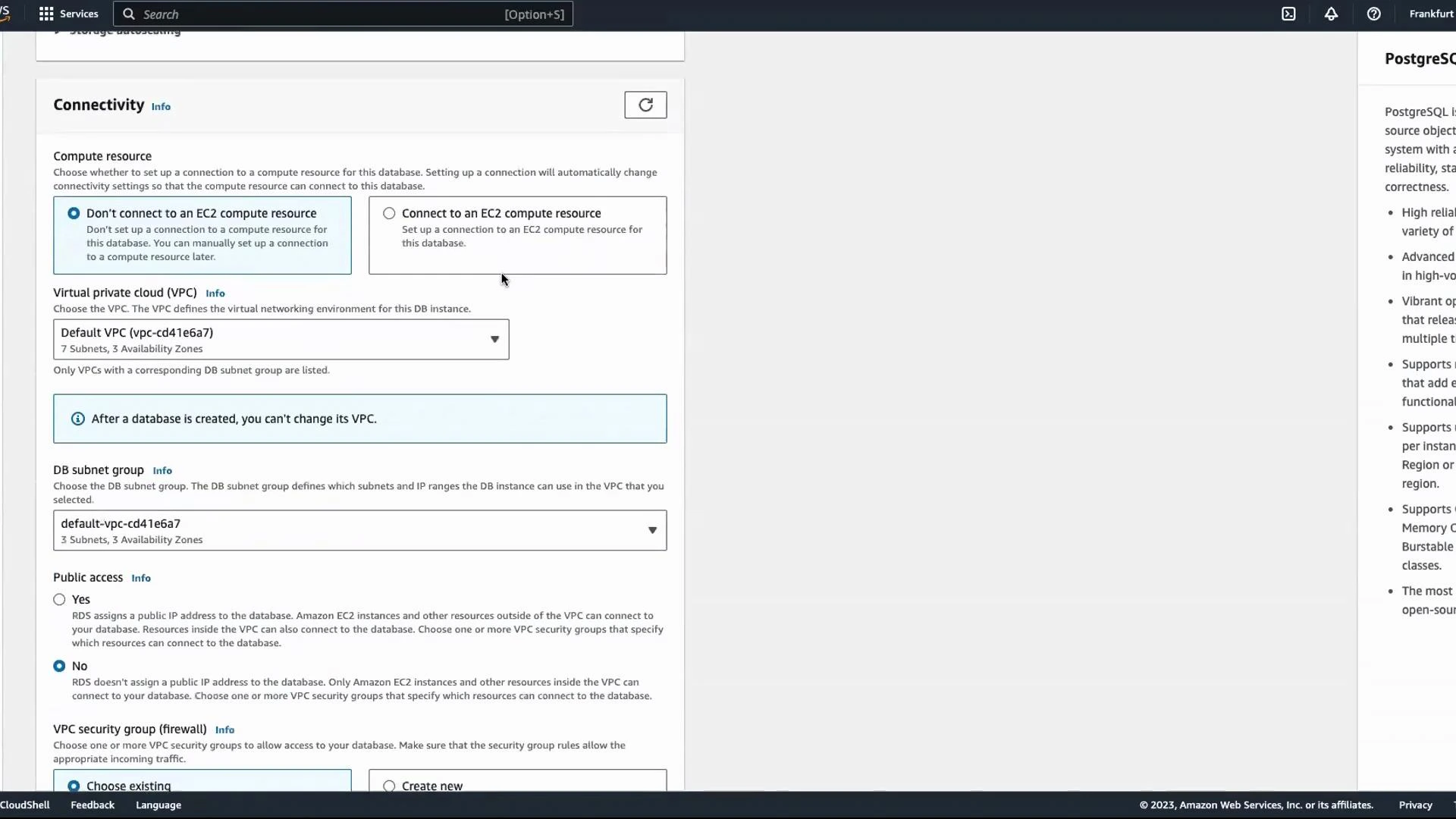
To create a simple primary instance for this demo:- Go to RDS Console → Create database → Standard create.
- Choose Engine: PostgreSQL.
- Select a template (e.g., Dev/Test).
- Provide a DB identifier and click Auto generate password (or enter your own).
- Leave instance configuration and other options at defaults for the demo, then choose Create database.
2 — Create a read replica from the primary
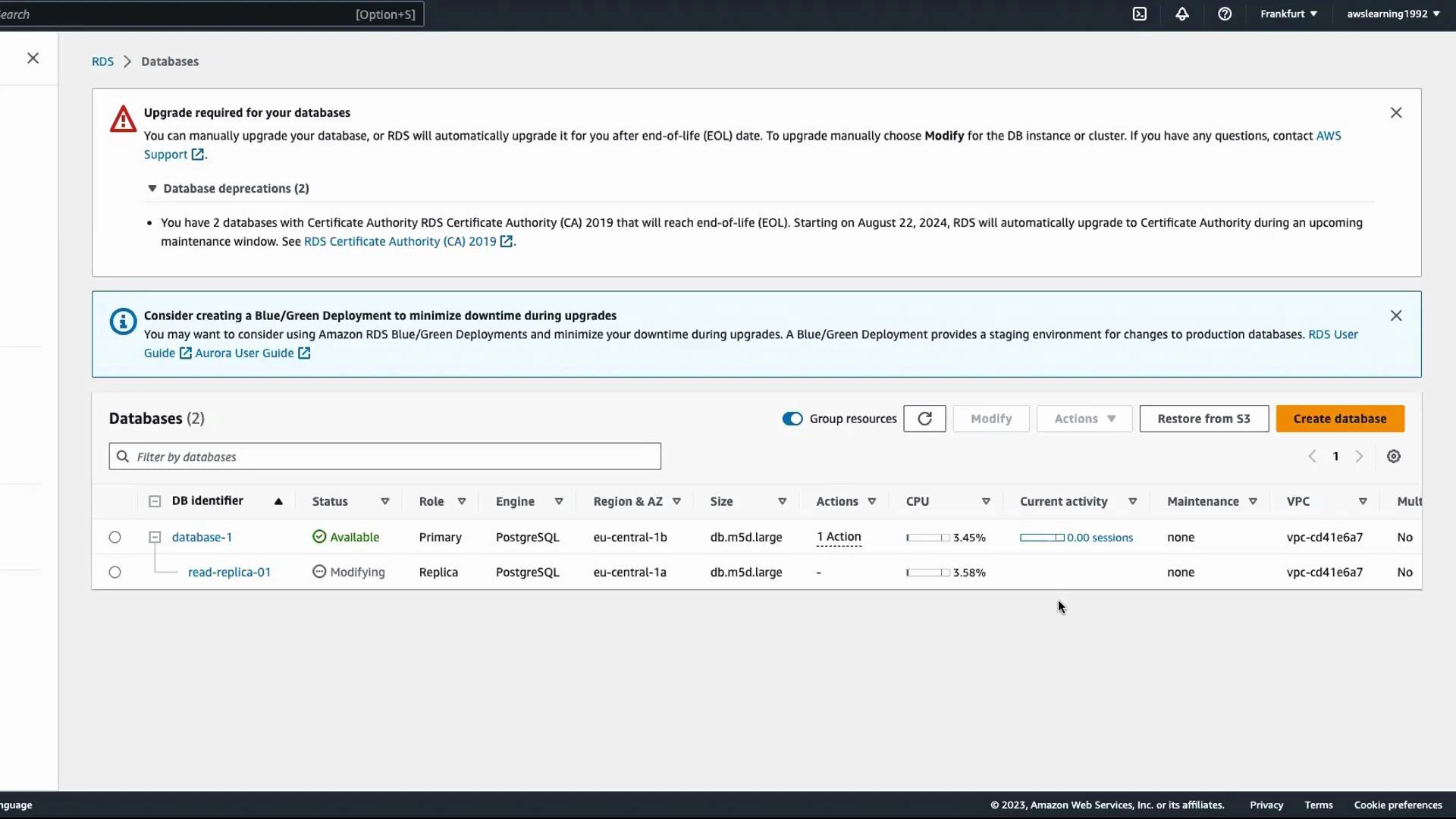
Wait until the primary is in the Available state, then:- In the RDS Console select the primary DB instance.
- From Actions choose Create read replica.
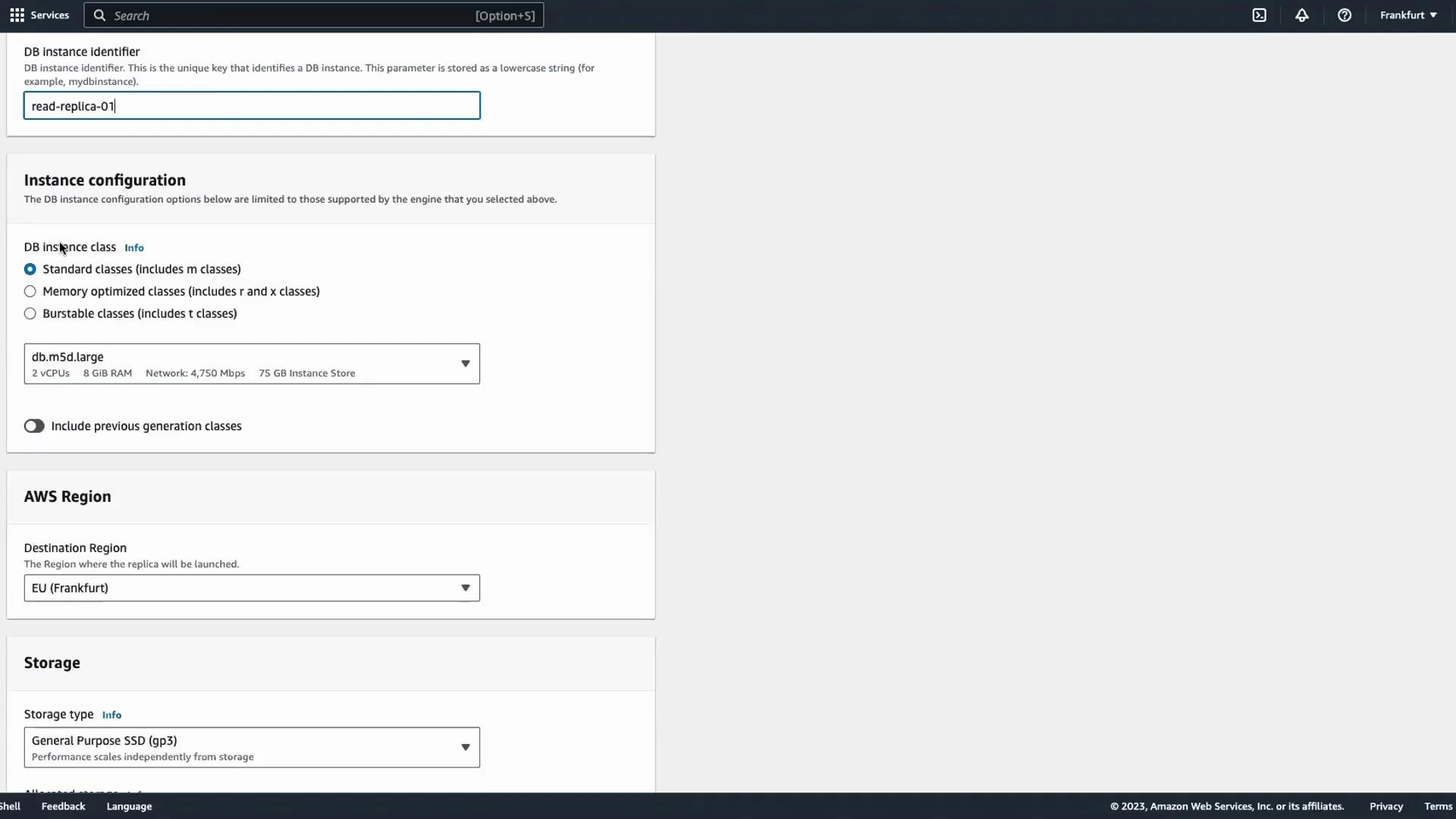
- Enter a DB instance identifier (for example,
read-replica-01). - Configure the replica: choose instance class, storage type, destination region (for cross-region replicas), and any other options. The read replica can use different compute and storage settings than the primary so you can optimize for read workloads.
- Click Create read replica.
Operational details & best practices
- Credentials: A read replica inherits the master username and password from the primary instance. You do not create new credentials when adding a replica.
Read replicas are typically read-only. If you need writes to a replica, you must promote it to a standalone primary; promotion breaks replication and makes the instance writable.
- Promotion: To convert a read replica into a writable primary (useful for DR or planned failover), select the replica and choose Actions → Promote. Promotion removes replication and makes the instance fully writable.
- Multiple replicas: You can create multiple read replicas for the same primary to scale read throughput. Replica chaining (creating a replica from an existing replica) support depends on engine/version—RDS PostgreSQL typically creates replicas from the primary.
- Replication type and lag: RDS PostgreSQL uses physical streaming replication and is asynchronous by default. Expect potential replication lag; cross-region replicas will generally experience higher replication latency.
- Instance sizing: Because replicas serve reads only, choose instance classes and storage tailored to read performance (I/O, network throughput), which may differ from the primary.
- Cost considerations: Each replica is a separate billed instance and associated storage. Factor these costs into capacity planning.
Adding read replicas improves read scalability and availability but increases costs and can introduce replication lag. Test your application’s tolerance for eventual consistency from replicas before relying on them for critical reads.
3 — Provisioning read-capable instances at DB creation time
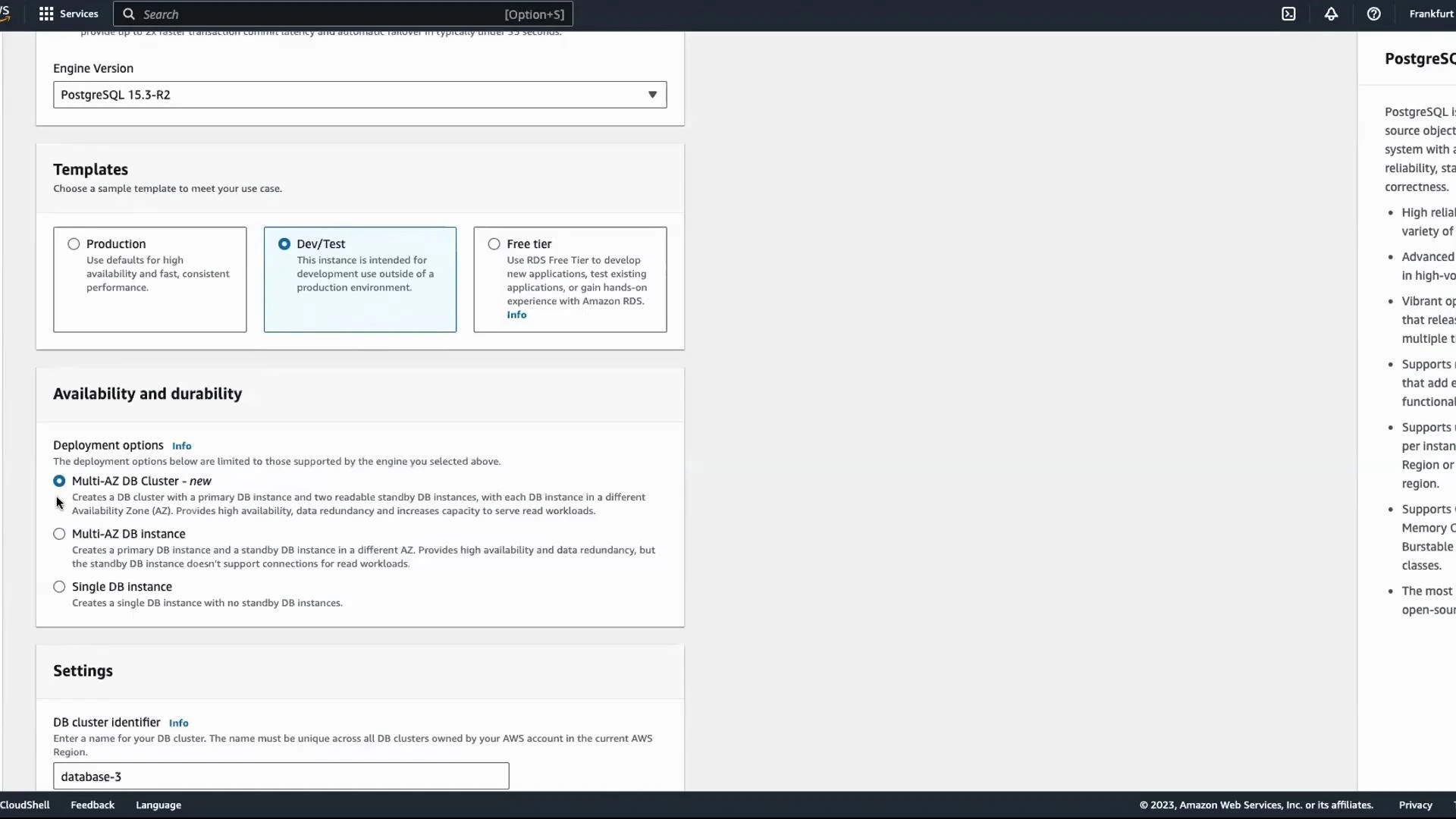
There are two common approaches when you want read-capable instances provisioned as part of database creation:- Standard RDS engines (PostgreSQL/MySQL): Multi-AZ deployments provide a synchronous standby for high availability, but the standby is not readable. For read replicas you create them after the primary becomes available.
- Amazon Aurora (Aurora MySQL / Aurora PostgreSQL): Aurora uses a DB cluster model with a single primary writer and multiple reader instances (read replicas) that you can create as part of the cluster. Readers are available immediately across AZs.
Quick decision table: When to use RDS vs Aurora
Summary
- To add read capacity to an existing RDS database: select the primary DB and use Actions → Create read replica.
- Read replicas inherit master credentials, are read-only, and can be promoted to writable primaries when necessary.
- If you need read replicas provisioned up front, prefer Aurora DB clusters; for standard RDS engines use Multi-AZ for HA (standby not readable) and create read replicas afterward.
- Monitor replication lag and costs, and design your application to handle eventual consistency from replicas.