

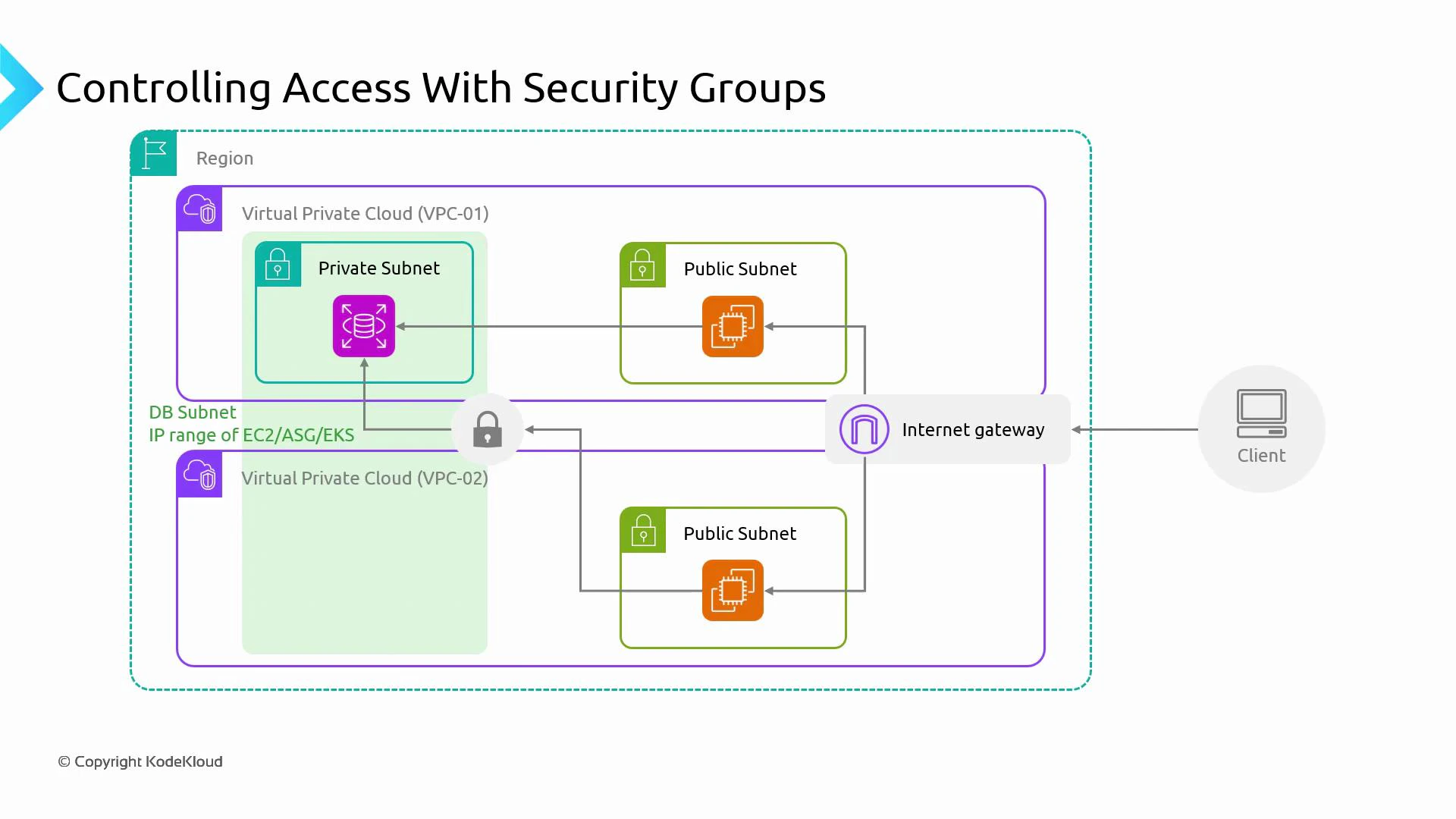
- Typical pattern: application servers (EC2, Auto Scaling groups, or EKS nodes) live in public or application subnets; databases (RDS) are placed in private subnets.
- Network path: client traffic arrives via the Internet Gateway → public subnet (application or bastion/jump host) → private subnet (RDS).
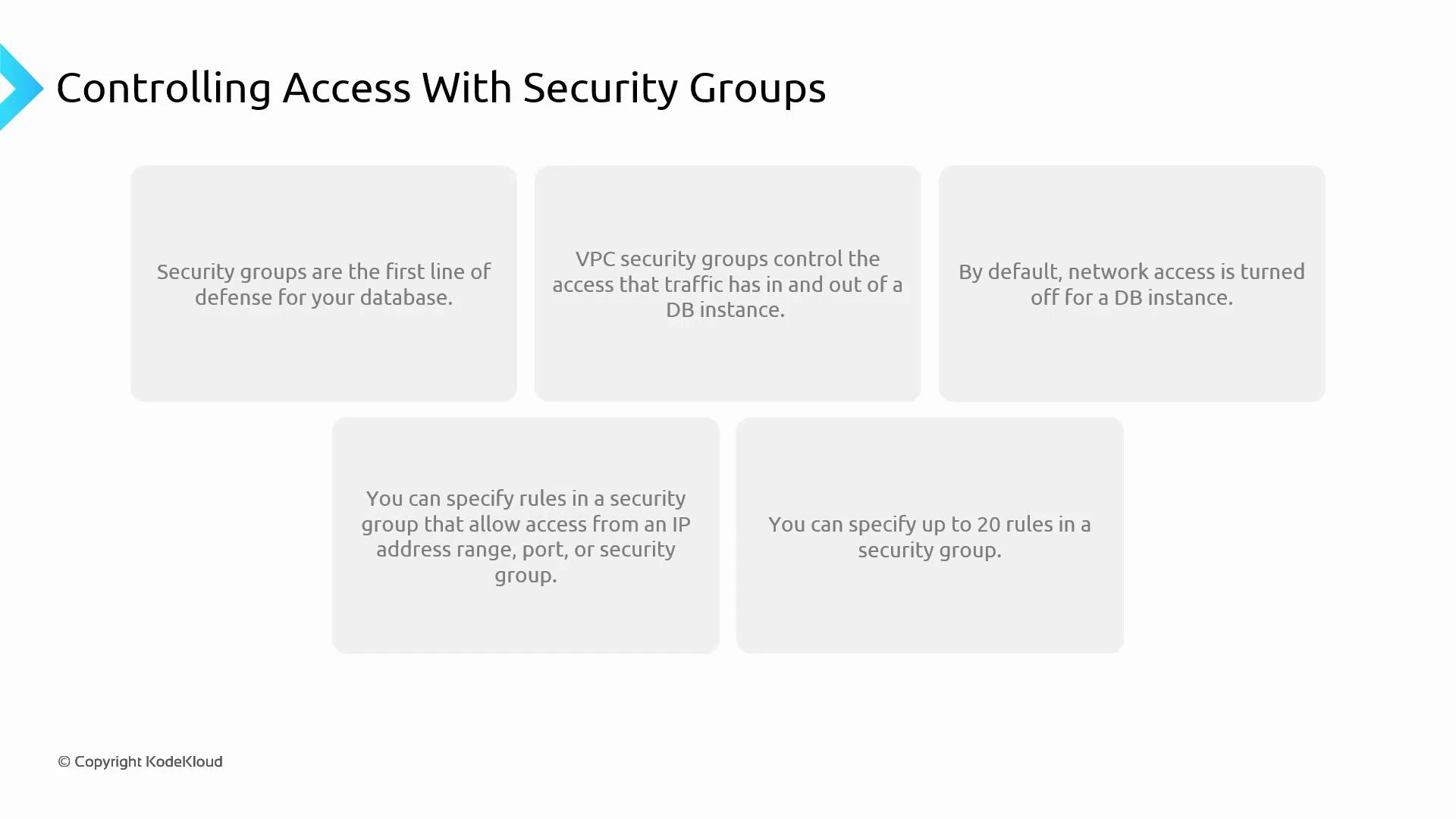
- Security groups attached to RDS network interfaces are the primary network-level control for database access.
- Public subnet: contains the application tier or a jump host/bastion. These resources have security groups that allow inbound traffic from clients (or from specific admin IP ranges for bastions).
- Private subnet: hosts the RDS instance(s). The RDS security group(s) should allow inbound access only from the application security group(s) or specific CIDR ranges and only on the required database port(s).
- Stateful behavior: security groups are stateful. If inbound traffic is allowed, response traffic is permitted automatically; similarly, if outbound is allowed, return traffic is allowed inbound.
- Default deny inbound: by default, security groups block inbound traffic. You must add explicit allow rules to permit access to the database.
- Rule sources: security group rules can allow traffic by:
- CIDR blocks (IP ranges)
- Prefix lists
- Referencing another security group (must be in the same VPC)
- Cross-VPC access: you cannot reference a security group in an unrelated VPC directly. For cross-VPC access, use VPC peering, Transit Gateway, VPC sharing, a VPN/Direct Connect, or allow the remote VPC’s CIDR in the RDS security group.
Operational notes and governance
- Infrastructure as Code (IaC): apply security group changes through IaC (Terraform, CloudFormation, CDK) and route changes through code review and CI pipelines to avoid accidental exposure.
- AWS limits: AWS applies soft limits on the number of rules per security group and the number of security groups per network interface. Limits vary by account and region — check your account’s limits in the AWS console and request increases if needed.
- Auditing: use AWS Config, CloudTrail, and centralized logging to track and audit changes to security groups and network configuration.
Security groups attach to RDS network interfaces. Follow the principle of least privilege: only open required ports to the minimal set of sources (security groups or CIDRs).
- Ensure connectivity: before you can reach an RDS instance from another VPC, you must establish VPC-to-VPC connectivity (VPC peering, Transit Gateway, or VPN/Direct Connect) and configure route tables and NACLs correctly.
- Allow sources explicitly: even with connectivity, the RDS security group must permit the remote CIDR or use an appropriate cross-account pattern. Directly referencing a security group from an unrelated VPC is not supported.
- Centralized architectures: consider Transit Gateway with centralized firewall/security controls or VPC sharing for simpler security group references inside an organizational unit.
You cannot reference a security group in a different VPC directly. For cross-VPC access, either allow the remote VPC CIDR in the RDS security group or adopt architectures such as VPC peering with CIDR allowances, Transit Gateway, VPC sharing, or a VPN/Direct Connect solution.
- Keep RDS in private subnets; never place production databases in public subnets.
- Use security group references for app→DB traffic within the same VPC instead of broad CIDR ranges.
- Restrict ports to the database port(s) only (e.g., 5432 for PostgreSQL, 3306 for MySQL).
- Manage security group changes via IaC and include them in your change control process.
- Monitor and audit security group modifications using AWS Config and CloudTrail.
- Review AWS account limits for security group rules and request increases if needed.
- AWS Security Groups: https://docs.aws.amazon.com/vpc/latest/userguide/VPC_SecurityGroups.html
- AWS RDS networking: https://docs.aws.amazon.com/AmazonRDS/latest/UserGuide/Overview.RDSSecurity.html
- AWS Config: https://docs.aws.amazon.com/config/latest/developerguide/
- AWS CloudTrail: https://docs.aws.amazon.com/awscloudtrail/latest/userguide/cloudtrail-user-guide.html
- IaC resources: Terraform, AWS CloudFormation, CDK