

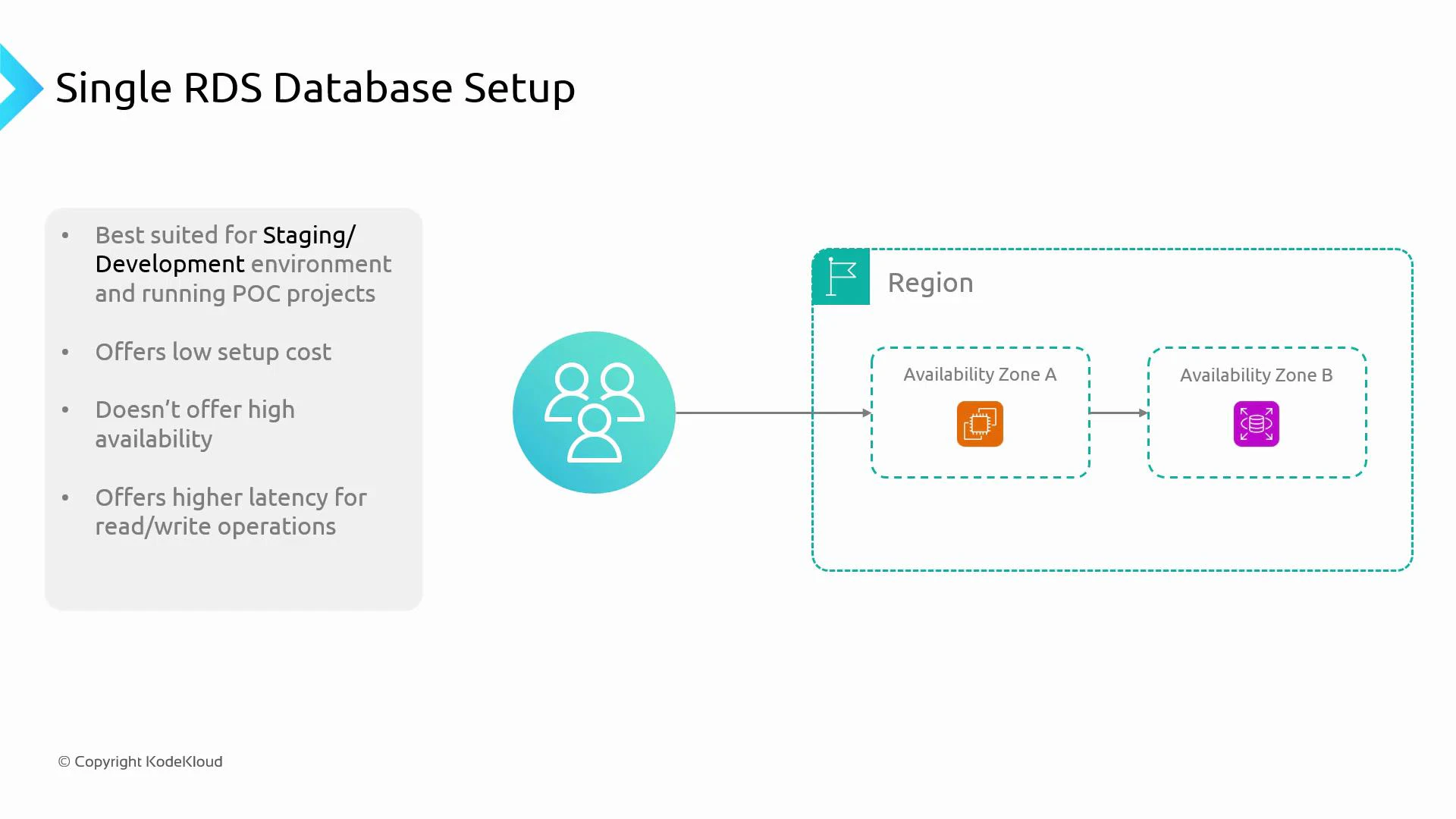
- Low infrastructure cost and fast provisioning.
- No built-in high availability—if the instance or its AZ fails, the database is unavailable.
- Suitable for small workloads with modest concurrency; does not scale read capacity.
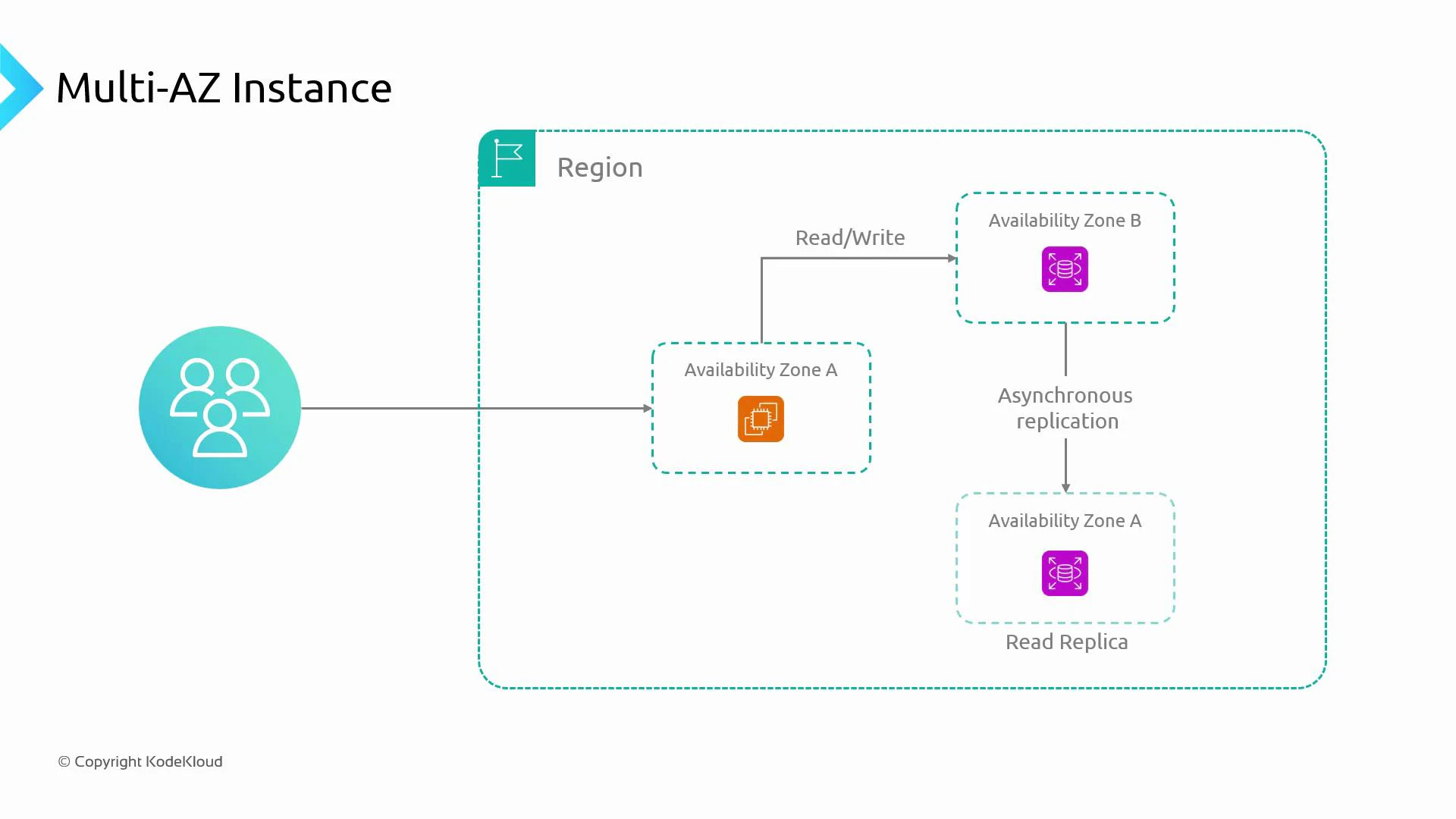
- Read replicas (asynchronous replication)
- Deploy one or more read-only replicas in other AZs or regions to offload read traffic from the primary instance.
- Improves read throughput and can reduce read latency for geographically distributed users.
- Replication is asynchronous, so replicas may experience replication lag and eventual consistency.
- Each replica is an additional instance and increases cost.
- Multi-AZ standby (synchronous replication for HA)
- RDS Multi-AZ (non-Aurora engines) provisions a synchronous standby replica in a different AZ.
- The standby is not used for serving reads during normal operation; it exists to enable fast failover.
- Failover is automatic and designed to minimize downtime, but the standby does not improve read capacity.
- Multi-AZ standby increases cost because of the additional instance.
- Read replicas:
- Pros: Improves read throughput and geographic distribution; helps scale read-heavy workloads.
- Cons: Asynchronous replication → potential lag; extra cost for replica instances.
- Multi-AZ standby:
- Pros: Synchronous replication → predictable failover behavior and improved uptime.
- Cons: Standby is not readable during normal operation → no read scaling benefit; higher cost.
- Aurora replicates data automatically across AZs at the storage layer and supports multiple reader instances with very low replication lag.
- Typical cluster components:
- One primary writer that accepts reads and writes.
- Multiple reader instances that serve read-only traffic and improve scalability.
- Fast failover and promotion mechanisms that reduce recovery time.
- Cross-region read replicas are supported (asynchronous) to enable disaster recovery and global scaling.
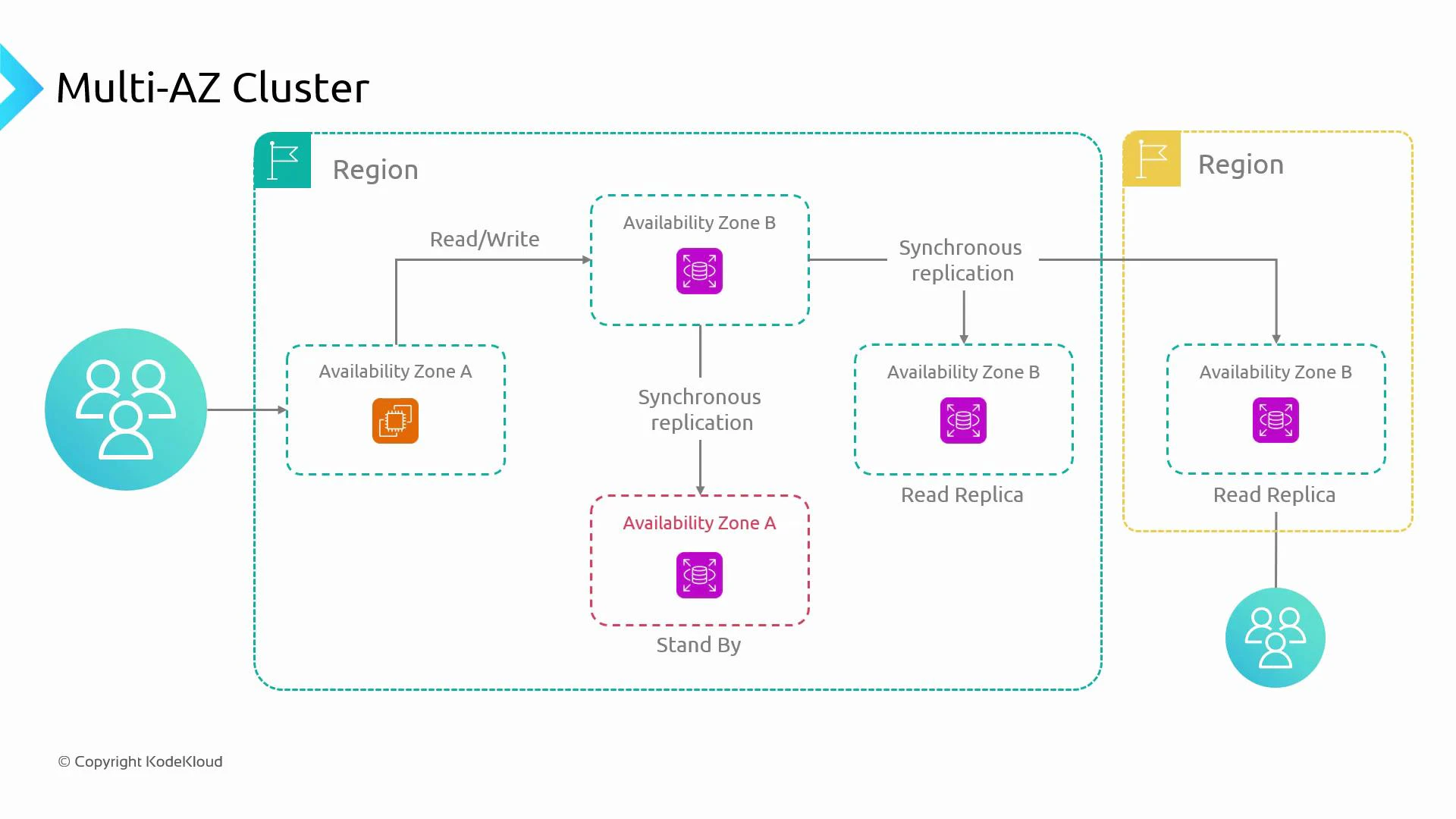
- Scalability: Multiple readers (regional or cross-region) reduce read latency for distributed users.
- High availability: Synchronous replication or managed failover reduces downtime.
- Disaster recovery: Cross-region replicas and multi-AZ replication protect against zone or region failures.
RDS manages replication and failover behavior for you: RDS Multi-AZ uses synchronous replication for high availability, read replicas use asynchronous replication (including cross-region replicas), and automated failover behavior depends on the chosen engine and deployment model.
Key decision points
- Start with requirements: prioritize low cost, high availability (HA), read scalability, or global distribution.
- Choose single-instance for development, staging, or low-traffic apps where downtime tolerance is acceptable.
- Add read replicas when read throughput or geographic read latency is the bottleneck—but monitor replication lag and consistency.
- Enable Multi-AZ standby for high availability when uptime and automatic failover are required.
- Use clustered engines (Aurora) or combine Multi-AZ standby + read replicas for production systems that require both HA and read scalability.
- Always weigh cost vs. business requirements: additional AZs, standby instances, and replicas increase infrastructure cost.
Do not enable Multi-AZ or add read replicas just because they are available—assess traffic patterns, SLAs, and cost. For non-critical apps a single instance may be sufficient; for mission-critical systems, use Multi-AZ clusters or Multi-AZ with replicas.