

Minor upgrades are often straightforward. Major upgrades can introduce incompatible behavior or storage format changes that require application adjustments and careful validation. To avoid impacting production users, teams often adopt a blue–green deployment pattern for databases.
Key elements of a blue–green database deployment:
- Blue is the current production database cluster.
- Green is a separate, identical cluster provisioned as staging.
- Logical replication from blue to green keeps green up-to-date so tests run on real-like data.
- Test users and automated test suites exercise green; schema changes and upgrades are applied there first.
- After validation, traffic is switched to green (promoting it to production). If issues occur, switching back to blue is fast by updating endpoints, DNS, or load-balancer routing.
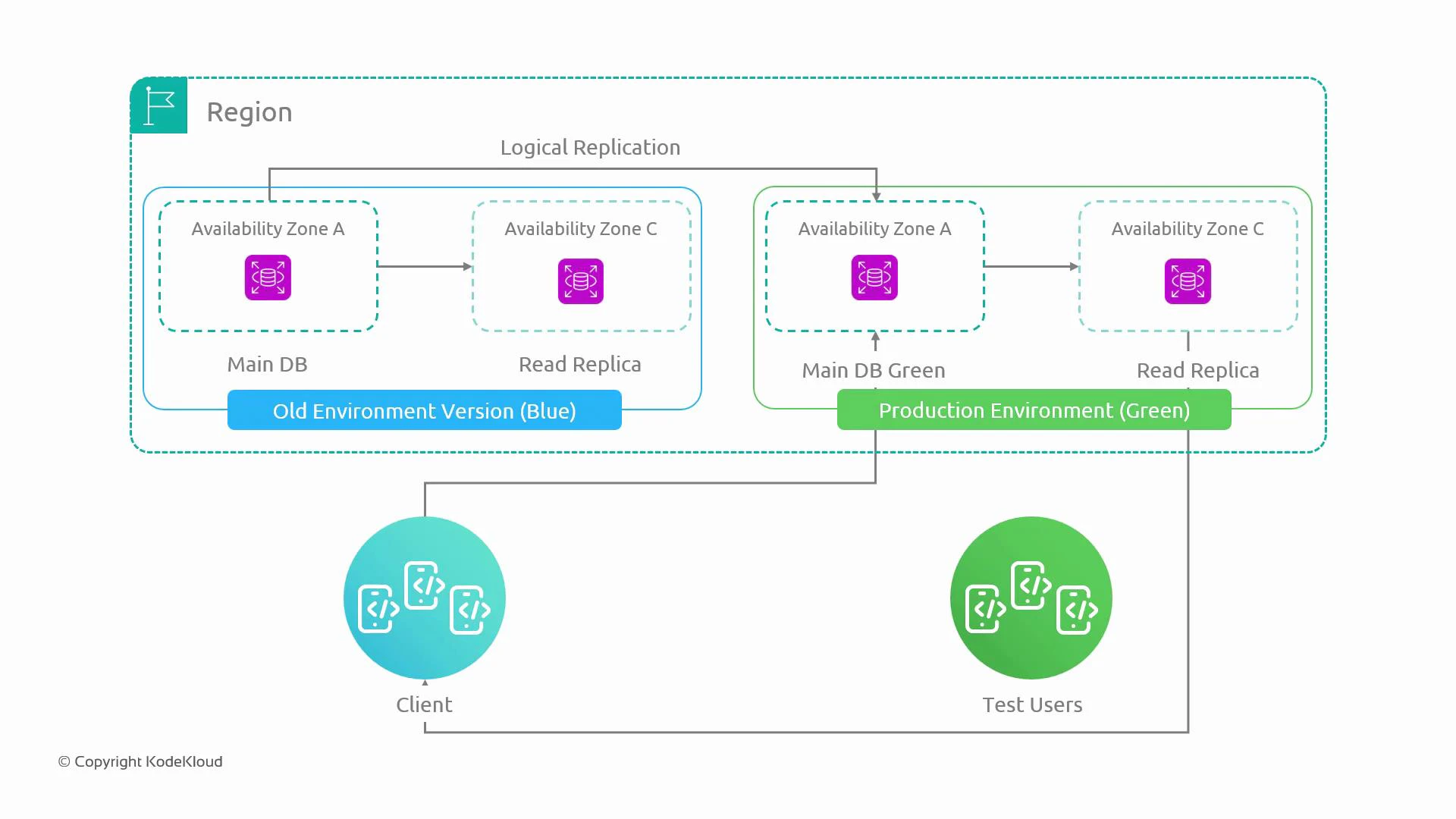
- Replication model: Use one-way logical replication from blue → green so green can be tested with up-to-date production data. Avoid bidirectional writes to prevent conflicts and divergence.
- Cutover methods: Promote green by switching connection endpoints — DNS flip with a short TTL, updating client configuration, or changing load-balancer targets. Ensure clients reconnect and any pooled connections are drained.
- Gradual traffic shift: Reduce risk by ramping traffic (for example: 10% → 20% → 50% → 100%) while monitoring metrics and errors.
- Rollback: Since blue remains intact, rollback is fast — re-point clients to blue if problems appear.
- Data consistency: Verify green has replayed all changes and replication lag is acceptable before accepting writes on green.
- Operational parity: Green should mirror production in topology, Multi-AZ setup, and parameter settings to surface potential issues.
Keep replication-lag checks and write-drain procedures in your runbook. A successful cutover requires green to be fully caught up and clients to reconnect cleanly.
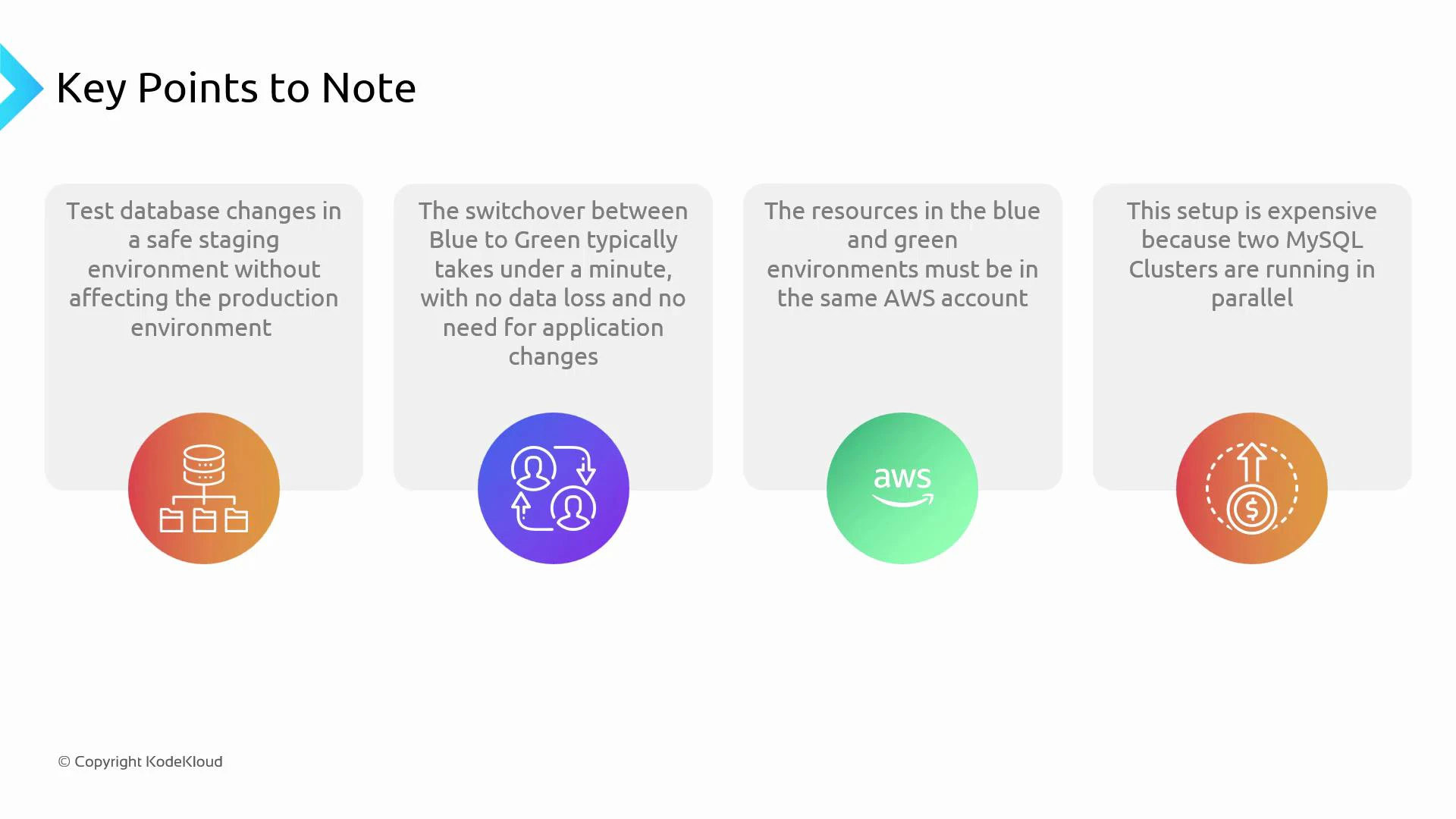
- Same account / networking: Keep blue and green in the same AWS account and VPC (or connect them securely). Cross-account/network setups complicate replication, IAM, and access controls.
- Cost: Running a duplicate production cluster (primary + read replicas, Multi-AZ copies, backups, monitoring) is expensive. Reserve this pattern for systems where scale and risk justify the expense.
- Multi-AZ & cluster parity: If production uses Multi-AZ clusters, ensure green has the same Multi-AZ configuration to surface related issues.
- Data model changes: Some schema changes are not backwards compatible. Design zero-downtime schema migrations (backward/forward compatible changes, feature toggles, or dual-write strategies) where possible.
Cutting over while replication is lagging or without draining writes risks data loss or split-brain. Validate a pre-cutover checklist before switching traffic.
- AWS RDS Documentation — guidance on Multi-AZ, replicas, and maintenance
- Logical Replication Concepts — for PostgreSQL-style logical replication
- Articles on zero-downtime schema migrations and feature flag strategies