

Quick overview
- Enable “Manage master credentials in AWS Secrets Manager” when creating the RDS instance.
- RDS will create a Secrets Manager secret with the generated master username and password.
- Secrets Manager can optionally enable automatic rotation for that secret and (when configured) will update the RDS master password.
- Your application must fetch the current credentials from Secrets Manager (or use a secure cache) so it continues to work after rotation.
Create the database and enable Secrets Manager
- Open the RDS console and click Create database.
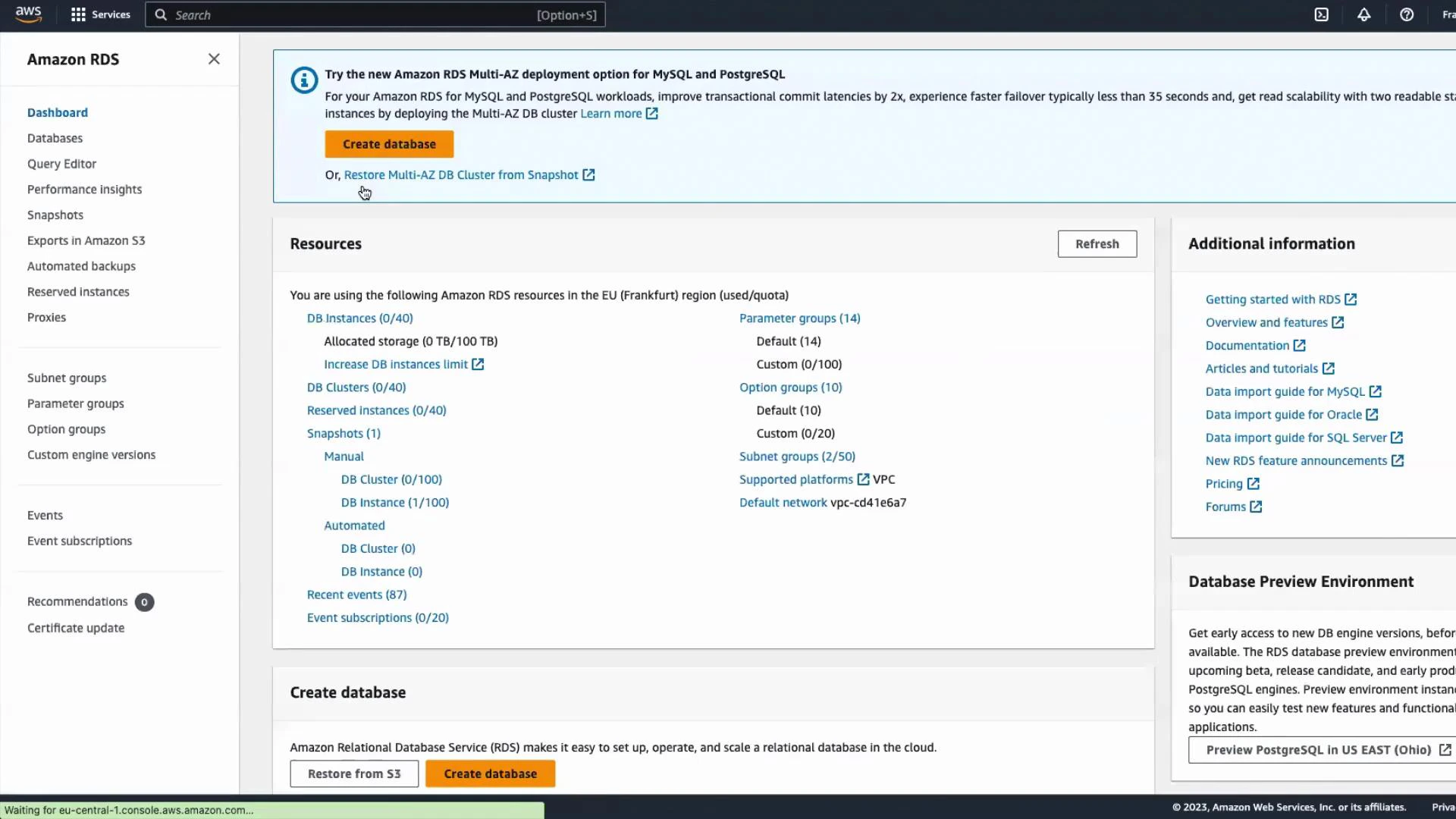
- Choose Standard create and select PostgreSQL as the engine. Keep defaults where appropriate and pick a Free tier instance class (or another instance class you prefer).
- In the Credentials section enable Manage master credentials in AWS Secrets Manager. When enabled, RDS will generate and store the master username and password in Secrets Manager and can optionally enable rotation for that secret.
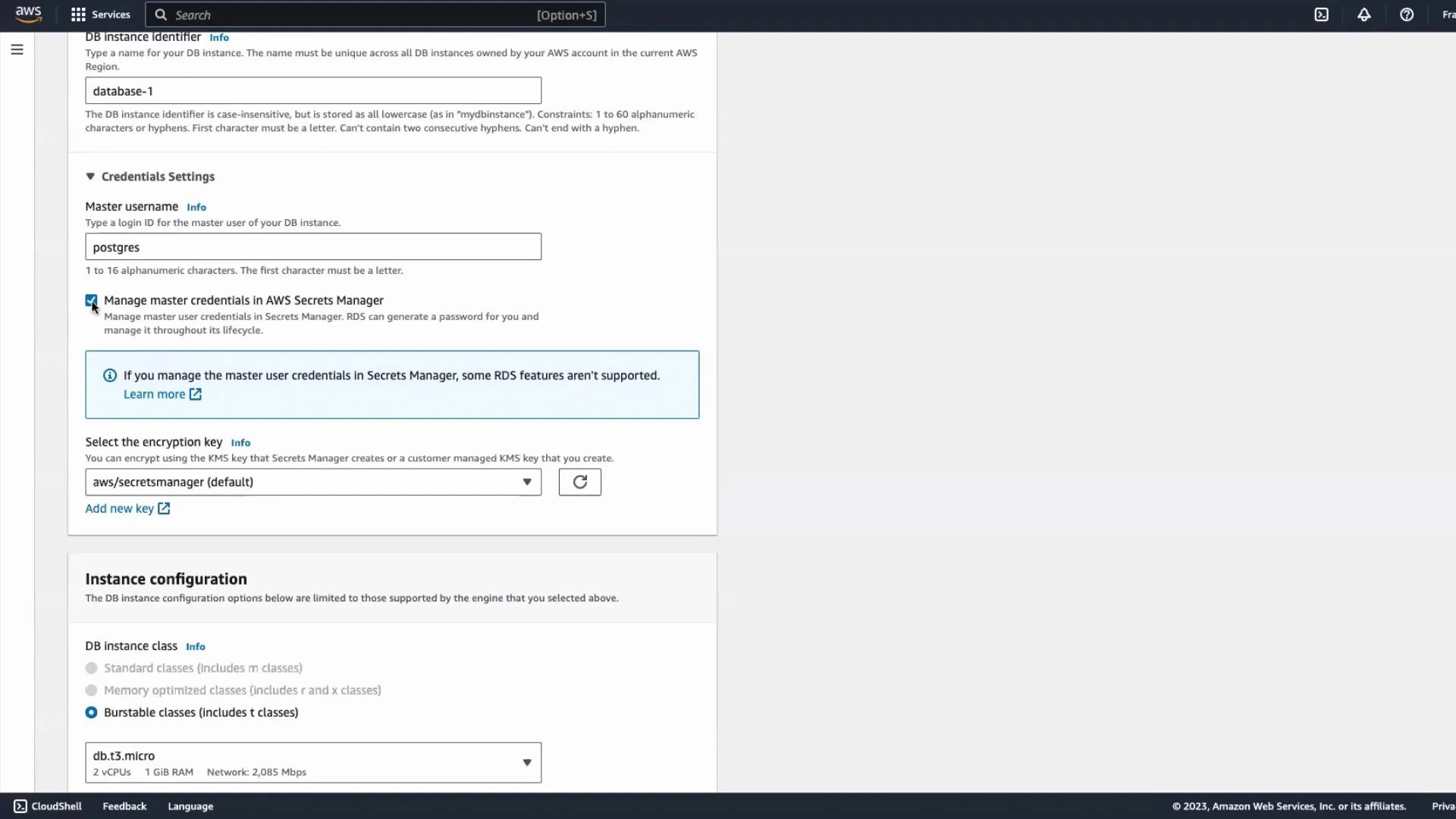
- Scroll through the remaining settings, adjust networking/security as required (VPC, subnets, security groups), and click Create database.
Verify the secret created by RDS
Once the DB is available, choose View details. You will see the master username and an indication that the master credentials are managed by AWS Secrets Manager. RDS creates the corresponding secret in Secrets Manager during DB creation.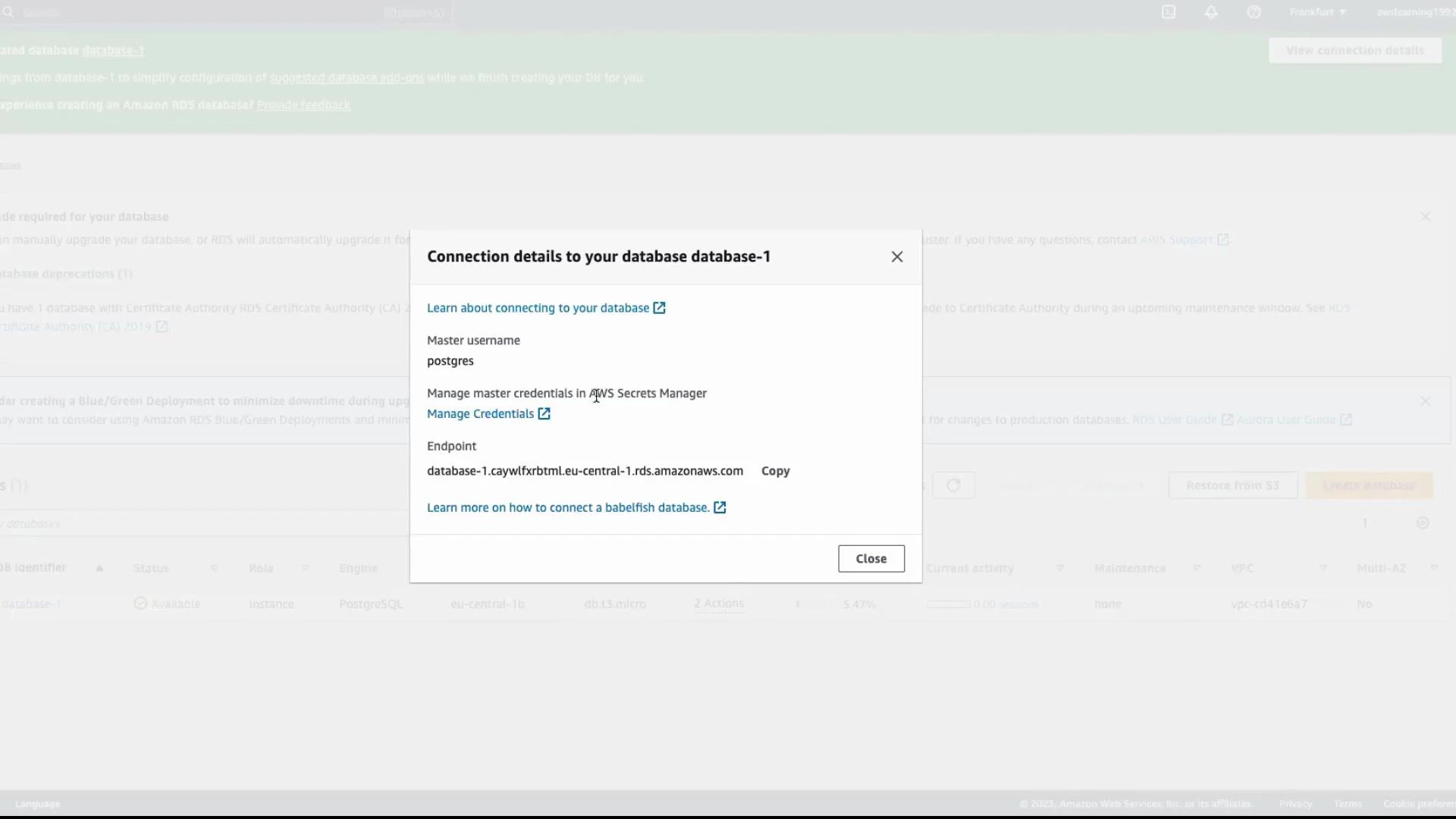
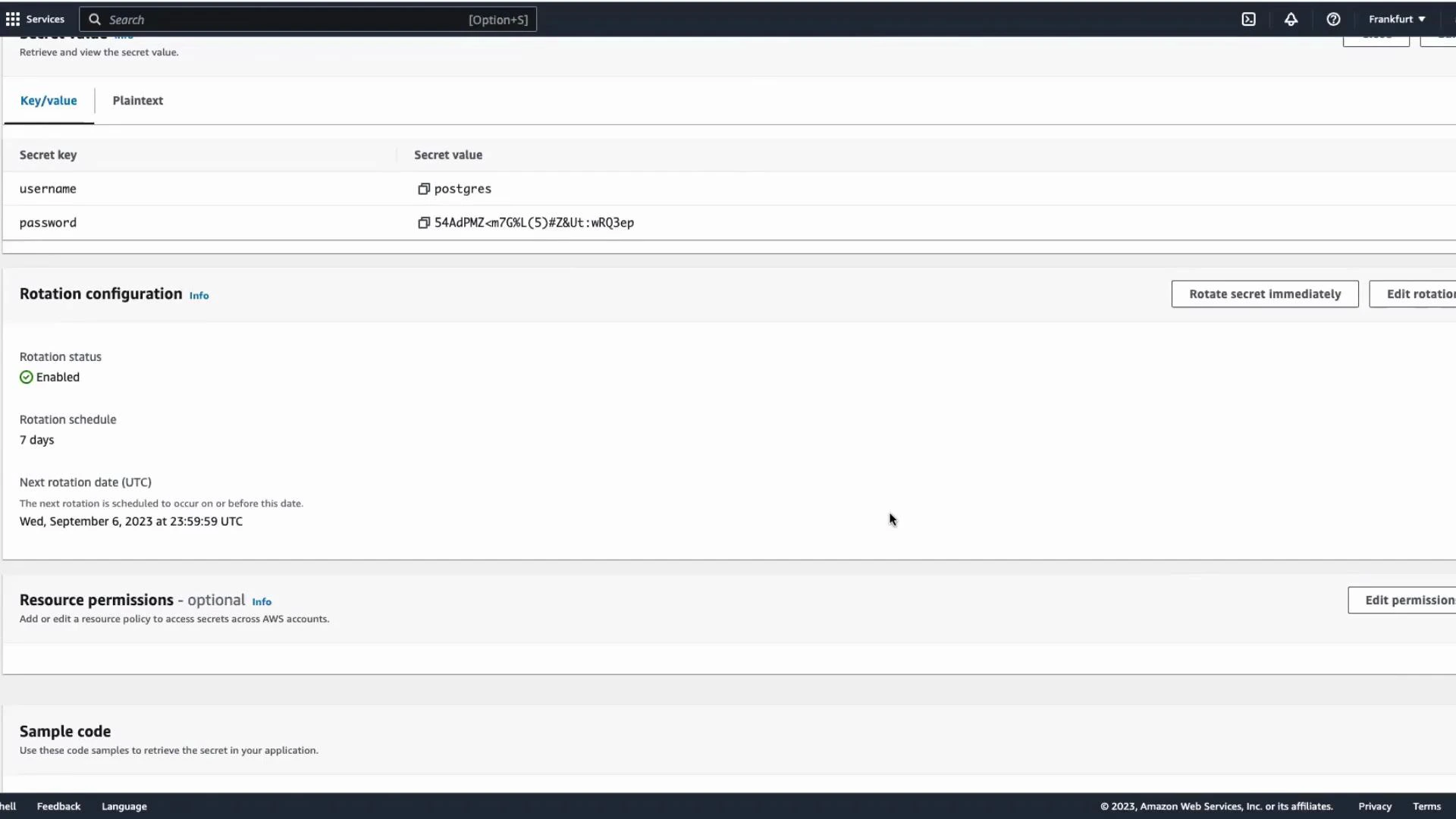
Sample code — retrieve the secret and connect to PostgreSQL
Below are code examples provided by Secrets Manager that demonstrate retrieving the secret (username/password) and using it to connect to PostgreSQL. Java (AWS SDK v2) — retrieve the secret valueRotation behavior and application impact
When rotation is enabled, Secrets Manager updates the stored password and (if rotation is configured correctly) updates RDS with the new password. Your application must use the current credentials from Secrets Manager; otherwise, a rotated password will break connections.Make sure your application either fetches the secret on each connection, refreshes at a safe cadence, or uses an in-process Secrets Manager cache/library that automatically refreshes. Also ensure IAM policies grant only the minimum required permissions to retrieve the secret and that the application has network access to the RDS endpoint (VPC, subnets, and security groups configured correctly).
What happens to the secret when you delete the RDS instance?
By default, RDS can delete the Secrets Manager secret it created as part of the DB deletion process. This behavior depends on the deletion options you choose and the IAM permissions in your account, so confirm the settings when deleting a DB.If you need to retain the secret after deleting the DB, explicitly update the secret’s configuration or back it up before deleting the RDS instance — otherwise you may permanently lose the credentials needed for recovery.
Quick checklist
Summary
- Enabling “Manage master credentials in AWS Secrets Manager” at RDS creation stores the DB master credentials in Secrets Manager and can enable automatic rotation.
- Ensure your application retrieves the current credentials from Secrets Manager (or uses a secure caching mechanism) to handle rotated passwords.
- Validate IAM permissions and network configuration so your application can retrieve secrets and connect to the RDS instance.
- Confirm deletion/retention behavior for secrets before deleting databases.
Links and references
- AWS RDS + Secrets Manager integration: https://docs.aws.amazon.com/AmazonRDS/latest/UserGuide/UsingWithRDS.SecretsManager.html
- Secrets Manager GetSecretValue API: https://docs.aws.amazon.com/secretsmanager/latest/apireference/API_GetSecretValue.html
- boto3 Secrets Manager client: https://boto3.amazonaws.com/v1/documentation/api/latest/reference/services/secretsmanager.html
- AWS SDK for Java v2: https://sdk.amazonaws.com/java/api/latest/index.html
- psycopg2 PostgreSQL adapter: https://www.psycopg.org/