

What Is Maven?
Apache Maven is a powerful build automation and project management tool based on the Project Object Model (POM). By defining dependencies and build settings in apom.xml file, Maven handles:
- Downloading and managing third-party libraries
- Compiling Java source code
- Running unit tests
- Packaging artifacts (JAR, WAR)
- Deploying to local or remote repositories
Your
pom.xml sits at the root of your project. It controls everything from dependency versions to plugin executions.Standard Project Structure
Maven enforces a conventional directory layout to keep builds predictable:Core Lifecycle Phases
Maven executes build steps in a predefined sequence of lifecycle phases. Common phases you’ll use daily: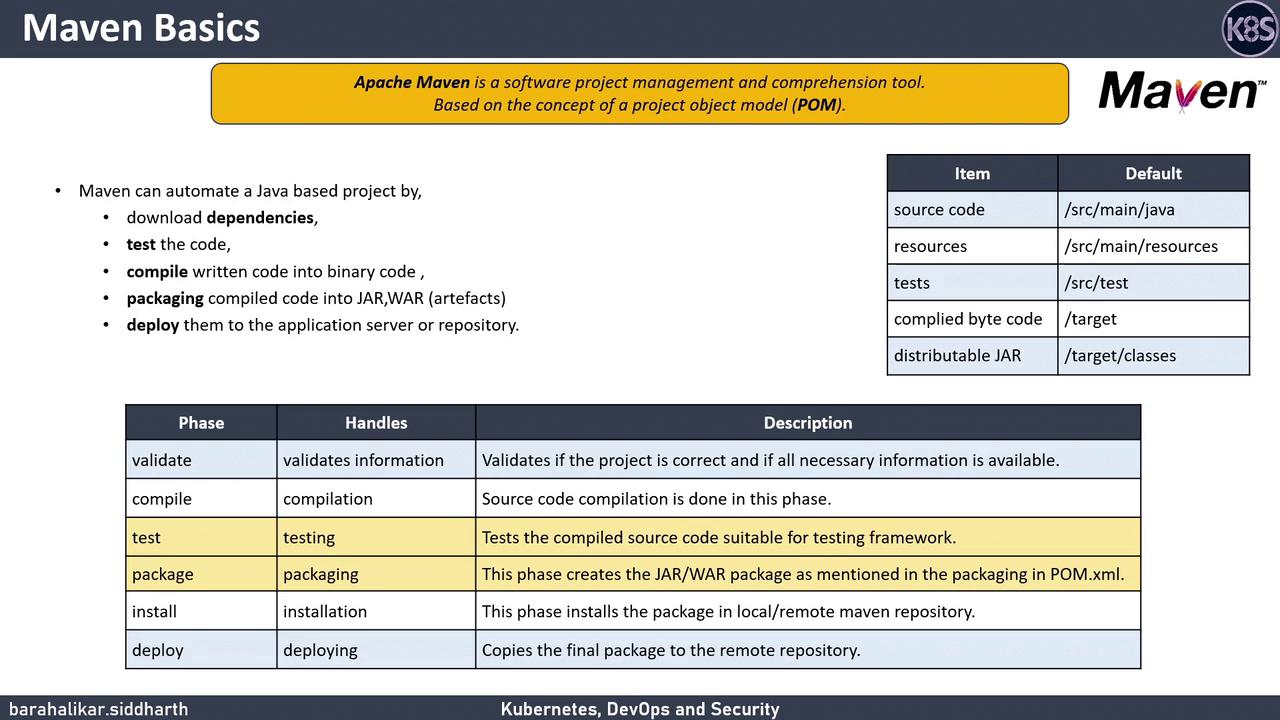
Running Tests
To compile your code and run all unit tests:src/test/java.
Packaging Artifacts
When you’re ready to create your deployable artifact:target directory.
Ensure your
pom.xml <packaging> element matches your intended artifact type (jar, war, etc.) to avoid build failures.