
Documentation Index

Fetch the complete documentation index at: https://notes.kodekloud.com/llms.txt

Use this file to discover all available pages before exploring further.

In this tutorial, we’ll show you how to automatically enforce Dockerfile security best practices using Open Policy Agent’s Conftest. You’ll learn to:
  1. Review key Dockerfile guidelines
  2. Understand Kubernetes’ default container user
  3. Install and configure Conftest
  4. Write and run Rego policies against your Dockerfile
  5. Integrate policy checks into a CI/CD pipeline
  6. Remediate common security violations

Table of Contents


Dockerfile Security Best Practices

Follow Docker’s official guidelines to reduce vulnerabilities:
Best PracticeDescriptionExample
Minimal base imageUse smaller images (e.g., Alpine) to reduce attack surface.FROM alpine:3.15
Pin image tagsAvoid floating latest tags.FROM nginx:1.21.0
Use COPY over ADDPrevent unintended archive extraction or remote downloads.COPY src/ /app/
Non-root userCreate and switch to a non-root account.USER appuser
Combine RUN stepsLimit image layers by chaining commands.RUN apk add --no-cache curl && rm -rf /var/cache/apk/*
Secure ENV varsDo not embed secrets in ENV.Use runtime Kubernetes Secrets.
Example: building a minimal BusyBox image
mkdir myproject && cd myproject
echo "hello" > hello
cat > Dockerfile <<EOF
FROM busybox
COPY hello /
RUN cat /hello
EOF
docker build -t helloapp:v1 .
Good vs. avoid:
# GOOD: simple file copy
COPY requirements.txt /tmp/
RUN pip install --requirement /tmp/requirements.txt

# AVOID if you just need to copy (adds unused tar extraction)
ADD https://example.com/big.tar.xz /usr/src/things/
To run as non-root:
FROM alpine:3.15
RUN addgroup -S appgrp && adduser -S appuser -G appgrp
WORKDIR /home/appuser
COPY app.sh .
USER appuser
CMD ["./app.sh"]
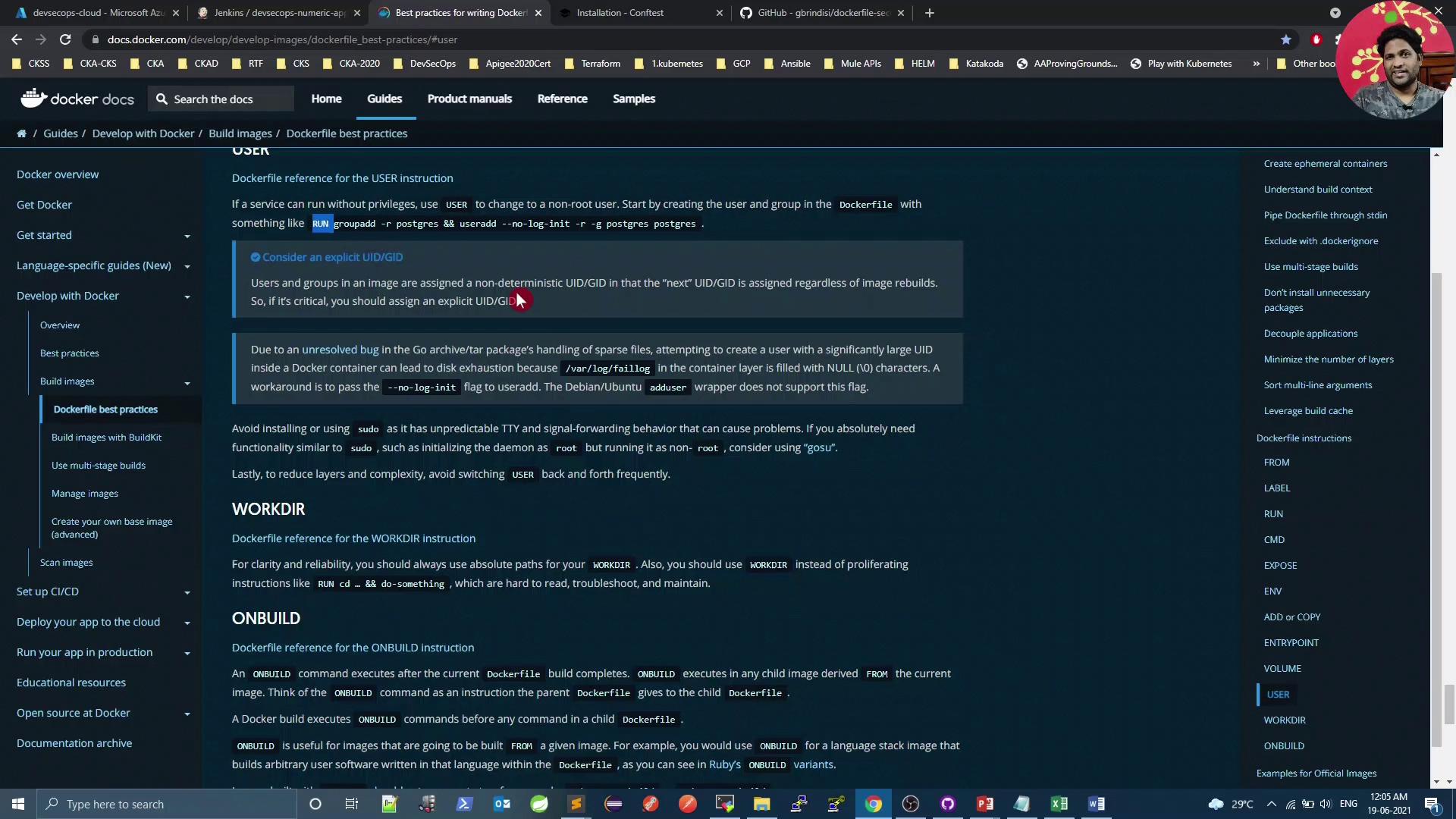
The image shows a webpage from Docker documentation, specifically focusing on Dockerfile best practices, with sections on USER, WORKDIR, and ONBUILD instructions. The browser window also displays multiple open tabs and a taskbar with various applications.

Default Container User in Kubernetes

By default, containers run as root in Kubernetes pods1. Verify with:
$ kubectl get pods
NAME                              READY   STATUS    RESTARTS   AGE
app-5d8f7f6c67-abcde              1/1     Running   0          10m

$ kubectl exec -it app-5d8f7f6c67-abcde -- id
uid=0(root) gid=0(root) groups=0(root),1(bin),2(daemon),...
Running containers as root increases risk of privilege escalation. Always switch to a non-root user in your Dockerfile.

Installing OPA Conftest

Conftest evaluates your Dockerfile against custom policies written in Rego. Linux
wget \
  https://github.com/open-policy-agent/conftest/releases/download/v0.24.0/conftest_0.24.0_Linux_x86_64.tar.gz
tar xzf conftest_0.24.0_Linux_x86_64.tar.gz
sudo mv conftest /usr/local/bin
macOS
brew install conftest
Windows (Scoop)
scoop install conftest
Alternatively, use the official Docker image:
docker pull openpolicyagent/conftest

Writing Rego Policies

Create a file opa-docker-security.rego containing rules like:
package main

# 1. Block secrets in ENV keys
secrets_env = ["passwd", "password", "secret", "key", "token", "apikey"]
deny[msg] {
  input[i].Cmd == "env"
  val = lower(input[i].Value)
  contains(val, secrets_env[_])
  msg = sprintf("Line %d: Potential secret in ENV key: %s", [i, input[i].Value])
}

# 2. Trusted base images only (no slash)
deny[msg] {
  input[i].Cmd == "from"
  count(split(input[i].Value[0], "/")) > 1
  msg = sprintf("Line %d: Use a trusted base image", [i])
}

# 3. No 'latest' tags
deny[msg] {
  input[i].Cmd == "from"
  parts = split(input[i].Value[0], ":")
  contains(lower(parts[1]), "latest")
  msg = sprintf("Line %d: Do not use 'latest' tag for base images", [i])
}

# 4. Avoid curl/wget in RUN
deny[msg] {
  input[i].Cmd == "run"
  val = lower(concat(" ", input[i].Value))
  matches = regex.find_all("(curl|wget)[^ ]*", val, -1)
  count(matches) > 0
  msg = sprintf("Line %d: Avoid curl/wget in RUN", [i])
}

# 5. No system upgrades in RUN
upgrade_cmds = ["apk upgrade", "apt-get upgrade", "dist-upgrade"]
deny[msg] {
  input[i].Cmd == "run"
  val = lower(concat(" ", input[i].Value))
  contains(val, upgrade_cmds[_])
  msg = sprintf("Line %d: Do not upgrade system packages in Dockerfile", [i])
}

# 6. COPY not ADD
deny[msg] {
  input[i].Cmd == "add"
  msg = sprintf("Line %d: Use COPY instead of ADD", [i])
}

# 7. Must switch from root
any_user { input[i].Cmd == "user" }
deny[msg] {
  not any_user
  msg = "Use USER to switch from root"
}

Scanning a Dockerfile with Conftest

Given Dockerfile:
FROM adoptopenjdk/openjdk8:alpine-slim
EXPOSE 8080
ARG JAR_FILE=target/*.jar
ADD ${JAR_FILE} app.jar
ENTRYPOINT ["java","-jar","app.jar"]
Run:
docker run --rm -v $(pwd):/project \
  openpolicyagent/conftest test \
  --policy opa-docker-security.rego Dockerfile
Output:
FAIL - Dockerfile - main - Line 3: Use COPY instead of ADD
FAIL - Dockerfile - main - Do not run as root, use USER instead
FAIL - Dockerfile - main - Line 1: Use a trusted base image

CI/CD Integration

Add a Conftest scan to your Jenkins pipeline:
stage('Vulnerability Scan - Docker') {
  steps {
    parallel (
      'Dependency Scan': { sh 'mvn dependency-check:check' },
      'Trivy Scan':        { sh 'bash trivy-docker-image-scan.sh' },
      'OPA Conftest': {
        sh """
          docker run --rm -v \$(pwd):/project \
            openpolicyagent/conftest test \
            --policy opa-docker-security.rego Dockerfile
        """
      }
    )
  }
}
A Conftest failure will halt the pipeline and highlight policy violations.

Fixing Policy Violations

  1. Trusted base images – comment or adjust the rule if using a private registry.
  2. Replace ADD with COPY.
  3. Create and switch to a non-root user.

Adjusted Rego (disable trusted-base-image rule)

package main

# # Block untrusted base images
# deny[msg] {
#   input[i].Cmd == "from"
#   count(split(input[i].Value[0], "/")) > 1
#   msg = sprintf("Line %d: Use a trusted base image", [i])
# ... other rules unchanged ...

Revised Dockerfile

FROM adoptopenjdk/openjdk8:alpine-slim
EXPOSE 8080
ARG JAR_FILE=target/*.jar

# Create non-root user
RUN addgroup -S k8s-pipeline \
 && adduser -S k8s-pipeline -G k8s-pipeline

# Copy artifact & switch user
COPY ${JAR_FILE} /home/k8s-pipeline/app.jar
USER k8s-pipeline

ENTRYPOINT ["java","-jar","/home/k8s-pipeline/app.jar"]
Commit and push your changes, then rerun the pipeline.

Verifying the Fixes

docker run --rm -v $(pwd):/project \
  openpolicyagent/conftest test \
  --policy opa-docker-security.rego Dockerfile
# 8 tests, 8 passed, 0 warnings, 0 failures, 0 exceptions
Deploy to Kubernetes and confirm non-root:
$ kubectl get pods
NAME                                  READY   STATUS    RESTARTS   AGE
app-7f9c5b4d8d-xyz12                  1/1     Running   0          1m

$ kubectl exec -it app-7f9c5b4d8d-xyz12 -- id
uid=100(k8s-pipeline) gid=101(k8s-pipeline) groups=101(k8s-pipeline)

References

Watch Video

Footnotes

  1. Kubernetes inherit root privileges unless overridden by securityContext.