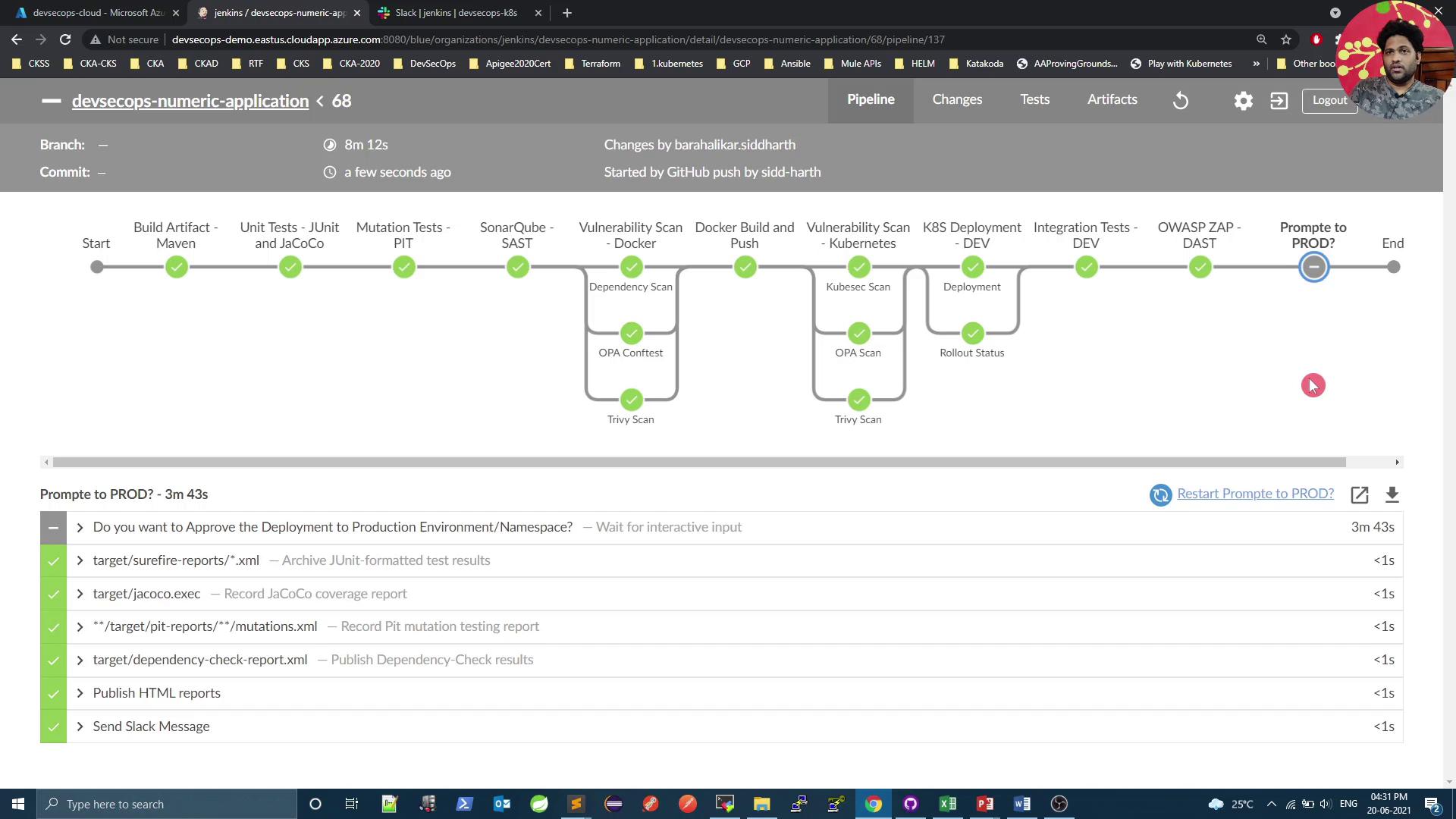
To ensure an architect or manager authorizes production deployments, we introduce a Promote to PROD stage with a two-day timeout. The snippet below shows how to integrate this into your Jenkinsfile:
Copy
Ask AI
stage('OWASP ZAP - DAST') { steps { withKubeConfig([credentialsId: 'kubeconfig']) { sh 'bash zap.sh' } }}stage('Promote to PROD') { steps { timeout(time: 2, unit: 'DAYS') { input message: 'Approve deployment to Production Environment/Namespace?' } }}stage('Testing Slack') { steps { // This intentional failure triggers our Slack notification sh 'exit 1' }}post { always { junit 'target/surefire-reports/*.xml' jacoco execPattern: 'target/jacoco.exec' mutation mutationStatsFile: '**/target/pit-reports/**/mutations.xml' dependencyCheckPublisher pattern: 'target/dependency-check-report.xml' publishHTML allowMissing: false, alwaysLinkToLastBuild: true, keepAll: true, reportDir: 'owasp-zap-report', reportFiles: 'zap_report' // Send a Slack notification with the current build result sendNotification currentBuild.result }}
The pipeline will pause at the Promote to PROD stage until an approver selects Proceed or Abort. Aborting will stop the pipeline and notify the team via Slack.
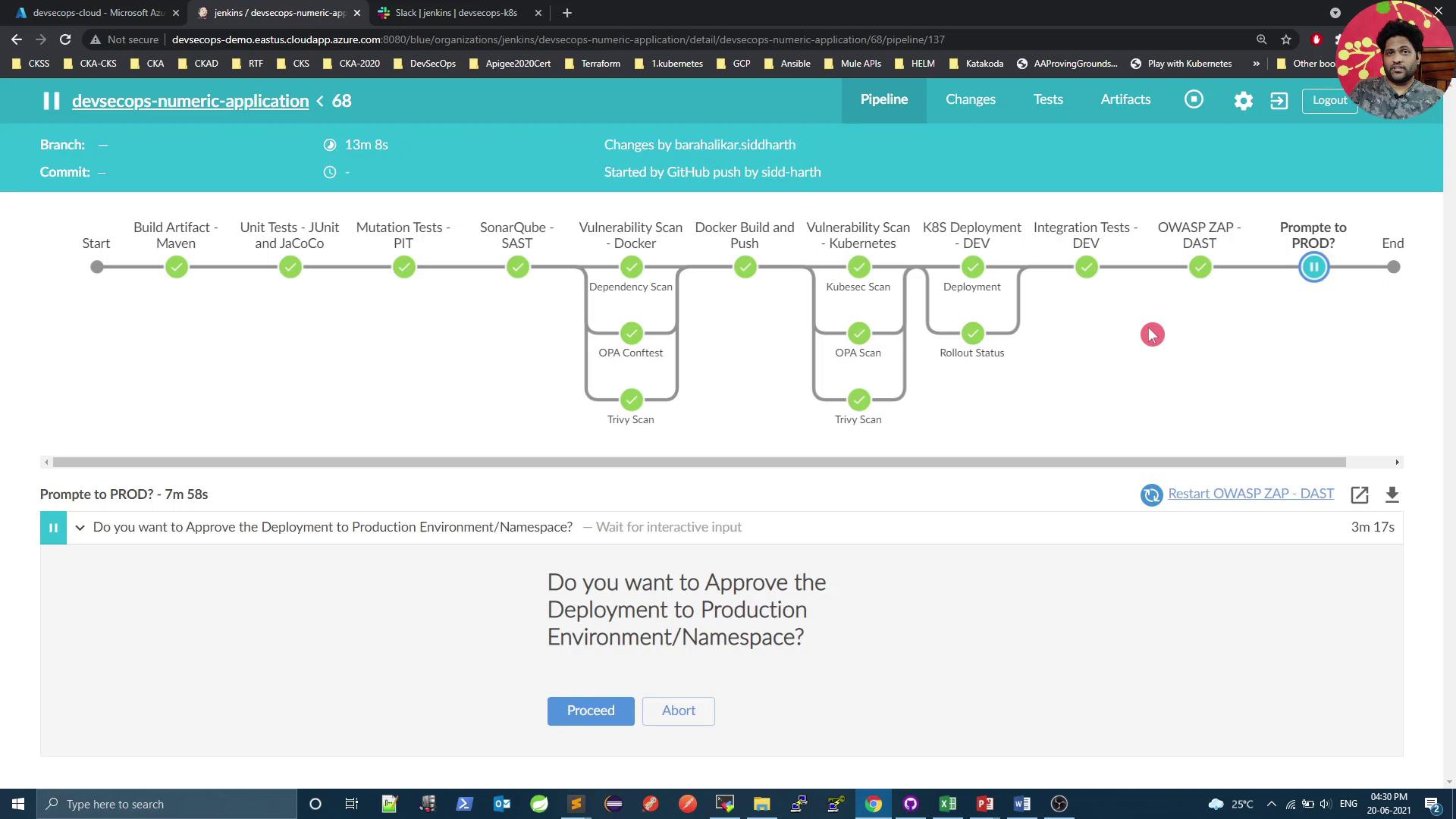
Once committed and pushed, the pipeline executes all stages and halts at our manual approval gate:
At this point, the designated approver clicks Proceed to deploy or Abort to cancel. If aborted, the stage turns gray, the pipeline stops, and a Slack alert is sent.The screenshot below shows the completed pipeline with all checks passing and the approval prompt still active:
In the next section, we’ll add cluster benchmarking with Kubebench, enforce pod-to-pod security using KubeScan, perform a Kubernetes cluster vulnerability audit, and then finalize the production rollout.