

Why SonarQube for SAST?
SonarQube is an open-source platform by SonarSource that performs continuous inspection of code quality through automatic static analysis. It gives you visibility into your code by pinpointing specific lines where issues occur and offering remediation guidance. You can also enforce quality gates—thresholds on code metrics—to ensure that every commit meets your organization’s standards.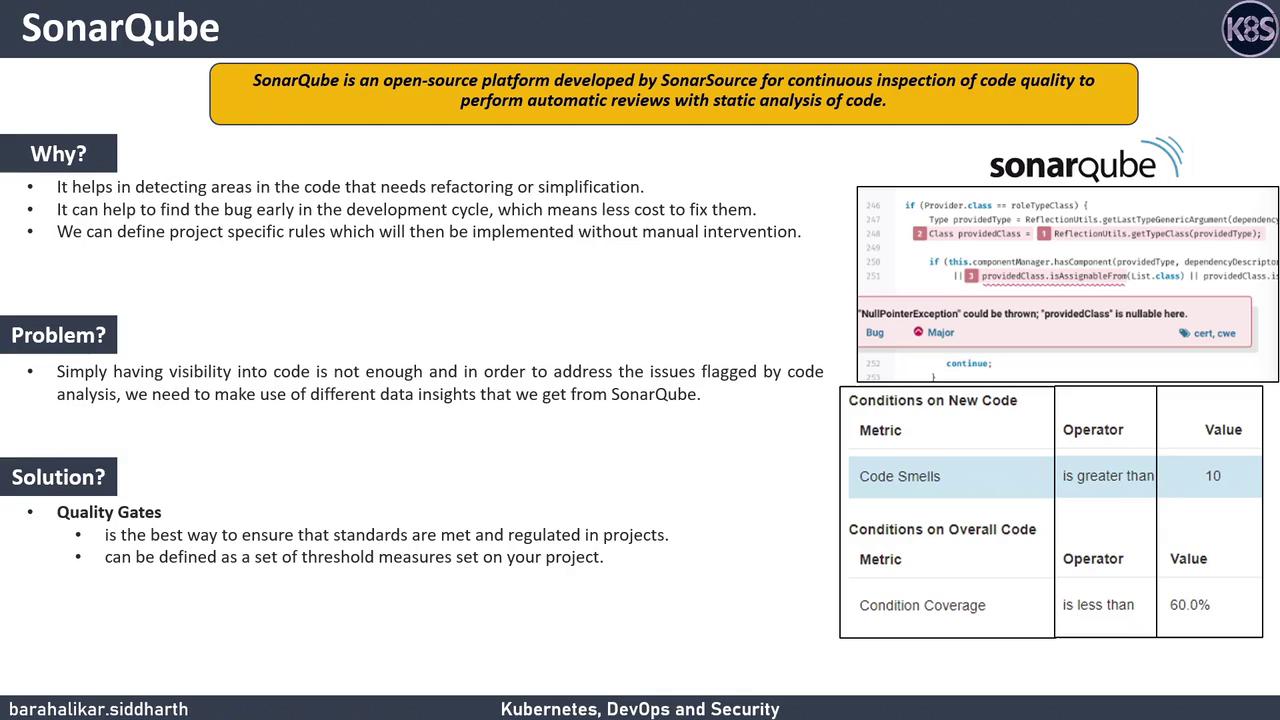
Defining Quality Gates
With quality gates, you can set conditions such as:- Number of code smells
- Number of security hotspots
- Code coverage percentage
Installing SonarQube with Docker
A quick way to get SonarQube up and running is via the official Docker image. Run:The environment variable
SONAR_ES_BOOTSTRAP_CHECKS_DISABLE=true disables Elasticsearch bootstrap checks for development environments. Do not use this in production.http://<your-host>:9000. The default credentials are admin/admin.